


# eSignet

A Modern and Inclusive Digital Identity Authentication Solution

## Overview

Digital identity is rapidly becoming the standard means of citizen identification across both government platforms and private service portals. As access to services increasingly relies on digital channels, secure user authentication has become a critical requirement. To ensure privacy, security, and inclusivity, authentication mechanisms must adhere to established standards that protect data and foster user trust.

### Where does eSignet fit in?

**eSignet** plays a critical role by providing a secure, standards-compliant digital identity solution that empowers both users and service providers. It enables:

* **Trusted identity verification** across platforms.
* **Flexible login and authentication methods** tailored to various assurance levels.
* **Inclusive access** designed to serve diverse user groups and device capabilities.
* **Consent-driven data and profile sharing**, ensuring transparency and user control.

eSignet ensures that digital interactions are not only seamless but also secure, private, and user-centric. Built on trusted protocols and designed with a privacy-first approach, eSignet empowers both users and service providers with confidence and control.

**eSignet comprises of 2 specific modules/parts**:

1. [eSignet Authentication](/esignet-authentication)
2. [Signup](/esignet-signup)

#### What is eSignet Authentication?

[**eSignet** authentication](/esignet-authentication) is a powerful, open-source digital identity authentication module that enables secure and standardised access to online services. It is developed by **MOSIP** and built by implementing specific OpenID Connect (OIDC) RFCs to provide high assurance.

It is designed to be **independent and be used as a standalone authentication module** and can be easily integrated with **any identity system or repository** that supports authentication and attribute retrieval. While it includes reference integrations with MOSIP, its architecture is flexible and open enough to be adopted for a wide range of digital services ecosystems.

Whether you're building a citizen portal, a financial application, or any service that requires identity verification, **eSignet can serve as your trusted, modular identity layer**.

#### What is Signup?

The [Signup](/esignet-signup) Module is a self-contained, independent component that enables individuals to create and manage their digital identity profiles designed for seamless integration with eSignet auth module.

Beyond profile creation, the module also offers support for **identity verification capabilities**, including support for [**eKYC Verification**](/esignet-signup/features#identity-assurance-flow-ekyc-verification), ensuring that user identities can be reliably validated during signup. With a focus on inclusivity, low-barrier entry, and progressive trust building, it can be used to extend digital identity to under-served or unregistered populations.

### **Key Features of eSignet**

* **Login with Trusted ID** Enables users to authenticate using a secure identity issued by a government authority or a trusted provider.
* **Inclusive Support for Multiple Authentication Factors** Accommodates a [variety of authentication methods](/esignet-authentication/features#on-demand-selection-of-authentication-factors) including biometrics, one-time passwords (OTP), and wallet-based authentication.
* **Frictionless Addition of New Authentication Factors** Architected to seamlessly integrate emerging authentication technologies without requiring major system modifications.
* **Integration with Multiple Registries** Provides the capability to connect with various identity registries to facilitate comprehensive user verification.
* **Simple Integration with Relying Parties (Service Providers)** Streamlines the onboarding process for service providers requiring robust identity verification and facilitate [integration with eSignet](/esignet-authentication/develop/integration/relying-party).
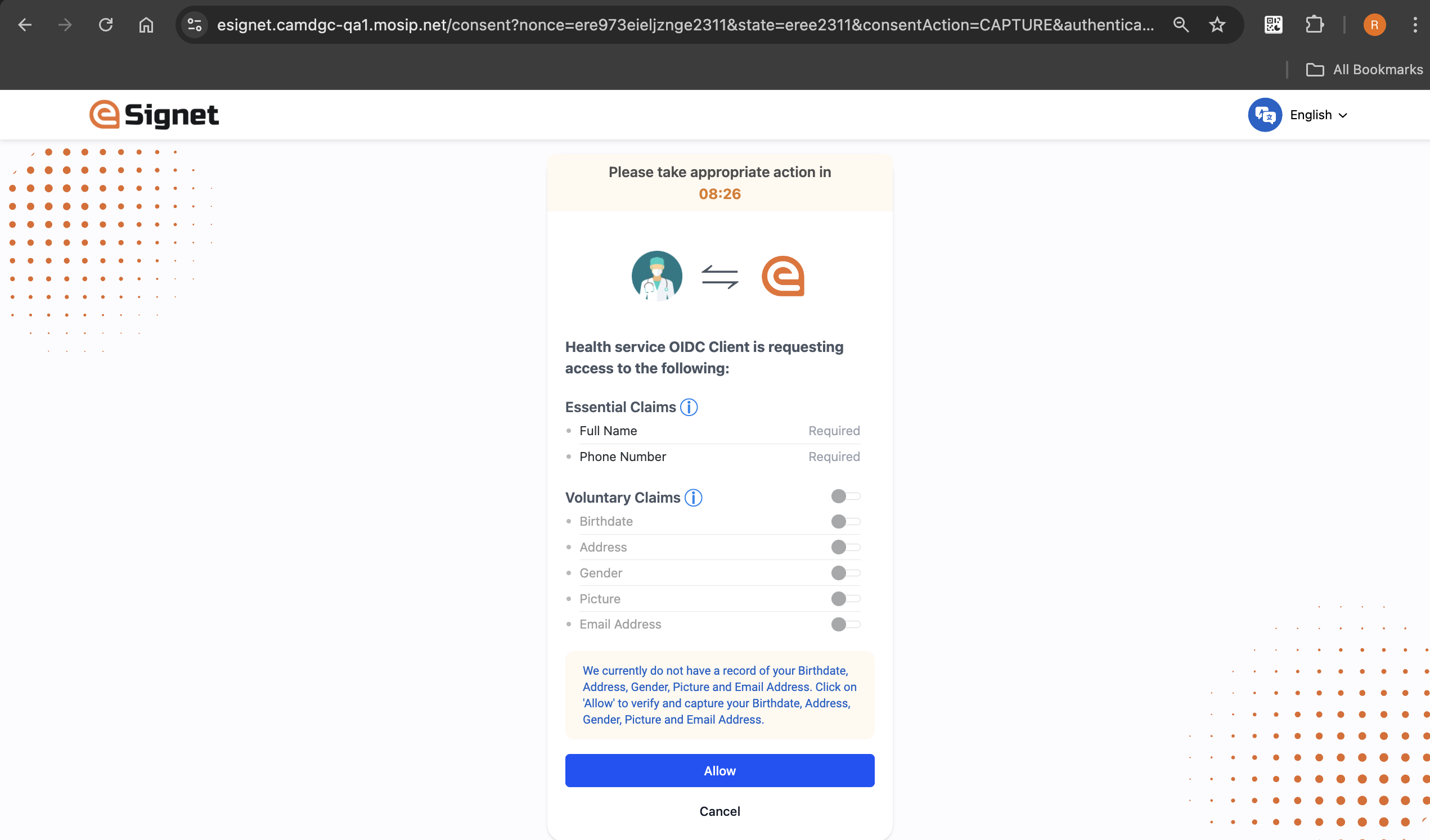
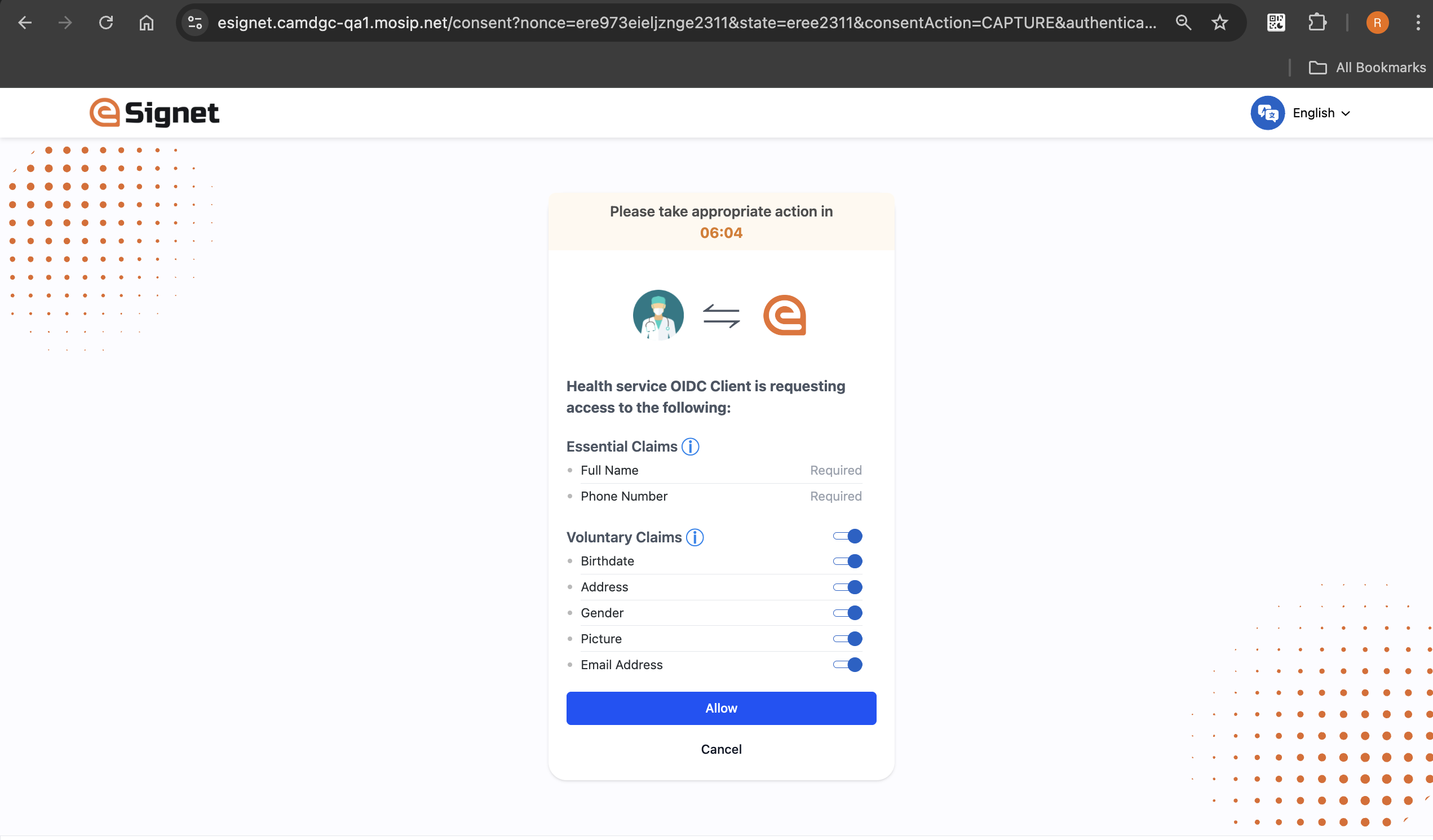
* **User Consent Management** Incorporates a built-in mechanism to obtain explicit [user consent for data access and usage](/esignet-authentication/features#consent-management).
* **Protection Against Unwanted Profiling** Safeguards personal data by preventing unauthorized tracking or profiling of users.
* **Multiple Assurance Levels** Supports varying levels of identity assurance, depending on the authentication method employed.
* **Digital Wallet Integration** Enables secure, device-based authentication through [integration with digital wallets](/esignet-authentication/develop/integration/wallet).
* **Verified Claims Support:** eSignet now includes [*verified claims* ](https://docs.esignet.io/pages/Tk3eiHfyOsvmzvqNZGRg#id-2.-interoperability)in its identity response, enabling relying parties to consume high-assurance user attributes.
* **KYC-Verified Signup:** eSignet’s [Signup module](/esignet-signup) allows user registration with *Video eKYC*, enabling identities to be onboarded with verified claims from the start.
* **FAPI 2.0 Compliance:** eSignet now complies with the FAPI 2.0 Security Profile, offering higher security and improved interoperability.

### **What Differentiates eSignet**

#### 1. **Enhancing Authentication Methods Through Secure Standards**

* **Standards-Based Architecture** utilizes [OpenID Connect flows built on the OAuth 2.0 framework](/readme/standards), allowing seamless integration via widely supported libraries.
* **Scalable for Country-Wide Implementation** Designed to deliver secure authentication and KYC verification at national scale, ensuring high reliability and performance.
* **Secure Biometric Integration** Incorporates the [Secure Biometric Interface (SBI)](/readme/standards#1-security) to enable secure biometric data collection for identity verification.
* **Advanced Security Features** Supports secure OpenID Connect options such as the authorization code flow and includes enhanced fraud prevention measures.

#### 2. **User-Centric Design**

* **Single Identity Credential** Enables users to access integrated public and private sector services using a unified digital identity.
* **Mandatory Consent Enforcement** Ensures that all data access is governed by an explicit, user-centric consent flow.
* **Support for Diverse Authentication Methods** Accommodates various verification approaches to meet individual preferences and improve usability and liveness detection.
* **Credential Security** Ensures that user authentication is handled exclusively on the eSignet platform, preventing unauthorized data sharing with third parties unless consented by the user.

#### 3. **Accelerated Digital Transformation**

* **Fast and Secure Digital Verification** Facilitates rapid user verification across multiple digital services.
* **Assurance Parity with Registration** Maintains consistent verification quality using the same methods employed during initial user onboarding (OTP, biometrics, cryptographic keys).
* **Government Enablement for e-KYC Services** Empowers governments to offer digital identity verification and e-KYC services, fostering broader access to financial and digital services.
* **Effortless Integration for Service Providers** Adheres to open standards, significantly reducing time-to-market for deploying identity services.
* **Bridging the Digital Divide** Offers flexible verification modes to cater to users across the digital access spectrum.

### **Inclusivity at Its Core**

eSignet is engineered to ensure inclusive access to digital identity verification, supporting multiple verification models and modalities to meet the varied needs of users and the devices they use.

#### **Verification Models**

* **Assisted Verification and Data Collection** Enables identity verification with the assistance of an operator or at a physical kiosk.
* **Self-Identification for Online Services** Allows users to independently verify their identity through remote digital channels.

#### [**Verification Modalities**](/esignet-authentication/features#supported-authentication-methods)

* **OTP-Based Authentication (Feature Phone Users)** Offers SMS-based OTP login for users with basic mobile devices.
* **Wallet-Based Facial Authentication (Smartphone Users)** Enables face recognition authentication via digital wallets on smartphones.
* **Biometric Authentication (Non-Phone Users)** Supports biometric verification for users without mobile access, via assisted modes or kiosks.

### **Who is eSignet for?**

* **Government Agencies** Offers a secure, standards-based identity verification layer for transforming existing IDs into interoperable digital identities.
* **Service Providers** Enables efficient service delivery through secure identity verification, eKYC, and consent-based data access across sectors such as banking, telecommunications, and insurance.
* **Citizens and Residents** Empowers individuals to prove their identity securely and conveniently while preserving privacy across a broad range of digital services.
* **Developers and System Integrators** Provides a comprehensive set of tools and standards to enable seamless integration of digital ID authentication and eKYC functionalities.

### **Potential Use Cases**

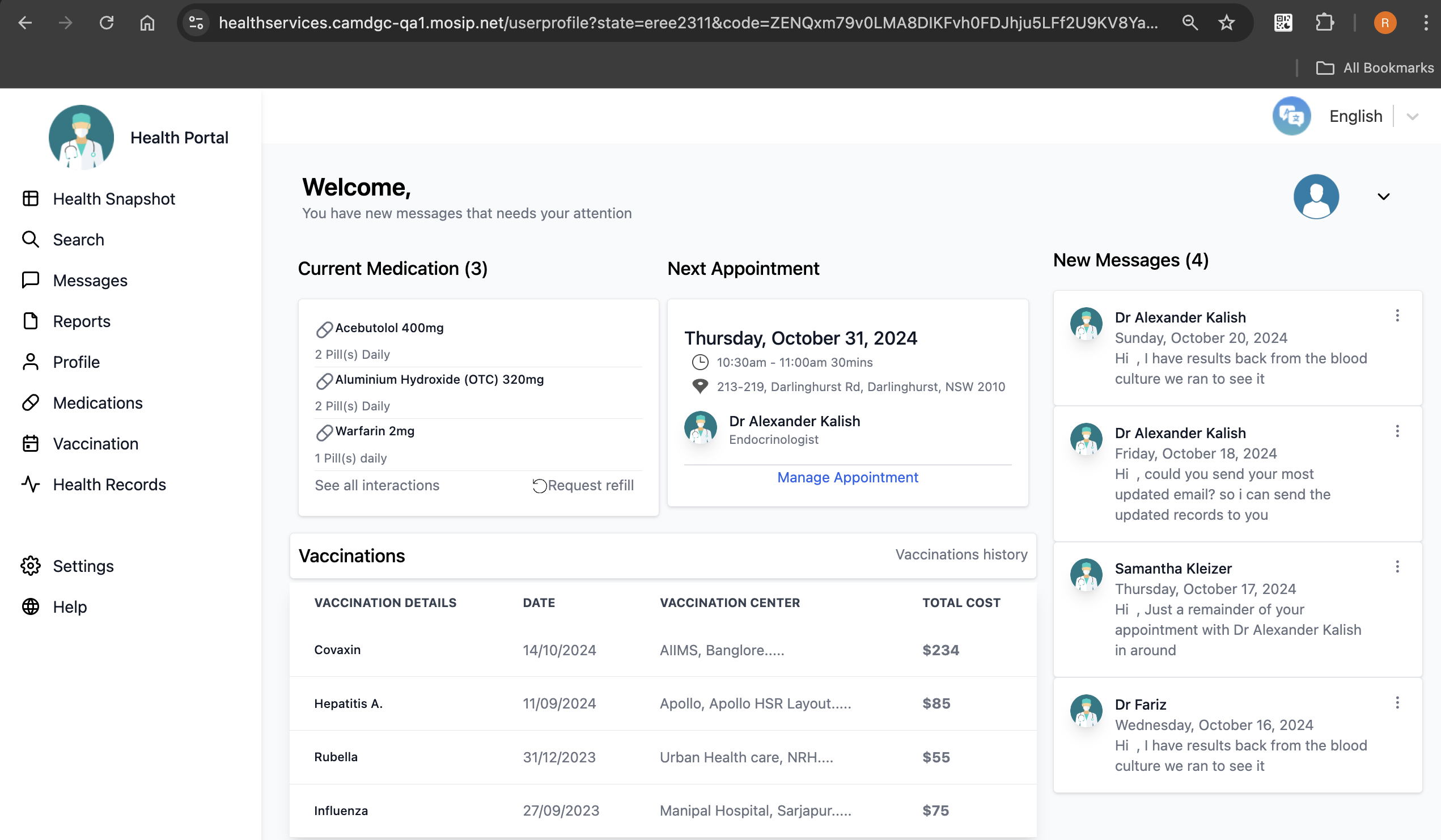
* **Healthcare**: Patients use OTP or biometrics to access health portals securely, ensuring inclusive access to medical services.
* **Education**: Universities leverage face authentication for secure access to exams or hostel services, enhancing accessibility.
* **Social Welfare Programmes:** Enables precise distribution of benefits to verified and eligible recipients.
* **Taxation:** Facilitates simplified tax filing and accurate taxpayer identification.
* **Voting Systems:** Ensures secure and reliable voter authentication during elections.
* **Banking:** Supports secure customer onboarding and transaction verification.
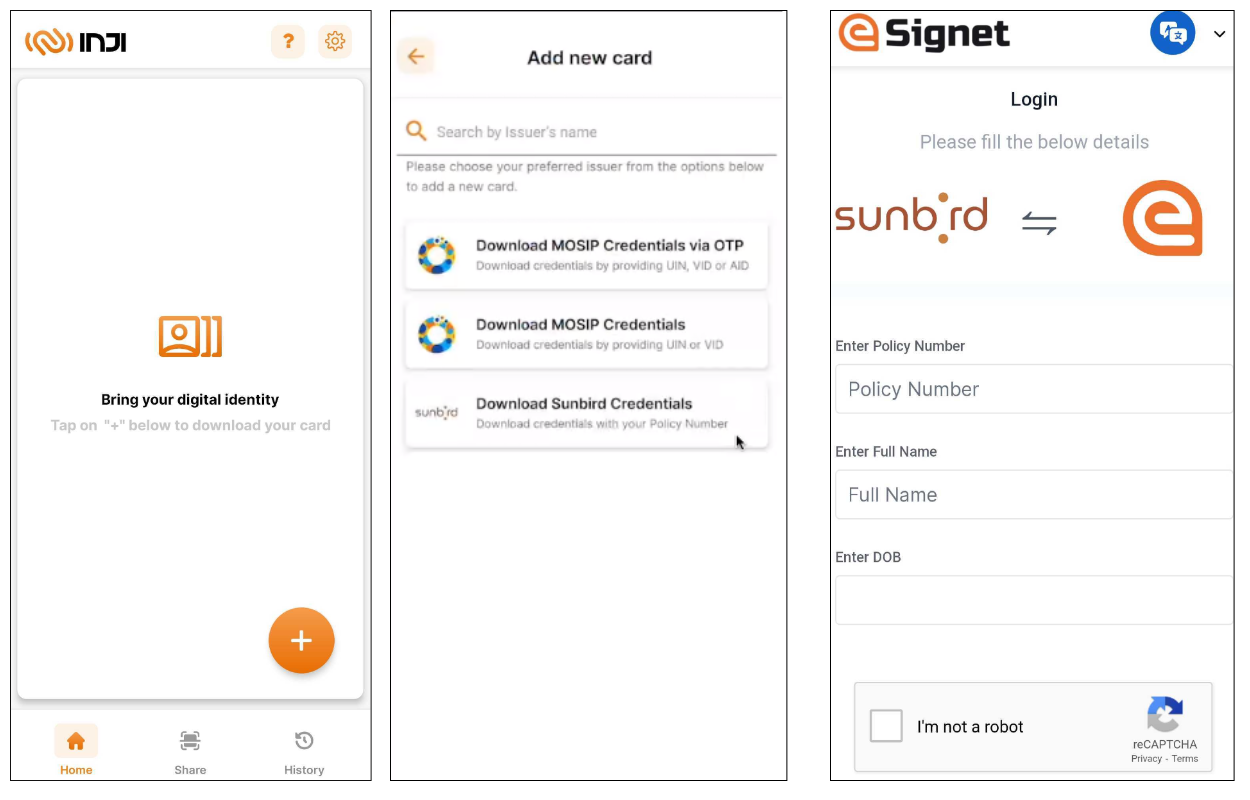
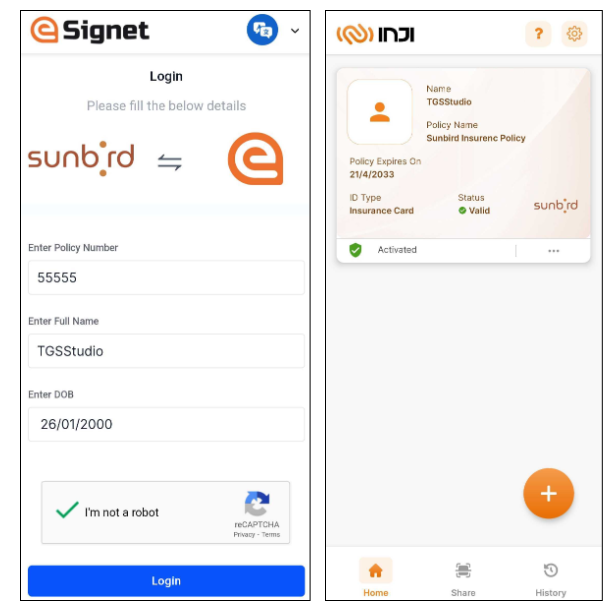
* **Insurance:** Verified KYC data with high assurance levels enables faster, compliant onboarding, promoting financial inclusion.
* **Border Control:** Enhances national security by verifying the identity of travelers and supporting secure cross-border movement.

The use cases listed above are illustrative and not exhaustive, eSignet can be adapted to support a wide range of additional applications across both public and private sectors.

Refer below to know more.

<table data-view="cards"><thead><tr><th data-hidden data-type="content-ref">Cover image</th><th data-hidden data-card-cover data-type="image">Cover image</th><th data-hidden data-card-target data-type="content-ref"></th></tr></thead><tbody><tr><td><a href="/readme/principles">Principles</a></td><td><a href="https://3349261888-files.gitbook.io/~/files/v0/b/gitbook-x-prod.appspot.com/o/spaces%2FylzvZHp30DQ3rNCClELV%2Fuploads%2FShOXhuuWfrrrBWhrRUCc%2FPrinciples%20Card.png?alt=media&amp;token=6d256cb0-c547-4304-bd8c-d2ef25de448f">Principles Card.png</a></td><td><a href="/readme/principles">Principles</a></td></tr><tr><td></td><td><a href="https://3349261888-files.gitbook.io/~/files/v0/b/gitbook-x-prod.appspot.com/o/spaces%2FylzvZHp30DQ3rNCClELV%2Fuploads%2FEusGZzuX9FlWMakX01UT%2FS%26S%20Card.png?alt=media&amp;token=cc7d8596-37f7-4852-9a77-724cc4610080">S&amp;S Card.png</a></td><td><a href="/readme/standards">Standards &amp; Security</a></td></tr><tr><td></td><td><a href="https://3349261888-files.gitbook.io/~/files/v0/b/gitbook-x-prod.appspot.com/o/spaces%2FylzvZHp30DQ3rNCClELV%2Fuploads%2FHeFZdJ5cKagIa4MduKEC%2FLicense%20Card.png?alt=media&amp;token=b2ca0d56-4550-453a-8c2f-5aeeae06fbe9">License Card.png</a></td><td><a href="/readme/license">License</a></td></tr><tr><td></td><td><a href="https://3349261888-files.gitbook.io/~/files/v0/b/gitbook-x-prod.appspot.com/o/spaces%2FylzvZHp30DQ3rNCClELV%2Fuploads%2FhBK1OgIwOfm4asgcn2p8%2FTechnology%20card.png?alt=media&amp;token=5baf4db0-1e29-46a3-a173-3346b548526d">Technology card.png</a></td><td><a href="/readme/technology">Technology</a></td></tr></tbody></table>


# Principles

Core principles that define eSignet.

eSignet is designed with the architectural principles mentioned below. These architecture principles are core to developing the system's features and greatly influence how and why specific software design patterns are used.

#### Data Privacy

eSignet prioritizes user privacy by minimizing data exposure and ensuring secure interactions:

* **No PII Data Storage by eSignet:** eSignet does not store any personally identifiable information (PII); sensitive data is processed transiently for authentication and never retained.
* **Privacy-Enabled Token (PSUT):** Instead of sharing user IDs, eSignet issues a unique **Partner Specific User Token (PSUT)** for each user-relying party pair.
* **Protection of Sensitive Data:** Sensitive information is never stored or logged in clear text.
* **User Controlled Consent:** Users have full control over what data is shared with relying parties.

#### No Vendor Lock-in

eSignet is built to be **vendor-neutral** and **open-source**, promoting maximum flexibility, interoperability, and independence:

* **Open Standards Across the Stack** eSignet adheres to open standards across its entire architecture, enabling seamless integration with a wide range of identity systems and infrastructures.
* **No Dependence on Proprietary Solutions** Organizations are free to use their preferred biometric devices, software components, and infrastructure without being tied to a specific vendor or ecosystem.
* **Open Source Foundation** As an open-source product, eSignet provides full transparency and avoids proprietary lock-in, allowing adopters to customize, extend, and audit the solution based on their requirements.

#### Commodity Computing

eSignet is optimized for cost-efficiency and scalability:

* **Containerized Backend:** All eSignet backend services run as **Docker containers**, eliminating dependencies on specialized hardware or specific cloud providers.
* **Multi-Platform Support:** It can be deployed on any general-purpose **virtual machine (VM)** that supports Docker.
* **Avoids Vendor Lock-in:** Organizations are free to use their existing cloud or on-premise infrastructure.

#### Secure By Design

Security is a core principle of eSignet, ensuring end-to-end protection:

* **Trusted Integrations:** eSignet only integrates with verified and **trusted applications**.
* **Fraud Prevention:** Authentication is tied to specific transactions, reducing the risk of unauthorized access.
* **Centralized Key Management:** A robust key management system ensures secure cryptographic operations.
* **API Security:** All the data modification APIs (Client management end points) are protected using **OAuth 2.0**, ensuring secure access control.

All state-changing APIs are protected with OAuth 2.0, enforcing authenticated and authorized access.


# Standards & Security

Building on the most trusted security protocols.

eSignet is built on industry-leading security standards, ensuring robust privacy and data protection. It implements [OpenID Connect Core 1.0](https://openid.net/specs/openid-connect-core-1_0-final.html) and [OAuth 2.0](https://oauth.net/2/), leveraging the most secure and trusted authentication flows to safeguard user identities.

#### 1. Security

* **Biometric Integration via SBI**\
  eSignet integrates with the [**Secure Biometric Interface (SBI)**](https://standards.ieee.org/ieee/3167/10925/) to support a wide range of biometric service providers.\
  Please refer the links below for the SBI library to enable the biometric auth with eSignet
  * [React SBI Library](https://github.com/mosip/mosip-sdk/tree/master/react-secure-biometric-interface-integrator)
  * [JS SBI Library](https://github.com/mosip/mosip-sdk/tree/master/secure-biometric-interface-integrator)
  * [Supported Devices](https://docs.mosip.io/1.2.0/id-lifecycle-management/supporting-components/biometrics/biometric-devices) - View the list of compatible biometric devices.
* **HSM Integration with PKCS #11**\
  eSignet supports **Hardware Security Module (HSM)** integration using **PKCS #11** for the secure storage and management of signing keys.

#### 2. Interoperability

* **Verifiable Credentials & Wallet Integration**\
  eSignet adopts **OpenID standards** to support **verifiable credentials** and **wallet-based identity verification**, enabling seamless cross-platform interoperability.
* **Identity Assurance (Introduced in v1.5.0)**\
  From version **v1.5.0**, eSignet includes support for [**Identity Assurance**](/esignet-authentication/features#identity-assurance-flow-ekyc-verification) **under OpenID Connect**, allowing retrieval of verified user claims and associated metadata.
* **well-knowns**\
  eSignet implements **well-known to publish the URI for metadata discovery**. Below are the supporting standardized .well-known endpoints for dynamic service configuration and discovery.

| **Name**             | **URL Paths**                           |
| -------------------- | --------------------------------------- |
| OpenID Configuration | /.well-known/openid-configuration       |
| Jwks Json            | /.well-known/jwks.json                  |
| Authorization Server | /.well-known/oauth-authorization-server |

#### 2. Supported Standards and RFCs

eSignet provides a limited implementation of the OpenID protocol, supporting the following RFCs and standards:

**a. OAuth 2.0 Standards:**

* [OAuth 2.0 RFC 6749](https://www.rfc-editor.org/rfc/rfc6749) - Authorization code flow support
* [OAuth 2.0 RFC 6750](https://datatracker.ietf.org/doc/html/rfc6750) - Authorization Framework: Bearer Token Usage
* [OAuth 2.0 RFC 7523](https://www.rfc-editor.org/rfc/rfc7523) - JWT profile for client authentication
* [OAuth 2.0 RFC 7636 ](https://datatracker.ietf.org/doc/html/rfc7636)- PKCE security extension
* [OpenID Connect Core 1.0](https://openid.net/specs/openid-connect-core-1_0-final.html)
* [Open ID Connect Discovery 1.0](https://openid.net/specs/openid-connect-discovery-1_0.html)

**b. Token and Discovery Standards:**

* [RFC 7515](https://www.rfc-editor.org/rfc/rfc7515.html) - JSON Web Signature
* [RFC 7516](https://www.rfc-editor.org/rfc/rfc7516.html) - Userinfo as JWE
* [RFC 7517](https://datatracker.ietf.org/doc/html/rfc7517) - JSON Web Keys
* [RFC-9068](https://www.rfc-editor.org/rfc/rfc9068.html) - JSON Web Token (JWT) Profile for OAuth 2.0 Access Tokens
* [RFC 7519](https://www.rfc-editor.org/rfc/rfc7519) - ID token and access token as JWT
* [OAuth 2.0 RFC 8414](https://datatracker.ietf.org/doc/html/rfc8414) - Authorization Server Metadata
* [RFC 5785 ](https://www.rfc-editor.org/rfc/rfc5785)- Followed for both openid and oauth well-knowns

**c. Identity Proofing and security:**

* [Identity Assurance 1.0](https://openid.net/specs/openid-connect-4-identity-assurance-1_0.html)
* [IEEE SA P3167 SBI 2.0](https://openid.net/specs/openid-connect-4-identity-assurance-1_0.html)

**d. FAPI 2.0 Security Profile:**

eSignet adopts key OpenID [**FAPI 2.0 security profile**](https://openid.net/specs/fapi-security-profile-2_0-final.html#section-5.3) requirements. This combination mitigates authorization request tampering, authorization code interception, bearer token replay, and authorization server mix-up attacks, significantly strengthening OAuth 2.0 security.

* [RFC-9126](https://datatracker.ietf.org/doc/html/rfc9126) - Pushed Authorization Request (PAR)
* [RFC-9449](https://datatracker.ietf.org/doc/html/rfc9449) - Demonstrate Proof of Possession (Dpop)
* [RFC-9207](https://www.rfc-editor.org/rfc/rfc9207) - Authorization Server issuer Metadata

#### 3. Supported Authentication Flows

As eSignet incorporates **OpenID Connect**, a wide range of client libraries are available for seamless integration. Therefore, it is recommended to avoid creating custom code for the integration process.

eSignet implements and supports only the flows mentioned below:

| **Standards**          | **Flow**                     | **Client Authentication** |
| ---------------------- | ---------------------------- | ------------------------- |
| OAuth 2.0              | Authorization Code with PKCE | private-key-jwt           |
| OIDC                   | Authorization Code with PKCE | private-key-jwt           |
| Identity Assurance 1.0 | Authorization Code with PKCE | private-key-jwt           |

**Note:** eSignet supports **confidential clients only**, adhering to the principle of **security by design**.

#### 4. Security Enhancements

* **Authorization Code Flow** – Exchanges an authorization code for a token, requiring client authentication.
* **Private-key-jwt -** Our supported client authentication method is private-key-jwt only which ensures that the token is given to a legitimate client.
* **PKCE** - We also support the [PKCE ](https://www.rfc-editor.org/rfc/rfc7636)(Proof Key for Code Exchange) security extension for exchanging an authorization code for a token, which guarantees that the authorization code was obtained by the same client application performing the code exchange.

**Note:** eSignet currently supports the S256 challenge method in its PKCE implementation.

#### 5. eSignet as OAuth 2.0 server

eSignet’s OAuth 2.0 implementation is a lightweight solution designed specifically for OIDC authentication flows. It does not function as a full-fledged authorization server but provides the essential capabilities required for identity verification and kyc. Additionally, eSignet:

* **Does not support role-based access control** - As it is designed for integration with national-level identity solutions, where predefined roles are not necessary for residents.

***


# License

Empowering users through transparent licensing.

The documentation is licensed under a Creative Commons Attribution 4.0 International License.

<div align="center" data-full-width="true"><img src="https://3349261888-files.gitbook.io/~/files/v0/b/gitbook-x-prod.appspot.com/o/spaces%2FylzvZHp30DQ3rNCClELV%2Fuploads%2Fgit-blob-e44c25f0a432424534043ac386db4856380125c1%2Fby.svg?alt=media&amp;token=a5a7d5cd-9d55-471a-b3a2-7df1340c4751" alt="CC license Image"></div>

🔗 **eSignet's Core Repositories:**

All eSignet's [core](https://github.com/mosip) repositories are licensed under the terms of [Mozilla Public License 2.0](https://github.com/mosip/commons/blob/master/LICENSE).

All eSignet code is owned and maintained by International Institute of Information Technology, Bangalore, on behalf of eSignet.

⚠️ **Trademark Notice:**

All trademarks are the property of their respective holders. Other products and company names mentioned [here](https://github.com/mosip) may be trademarks and/or service marks of their respective owners.


# Technology

Explore the tools, components, and architecture powering eSignet.

Please refer to the below sections to build, integrate, and enhance solutions with eSignet using comprehensive guides, tools, and resources:

* [**Technology Stack**](/readme/technology/technology-stack) – Learn about the technologies used in eSignet, including services, storage solutions, deployment tools, and testing frameworks.
* [**Components – eSignet**](/esignet-authentication/develop/components) – Understand eSignet’s core components, functions, and integration methods.
* [**Components - Signup Portal**](/esignet-signup/develop/components-signup-portal) – Seamlessly register and verify identities with the Signup Portal’s robust components and secure eKYC integration.
* [**API Reference**](/esignet-authentication/develop/api) – Refer here for all the APIs used by eSignet.


# Technology Stack J21

eSignet is built using the below tools and technologies.

### Services and Rest Endpoints

<table><thead><tr><th width="144.60546875">Tool/Technology</th><th width="151.22265625">Version</th><th width="298.390625">Description</th><th>License</th></tr></thead><tbody><tr><td><a href="https://www.java.com/en/">Java SE 21</a></td><td>OpenJDK 21</td><td>Java is a high-level, class-based, object-oriented programming language that is designed to have as few implementation dependencies as possible.</td><td><a href="https://www.oracle.com/in/downloads/licenses/binary-code-license.html">Oracle Binary Code License</a></td></tr><tr><td><a href="https://spring.io/projects/spring-framework">Spring Framework</a></td><td>3.2.3</td><td>Spring Framework provides a comprehensive programming and configuration model for modern Java-based enterprise applications - on any kind of deployment platform.</td><td><a href="https://github.com/spring-projects/spring-framework/blob/main/LICENSE.txt">Apache License 2.0</a></td></tr><tr><td><a href="https://projectlombok.org/">Lombok</a></td><td>1.18.42</td><td>Project Lombok is a Java library that automatically plugs into your editor and build tools, spicing up your java.</td><td><a href="https://github.com/projectlombok/lombok/blob/master/LICENSE">Lombok License</a></td></tr><tr><td><a href="https://logback.qos.ch/">Logback</a></td><td>1.2.3</td><td>Logback is a logging framework that provides a fast, reliable, and highly configurable solution for generating logs in Java applications.</td><td><a href="https://github.com/qos-ch/logback/blob/master/LICENSE.txt">Logback License</a></td></tr><tr><td><a href="https://www.openapis.org/">openapi</a></td><td>2.6.0</td><td>The OpenAPI Specification is a specification language for HTTP APIs that provides a standardized means to define your API to others.</td><td><a href="https://github.com/OAI/OpenAPI-Specification/blob/main/LICENSE">Apache License 2.0</a></td></tr><tr><td><a href="https://docs.mosip.io/1.2.0/modules/keymanager">kernel-keymanager-service (MOSIP)</a></td><td>1.3.0</td><td>The Key Manager Service provides secure storage, provisioning and management of secret data. It provides all the cryptographic operations like encryption/decryption and digital signature/verification making one trust store for all partner trust path validation.</td><td><a href="https://github.com/mosip/keymanager/blob/master/LICENSE">Mozilla Public License 2.0</a></td></tr><tr><td><a href="https://react.dev/">React JS</a></td><td>18.2v</td><td>React lets you build user interfaces out of individual pieces called components.</td><td><a href="https://github.com/facebook/react/blob/main/LICENSE">MIT License</a></td></tr></tbody></table>

#### Storage

<table><thead><tr><th width="143.8828125">Tool/Technology</th><th width="99.9921875">Version</th><th width="358.61328125">Description</th><th>License</th></tr></thead><tbody><tr><td><a href="https://www.postgresql.org/">Postgres</a></td><td>15</td><td>PostgreSQL also known as Postgres, is a free and open-source relational database management system (RDBMS) emphasizing extensibility and SQL compliance.</td><td><a href="https://opensource.org/license/postgresql/">OpenSource License</a></td></tr><tr><td><a href="https://redis.io/">Redis</a></td><td>6.0</td><td>Redis is a open source, in-memory data store used by millions of developers as a database, cache, streaming engine, and message broker. Redis can be replaced with any cache compatible with spring-cache.</td><td><a href="https://redis.io/docs/about/license/">BSD License</a></td></tr><tr><td><a href="https://kafka.apache.org/">Kafka</a></td><td></td><td>Apache Kafka is an open-source distributed event streaming platform used by thousands of companies for high-performance data pipelines, streaming analytics, data integration, and mission-critical applications.</td><td><a href="https://github.com/apache/kafka/blob/trunk/LICENSE">Apache License 2.0</a></td></tr></tbody></table>

### Deployment

Insert blockBlock controls

<table><thead><tr><th width="137.91015625">Tool/Technology</th><th width="134.80859375">Version</th><th width="308.66015625">Description</th><th>License</th></tr></thead><tbody><tr><td><a href="https://maven.apache.org/">Maven</a></td><td>3.6</td><td>Apache Maven is a software project management and comprehension tool. Based on the concept of a project object model (POM), Maven can manage a project's build, reporting and documentation from a central piece of information.</td><td><a href="https://apache.org/licenses/LICENSE-2.0">Apache License 2.0</a></td></tr><tr><td><a href="https://www.docker.com/">Docker</a></td><td>20.4 and above</td><td>Docker is a set of platform as a service (PaaS) products that use OS-level virtualization to deliver software in packages called containers.</td><td><a href="https://www.docker.com/community/open-source/">OpenSource License</a></td></tr><tr><td><a href="https://www.npmjs.com/">npm</a></td><td></td><td>npm is the package manager for the Node JavaScript platform. It puts modules in place so that node can find them, and manages dependency conflicts intelligently.</td><td><a href="https://docs.npmjs.com/policies/npm-license">Artistic License 2.0</a></td></tr><tr><td><a href="https://github.com/mosip/kattu">kattu (MOSIP)</a></td><td><p>master and</p><p>master-java21 branch</p></td><td>All workflows necessary to build the project is kept here</td><td></td></tr><tr><td><a href="https://github.com/mosip/mosip-helm">Helm Chart (MOSIP)</a></td><td>depends on eSignet version</td><td>Helm helps you manage Kubernetes applications - helps define, install, and upgrade even the most complex Kubernetes application. Charts are easy to create, version, share, and publish — so start using Helm and stop the copy-and-paste.</td><td></td></tr></tbody></table>

### Testing

<table><thead><tr><th width="115.21484375">Tool/Technology</th><th width="98.62890625">Version</th><th width="366.18359375">Description</th><th>License</th></tr></thead><tbody><tr><td><a href="https://junit.org/junit5/">JUnit</a></td><td>5</td><td>JUnit is a unit testing framework for the Java programming language. JUnit has been important in the development of test-driven development and is one of a family of unit testing frameworks which is collectively known as xUnit that originated with SUnit.</td><td><a href="https://junit.org/junit4/license.html">Eclipse Public License 1.0</a></td></tr><tr><td><a href="https://learning.postman.com/docs/collections/using-newman-cli/command-line-integration-with-newman/">Newman</a></td><td></td><td>Newman is a command-line tool that allows you to run Postman collections and automate API tests. It is ideal for integrating API testing into CI/CD pipelines and provides detailed test reports for automated workflows.</td><td><a href="https://apache.org/licenses/LICENSE-2.0">Apache License 2.0</a></td></tr></tbody></table>


# Technology Stack

eSignet is built using the below tools and technologies.

## Services and Rest Endpoints

eSignet leverages a combination of backend technologies to ensure secure identity management and seamless service delivery.

<table><thead><tr><th width="179">Tool/Technology</th><th width="124">Version</th><th width="252">Description</th><th>License</th></tr></thead><tbody><tr><td><a href="https://www.java.com/en/">Java SE 11</a></td><td>OpenJDK 11</td><td>Java is a high-level, class-based, object-oriented programming language that is designed to have as few implementation dependencies as possible.</td><td><a href="https://www.oracle.com/in/downloads/licenses/binary-code-license.html">Oracle Binary Code License</a></td></tr><tr><td><a href="https://spring.io/projects/spring-framework">Spring Framework</a></td><td>2.3.6</td><td>Spring Framework provides a comprehensive programming and configuration model for modern Java-based enterprise applications - on any kind of deployment platform.</td><td><a href="https://github.com/spring-projects/spring-framework/blob/main/LICENSE.txt">Apache License 2.0</a></td></tr><tr><td><a href="https://projectlombok.org/">Lombok</a></td><td>1.18.24</td><td>Project Lombok is a java library that automatically plugs into your editor and build tools, spicing up your java.</td><td><a href="https://github.com/projectlombok/lombok/blob/master/LICENSE">Lombok License</a></td></tr><tr><td><a href="https://logback.qos.ch/">Logback</a></td><td>1.2.3</td><td>Logback is a logging framework that provides a fast, reliable, and highly configurable solution for generating logs in Java applications.</td><td><a href="https://github.com/qos-ch/logback/blob/master/LICENSE.txt">Logback License</a></td></tr><tr><td><a href="https://www.openapis.org/">openapi</a></td><td>1.6.9</td><td>The OpenAPI Specification is a specification language for HTTP APIs that provides a standardized means to define your API to others.</td><td><a href="https://github.com/OAI/OpenAPI-Specification/blob/main/LICENSE">Apache License 2.0</a></td></tr><tr><td><a href="https://docs.mosip.io/1.2.0/modules/keymanager">kernel-keymanager-service (MOSIP)</a></td><td>1.2.1.0</td><td>The Key Manager Service provides secure storage, provisioning and management of secret data. It provides all the cryptographic operations like encryption/decryption and digital signature/verification making one trust store for all partner trust path validation.</td><td><a href="https://github.com/mosip/keymanager/blob/master/LICENSE">Mozilla Public License 2.0</a></td></tr><tr><td><a href="https://react.dev/">React JS</a></td><td>18.2v</td><td>React lets you build user interfaces out of individual pieces called components.</td><td><a href="https://github.com/facebook/react/blob/main/LICENSE">MIT License</a></td></tr></tbody></table>

## Storage

eSignet utilizes high-performance storage solutions for managing structured and real-time data.

<table><thead><tr><th width="180">Tool/Technology</th><th width="124">Version</th><th width="251">Description</th><th>License</th></tr></thead><tbody><tr><td><a href="https://www.postgresql.org/">Postgres</a></td><td>15</td><td>PostgreSQL also known as Postgres, is a free and open-source relational database management system (RDBMS) emphasizing extensibility and SQL compliance.</td><td><a href="https://opensource.org/license/postgresql/">OpenSource License</a></td></tr><tr><td><a href="https://redis.io/">Redis</a></td><td>17.3.14</td><td>Redis is a open source, in-memory data store used by millions of developers as a database, cache, streaming engine, and message broker. Redis can be replaced with any cache compatible with spring-cache.</td><td><a href="https://redis.io/docs/about/license/">BSD License</a></td></tr><tr><td><a href="https://kafka.apache.org/">Kafka</a></td><td>18.3.1</td><td>Apache Kafka is an open-source distributed event streaming platform used by thousands of companies for high-performance data pipelines, streaming analytics, data integration, and mission-critical applications.</td><td><a href="https://github.com/apache/kafka/blob/trunk/LICENSE">Apache License 2.0</a></td></tr></tbody></table>

## Deployment

eSignet is designed for containerized and automated deployments, leveraging modern DevOps tools.

<table><thead><tr><th width="183.33333333333331">Tool/Technology</th><th width="124">Version</th><th width="250">Description</th><th>License</th></tr></thead><tbody><tr><td><a href="https://maven.apache.org/">Maven</a></td><td>3.6</td><td>Apache Maven is a software project management and comprehension tool. Based on the concept of a project object model (POM), Maven can manage a project's build, reporting and documentation from a central piece of information.</td><td><a href="https://apache.org/licenses/LICENSE-2.0">Apache License 2.0</a></td></tr><tr><td><a href="https://www.docker.com/">Docker</a></td><td>20.4 and above</td><td>Docker is a set of platform as a service (PaaS) products that use OS-level virtualization to deliver software in packages called containers.</td><td><a href="https://www.docker.com/community/open-source/">OpenSource License</a></td></tr><tr><td><a href="https://www.npmjs.com/">npm</a></td><td>18-alpine</td><td>npm is the package manager for the Node JavaScript platform. It puts modules in place so that node can find them, and manages dependency conflicts intelligently.</td><td><a href="https://docs.npmjs.com/policies/npm-license">Artistic License 2.0</a></td></tr><tr><td><a href="https://github.com/mosip/kattu">kattu (MOSIP)</a></td><td>master branch</td><td>All workflows necessary to build the project is kept here</td><td></td></tr><tr><td><a href="https://github.com/mosip/mosip-helm">Helm Chart (MOSIP)</a></td><td>depends on eSignet version</td><td>Helm helps you manage Kubernetes applications - helps define, install, and upgrade even the most complex Kubernetes application. Charts are easy to create, version, share, and publish — so start using Helm and stop the copy-and-paste.</td><td></td></tr></tbody></table>

## Testing

eSignet ensures reliability and stability through automated testing frameworks and API testing tools.

<table><thead><tr><th width="184">Tool/Technology</th><th width="125">Version</th><th width="251">Description</th><th>License</th></tr></thead><tbody><tr><td><a href="https://junit.org/junit5/">JUnit</a></td><td></td><td>JUnit is a unit testing framework for the Java programming language.JUnit has been important in the development of test-driven development, and is one of a family of unit testing frameworks which is collectively known as xUnit that originated with SUnit.</td><td><a href="https://junit.org/junit4/license.html">Eclipse Public License 1.0</a></td></tr><tr><td><a href="https://learning.postman.com/docs/collections/using-newman-cli/command-line-integration-with-newman/">Newman</a></td><td></td><td>Newman is a command-line tool that allows you to run Postman collections and automate API tests. It is ideal for integrating API testing into CI/CD pipelines and provides detailed test reports for automated workflows.</td><td><a href="https://apache.org/licenses/LICENSE-2.0">Apache License 2.0</a></td></tr><tr><td><a href="https://www.postman.com/">Postman</a></td><td></td><td>Postman is an API platform that simplifies the API lifecycle and streamlines collaboration. You can browse the largest network of public APIs, create and share your own workspaces, and access governance rules for API quality.</td><td><a href="https://apache.org/licenses/LICENSE-2.0">Apache License 2.0</a></td></tr></tbody></table>


# Roadmap and Releases

Explore the eSignet Roadmap & Releases to stay updated on key milestones, new features, and major updates.

<table data-view="cards"><thead><tr><th data-hidden data-card-cover data-type="image">Cover image</th><th data-hidden data-card-target data-type="content-ref"></th></tr></thead><tbody><tr><td><a href="https://3349261888-files.gitbook.io/~/files/v0/b/gitbook-x-prod.appspot.com/o/spaces%2FylzvZHp30DQ3rNCClELV%2Fuploads%2FXpr9nAZJG1SJJve64E7v%2FReleases%20Card.png?alt=media&amp;token=8b7ef71f-8ac2-4eaa-9c0c-213e1409d263">Releases Card.png</a></td><td><a href="/roadmap-and-releases/versions">Releases</a></td></tr><tr><td><a href="https://3349261888-files.gitbook.io/~/files/v0/b/gitbook-x-prod.appspot.com/o/spaces%2FylzvZHp30DQ3rNCClELV%2Fuploads%2FfIZYB0cxebkyQUQ1THFI%2FRoadmap%20Card.png?alt=media&amp;token=57b19c94-718a-4446-bfa0-8d94f7376486">Roadmap Card.png</a></td><td><a href="/roadmap-and-releases/roadmap">Roadmap</a></td></tr></tbody></table>


# Roadmap

Explore eSignet roadmap for key milestones, objectives, and highlights every year.


# Roadmap 2026 & Beyond

Here we present the eSignet product roadmap for 2026 and our strategic horizon forward. This roadmap outlines the planned features, progress, and release details for eSignet.

> **Annual product cycle** of eSignet commences in **January** and concludes in **December**.

<details>

<summary>Vision</summary>

In 2026, eSignet will focus on strengthening its foundation and expanding advanced authentication capabilities. The year begins with a full migration from Java 11 to Java 21 across all eSignet components, improving performance, security, and long-term maintainability. eSignet will introduce Face Authentication to support on-the-go, high-assurance user verification, followed by Single Sign-On (SSO) to enable seamless access across services. The Signup module will evolve into a standalone identity verification portal, and the year will conclude with the addition of CIBA support, enabling secure and user-friendly decoupled authentication. Continuous performance and stability improvements will run throughout the year to ensure eSignet remains production-ready at scale.

</details>

<table><thead><tr><th width="113.83984375">Priority 🗓️</th><th width="366.38671875">Features 🛠️</th><th width="127.890625">Details📝</th><th width="131.02734375">Status 📊</th><th>Release 📌</th></tr></thead><tbody><tr><td>P1</td><td><strong>eSignet Go Version (GA)</strong> <br>Deliver a stable release of eSignet for production deployments.</td><td><i class="fa-github">:github:</i> <a href="https://github.com/orgs/mosip/projects/22/views/3?reload=1&#x26;filterQuery=milestone%3AeSignet_thunder_2.0.0_beta.1%2CeSignet_v2.0.0">Milestone</a></td><td>🟠 In Progress</td><td>v2.0.0</td></tr><tr><td>P1</td><td><strong>Java 21 Migration</strong>:<br>Upgrade all eSignet repositories from Java 11 to Java 21 to improve performance, security, and long-term maintainability.</td><td><i class="fa-jira">:jira:</i> <a href="https://mosip.atlassian.net/browse/ES-2763">2763</a></td><td>🟢 Completed</td><td>v1.8.0</td></tr><tr><td>P1</td><td><strong>eSignet Performance Improvements (v1.7.x with MOSIP ID)</strong>:<br>Optimise eSignet service performance and stability when integrated with MOSIP ID for high-volume identity transactions.</td><td><i class="fa-jira">:jira:</i> <a href="https://mosip.atlassian.net/browse/ES-2829?search_id=df55b20b-63ce-46ba-8d59-f2b00d4c6666">2829</a></td><td>🟢 Completed</td><td>v1.8.0</td></tr><tr><td>P1</td><td><strong>UserInfo as Encrypted JWE</strong>:<br>Support returning UserInfo as encrypted JWE, passing signed JWTs securely to relying parties.</td><td><i class="fa-jira">:jira:</i> <a href="https://mosip.atlassian.net/browse/ES-2744">2744</a></td><td>🟢 Completed</td><td>v1.8.0</td></tr><tr><td>P1</td><td><strong>Signup Form Enhancements – Multiple Input Types</strong>:<br>Enhance Signup forms to support diverse input types for better usability and extensibility.</td><td><i class="fa-jira">:jira:</i> <a href="https://mosip.atlassian.net/browse/ES-2699">2699</a></td><td>🟢 Completed</td><td>v1.8.0</td></tr><tr><td>P1</td><td><strong>Face Authentication with eSignet</strong>:<br>Introduce face authentication as a high-assurance, on-the-go authentication factor in eSignet.</td><td><i class="fa-github">:github:</i> TBA</td><td>🔵 Planned</td><td></td></tr><tr><td>P1</td><td><strong>Wallet-based login using OpenID4VP</strong><br>Standard way to request specific credentials from a wallet and receive verified presentation</td><td><i class="fa-github">:github:</i> TBA</td><td>🔵 Planned</td><td></td></tr><tr><td>P1</td><td><strong>Passkey Authentication Support</strong><br>Enable passkeys for passwordless, phishing-resistant authentication.</td><td><i class="fa-github">:github:</i> TBA</td><td>🔵 Planned</td><td></td></tr><tr><td>P1</td><td><strong>CIBA Support in eSignet</strong></td><td><i class="fa-github">:github:</i> TBA</td><td>🔵 Planned</td><td></td></tr><tr><td>P3</td><td><strong>MFA Support – User Level</strong>:<br>Allow users to manage and use multiple authentication factors during login.</td><td><i class="fa-github">:github:</i> TBA</td><td>🔵 Planned</td><td></td></tr><tr><td>P2</td><td><strong>Single Sign-On (SSO) Super App Support</strong>:<br>Enable SSO capabilities to support super apps and seamless cross-application login experiences.</td><td><i class="fa-github">:github:</i> TBA</td><td>🔵 Planned</td><td></td></tr></tbody></table>

***

**Acronyms and Legends**:

<i class="fa-github">:github:</i> TBA - 'Github Issues Link - To Be Added'


# Roadmap 2025

This roadmap outlines the planned features, progress, and release details for eSignet throughout the calendar year 2025.

Here we present the product roadmap for eSignet for the calendar year 2025. Annual product cycle of eSignet commences in January and concludes in December.

{% hint style="warning" %}
**Prioritization**: Through this roadmap the startegic or adaptive prioritization, if there is, has been indicated as below:

* Add \[ <sup>**➕**</sup> ]: Added new.
* Strategic priortization \[ <sup>**↑**</sup> ] : Brought ahead in schedule.
* Adaptive reschedule \[ <sup>**↓**</sup> ]: Is moved to approaching quarters.
  {% endhint %}

<details>

<summary>Vision</summary>

* **Q1 2025:** Starting the year with major fixes, along with enhancements to IDA kyc-auth and kyc auth-exchange API’s.
* **Q2 2025:** Introducing prefix postfix support for multiple login handles, customizable eSignet UI, and enhancing client management endpoint.
* **Q3 2025:** Adding FAPI 2.0 security compliance and SSO feature along with dynamic sign-up form. These upgrades enhance security, improve interoperability, and offer more flexibility in user onboarding.

  **Q4 2025:** Java platform migration from Java 11 to Java 21, and advanced consent management features including support for obtaining consent from external parties, and consent handling for child and deceased users.

  **2025 and Beyond:** Focus on implementing identity brokering for seamless integration with external identity providers, ensuring secure user authentication. Transforming eSignet into an advanced eKYC verifier by leveraging plugins for ID verification with OIDC providers through web or mobile wallets, helping businesses comply with regulatory standards, and improving onboarding.

.

</details>

<table data-full-width="true"><thead><tr><th width="94.292236328125">Quarter 🗓️</th><th width="248.3125">Features 🛠️</th><th width="177.200927734375">Details📝</th><th width="123.06549072265625">Status 📊</th><th width="112.2020263671875">Release 📌</th><th width="96.444580078125">Note 📖</th></tr></thead><tbody><tr><td><strong>Q1</strong></td><td>Critical bug fixes for <a href="https://docs.esignet.io/roadmap-and-releases/versions/v1.5.1">1.5.0</a></td><td><a href="https://mosip.atlassian.net/issues/MOSIP-36245?filter=-4&#x26;jql=%22Release%20Number%5BLabels%5D%22%20%3D%20eSignet_v1.5.1%20and%20issuetype%20%3D%20Bug%20">Bug fixes</a></td><td>🟢 Completed</td><td><a href="https://docs.esignet.io/roadmap-and-releases/versions/v1.5.1">1.5.1</a></td><td></td></tr><tr><td><strong>Q2</strong></td><td>Performance fixes for the eSignet service using Mock IDA</td><td><a href="https://mosip.atlassian.net/browse/ES-1168">Performance enhancement</a></td><td>🟢 Completed</td><td><a href="https://docs.esignet.io/roadmap-and-releases/versions/v1.6.1">1.6.1</a></td><td></td></tr><tr><td><strong>Q2</strong></td><td>Resource calculator for eSignet service with Mock IDA</td><td><a href="https://mosip.atlassian.net/browse/ES-2100">Hardware and software resource calculator for eSignet Module</a></td><td>🟢 Completed</td><td><a href="https://docs.esignet.io/roadmap-and-releases/versions/v1.6.1">1.6.1</a></td><td></td></tr><tr><td><strong>Q2</strong></td><td>Add support for prefix and postfix customization for multiple handles in the eSignet UI</td><td><a href="https://mosip.atlassian.net/browse/ES-1665">Added support for users to log in with their preferred login ID</a></td><td>🟢 Completed</td><td><a href="https://docs.esignet.io/roadmap-and-releases/versions/v1.6.1">1.6.1</a></td><td></td></tr><tr><td><strong>Q2</strong></td><td>Client management endpoint enhancement</td><td><a href="https://mosip.atlassian.net/browse/ES-1655">Enhancement of the existing client management endpoint gives more flexibility to the replying part to customize eSignet as needed</a></td><td>🟢 Completed</td><td><a href="https://docs.esignet.io/roadmap-and-releases/versions/v1.6.1">1.6.1</a></td><td></td></tr><tr><td><strong>Q2</strong></td><td>Configurable consent screen</td><td>Added as part of client management endpoint enhancement</td><td>🟢 Completed</td><td><a href="https://docs.esignet.io/roadmap-and-releases/versions/v1.6.1">1.6.1</a></td><td></td></tr><tr><td><strong>Q2</strong></td><td>eSignet UI Dynamic Page Title</td><td><a href="https://mosip.atlassian.net/browse/ES-216">RP can configure the eSignet UI to have the desired page title &#x26; subtitle as per requirement.</a></td><td>🟢 Completed</td><td><a href="https://docs.esignet.io/roadmap-and-releases/versions/v1.6.1">1.6.1</a></td><td></td></tr><tr><td><strong>Q3 </strong><sup><strong>↑</strong></sup></td><td>eKYC verification support in eSignet with MOSIP IDA</td><td><a href="https://mosip.atlassian.net/browse/ES-1091">KYC-auth</a> and <a href="https://mosip.atlassian.net/browse/ES-1063">KYC-exchange</a> API enhancement in Authenticator Plugin</td><td>🟢 Completed</td><td><a href="https://github.com/mosip/esignet/tree/v1.6.2">1.6.2</a></td><td><p>Moved from:</p><p><strong>Q2 to Q3</strong></p></td></tr><tr><td><strong>Q4 </strong><sup><strong>↓</strong></sup></td><td>Dynamic sign up UI</td><td><a href="https://mosip.atlassian.net/browse/ES-1644">Dynamic sign up UI based on a predefined UI schema</a></td><td>🟢 Completed</td><td><a href="https://github.com/mosip/esignet/tree/v1.7.0">1.7.0</a></td><td><p>Moved from:</p><p><strong>Q3 to Q4</strong></p></td></tr><tr><td><strong>Q4 </strong><sup><strong>↓</strong></sup></td><td><p>KBI form update: -</p><ol start="1"><li>Configuring labels</li><li>Multiple input type support</li><li>Multi lingual support</li></ol></td><td><a href="https://mosip.atlassian.net/browse/ES-2058">Enhancing the KBI form in eSignet UI to support multiple input type</a></td><td>🟢 Completed</td><td><a href="https://github.com/mosip/esignet/tree/v1.7.0">1.7.0</a></td><td><p>Moved from:</p><p><strong>Q3 to Q4</strong></p></td></tr><tr><td><strong>Q4 </strong><sup><strong>➕</strong></sup></td><td>FAPI 2.0 Security Profile Compliance</td><td><p>Adding support in eSignet for:</p><ol start="1"><li><a href="https://mosip.atlassian.net/browse/ES-2296">PAR</a></li><li><a href="https://mosip.atlassian.net/browse/ES-2297">Sender Constraint Token using Dpop</a></li><li><a href="https://mosip.atlassian.net/browse/ES-2078">Authorization Server Issuer Identification</a></li></ol></td><td>🟢 Completed</td><td><a href="https://github.com/mosip/esignet/tree/v1.7.0">1.7.0</a></td><td>Added New to roadmap</td></tr><tr><td><strong>2026</strong></td><td>Performance fixes for eSignet service with MOSIP ID</td><td><a href="https://mosip.atlassian.net/browse/ES-2098">Performance enhancement</a></td><td>Moved to 2026</td><td>1.7.0</td><td></td></tr><tr><td><strong>2026</strong></td><td>Resource calculator eSignet with MOSIP ID</td><td><a href="https://mosip.atlassian.net/browse/ES-2360">Software and hardware required for eSignet module</a></td><td>Moved to 2026</td><td>1.7.0</td><td></td></tr><tr><td><strong>2026</strong></td><td>eSignet Conformance Fixes</td><td>Fixes for the making eSignet adhere to Open ID standards &#x26; FAPI specification.</td><td>Moved to 2026</td><td>1.8.0</td><td></td></tr><tr><td><strong>2026</strong></td><td>Java 21 Migration</td><td><ol start="1"><li><a href="https://mosip.atlassian.net/browse/ES-2068">Mock Identity Service</a></li><li><a href="https://mosip.atlassian.net/browse/ES-2316">Sign up</a></li><li><p><a href="https://mosip.atlassian.net/browse/ES-2315">eSignet Service</a></p><ol start="1"><li>Plugins</li></ol></li></ol></td><td>Moved to 2026</td><td>1.8.0/2.0.0</td><td></td></tr><tr><td><strong>2026</strong></td><td>Face auth with eSignet</td><td><a href="https://mosip.atlassian.net/browse/ES-2407">Support for face auth in eSignet using device camera</a></td><td>Moved to 2026</td><td></td><td></td></tr><tr><td><strong>2026</strong></td><td>Performance benchmarking of sign up with MOSIP ID repo using Mock ekyc verifier</td><td><a href="https://mosip.atlassian.net/browse/ES-1071">eSignet performance benchmarking for eKYC based sign up flow</a></td><td>Moved to 2026</td><td></td><td></td></tr><tr><td><strong>2026</strong><sup><strong>↓</strong></sup></td><td>SSO<br>Super App Support</td><td><a href="https://mosip.atlassian.net/browse/ES-2309">Single Sign on support in eSignet for smooth integration with super apps</a></td><td>Moved to 2026</td><td></td><td></td></tr><tr><td><strong>2026</strong></td><td>Support for multi-factor authentication (MFA)</td><td><a href="https://mosip.atlassian.net/browse/ES-111">Enable multi-factor authentication (MFA) for enhanced security</a></td><td>Moved to 2026</td><td></td><td></td></tr><tr><td><strong>2026</strong></td><td>Access token/session management</td><td><a href="https://mosip.atlassian.net/browse/ES-1137">Manage sessions to ensure secure and efficient user authentication</a></td><td>Moved to 2026</td><td></td><td></td></tr><tr><td><strong>2026</strong></td><td>CIBA Support</td><td><i class="fa-github">:github:</i> TBA</td><td>Moved to 2026</td><td></td><td></td></tr><tr><td><strong>2026</strong></td><td>eSignet Sign up - Timeout management in eKYC flow</td><td><i class="fa-github">:github:</i> TBA</td><td>Moved to 2026</td><td></td><td></td></tr><tr><td><strong>2026</strong><sup><strong>➕</strong></sup></td><td><p>Support OpenG2P to fetch user accounts from SPAR.</p><ol start="1"><li>Support for "resource" parameter in the authorization request</li><li>Support for token exchange to give out PSUT to different clients</li></ol></td><td><a href="https://mosip.atlassian.net/browse/ES-2355">Support OpenG2P to fetch user accounts from SPAR.</a></td><td>Depriortized</td><td></td><td></td></tr><tr><td><strong>2026</strong></td><td>Consent Handling in eSignet for Child and Deceased</td><td><a href="https://mosip.atlassian.net/browse/ES-2088">Support to Identify who is registering with RP and how to handle the auth for child and deceased</a></td><td>Depriortized</td><td></td><td></td></tr><tr><td><strong>2026</strong></td><td>Getting consent from an external party</td><td><a href="https://mosip.atlassian.net/browse/ES-2088">Flexibility to seek consent from external party, if consent is disabled</a></td><td>Depriortized</td><td></td><td></td></tr><tr><td><strong>2026</strong></td><td>Support for multiple identity plugins</td><td><a href="https://mosip.atlassian.net/browse/ES-2111">Support for multiple identity plugins in the eSignet module</a></td><td>Depriortized</td><td></td><td></td></tr><tr><td><strong>2026</strong></td><td>Identity Brokering / Federation Identity</td><td><a href="https://mosip.atlassian.net/browse/ES-765">Securely link a user's electronic identity across multiple identity management systems</a></td><td>Depriortized</td><td></td><td></td></tr><tr><td><strong>2026</strong></td><td><p>eSignet as ekYC verifier</p><ol start="1"><li><p>OIDC Provider verification</p><ol start="1"><li>Wallet based verification - Web wallet/phone wallet</li></ol></li><li><p>OIDC Provider based seeding</p><ol start="1"><li>Wallet based seeding - Web wallet/phone wallet</li></ol></li></ol></td><td><a href="https://mosip.atlassian.net/browse/ES-765">To be implemented with a federated identity feature</a></td><td>Depriortized</td><td></td><td></td></tr><tr><td><strong>2026</strong></td><td>Support for digital signatures using eSignet</td><td><a href="https://mosip.atlassian.net/browse/ES-2101">Enable eSignet securely sign documents electronically</a></td><td>Depriortized</td><td></td><td></td></tr><tr><td><strong>2026</strong></td><td>Adding Passkey support for authentication</td><td><i class="fa-github">:github:</i> TBA</td><td>Depriortized</td><td></td><td></td></tr><tr><td><strong>2026</strong></td><td>Support the expired claims identification and initiate eKYC</td><td><i class="fa-github">:github:</i> TBA</td><td>Depriortized</td><td></td><td></td></tr><tr><td><strong>2026</strong></td><td>QR code Standardization</td><td><i class="fa-github">:github:</i> TBA</td><td>Depriortized</td><td></td><td></td></tr></tbody></table>


# Roadmap 2024

Q1: Jan'24 - Mar'24

Q2: Apr'24 - Jun'24

Q3: Jul'24 - Sep'24

Q4: Oct'24 - Dec'24

## eSignet

<table data-full-width="true"><thead><tr><th width="112">Quarter</th><th width="295">Feature</th><th width="138">Status</th><th width="146">Feature Details</th><th>Release Details</th></tr></thead><tbody><tr><td>Q1</td><td>Password based authentication</td><td><mark style="background-color:green;"><strong>Completed</strong></mark></td><td><a href="https://mosip.atlassian.net/issues/?filter=-4&#x26;jql=%22Release%20Number%5BLabels%5D%22%20%3D%20esignet_v1.0.3%20order%20by%20created%20DESC">Password based authentication</a></td><td><a href="https://docs.esignet.io/versions/v1.3.0">v1.3.0</a></td></tr><tr><td>Q1</td><td>Unified Login Portal, Inclusion of custom handle - Phone number</td><td><mark style="background-color:green;"><strong>Completed</strong></mark></td><td><a href="https://mosip.atlassian.net/issues/?filter=11299">Unified-login-portal</a></td><td><a href="https://docs.esignet.io/versions/v1.3.0">v1.3.0</a></td></tr><tr><td>Q2</td><td><ol><li>Support for Sunbird Integration</li><li>Knowledge based Identification</li></ol></td><td><mark style="background-color:green;"><strong>Completed</strong></mark></td><td><a href="https://mosip.atlassian.net/browse/ES-496">Sunbird RC Integration</a></td><td><a href="https://docs.esignet.io/versions/v1.4.0">v1.4.0</a></td></tr><tr><td>Q2</td><td><ol><li>Configuration capability for Knowledge based Identification</li><li>Authenticator plugin Implementation for KBI and VC issuance plugin implementation</li><li>Regex validations implementation for KBI</li></ol></td><td><mark style="background-color:green;"><strong>Completed</strong></mark></td><td><a href="https://mosip.atlassian.net/issues/?jql=cf%5B10069%5D%20%3D%20%22esignet_v1.4.1%22">KBI Configuration</a></td><td><a href="https://docs.esignet.io/versions/v1.4.1">v1.4.1</a></td></tr><tr><td>Q3</td><td><p><strong>Profile Management</strong></p><p>Conduct e-KYC on registered users, capability to confirm user identity through additional details.</p></td><td><mark style="background-color:green;"><strong>Completed</strong></mark></td><td><a href="https://mosip.atlassian.net/browse/ES-675">L2 User flow - Enable user to complete e-KYC</a></td><td><a href="https://docs.esignet.io/roadmap-and-releases/versions/v1.5.0">v1.5.0</a></td></tr><tr><td>Q3 - Q4</td><td><ol><li>eSignet Java 21 migration changes</li></ol></td><td><mark style="background-color:orange;"><strong>Moved to 2025</strong></mark></td><td><a href="https://mosip.atlassian.net/browse/ES-1584">Java 21 migration changes for eSignet</a></td><td>v1.4.3</td></tr><tr><td>Q3 - Q4</td><td><ol><li>L1 performance fixes</li><li>eSignet deployment fixes</li></ol></td><td><mark style="background-color:orange;"><strong>Moved to 2025</strong></mark></td><td><a href="https://mosip.atlassian.net/browse/ES-1583">L1 performance fixes</a></td><td>v1.4.2</td></tr><tr><td>Q4</td><td><p><strong>Support for identity brokering</strong></p><p>It is capable of integrating with multiple ID providers for unified user authentication.</p></td><td><mark style="background-color:orange;"><strong>Moved to 2025</strong></mark></td><td><a href="https://mosip.atlassian.net/browse/ES-765">Support for identity brokering</a></td><td>v1.6.0</td></tr><tr><td>Q1-Q4</td><td><p><strong>Re-consent</strong></p><p>Renew user consent for updates and modifications.</p></td><td><mark style="background-color:red;"><strong>Moved to 2025</strong></mark></td><td><a href="https://mosip.atlassian.net/browse/ES-214">Re-Consent in MOSIP</a></td><td></td></tr><tr><td>Q1-Q4</td><td><p><strong>UI enhancements</strong></p><p>Dynamic UI pages tailored to specific use cases- Verify / Link / Login.</p></td><td><mark style="background-color:red;"><strong>Moved to 2025</strong></mark></td><td><a href="https://mosip.atlassian.net/browse/ES-216">eSignet UI change based on different use cases</a></td><td></td></tr><tr><td>Q1-Q4</td><td>Revamped QR code / wallet-based login using OpenID4VP &#x26; SIOP v2 for a secure and streamlined authentication experience.</td><td><mark style="background-color:red;"><strong>Moved to 2025</strong></mark></td><td><a href="https://mosip.atlassian.net/browse/ES-774">Revamp the QR code / wallet based login using OpenID4VP or SIOP v2</a></td><td></td></tr><tr><td>Q1-Q4</td><td><p><strong>Revocation of VC</strong></p><p>New ability to invalidate and manage credentials for security purposes.</p></td><td><mark style="background-color:red;"><strong>Moved to 2025</strong></mark></td><td><a href="https://mosip.atlassian.net/browse/ES-116">Revocation of VC</a></td><td></td></tr><tr><td>Q1-Q4</td><td>Support for Key Manager - EDD and EC signature.</td><td><mark style="background-color:red;"><strong>Moved to 2025</strong></mark></td><td><a href="https://mosip.atlassian.net/browse/ES-115">Key Manager - EDD and EC Signature</a></td><td></td></tr><tr><td>Q1-Q4</td><td><p><strong>Verifiable Credential issuance</strong></p><p>Support for Verifiable Credential issuance formats like Self-Issued JWT (SDJWT), JSON Web Token (JWT), CBOR Web Token (CWT), JavaScript Object Notation (JSON), Credential Handler API (CHAPI), JSON Linked Data (JSONLD)</p></td><td><mark style="background-color:red;"><strong>Moved to 2025</strong></mark></td><td><a href="https://mosip.atlassian.net/browse/ES-779">Support for multiple Verifiable Credential issuance formats</a></td><td></td></tr><tr><td>Q1-Q4</td><td><p><strong>Support for pre-authorized code flow in OID4VCI</strong></p><p>Integrating pre-authorized code flow in OID4VCI framework to securely obtain and exchange Verifiable Credentials.</p></td><td><mark style="background-color:red;"><strong>Moved to 2025</strong></mark></td><td><a href="https://mosip.atlassian.net/browse/ES-780">Support for pre-authorized code flow in OID4VCI</a></td><td></td></tr><tr><td>Q1-Q4</td><td><p><strong>eSignet UI: FAPI 2.0 compliance analysis</strong></p><p>Capabilities to adapt to Financial-grade API (FAPI) 2.0 standards for enhanced security.</p></td><td><mark style="background-color:red;"><strong>Moved to 2025</strong></mark></td><td><a href="https://mosip.atlassian.net/browse/ES-28">eSignet-UI: FAPI 2.0 compliance analysis</a></td><td></td></tr><tr><td>Q1-Q4</td><td><p><strong>Consent Management</strong></p><p>End user can view, manage, and edit consented user information.</p></td><td><mark style="background-color:red;"><strong>Moved to 2025</strong></mark></td><td><a href="https://mosip.atlassian.net/browse/ES-8">User Consent Management by end user</a></td><td></td></tr><tr><td>Q1-Q4</td><td>Support for Client-Initiated Backchannel Authentication (CIBA).</td><td><mark style="background-color:red;"><strong>Moved to 2025</strong></mark></td><td><a href="https://mosip.atlassian.net/browse/ES-10">Additional authentication factor: CIBA</a></td><td></td></tr><tr><td>Q1-Q4</td><td>Support for WebAuthN API.</td><td><mark style="background-color:red;"><strong>Moved to 2025</strong></mark></td><td><a href="https://mosip.atlassian.net/browse/ES-11">Additional authentication factor: WebAuthN</a></td><td></td></tr><tr><td>Q1-Q4</td><td>Support for 2-Factor authentication (2FA).</td><td><mark style="background-color:red;"><strong>Moved to 2025</strong></mark></td><td><a href="https://mosip.atlassian.net/browse/ES-113">Additional authentication factor: TOTP using authenticator app</a></td><td></td></tr><tr><td>Q1-Q4</td><td>Support for Token Introspection.</td><td><mark style="background-color:red;"><strong>Moved to 2025</strong></mark></td><td><a href="https://mosip.atlassian.net/browse/ES-27">Introspect Endpoint</a></td><td></td></tr></tbody></table>


# Releases

Please refer below for all the latest release details ✨

## Version: 1.8.0

* **Name**: eSignet
* **Date:** 19th May, 2026
* [**Release Notes**](/roadmap-and-releases/versions/v1.8.0)

## Version: 1.7.0

* **Name**: eSignet
* **Date:** 2nd December, 2025
* [**Release Notes**](https://github.com/mosip/documentation/blob/esignet/docs/roadmap-and-releases/versions/v1.7.0)

## Version: 1.6.2

* **Name**: v1.6.2 (Patch)
* **Date:** 28th August, 2025
* [**Release Notes**](https://github.com/mosip/documentation/blob/esignet/docs/roadmap-and-releases/versions/v1.6.2)

## Version: 1.6.1

* **Name:** eSignet(Patch)
* **Date:** 29th July, 2025
* [**Release Notes**](https://github.com/mosip/documentation/blob/esignet/docs/roadmap-and-releases/versions/v1.6.1)

## Version: 1.5.1

* **Name:** eSignet(Patch)
* **Date:** 24th Feb, 2025
* [**Release Notes**](https://github.com/mosip/documentation/blob/esignet/docs/roadmap-and-releases/versions/v1.5.1)

## Version: 1.5.0

* **Name:** eSignet
* **Date:** 23rd Jan, 2025
* [**Release Notes**](https://github.com/mosip/documentation/blob/esignet/docs/roadmap-and-releases/versions/v1.5.0)

## Version: 1.4.2

* **Name:** eSignet(Patch)
* **Date:** 22nd Nov, 2024
* [**Release Notes**](/roadmap-and-releases/versions/v1.4.2)

## Version: 1.4.1

* **Name:** eSignet(Patch)
* **Date:** 15th July, 2024
* [**Release Notes**](https://github.com/mosip/documentation/blob/esignet/docs/roadmap-and-releases/versions/v1.4.1)

## Version: 1.4.0

* **Name:** eSignet
* **Date:** 23rd April, 2024
* [**Release Notes**](https://github.com/mosip/documentation/blob/esignet/docs/roadmap-and-releases/versions/v1.4.0)

## Version: 1.3.0

* **Name:** eSignet (Password based authentication)
* **Date:** 23rd February, 2024
* [**Release Notes**](https://github.com/mosip/documentation/blob/esignet/docs/roadmap-and-releases/versions/v1.3.0)

## Version: 1.2.0

* **Name:** eSignet (VCI)
* **Date:** 11th December, 2023
* [**Release Notes**](https://github.com/mosip/documentation/blob/esignet/docs/roadmap-and-releases/versions/v1.2.0)

## Version: 1.1.0

* **Name:** eSignet (consent registry)
* **Date:** 22nd September, 2023
* [**Release Notes**](https://github.com/mosip/documentation/blob/esignet/docs/roadmap-and-releases/versions/v1.1.0)

## Version: 1.0.0

* **Name:** eSignet
* **Date:** 14th April, 2023
* [**Release Notes**](https://github.com/mosip/documentation/blob/esignet/docs/roadmap-and-releases/versions/v1.0.0)

## Version: 0.9.0

* **Name:** IdP
* **Date:** 8th January, 2023
* [**Release Notes**](https://github.com/mosip/documentation/blob/esignet/docs/roadmap-and-releases/versions/v0.9.0)


# v1.8.0

**Release Number:** v1.8.0

**Release Date:** 19th May, 2026

### **Overview**

eSignet v1.8.0 introduces significant infrastructure modernization and enhanced data privacy. This release upgrades the entire eSignet ecosystem from **Java 11 to** **Java 21** , delivering improved performance, better resource management via virtual threads, and long-term support. Additionally, the implementation of **RFC 7516** adds support for encrypted UserInfo responses, ensuring robust protection of sensitive user data in compliance with OIDC standards.

### **Major Highlights**

#### **1. Migration to Java 21**

We have upgraded eSignet and its core modules from Java 11 to Java 21. This upgrade applies to the following repositories:

* [**eSignet**](https://github.com/mosip/esignet)
* [**eSignet-Signup**](https://github.com/mosip/esignet-signup)
* [**eSignet-mock-services**](https://github.com/mosip/esignet-mock-services)
* [**eSignet-Plugin**](https://github.com/mosip/esignet-plugins)

#### **2. Encrypted UserInfo Support (RFC 7516)**

To further secure PII (Personally Identifiable Information), eSignet now supports returning the [**UserInfo response as an encrypted JSON (JWE)**.](https://docs.esignet.io/roadmap-and-releases/versions/pages/Tk3eiHfyOsvmzvqNZGRg#id-2.-supported-standards-and-rfcs)

* **Enhanced Privacy:** Ensures that user attributes are only readable by the intended client application.
* **Standard Compliance:** Implements **RFC 7516 (JSON Web Encryption)**, aligning eSignet with global security best practices for OpenID Connect (OIDC) providers.

#### **Story Development**

The following functional requirements and stories were completed in this release:

<table><thead><tr><th width="162.4375">ID</th><th>Summary</th></tr></thead><tbody><tr><td><a href="https://mosip.atlassian.net/browse/ES-2744">ES-2744</a></td><td>eSignet: Encrypt UserInfo Response Using JWE (RFC 7516)</td></tr><tr><td><a href="https://mosip.atlassian.net/browse/ES-2699">ES-2699</a></td><td>eSignet - Signup - Enhancement of Dynamic Sign-Up Form to Support Additional Input Field Types &#x26; Upload Capabilities</td></tr><tr><td><a href="https://mosip.atlassian.net/browse/ES-2661">ES-2661</a></td><td>eSignet-signup - Java 11 to Java 21 Migration</td></tr><tr><td><a href="https://mosip.atlassian.net/browse/ES-2316">ES-2316</a></td><td>eSignet Plugins- Java 11 to Java 21 Migration</td></tr><tr><td><a href="https://mosip.atlassian.net/browse/ES-2315">ES-2315</a></td><td>eSignet Service - Java 11 to Java 21 Migration</td></tr><tr><td><a href="https://mosip.atlassian.net/browse/ES-2068">ES-2068</a></td><td>esignet-mock-service - Java 11 to Java 21 Migration</td></tr></tbody></table>

#### **Bug Fixes**

Several known issues from the previous release have been addressed to improve platform stability and performance. Please refer to the [link here](https://mosip.atlassian.net/issues?jql=%22Release%20Number%5BLabels%5D%22%20%3D%20eSignet_v1.8.0%20and%20issuetype%20%3D%20Bug) for the complete list of resolved issues.

<table><thead><tr><th width="172.515625">ID</th><th>Summary</th></tr></thead><tbody><tr><td><a href="https://mosip.atlassian.net/browse/ES-2891">ES-2891</a></td><td>eSignet Signup (Docker Compose) – Authorization/OAuth Details Fails with “Unable to Connect to Redis”</td></tr><tr><td><a href="https://mosip.atlassian.net/browse/ES-2887">ES-2887</a></td><td>eSignet Signup – Client Creation Fails Due to DB Schema Mismatch (additional_config jsonb Error)</td></tr><tr><td><a href="https://mosip.atlassian.net/browse/ES-2800">ES-2800</a></td><td>eSignet-Sunbird: DOB value is altered during challenge validation, preventing user login to KBI</td></tr><tr><td><a href="https://mosip.atlassian.net/browse/ES-2716">ES-2716</a></td><td>In Ui schema when email is marked as optional field by default its taking as mandatory field</td></tr></tbody></table>

#### **Known Issues**

For a full list of identified issues currently being tracked, please refer to this [link](https://github.com/mosip/esignet/issues?q=label%3Aknown_issue_eSignet_1-8-0).

<table><thead><tr><th width="177.12109375">ID</th><th>Summary</th></tr></thead><tbody><tr><td><a href="https://github.com/mosip/esignet/issues/1847">ES-2914</a></td><td>Hardcoded khm language during verify-challenge in reset-password (signup-ui).</td></tr><tr><td><a href="https://github.com/mosip/esignet/issues/1848">ES-2911</a></td><td>eSignet &#x26; Plugin Pods Failing to Start – KER-KMA-001 PKCS11 Initialization Error (ProgressDeadlineExceeded)</td></tr><tr><td><a href="https://github.com/mosip/esignet/issues/1849">ES-2905</a></td><td>eSignet Mock Services – Deployment Fails Due to Missing active_profile_env Property</td></tr><tr><td><a href="https://github.com/mosip/esignet/issues/1751">ES-2877</a></td><td>eSignet-MOSIP &#x26; MOCK: User Login Fails When Global OpenID Profile is Set to FAPI 2.0 Due to Mandatory PKCE Requirement</td></tr><tr><td><a href="https://github.com/mosip/esignet/issues/1790">ES-2874</a></td><td>Sunbird KBI Login – CAPTCHA Not Displayed and Login Fails with invalid_transaction Error</td></tr><tr><td><a href="https://github.com/mosip/esignet/issues/1794">ES-2873</a></td><td>eSignet Signup – Registration Fails Even When UI Renders Correctly as Per Updated Schema</td></tr><tr><td><a href="https://github.com/mosip/esignet/issues/1768">ES-2836</a></td><td>eSignet: JWE automation fails when client encryption public key is missing or invalid</td></tr></tbody></table>

### **Repositories Released**

| Repository            | Version/Tag                                                            |
| --------------------- | ---------------------------------------------------------------------- |
| eSignet               | [v1.8.0](https://github.com/mosip/esignet/tree/v1.8.0)                 |
| eSignet-Signup        | [v1.4.0](https://github.com/mosip/esignet-signup/tree/v1.4.0)          |
| eSignet-mock-services | [v0.13.0](https://github.com/mosip/esignet-mock-services/tree/v0.13.0) |
| eSignet-Plugin        | [v1.4.0](https://github.com/mosip/esignet-plugins/tree/v1.4.0)         |
| mosip-sdk             | [0.10.2](https://github.com/mosip/mosip-sdk/tree/v0.10.2)              |
| mosip-onboarding      | [v1.3.1](https://github.com/mosip/mosip-onboarding/tree/v1.3.1)        |

### **Compatible Modules**

**eSignet compatibility with MOSIP**

| Module/Repo | Compatible Version                                                                                                                  |
| ----------- | ----------------------------------------------------------------------------------------------------------------------------------- |
| PMS         | [1.2.2.3](https://github.com/mosip/partner-management-services/tree/v1.2.2.3)                                                       |
| IDA         | <p><a href="https://github.com/mosip/id-authentication/tree/v1.2.1.0">1.2.1.0</a><br>1.3.x (for identity assurance 1.0 support)</p> |

**eSignet compatibility with Sunbird**

| Module/Repo | Compatible Version                                                          |
| ----------- | --------------------------------------------------------------------------- |
| Sunbird     | [v2.0.0-rc3](https://github.com/Sunbird-RC/sunbird-rc-core/tree/v2.0.0-rc3) |

**eSignet Signup compatibility with MOSIP**

| Module/Repo                 | Compatible Version                                                                                                                     |
| --------------------------- | -------------------------------------------------------------------------------------------------------------------------------------- |
| ID Repository               | <p><a href="https://github.com/mosip/id-authentication/tree/v1.2.1.0">1.2.1.0</a></p><p>1.3.x (for identity assurance 1.0 support)</p> |
| otpmanager                  | [1.2.0.1](https://github.com/mosip/otp-manager/tree/v1.2.0.1)                                                                          |
| kernel-notification-service | [1.2.0.1](https://github.com/mosip/commons/tree/v1.2.0.1/kernel/kernel-notification-service)                                           |
| auditmanager                | [1.2.0.1](https://github.com/mosip/audit-manager/tree/v1.2.0.1)                                                                        |

### **Database Changes**

**eSignet**

* Please [refer here](https://github.com/mosip/esignet/blob/master/db_upgrade_script/mosip_esignet/sql/1.7.1_to_1.8.0_upgrade.sql) for DB upgrade script
* Please [refer here](https://github.com/mosip/esignet/blob/master/db_upgrade_script/mosip_esignet/sql/1.7.1_to_1.8.0_rollback.sql) for DB rollback script

**eSignet-mock-services**

* Please [refer here](https://github.com/mosip/esignet-mock-services/blob/master/db_upgrade_script/mosip_mockidentitysystem/sql/0.12.0_to_0.13.0_upgrade.sql) for DB upgrade script
* Please [refer here](https://github.com/mosip/esignet-mock-services/blob/master/db_upgrade_script/mosip_mockidentitysystem/sql/0.12.0_to_0.13.0_rollback.sql) for DB rollback script

### **Configuration Changes**&#x20;

**eSignet**

* The properties listed below are newly added to the eSignet default configuration:
  * `mosip.esignet.public-key-hash.fields={ 'RSA': { 'n' }, 'EC': { 'x', 'y' } } ## which fields to hash for uniqueness`
* The property names are updated as listed below:&#x20;

| Deprecated Property Name | Updated Property Name        |
| ------------------------ | ---------------------------- |
| `spring.redis.host`      | `spring.data.redis.host`     |
| `spring.redis.port`      | `spring.data.redis.port`     |
| `spring.redis.password`  | `spring.data.redis.password` |

For a comprehensive view of all configuration properties in eSignet, please [refer here](https://github.com/mosip/esignet/blob/v1.8.0/esignet-service/src/main/resources/application-default.properties).

### Documentation

**API Documentation**

* [**eSignet API (v1.8.0)**](https://github.com/mosip/esignet/blob/master/docs/esignet-openapi.yaml)
* [**Signup API (v1.4.0)**](https://github.com/mosip/esignet-signup/blob/master/docs/esignet-signup-openapi.yaml)

**Integration Guides**

* [**eSignet Integration Guide**](https://docs.esignet.io/esignet-authentication/develop/integration)
* [**Signup Integration Guide**](https://docs.esignet.io/esignet-signup/develop/integration-guide-signup-portal)

**End User Guides**

* [**eSignet End User Guide**](https://docs.esignet.io/esignet-authentication/test/end-user-guide)
* [**Signup End User Guide**](https://docs.esignet.io/esignet-signup/test/end-user-guide)

[**QA Report**](/roadmap-and-releases/versions/v1.8.0/test-report)


# Test Report

## Introduction <a href="#toc229478246" id="toc229478246"></a>

The eSignet testing scope includes the validation of authentication, authorization, identity verification, consent management, token generation, OpenID Connect (OIDC) flows, partner integration, and user onboarding workflows across supported authentication methods and external identity systems. eSignet is a modular and standards-based digital identity authentication solution that supports secure and configurable login journeys using OTP, biometrics, wallet-based authentication, and trusted identity providers.

### Overview and Scope <a href="#toc229478247" id="toc229478247"></a>

The scope of testing defines the boundaries, functionalities, and features that will be tested for the eSignet platform. This ensures comprehensive validation of critical authentication, authorization, consent, and identity verification workflows while clearly identifying what is included and excluded from testing.

Functional Features: Signup Portal with Mock Plugin, MOSIP ID – QABASE, and MOSIP ID – CRE, Login with OTP using Phone Number, UIN/VID, and Email, Login with Password Authentication, Forgot Password Functionality, Login with Biometrics Authentication, Login with KBI (Knowledge-Based Identification), Identity Verification Process for L1 and L2 Flows, Sunbird Plugin Integration, DPoP (Demonstration of Proof-of-Possession) Validation, PAR (Pushed Authorization Request) Validation, Dynamic Signup Schema Validation, Deployment Testing for eSignet and Signup Modules, FAPI 2.0 Compliance Validation, Docker Compose Compatibility Testing across Windows, macOS, and Linux Operating Systems, OIDC Authorization Flow with PKCE, Token Generation & Validation, Consent Management, Claims Management, User info API Validation, Session Management, API Security Validation, Logout Flow, Audit Logging, Verified Claims Support, and Multi-factor Authentication workflows.

### Cross-Platform Support

* Multilingual: eSignet with 6 languages (English/Khmer/Hindi/Kannada/Arabic/Tamil)
* Multilingual: Signup with 2 languages (English/Khmer)
* Multi-Browser: Edge, Firefox, Chrome
* Devices: Windows, Mac, Tablet, Mobile
* Testing Types: Sanity, Regression Testing and Integration Testing
* Cross-browser and cross-device compatibility testing

### Test Approach

The scope of testing is to verify fitment to the specification from the perspective of&#x20;

* Functionality
* Combination
* UI Automation
* API Automation
* Library verification

## Test Organization <a href="#toc17829893" id="toc17829893"></a>

**Table**: Test Organization

<table><thead><tr><th width="161.0859375">Name</th><th width="142.81640625">Functional Role</th><th>Responsibilities</th></tr></thead><tbody><tr><td>Ragini Krishnamurthy</td><td>Manager</td><td>Defining test strategy, managing QA activities, and ensuring overall product quality.</td></tr><tr><td>Chandra Sekhar</td><td>Lead</td><td>Leading the test team, planning and executing tests, and ensuring timely delivery of quality results.</td></tr><tr><td>Prathmesh Jadhav<br>Rohith Goud</td><td>Test engineers</td><td><p>Designing and executing test cases, performing functional and regression testing, validating eSignet authentication and signup workflows, verifying login and identity verification functionalities, logging and tracking defects, validating fixes, and ensuring overall application quality, security, and compliance standards.</p><p><br></p></td></tr></tbody></table>

### Test Planning <a href="#toc229478250" id="toc229478250"></a>

This Test Plan outlines the testing approach, scope, resources, and schedule for the eSignet platform and Signup modules. The objective is to ensure that all functional, integration, security, and non-functional requirements are validated with high quality before release.

* Validate end-to-end functionality of eSignet authentication, authorization, and signup workflows.
* Ensure system stability across supported browsers, operating systems, plugins, and environments.
* Verify integrations with dependent systems, identity providers, and authentication services.
* Validate OIDC, DPoP, PAR, and FAPI 2.0 compliance workflows.
* Identify and mitigate risks early through functional, regression, integration, and deployment testing.
* Ensure compatibility of Docker Compose setup across Windows, macOS, and Linux operating systems.
* Validate identity verification workflows for L1 and L2 authentication flows.
* Verify secure login mechanisms including OTP, Password, Biometrics, and KBI authentication methods.

### Sanity Scenarios Verified <a href="#toc229478251" id="toc229478251"></a>

Sanity testing will be performed to ensure basic application stability before detailed test execution. The following high-level sanity scenarios will be verified:

* Application accessibility and successful login across supported authentication methods and environments.
* Signup portal accessibility and successful user registration using Mock plugin and MOSIP ID integrations.
* Login validation using OTP (Phone Number, UIN/VID, and Email).
* Login validation using Password authentication.
* Forgot Password workflow validation.
* Basic biometric authentication validation using Mock ID and MOSIP ID.
* KBI (Knowledge-Based Identification) login validation.
* Identity verification workflow validation for L1 and L2 flows.

Only upon successful completion of sanity testing will the build be accepted for full regression and integration testing.

### Test Environment <a href="#toc229478252" id="toc229478252"></a>

* [https://healthservices.esqa2.mosip.net](https://healthservices.esqa2.mosip.net/) – mock environment
* <https://healthservices-qabase.esqa2.mosip.net/> (qa11new)- mosipid-qabase environment.
* <https://healthservices-cre.esqa2.mosip.net/> - mosipid-CRE environment.
* <https://healthservices-sunbird.esqa2.mosip.net/> - Sunbird environment.

**Table**: Test Environment -images

<table data-header-hidden><thead><tr><th valign="bottom"></th></tr></thead><tbody><tr><td valign="bottom">Tested with Components on esqa2 env</td></tr><tr><td valign="bottom">docker.io/mosipqa/apitest-esignet-signup:1.4.x</td></tr><tr><td valign="bottom">docker.io/mosipqa/apitest-esignet:1.8.x</td></tr><tr><td valign="bottom">docker.io/mosipqa/esignet-with-plugins:1.8.x</td></tr><tr><td valign="bottom">docker.io/mosipqa/mock-identity-system:0.13.x</td></tr><tr><td valign="bottom">docker.io/mosipqa/mock-relying-party-service:0.13.x</td></tr><tr><td valign="bottom">docker.io/mosipid/captcha-validation-service:0.1.0-beta.1</td></tr><tr><td valign="bottom">docker.io/mosipid/config-server:1.1.2</td></tr><tr><td valign="bottom">docker.io/mosipid/kafka:3.2.1-debian-11-r9</td></tr><tr><td valign="bottom">docker.io/mosipid/keycloak-init:1.2.0.2</td></tr><tr><td valign="bottom">docker.io/mosipid/kibana:7.17.2-debian-10-r0</td></tr><tr><td valign="bottom">docker.io/mosipid/minio-client-util</td></tr><tr><td valign="bottom">docker.io/mosipid/minio-client-util:latest</td></tr><tr><td valign="bottom">docker.io/mosipid/minio:2022.2.7-debian-10-r0</td></tr><tr><td valign="bottom">docker.io/mosipid/mock-smtp:1.0.0</td></tr><tr><td valign="bottom">docker.io/mosipid/mosip-artemis-keycloak:1.2.0.1</td></tr><tr><td valign="bottom">docker.io/mosipid/os-shell:12-debian-12-r46</td></tr><tr><td valign="bottom">docker.io/mosipid/partner-management-service:1.2.2.3</td></tr><tr><td valign="bottom">docker.io/mosipid/policy-management-service:1.2.2.3</td></tr><tr><td valign="bottom">docker.io/mosipid/postgres-init:1.2.0.1</td></tr><tr><td valign="bottom">docker.io/mosipid/postgresql:14.2.0-debian-10-r70</td></tr><tr><td valign="bottom">docker.io/mosipid/redis:7.0.5-debian-11-r25</td></tr><tr><td valign="bottom">docker.io/mosipid/softhsm:v2</td></tr><tr><td valign="bottom">docker.io/mosipid/zookeeper:3.8.0-debian-11-r30</td></tr><tr><td valign="bottom">docker.io/mosipint/elasticsearch:7.17.2-debian-10-r4</td></tr><tr><td valign="bottom">docker.io/mosipqa/mock-relying-party-ui:0.13.x</td></tr><tr><td valign="bottom">docker.io/mosipqa/oidc-ui:1.8.x</td></tr><tr><td valign="bottom">docker.io/mosipqa/partner-onboarder:1.3.x-beta.2</td></tr><tr><td valign="bottom">docker.io/mosipqa/postgres-init:develop</td></tr><tr><td valign="bottom">docker.io/mosipqa/signup-ui:1.4.x</td></tr><tr><td valign="bottom">docker.io/mosipqa/signup-with-plugins:1.4.x</td></tr><tr><td valign="bottom">docker.io/mosipqa/uitest-signup:1.4.x</td></tr><tr><td valign="bottom">docker.io/mosipqa/uitest-signup:release-1.4.x</td></tr><tr><td valign="bottom">mosipid/config-server:1.1.2</td></tr><tr><td valign="bottom">mosipid/keycloak-init:1.2.0.2</td></tr><tr><td valign="bottom">mosipid/postgres-init:1.2.0.1</td></tr><tr><td valign="bottom">mosipid/softhsm:v2</td></tr><tr><td valign="bottom">mosipqa/apitest-esignet-signup:1.4.x</td></tr><tr><td valign="bottom">mosipqa/apitest-esignet:1.8.x</td></tr><tr><td valign="bottom">mosipqa/postgres-init:develop</td></tr></tbody></table>

### Test Execution Report <a href="#toc229478253" id="toc229478253"></a>

Below are the test metrics by performing functional testing. The process followed was black box testing which based its test cases on the specifications of the software component under test. The functional test was performed in combination with individual module testing as well as integration testing. Test data were prepared in line with the user stories. Expected results were monitored by examining the user interface. The coverage includes GUI testing, System testing, End-To-End flows across multiple languages and configurations.

### Test case execution summary

The Test Case Execution Summary section provides a detailed overview of the total test cases executed across platforms, including pass, fail, and skip counts. It includes a table summarizing results and observations on execution pass rates.

**Table**: Test Case - UI based verification

<table><thead><tr><th width="319.203125">Total</th><th>Passed</th><th>Failed</th><th>Skipped (N/A)</th></tr></thead><tbody><tr><td>1341</td><td>1320</td><td>21</td><td>0</td></tr><tr><td>Test Rate: 100% with Pass Rate: 98.43%</td><td></td><td></td><td></td></tr></tbody></table>

**Table**: Test Case – API based verification (API):

<table><thead><tr><th width="329.90234375">Total</th><th>Passed</th><th>Failed</th><th>Skipped (N/A)</th></tr></thead><tbody><tr><td>2215</td><td>2140</td><td>18</td><td>57</td></tr><tr><td>Test Rate: 97.43% with Pass Rate: 99.17%</td><td></td><td></td><td></td></tr></tbody></table>

{% hint style="info" %}
Note: NA - 57 Test Cases which are descoped scenarios/not developed feature
{% endhint %}

### Automation Results <a href="#toc229478255" id="toc229478255"></a>

This section provides a summary of the automated test execution. It shows the pass, fail, and known issues from the automated test suite.

**Table**: Automation Execution Result -API Testrig – mockid environment

<table><thead><tr><th width="161.72265625" valign="top">Module</th><th>Total</th><th>Passed</th><th>Failed</th><th>Skipped (N/A)</th><th>Ignored</th><th></th></tr></thead><tbody><tr><td valign="top">eSignet</td><td>1339</td><td>791</td><td>0</td><td>0</td><td>548</td><td>0</td></tr><tr><td valign="top">Signup</td><td>670</td><td>640</td><td>0</td><td>0</td><td>30</td><td>0</td></tr><tr><td valign="top">Test Rate: 100% with Pass Rate: 100%</td><td></td><td></td><td></td><td></td><td></td><td></td></tr></tbody></table>

{% hint style="info" %}
Note: 548 test cases in esignet and 30 test cases in signup related to the MOSIP ID plug-in are currently being ignored.
{% endhint %}

**Table**: Automation Execution Result -API Testrig – mosipid-qabase environment

<table><thead><tr><th width="156.265625" valign="top">Module</th><th>Total</th><th>Passed</th><th>Failed</th><th>Skipped (N/A)</th><th>Ignored</th><th></th></tr></thead><tbody><tr><td valign="top">eSignet</td><td>1339</td><td>1098</td><td>0</td><td>0</td><td>171</td><td>21</td></tr><tr><td valign="top">Signup</td><td>670</td><td>653</td><td>0</td><td>0</td><td>17</td><td>0</td></tr><tr><td valign="top">Test Rate: 100% with Pass Rate: 100%</td><td></td><td></td><td></td><td></td><td></td><td></td></tr></tbody></table>

{% hint style="info" %}
Note: 171 test cases in esignet and 17 test cases in signup related to the mock plug-in are currently being ignored.
{% endhint %}

**Table**: Automation Execution Result -API Testrig – mosipid-CRE environment

<table><thead><tr><th width="162.1953125" valign="top">Module</th><th>Total</th><th>Passed</th><th>Failed</th><th>Skipped (N/A)</th><th>Ignored</th><th></th></tr></thead><tbody><tr><td valign="top">eSignet</td><td>1339</td><td>1098</td><td>32</td><td>10</td><td>171</td><td>21</td></tr><tr><td valign="top">Signup</td><td>670</td><td>398</td><td>60</td><td>195</td><td>17</td><td>0</td></tr><tr><td valign="top">Test Rate: 89.80% with Pass Rate: 94.2%</td><td></td><td></td><td></td><td></td><td></td><td></td></tr></tbody></table>

{% hint style="info" %}
Note: Failures in esignet and signup are due to L2 flow is not supported in esignet and signup and some test cases are failing due to credential movement is taking longer time.
{% endhint %}

{% hint style="info" %}
Note- API flow is tested through automation for both positive and negative scenarios, while test cases that are not automated are tested manually.
{% endhint %}

**Table**: Automation Execution Result - UI Automation

<table><thead><tr><th width="159.50390625">Total</th><th>Passed</th><th>Failed</th><th>Skipped (N/A)</th><th>Ignored</th><th>Known issues</th></tr></thead><tbody><tr><td>17</td><td>9</td><td>0</td><td>0</td><td>0</td><td>8</td></tr><tr><td>Test Rate: 100% with Pass Rate: 100%</td><td></td><td></td><td></td><td></td><td></td></tr></tbody></table>

### Detailed Test metrics <a href="#toc213752875" id="toc213752875"></a>

Below are the detailed test metrics by performing Manual/automation testing. The project metrics are derived from Defect density, Test coverage, Test execution coverage, test tracking and efficiency.

The various metrics that assist in test tracking and efficiency are as follows:

* Passed Test Cases Coverage: It measures the percentage of passed test cases. (Number of passed tests / Total number of tests executed) x 100
* Failed Test Case Coverage: It measures the percentage of all failed test cases. (Number of failed tests / Total number of test cases executed) x 100

## Test Execution Report <a href="#toc229478257" id="toc229478257"></a>

Verification is performed on various configurations as mentioned below

* Default configuration with verified configuration for 3 Lang (English/Arabic/French)

## Browser compatibility evaluations <a href="#toc229478258" id="toc229478258"></a>

**Table**: Browser versions tested on desktop/laptop

<table><thead><tr><th width="154.23046875">Sl.No</th><th>Browser</th><th>Versions</th></tr></thead><tbody><tr><td>1</td><td>Chrome</td><td>Version 147.0.7727.138</td></tr><tr><td>2</td><td>Firefox</td><td>Version 150.0.2 (64-bit)</td></tr><tr><td>3</td><td>Edge</td><td>Version 147.0.3912.72</td></tr><tr><td>4</td><td>Safari</td><td>Version 18.6 (20621.3.11.11.3</td></tr></tbody></table>

## Feature Health <a href="#toc229478259" id="toc229478259"></a>

<figure><img src="https://3349261888-files.gitbook.io/~/files/v0/b/gitbook-x-prod.appspot.com/o/spaces%2FylzvZHp30DQ3rNCClELV%2Fuploads%2FVqfzwPjQHWUGx6Rk1Iti%2Fes-180_feature-health.png?alt=media&amp;token=f3b190d2-4bdb-444f-af39-1f48ec9f768a" alt=""><figcaption></figcaption></figure>

### Known Issues Metrics <a href="#toc229478260" id="toc229478260"></a>

This section focuses on a separate category of issues that are known but not addressed in the current release. It provides a count and severity distribution for these defects across releases.

**Table**: Defect Metrics for the known issues<br>

Blocker: 2 deployment bugs to be tested in v1.8.1 deployment (v1.8.0 testing is already completed).

Critical: 1 critical bug will be coming up as story in 1.8.1 release.

## Sonar Report <a href="#toc229478261" id="toc229478261"></a>

* **esignet**:

<figure><img src="https://3349261888-files.gitbook.io/~/files/v0/b/gitbook-x-prod.appspot.com/o/spaces%2FylzvZHp30DQ3rNCClELV%2Fuploads%2FC8UCYuckqR53sKo7UFlk%2F180_summary-overall.png?alt=media&amp;token=a245fad4-0fe6-4d6a-8452-d9d76e257664" alt=""><figcaption></figcaption></figure>

* &#x20;**esignet-signup**:

<figure><img src="https://3349261888-files.gitbook.io/~/files/v0/b/gitbook-x-prod.appspot.com/o/spaces%2FylzvZHp30DQ3rNCClELV%2Fuploads%2FqbjUFKpsJg2J0RJtxoEf%2Fes-180-signup-service.png?alt=media&amp;token=1a701b35-b85a-4496-ab14-14aad2b7e504" alt=""><figcaption></figcaption></figure>

* **esignet-mock-service**:

<figure><img src="https://3349261888-files.gitbook.io/~/files/v0/b/gitbook-x-prod.appspot.com/o/spaces%2FylzvZHp30DQ3rNCClELV%2Fuploads%2FWq5cAe2LllHf6pOQ4OX6%2Fes-180-mock-service.png?alt=media&amp;token=327fa0ac-6e5f-42fe-b1ae-1fc88fb72dc4" alt=""><figcaption></figcaption></figure>

* **esignet-plugins(mock)**:

<figure><img src="https://3349261888-files.gitbook.io/~/files/v0/b/gitbook-x-prod.appspot.com/o/spaces%2FylzvZHp30DQ3rNCClELV%2Fuploads%2FwxLs3gxGO8yWLvX3QH8S%2Fes-180-mock-plugin.png?alt=media&amp;token=6ed37724-7a91-476d-bb81-84cd4c8dedc7" alt=""><figcaption></figcaption></figure>

* **esignet-plugins(mosipid)**:

<figure><img src="https://3349261888-files.gitbook.io/~/files/v0/b/gitbook-x-prod.appspot.com/o/spaces%2FylzvZHp30DQ3rNCClELV%2Fuploads%2FAfywDxKgbo4oCMxn939g%2Fes-180-mosip-id-plugin.png?alt=media&amp;token=e4a694a1-556e-4a9a-be8a-737e8ab004e1" alt=""><figcaption></figcaption></figure>

* **esignet-plugins(sunbird)**:

<figure><img src="https://3349261888-files.gitbook.io/~/files/v0/b/gitbook-x-prod.appspot.com/o/spaces%2FylzvZHp30DQ3rNCClELV%2Fuploads%2FLPWhz3MfFfkI9DiOGuWg%2Fes-180-sunbird-rc-plugin.png?alt=media&amp;token=8af5ab8e-d2a0-425a-8eea-b31a59df662b" alt=""><figcaption></figcaption></figure>

### Conclusion <a href="#toc229478262" id="toc229478262"></a>

The eSignet application has been successfully validated in the esqa2 environment, with all critical functionalities performing as expected.

Sanity, regression, and integration testing were completed within the defined scope.

* Based on the successful test execution and results, QA approves the build for release.

### QA Approval <a href="#toc229478263" id="toc229478263"></a>

The build has met all the defined exit criteria and is recommended for release based on the following:

* Test Case Execution: All planned test cases have been executed successfully.
* Story and Defect Closure: All user stories are completed, and no critical or high-severity defects remain open.
* Automation Reports: API-Testrig and UI automation execution reports have been reviewed and approved.
* Documentation Sign-off: All required test and release documentation has been reviewed and signed off.
* Test Environment Stability: The test environment remained stable throughout the testing cycle.

**Table**: Report is signed off details

| Name             | Functional Role | Responsibilities                                                                                      |
| ---------------- | --------------- | ----------------------------------------------------------------------------------------------------- |
| Ragini Krishna   | Manager         | Defining test strategy, managing QA activities, and ensuring overall product quality.                 |
| Chandra Sekhar N | Lead            | Leading the test team, planning and executing tests, and ensuring timely delivery of quality results. |

### Appendix <a href="#toc229478264" id="toc229478264"></a>

This includes additional reference information for the report. It contains a history of document versions.

**Appendix A**: Versions

<table><thead><tr><th>Version</th><th>Date</th><th>Author</th><th valign="top">Reviewers</th></tr></thead><tbody><tr><td>V1.0</td><td>07/05/2026</td><td>Prathmesh Jadhav</td><td valign="top">Ragini Krishna</td></tr></tbody></table>

### Document History

It outlines the strategy used to ensure a comprehensive evaluation.

<table><thead><tr><th width="110.4140625">Version</th><th>Author</th><th>Date</th><th valign="top">Review</th><th valign="top">Affected Sections</th></tr></thead><tbody><tr><td>V1.0</td><td>Prathmesh Jadhav</td><td>07/05/2026</td><td valign="top">Ragini Krishnamurthy</td><td valign="top"><br></td></tr></tbody></table>

Refer [**here**](https://github.com/mosip/test-management/tree/master/e-signet/1.8.0) to get more details on reports.<br>


# v1.7.1

**Release Number:** v1.7.1 (Patch)

**Release Date:** 19th December, 2025

### **Overview** <a href="#overview" id="overview"></a>

We are pleased to announce the release of [eSignet v1.7.1](https://github.com/mosip/esignet/tree/v1.7.1), a patch release focused exclusively on addressing critical functional issues identified in earlier versions.\
This release improves stability and correctness across UI schema handling, KBI authentication flows, and deployment-related assets, ensuring a smoother and more reliable experience for integrators and deployers.

### **Major Highlights** <a href="#major-highlights" id="major-highlights"></a>

#### **Critical Bug Fixes** <a href="#critical-bug-fixes" id="critical-bug-fixes"></a>

* Fixed an issue in the UI schema where the email field was treated as mandatory even when configured as optional.
* Resolved a problem where KBI login in mock services failed when CAPTCHA was enabled.
* Addressed multiple issues related to deployment documentation, improving accuracy and clarity.
* Fixed issues in partner onboarding scripts to ensure smoother setup and execution.

### **Bug Fixes** <a href="#bug-fixes" id="bug-fixes"></a>

Several known issues from the previous release have been addressed to improve platform stability and performance.

Please refer to the [link here](https://mosip.atlassian.net/issues?jql=%22Release%20Number%5BLabels%5D%22%20%3D%20eSignet_v1.7.1\&selectedIssue=MOSIP-43960) for the complete list of resolved issues.

<table><thead><tr><th width="211.30859375">Jira ID</th><th>Summary</th></tr></thead><tbody><tr><td><a href="https://mosip.atlassian.net/browse/MOSIP-43960">MOSIP-43960</a></td><td>Partner onboarder issue in esignet-signup</td></tr><tr><td><a href="https://mosip.atlassian.net/browse/MOSIP-43958">MOSIP-43958</a></td><td>Issue in partner onboarder esignet .</td></tr><tr><td><a href="https://mosip.atlassian.net/browse/MOSIP-43957">MOSIP-43957</a></td><td>Update keycloak init scripts in esignet-signup</td></tr><tr><td><a href="https://mosip.atlassian.net/browse/MOSIP-43956">MOSIP-43956</a></td><td>Update readme for partner-onboarding/esignet</td></tr><tr><td><a href="https://mosip.atlassian.net/browse/ES-2738">ES-2738</a></td><td>Deployment : esignet readme does not contain delete steps Please Mention delete steps in readme</td></tr><tr><td><a href="https://mosip.atlassian.net/browse/ES-2737">ES-2737</a></td><td>Deployment : softhsm for esignet is getting deployed in esignet ns but in the delete-all.sh its searching for softhsm which needs to be updated</td></tr><tr><td><a href="https://mosip.atlassian.net/browse/ES-2725">ES-2725</a></td><td>eSignet- mosipid: “Unsupported language” error displayed on Forgot Password page when using Khmer language</td></tr><tr><td><a href="https://mosip.atlassian.net/browse/ES-2719">ES-2719</a></td><td>Fix content for wallet_header on WLA login page</td></tr><tr><td><a href="https://mosip.atlassian.net/browse/ES-2716">ES-2716</a></td><td>In Ui schema when email is marked as optional field by default its taking as mandatory field</td></tr><tr><td><a href="https://mosip.atlassian.net/browse/ES-2710">ES-2710</a></td><td>Inji logo is not updated in esqa2</td></tr><tr><td><a href="https://mosip.atlassian.net/browse/ES-2709">ES-2709</a></td><td>KBI login in mock is not working when captcha is enabled</td></tr><tr><td><a href="https://mosip.atlassian.net/browse/ES-2707">ES-2707</a></td><td>eSignet - aud_claim in client-assertion is not accepting any three of par endpoint, token endpoint and issuer identifier.</td></tr><tr><td><a href="https://mosip.atlassian.net/browse/ES-2578">ES-2578</a></td><td>FAPI 2.0 Compliance - Server accepted a cipher that is not on the list of permitted ciphers</td></tr><tr><td><a href="https://mosip.atlassian.net/browse/ES-2375">ES-2375</a></td><td>Unable to create OIDC client from PMS endpoint from postman</td></tr><tr><td><a href="https://mosip.atlassian.net/browse/ES-2373">ES-2373</a></td><td>In Android web browser, user can enter as many character as they want, it is not restricted by max length</td></tr><tr><td><a href="https://mosip.atlassian.net/browse/ES-2310">ES-2310</a></td><td>Datatype mismatch in SBI Auth capture request</td></tr><tr><td><a href="https://mosip.atlassian.net/browse/ES-2237">ES-2237</a></td><td>For the first capture the previousHash should be the SHA256 hash of an empty UTF-8 string</td></tr></tbody></table>

### **Known Issues** <a href="#known-issues" id="known-issues"></a>

Please [refer here](https://mosip.atlassian.net/issues?jql=issuetype%20%3D%20Bug%20and%20labels%20%3D%20known_issue_eSignet_1.7.1\&selectedIssue=ES-2761) for full list of known issues.

<table><thead><tr><th width="212.8046875">Jira ID</th><th>Summary</th></tr></thead><tbody><tr><td><a href="https://mosip.atlassian.net/browse/MOSIP-44103">MOSIP-44103</a></td><td>Partner onboarding fails due to existing records with no automated cleanup</td></tr><tr><td><a href="https://mosip.atlassian.net/browse/ES-2761">ES-2761</a></td><td>eSignet-MOSIP &#x26; MOCK: When the user lands on the Network Error page, the browser Back and Forward buttons do not navigate to the previous or next pages.</td></tr><tr><td><a href="https://mosip.atlassian.net/browse/ES-2757">ES-2757</a></td><td>eSignet-deployment: Missing Deployment Instructions for /mock-relying-party-ui, mock-relying-party-service in Documentation</td></tr><tr><td><a href="https://mosip.atlassian.net/browse/ES-2756">ES-2756</a></td><td>eSignet-deployment: eSignet-with-Plugins Installation Script Missing OIDC Setup Steps</td></tr><tr><td><a href="https://mosip.atlassian.net/browse/ES-2755">ES-2755</a></td><td>eSignet-deployment: End-User URL Not Clearly Defined for Cross-Cluster Module Dependencies</td></tr><tr><td><a href="https://mosip.atlassian.net/browse/ES-2754">ES-2754</a></td><td>eSignet-Signup MOCK : Privacy Policy link navigates away from signup page instead of opening in new tab</td></tr><tr><td><a href="https://mosip.atlassian.net/browse/ES-2734">ES-2734</a></td><td>Support both object and array for verified_claims request parameter</td></tr></tbody></table>

### **Repositories Released** <a href="#repositories-released" id="repositories-released"></a>

| Repository     | Tag                                                           |
| -------------- | ------------------------------------------------------------- |
| esignet        | [v1.7.1](https://github.com/mosip/esignet/tree/v1.7.1)        |
| esignet-signup | [v1.3.1](https://github.com/mosip/esignet-signup/tree/v1.3.1) |
| mosip-sdk      | [v0.10.1](https://github.com/mosip/mosip-sdk/tree/v0.10.1)    |

### **Compatible Modules** <a href="#compatible-modules" id="compatible-modules"></a>

#### eSignet with MOSIP compatibility matrix <a href="#esignet-with-mosip-compatibility-matrix" id="esignet-with-mosip-compatibility-matrix"></a>

<table><thead><tr><th width="256.76171875">Module/Repo</th><th>Compatible Version</th></tr></thead><tbody><tr><td>PMS</td><td><a href="https://github.com/mosip/partner-management-services/tree/v1.2.2.1">1.2.2.1</a></td></tr><tr><td>IDA</td><td><a href="https://github.com/mosip/id-authentication/tree/v1.2.1.0">1.2.1.0</a><br>1.3.x - Future release (For identity assurance 1.0 support)</td></tr></tbody></table>

#### eSignet with Sunbird compatibility matrix <a href="#esignet-with-sunbird-compatibility-matrix" id="esignet-with-sunbird-compatibility-matrix"></a>

| Module/Repo | Compatible Version                                                          |
| ----------- | --------------------------------------------------------------------------- |
| Sunbird     | [v2.0.0-rc3](https://github.com/Sunbird-RC/sunbird-rc-core/tree/v2.0.0-rc3) |

#### Signup with MOSIP compatibility matrix <a href="#signup-with-mosip-compatibility-matrix" id="signup-with-mosip-compatibility-matrix"></a>

<table><thead><tr><th width="252.70703125">Module/Repo</th><th>Compatible Version</th></tr></thead><tbody><tr><td>ID Repository</td><td><a href="https://github.com/mosip/id-authentication/tree/v1.2.1.0">1.2.1.0</a><br>1.3.x Future release (for identity assurance 1.0 support)</td></tr><tr><td>otpmanager</td><td><a href="https://github.com/mosip/otp-manager/tree/v1.2.0.1">1.2.0.1</a></td></tr><tr><td>kernel-notification-service</td><td><a href="https://github.com/mosip/commons/tree/v1.2.0.1/kernel/kernel-notification-service">1.2.0.1</a></td></tr><tr><td>auditmanager</td><td><a href="https://github.com/mosip/audit-manager/tree/v1.2.0.1">1.2.0.1</a></td></tr></tbody></table>

### **Documentation** <a href="#documentation" id="documentation"></a>

**API Documentation**

* [**eSignet API (v1.7.1)**](https://github.com/mosip/esignet/blob/master/docs/esignet-openapi.yaml)
* [**Signup API (v1.3.1)**](https://github.com/mosip/esignet-signup/blob/master/docs/esignet-signup-openapi.yaml)

**Integration Guides**

* [**eSignet Integration Guide**](https://docs.esignet.io/esignet-authentication/develop/integration)
* [**Signup Integration Guide**](https://docs.esignet.io/esignet-signup/develop/integration-guide-signup-portal)

**End User Guides**

* [**eSignet End User Guide**](https://docs.esignet.io/esignet-authentication/test/end-user-guide)
* [**Signup End User Guide**](https://docs.esignet.io/esignet-signup/test/end-user-guide)

[**QA Report**](/roadmap-and-releases/versions/v1.7.1/test-report)


# Test Report

## Testing Scope

The scope of testing is to verify fitment to the specification from the perspective of

* Functionality
* Deployability
* Configurability
* Customizability

Verification is performed not only from the end user perspective but also from the System Integrator (SI) point of view. Hence, the Configurability and Extensibility of the software is also assessed. This ensures the readiness of software for use in multiple countries. Since MOSIP is an “API First” product platform, Verification scope required comprehensive automation testing for all the MOSIP APIs. An automation Test Rig is created for the same.

## Test Approach

Persona based approach has been adopted to perform the IV\&V, by simulating test scenarios that resemble a real-time implementation.

A Persona is a fictional character/user profile created to represent a user type that might use a product/or a service in a similar way. Persona based testing is a software testing technique that puts software testers in the customer's shoes, assesses their needs from the software and thereby determines use cases/scenarios that the customers will execute. The persona needs may be addressed through any of the following.

* Functionality
* Deployability
* Configurability
* Customizability

The verification methods may differ based on how the need was addressed.

For regression check, “MOSIP Test Rig” - an automation testing suite - which is indigenously designed and developed for supporting persona-based testing. MOSIP Test Rig covers the end-to-end test execution and reporting. The end-to-end functional test scenarios are written starting from pre-registration to creation of packet in registration center, processing the packet through the registration processor, generating UIN and authenticating identity using IDA through various permutation and combinations of cases being covered. MOSIP Test Rig will be an open-source artifact which can also be enhanced and used by countries to validate the SI deliveries before going live. Persona classes include both negative and positive personas. Negative persona classes include users like Bribed Registration Office, Malicious Insider etc. The needs of positive persona classes must be met, whereas the needs of negative persona classes must be effectively restricted by the software.

## Verified configuration

Verification is performed on various configurations as mentioned below

**Default configuration** -

* eSignet with 6 languages (English/Khmer/Hindi/Kannada/arabic/tamil)
* Signup with 2 languages (Khmer/English)

### Main features tested

* Signup Portal with mock ID
* Login with Password with mock ID
* Forgot Password with mock ID
* Login with OTP and biometrics with mock ID
* Login with KBI with mock ID
* Identity verification process (L2 flow) with mock ID and MOSIP ID
* Identity verification process (L1 flow) with CRE
* Wallet login performed (CRE) for release environment
* Signup Portal with MOSIP IDA
* Login with Password with MOSIP IDA
* Forgot Password with MOSIP IDA
* Login with OTP and biometrics with MOSIP IDA
* Sunbird Plugin with KBI login
* DPoP and PAR in all plugins
* Deployment testing on eSignet & signup-mosipid-qabase plugin
* FAPI 2.0 compliance

### Features not in scope

* UI Automation for Signup/eSignet

## Feature Health

<figure><img src="https://3349261888-files.gitbook.io/~/files/v0/b/gitbook-x-prod.appspot.com/o/spaces%2FylzvZHp30DQ3rNCClELV%2Fuploads%2FHtuc0ADblip58w4mXJog%2Fes-170-features-health.png?alt=media&amp;token=d765602c-6126-43da-a4e8-a9f48221369d" alt=""><figcaption></figcaption></figure>

## Test execution statistics

## Functional test results

Below are functional testing metrics using mock MDS, mock Auth, and mock ABIS. Black-box testing based on specifications was performed across individual modules and integrations. Test data aligned to user stories; results were verified via UI. Coverage includes GUI, system, end-to-end flows across multiple languages and configurations. Testing simulated multiple identity schema and corresponding UI schema configurations.

| Total | Passed | Failed | Skipped |
| :---: | :----: | :----: | :-----: |
|  3443 |  3372  |   36   |    35   |

Test Run Rate: 98% • Pass Rate: 98%

**Note**: In API-based testing, 35 test cases were marked as skipped because they were not automated and cannot be executed using Postman.

**Here is the detailed breakdown**:

### API Based Testing — eSignet

| Total | Passed | Failed | Skipped |
| :---: | :----: | :----: | :-----: |
|  2192 |  2139  |   18   |    35   |

### UI Based Testing

| Total | Passed | Failed | Skipped |
| :---: | :----: | :----: | :-----: |
|  1251 |  1233  |   18   |    0    |

### API TestRig — eSignet and Signup (Mock ID)

**API Based TestRig — eSignet**

| Total | Passed | Failed | Skipped | Ignored | Known Issues |
| ----: | -----: | -----: | ------: | ------: | -----------: |
|  1273 |    729 |      0 |       0 |     544 |            0 |

**API Based TestRig — eSignet Signup**

<table><thead><tr><th width="251.421875" align="center">Total</th><th align="center">Passed</th><th align="center">Failed</th><th align="center">Skipped</th><th align="center">Ignored</th><th align="center">Known Issues</th></tr></thead><tbody><tr><td align="center">665</td><td align="center">635</td><td align="center">0</td><td align="center">0</td><td align="center">30</td><td align="center">0</td></tr><tr><td align="center"></td><td align="center"></td><td align="center"></td><td align="center"></td><td align="center"></td><td align="center"></td></tr></tbody></table>

**Note**: 544 test cases in eSignet and 30 test cases in signup related to the MOSIP ID plug-in are currently being ignored.

### API TestRig — eSignet and Signup (MOSIP — CRE)

**API Based TestRig — eSignet**

| Total | Passed | Failed | Skipped | Ignored | Known Issues |
| :---: | :----: | :----: | :-----: | :-----: | :----------: |
|  1273 |  1091  |    8   |    8    |   166   |       0      |

**API Based TestRig — eSignet Signup**

| Total | Passed | Failed | Skipped | Ignored | Known Issues |
| :---: | :----: | :----: | :-----: | :-----: | :----------: |
|  665  |   405  |   53   |   190   |    17   |       0      |

**Note**:

* 61 Failures in eSignet; in signup, 198 are skipped due to L2 flow not being supported in eSignet and signup.

**API TestRig results for eSignet and Signup with MOSIP — qa-base**:

**API Based TestRig — eSignet**

| Total | Passed | Failed | Skipped | Ignored | Known Issues |
| :---: | :----: | :----: | :-----: | :-----: | :----------: |
|  1273 |  1107  |    0   |    0    |   166   |       0      |

**API Based TestRig — eSignet Signup**

| Total | Passed | Failed | Skipped | Ignored | Known Issues |
| :---: | :----: | :----: | :-----: | :-----: | :----------: |
|  665  |   648  |    0   |    0    |    17   |       0      |

**Note**: 166 test cases in eSignet and 17 test cases in signup related to the mock plug-in are currently being ignored.

**API TestRig results for eSignet and Signup with Sunbird**:

**API Based TestRig — Sunbird**

| Total | Passed | Failed | Skipped | Ignored | Known Issues |
| :---: | :----: | :----: | :-----: | :-----: | :----------: |
|  1273 |   93   |    0   |    0    |   1180  |       0      |

**Note**: mock and mosipid plugin test cases are being ignored.

### Detailed Test Metrics:

Below are the detailed test metrics by performing manual/automation testing. The project metrics are derived from defect density, test coverage, test execution coverage, test tracking, and efficiency.

Key tracking metrics:

* Passed Test Case Coverage: (Number of passed tests / Total executed) × 100
* Failed Test Case Coverage: (Number of failed tests / Total executed) × 100

### Sonar Report

|                   Repo                  |     Branch     |  Release (POM) | Coverage (≥80%) | Reliability | Security | Hotspots | Duplications (<3%) |
| :-------------------------------------: | :------------: | :------------: | :-------------: | :---------: | :------: | :------: | :----------------: |
|                 eSignet                 |  release-1.7.x |  release-1.7.1 |       84.8      |      0      |     0    |     0    |         0%         |
|              eSignet Signup             |  release-1.3.x |  release-1.3.1 |       81.9      |      0      |     0    |     0    |         0%         |
|          esignet-mock-services          | release-0.12.x | release-0.12.1 |       85.2      |      0      |     0    |     0    |         0%         |
|      esignet-plugins (mock-plugin)      |  release-1.3.x |  release-1.3.4 |       83.0      |      0      |     0    |     0    |        2.9%        |
| esignet-plugins (mosip-identity-plugin) |  release-1.3.x |  release-1.3.4 |       69.1      |      0      |     0    |     0    |         0%         |
|   esignet-plugins (sunbird-rc-plugin)   |  release-1.3.x |  release-1.3.4 |       83.0      |      0      |     0    |     0    |         0%         |

Refer to the github link for more on reports [**here**](https://github.com/mosip/test-management/tree/master/e-signet/1.7.1).


# v1.7.0

**Release Number:** v1.7.0

**Release Date:** 2nd December, 2025

## **Overview**

We’re excited to announce the release of [**eSignet v1.7.0**](https://github.com/mosip/esignet/tree/release-1.7.x), a feature-rich upgrade over v1.6.1 that introduces major advancements in security, enhanced user interaction flexibility, and improved deployment efficiency. This release includes full support for the [**FAPI 2.0 Security Profile**](https://docs.esignet.io/esignet-authentication/features#fapi-2.0-security-profile), implemented through multiple industry-standard RFCs, and brings dynamic, schema-driven UI enhancements for both Signup and KBI authentication—while ensuring complete backward compatibility with existing authentication flows.

## **Major Highlights**

### **New Features**

#### **Support for FAPI 2.0 Security Profile**

eSignet now [implements key RFCs required for FAPI 2.0 compliance](https://docs.esignet.io/esignet-authentication/features#fapi-2.0-security-profile), strengthening security and interoperability:

* **Pushed Authorization Request (PAR)** – A new PAR endpoint is introduced to support secure, tamper-resistant authorization requests.
* **Demonstration of Proof of Possession (DPoP)** – Adds cryptographic proof-of-possession for access tokens, preventing token replay attacks.
* **Authorization Server Issuer Identification** – Enhances security by enabling the ‘Authorization Server’ to uniquely identify itself during authorization flows; includes updates to configurations in [oauth authorization server well-known](/esignet-authentication/develop/configuration/.well-known/oauth-configuration).

{% hint style="success" %}
**Tips**:

**eSignet now supports FAPI 2.0 security profile.** However, enforcement of the FAPI 2.0 security profile is **client-configurable**. Each client can choose whether or not to enable FAPI 2.0 security profile for their integrations.\
If a client does **not** enforce the FAPI 2.0 security profile, their authentication flows will continue to work **seamlessly without any change**.
{% endhint %}

### **Enhancements**

#### **Dynamic Schema-Driven Signup UI**

The Signup UI has been improved and [can now be generated dynamically based on a backend-driven UI schema](https://docs.esignet.io/esignet-signup/features#dynamic-signup-form-schema-driven-ui).\
This leverages a JSON form-builder library for improved flexibility and faster configuration changes.

#### **Dynamic Schema-Driven KBI Authentication UI**

[The KBI authentication UI](https://docs.esignet.io/esignet-authentication/features#supported-authentication-methods) is now also fully dynamic and powered by the same schema-based JSON form builder, enhancing consistency and maintainability.

#### **Improved Deployment Scripts**

Deployment scripts for the eSignet service have been refined to simplify setup, reduce configuration overhead, and ensure smoother deployments across environments.

### **Bug Fixes**

Several known issues from the previous release have been addressed to improve platform stability and performance. Please refer to the link [here](https://mosip.atlassian.net/issues/?jql=issuetype%20%3D%20Bug%20and%20%22Release%20Number%5BLabels%5D%22%20%3D%20eSignet_v1.7.0) for the complete list of resolved issues.

<table><thead><tr><th width="192.99609375">Jira ID</th><th>Summary</th></tr></thead><tbody><tr><td><a href="https://mosip.atlassian.net/browse/ES-2702">ES-2702</a></td><td>Deployment : Not able to complete the sanity, after registration getting the error "Unable to process. Please try again".</td></tr><tr><td><a href="https://mosip.atlassian.net/browse/ES-2691">ES-2691</a></td><td>Deployment : signup captcha is not working, throwing an error "The captcha you entered is incorrect. Please try again".</td></tr><tr><td><a href="https://mosip.atlassian.net/browse/ES-2683">ES-2683</a></td><td>Deployment : esignet image is not getting updated to mosipqa/esignet-with-plugins:1.7.x its taking develop branch image.</td></tr><tr><td><a href="https://mosip.atlassian.net/browse/ES-2678">ES-2678</a></td><td>Deployment : In init_values.yaml branch is pointing to develop branch instead of release-1.7.x.</td></tr><tr><td><a href="https://mosip.atlassian.net/browse/ES-2677">ES-2677</a></td><td>Deployment : Still keyclock postgres image is pointing to bitnami.</td></tr><tr><td><a href="https://mosip.atlassian.net/browse/ES-2665">ES-2665</a></td><td>Docker-compose : In mock-relying-party-portal-fapi2-docker-compose.yml volumes: are not given.</td></tr><tr><td><a href="https://mosip.atlassian.net/browse/ES-2665">ES-2659</a></td><td>Linux : Docker Compose fails to start containers — “failed to extract layer” error.</td></tr><tr><td><a href="https://mosip.atlassian.net/browse/ES-2632">ES-2632</a></td><td>eSignet-MOSIP: User is unable to complete eKYC verification in MOSIP-ID plugin.</td></tr><tr><td><a href="https://mosip.atlassian.net/browse/ES-2629">ES-2629</a></td><td>esignet mock: Captcha is enabled but its not displayed in UI, but checking for captcha in UI and we are getting this error while signing up.</td></tr><tr><td><a href="https://mosip.atlassian.net/browse/ES-2588">ES-2588</a></td><td>In mock : KBI Login is not working.</td></tr><tr><td><a href="https://mosip.atlassian.net/browse/ES-2577">ES-2577</a></td><td>eSignet-MOCK: fetchUserInfo fails with error "Failed to get the User Info." when DPoP and PAR are disabled.</td></tr><tr><td><a href="https://mosip.atlassian.net/browse/ES-2574">ES-2574</a></td><td>eSignet-MOSIP-ID: User is unable to register in signup-mosipid-qabase.</td></tr><tr><td><a href="https://mosip.atlassian.net/browse/ES-2556">ES-2556</a></td><td>JWKS.json returning incorrect userinfo signing certificate.</td></tr></tbody></table>

### Known Issues

Please refer [here](https://mosip.atlassian.net/issues/?jql=issuetype%20%3D%20Bug%20and%20labels%20%3D%20known_issue_eSignet_1.7.0) for full list of known issues.

<table><thead><tr><th width="189.52734375">Jira ID</th><th>Summary</th></tr></thead><tbody><tr><td><a href="https://mosip.atlassian.net/browse/ES-2716">ES-2716</a></td><td>In UI schema when email is marked as optional field by default its taking as mandatory field.</td></tr><tr><td><a href="https://mosip.atlassian.net/browse/ES-2709">ES-2709</a></td><td>KBI login in mock is not working when captcha is enabled</td></tr><tr><td><a href="https://mosip.atlassian.net/browse/MOSIP-43956">MOSIP-43956</a></td><td>Update documentation for partner-onboarding/esignet.</td></tr><tr><td><a href="https://mosip.atlassian.net/browse/MOSIP-43957">MOSIP-43957</a></td><td>Update keycloak init scripts in esignet-signup.</td></tr><tr><td><a href="https://mosip.atlassian.net/browse/MOSIP-43958">MOSIP-43958</a></td><td>Issue in partner on boarder script for eSignet.</td></tr><tr><td><a href="https://mosip.atlassian.net/browse/MOSIP-43960">MOSIP-43960</a></td><td>Partner on boarder script issue in esignet-signup.</td></tr></tbody></table>

### Story Development

<table><thead><tr><th width="192.0234375">Story ID</th><th>Description</th></tr></thead><tbody><tr><td><a href="https://mosip.atlassian.net/browse/ES-2589">ES-2589</a></td><td>eSignet - Signup - Add a new endpoint to support the multi-part data.</td></tr><tr><td><a href="https://mosip.atlassian.net/browse/ES-2429">ES-2429</a></td><td>Signup Module - Signup UI registration Form - Add support to capture the face photo for the user.</td></tr><tr><td><a href="https://mosip.atlassian.net/browse/ES-2379">ES-2379</a></td><td>Authorization Server Issuer Identification for FAPI 2.0 Compliance.</td></tr><tr><td><a href="https://mosip.atlassian.net/browse/ES-2346">ES-2346</a></td><td>Add Support for additional Config in client management endpoint.</td></tr><tr><td><a href="https://mosip.atlassian.net/browse/ES-2333">ES-2333</a></td><td>Push Authorization request (PAR) - FAPI 2.0 Compliance - Add a new authorize url to process request with clientid and request uri.</td></tr><tr><td><a href="https://mosip.atlassian.net/browse/ES-2296">ES-2296</a></td><td>Push Authorization request (PAR) - FAPI 2.0 Compliance - New endpoint development to initiate PAR flow.</td></tr><tr><td><a href="https://mosip.atlassian.net/browse/ES-2297">ES-2297</a></td><td>Sender constrained tokens using DPOP for FAPI 2.0 security profile compliance.</td></tr><tr><td><a href="https://mosip.atlassian.net/browse/ES-2058">ES-2058</a></td><td>Enhance KBI form in eSignet UI.</td></tr><tr><td><a href="https://mosip.atlassian.net/browse/ES-1644">ES-1644</a></td><td>Registration form on the eSignet sign-up page should dynamically adjust its fields and layout based on a predefined UI schema.</td></tr></tbody></table>

### Repositories Released

| Repository            | Tag                                                                    |
| --------------------- | ---------------------------------------------------------------------- |
| esignet               | [v1.7.0](https://github.com/mosip/esignet/tree/v1.7.0)                 |
| esignet-signup        | [v1.3.0](https://github.com/mosip/esignet-signup/tree/v1.3.0)          |
| esignet-mock-services | [v0.12.0](https://github.com/mosip/esignet-mock-services/tree/v0.12.0) |
| esignet-plugins       | [v1.3.4](https://github.com/mosip/esignet-plugins/tree/v1.3.4)         |

### Compatible Modules

#### eSignet compatibility with MOSIP

| Module/Repo | Compatible Version                                                                                                                  |
| ----------- | ----------------------------------------------------------------------------------------------------------------------------------- |
| PMS         | [1.2.2.1](https://github.com/mosip/partner-management-services/tree/v1.2.2.1)                                                       |
| IDA         | <p><a href="https://github.com/mosip/id-authentication/tree/v1.2.1.0">1.2.1.0</a><br>1.3.x (for identity assurance 1.0 support)</p> |

#### eSignet compatibility with Sunbird

| Module/Repo | Compatible Version                                                          |
| ----------- | --------------------------------------------------------------------------- |
| Sunbird     | [v2.0.0-rc3](https://github.com/Sunbird-RC/sunbird-rc-core/tree/v2.0.0-rc3) |

#### eSignet Signup compatibility with MOSIP

| Module/Repo                 | Compatible Version                                                                                                                  |
| --------------------------- | ----------------------------------------------------------------------------------------------------------------------------------- |
| ID Repository               | <p><a href="https://github.com/mosip/id-authentication/tree/v1.2.1.0">1.2.1.0</a><br>1.3.x (for identity assurance 1.0 support)</p> |
| otpmanager                  | [1.2.0.1](https://github.com/mosip/otp-manager/tree/v1.2.0.1)                                                                       |
| kernel-notification-service | [1.2.0.1](https://github.com/mosip/commons/tree/v1.2.0.1/kernel/kernel-notification-service)                                        |
| auditmanager                | [1.2.0.1](https://github.com/mosip/audit-manager/tree/v1.2.0.1)                                                                     |

### DB Changes

* **eSignet Mock Identity System**:
  * Please refer the [link here](https://github.com/mosip/esignet-mock-services/blob/master/db_upgrade_script/mosip_mockidentitysystem/sql/0.11.2_to_0.12.0_upgrade.sql) for the DB upgrade script
  * Please refer the [link here](https://github.com/mosip/esignet-mock-services/blob/master/db_upgrade_script/mosip_mockidentitysystem/sql/0.11.2_to_0.12.0_rollback.sql) for the DB rollback script

### Config Changes

* **eSignet**: The properties listed below are newly added to the eSignet default configuration. For a comprehensive view of all configuration properties in eSignet, please [refer here](https://github.com/mosip/esignet/blob/master/esignet-service/src/main/resources/application-default.properties).
  * `mosip.esignet.par.expire-seconds=60`
  * `mosip.esignet.par.request-uri.prefix=urn:ietf:params:oauth:request_uri:`
  * `mosip.esignet.dpop.clock-skew=10`
  * `mosip.esignet.dpop.nonce.expire.seconds=15`
  * `mosip.esignet.kbispec.ttl.seconds=18000`
  * `mosip.esignet.client-assertion.unique.jti.required=true`
* **Signup**: The properties listed below are newly added to the Signup default configuration. For a comprehensive view of all configuration properties in eSignet, please [refer here](https://github.com/mosip/esignet-signup/blob/master/signup-service/src/main/resources/application-default.properties).
  * `mosip.signup.uispec.ttl.seconds=18000`

### Documentation

**API Documentation**

* [**eSignet API (v1.7.0)**](https://github.com/mosip/esignet/blob/master/docs/esignet-openapi.yaml)
* [**Signup API (v1.3.0)**](https://github.com/mosip/esignet-signup/blob/master/docs/esignet-signup-openapi.yaml)

**Integration Guides**

* [**eSignet Integration Guide**](https://docs.esignet.io/esignet-authentication/develop/integration)
* [**Signup Integration Guide**](https://docs.esignet.io/esignet-signup/develop/integration-guide-signup-portal)

**End User Guides**

* [**eSignet End User Guide**](https://docs.esignet.io/esignet-authentication/test/end-user-guide)
* [**Signup End User Guide**](https://docs.esignet.io/esignet-signup/test/end-user-guide)

[**QA Report**](/roadmap-and-releases/versions/v1.7.0/test-report)


# Test Report

## Testing Scope

The scope of testing is to verify fitment to the specification from the perspective of

* Functionality
* Deployability
* Configurability
* Customizability

Verification is performed not only from the end user perspective but also from the System Integrator (SI) point of view. Hence, the Configurability and Extensibility of the software is also assessed. This ensures the readiness of software for use in multiple countries. Since MOSIP is an “API First” product platform, Verification scope required comprehensive automation testing for all the MOSIP APIs. An automation Test Rig is created for the same.

## Test Approach <a href="#heading-h.q9j6loim5rz1" id="heading-h.q9j6loim5rz1"></a>

Persona based approach has been adopted to perform the IV\&V, by simulating test scenarios that resemble a real-time implementation.

A Persona is a fictional character/user profile created to represent a user type that might use a product/or a service in a similar way. Persona based testing is a software testing technique that puts software testers in the customer's shoes, assesses their needs from the software and thereby determines use cases/scenarios that the customers will execute. The persona needs may be addressed through any of the following.

* Functionality
* Deployability
* Configurability
* Customizability

The verification methods may differ based on how the need was addressed.

For regression check, “MOSIP Test Rig” - an automation testing suite - which is indigenously designed and developed for supporting persona-based testing. MOSIP Test Rig covers the end-to-end test execution and reporting. The end-to-end functional test scenarios are written starting from pre-registration to creation of packet in registration center, processing the packet through the registration processor, generating UIN and authenticating identity using IDA through various permutation and combinations of cases being covered. MOSIP Test Rig will be an open-source artifact which can also be enhanced and used by countries to validate the SI deliveries before going live. Persona classes include both negative and positive personas. Negative persona classes include users like Bribed Registration Office, Malicious Insider etc. The needs of positive persona classes must be met, whereas the needs of negative persona classes must be effectively restricted by the software.

## Verified configuration <a href="#heading-h.m2ygdiuak6ku" id="heading-h.m2ygdiuak6ku"></a>

Verification is performed on various configurations as mentioned below

Default configuration -

* eSignet with 6 languages (English/Khmer/Hindi/Kannada/arabic/tamil)
* Signup with 2 languages (Khmer/English)

### Main feature tested

* Signup Portal with mock ID
* Login with Password with mock ID
* Forgot Password with mock ID
* Login with OTP and biometrics with mock ID
* Login with KBI with mock ID
* Identity verification process (L2 flow) with mock ID and MOSIP ID
* Identity verification process (L1 flow) with Cre
* Wallet login performed cre for release environment
* Signup Portal with MOSIP IDA
* Login with Password with MOSIP IDA
* Forgot Password with MOSIP IDA
* Login with OTP and biometrics MOSIP IDA
* Sunbird Plugin with KBI login
* DPoP and PAR in all plugins
* Docker Compose testing for esignet, esignet-signup, esignet-mock-services (windows,linux,MAC)
* Deployment testing on mock plugin (esignet,signup and FAPI 2.0)

### Features not in scope

* Deployment testing on MOSIPID and Sunbird
* UI Automation for Signup

## Feature Health <a href="#heading-h.sbd4cdkrmh84" id="heading-h.sbd4cdkrmh84"></a>

<figure><img src="https://3349261888-files.gitbook.io/~/files/v0/b/gitbook-x-prod.appspot.com/o/spaces%2FylzvZHp30DQ3rNCClELV%2Fuploads%2FHtuc0ADblip58w4mXJog%2Fes-170-features-health.png?alt=media&amp;token=d765602c-6126-43da-a4e8-a9f48221369d" alt=""><figcaption></figcaption></figure>

## Test execution statistics <a href="#heading-h.nvvrses51k2" id="heading-h.nvvrses51k2"></a>

## Functional test results <a href="#heading-h.cridxsnome8b" id="heading-h.cridxsnome8b"></a>

Below are the test metrics by performing functional testing using mock MDS, mock Auth and mock ABIS. The process followed was black box testing which based its test cases on the specifications of the software component under test. The functional tests were performed in combination of individual module testing as well as integration testing. Test data were prepared in line with the user stories. Expected results were monitored by examining the user interface. The coverage includes GUI testing, System testing, End-To-End flows across multiple languages and configurations. The testing cycle included simulation of multiple identity schema and respective UI schema configurations.

<table><thead><tr><th width="318.9921875" valign="top">Total</th><th valign="top">Passed</th><th valign="top">Failed</th><th valign="top">Skipped</th></tr></thead><tbody><tr><td valign="top">3443</td><td valign="top">3357</td><td valign="top">51</td><td valign="top">35</td></tr><tr><td valign="top">Test Rate: 98% with Pass rate: 98%</td><td valign="top"></td><td valign="top"></td><td valign="top"></td></tr></tbody></table>

{% hint style="success" %}
**Note**: In API-based testing, 35 test cases were marked as skipped because they were not automated and cannot be executed using Postman.
{% endhint %}

**Here is the detailed breakdown**:

<table><thead><tr><th valign="top"></th><th valign="top"></th><th>Test cases</th></tr></thead><tbody><tr><td valign="top"></td><td valign="top"></td><td></td></tr><tr><td valign="top">API Based Testing - eSignet</td><td valign="top">Total</td><td>2192</td></tr><tr><td valign="top"></td><td valign="top">Passed</td><td>2129</td></tr><tr><td valign="top"></td><td valign="top">Failed</td><td>28</td></tr><tr><td valign="top"></td><td valign="top">Skipped</td><td>35</td></tr><tr><td valign="top">UI Based Testing</td><td valign="top">Total</td><td>1251</td></tr><tr><td valign="top"></td><td valign="top">Passed</td><td>1228</td></tr><tr><td valign="top"></td><td valign="top">Failed</td><td>23</td></tr><tr><td valign="top"></td><td valign="top">Skipped</td><td>0</td></tr></tbody></table>

**API Testrig results for eSignet and Signup with Mock ID**:

<table><thead><tr><th valign="top"></th><th valign="top"></th><th>Test cases</th></tr></thead><tbody><tr><td valign="top"></td><td valign="top"></td><td></td></tr><tr><td valign="top">API Based Testrig - eSignet</td><td valign="top">Total</td><td>1273</td></tr><tr><td valign="top"></td><td valign="top">Passed</td><td>729</td></tr><tr><td valign="top"></td><td valign="top">Failed</td><td>0</td></tr><tr><td valign="top"></td><td valign="top">Skipped</td><td>0</td></tr><tr><td valign="top"></td><td valign="top">Ignored</td><td>544</td></tr><tr><td valign="top"></td><td valign="top">Known issues</td><td>0</td></tr><tr><td valign="top">API Based Testrig - eSignet-signup</td><td valign="top">Total</td><td>665</td></tr><tr><td valign="top"></td><td valign="top">Passed</td><td>635</td></tr><tr><td valign="top"></td><td valign="top">Failed</td><td>0</td></tr><tr><td valign="top"></td><td valign="top">Skipped</td><td>0</td></tr><tr><td valign="top"></td><td valign="top">Ignored</td><td>30</td></tr><tr><td valign="top"></td><td valign="top">Known issues</td><td>0</td></tr></tbody></table>

{% hint style="success" %}
**Note**: 544 test cases in esignet and 30 test cases in signup related to the MOSIP ID plug-in are currently being ignored.
{% endhint %}

**API Testrig results for eSignet and Signup with MOSIP - CRE**:

<table><thead><tr><th valign="top"></th><th valign="top"></th><th>Test cases</th></tr></thead><tbody><tr><td valign="top">API Based Testrig - eSignet</td><td valign="top">Total</td><td>1273</td></tr><tr><td valign="top"></td><td valign="top">Passed</td><td>1091</td></tr><tr><td valign="top"></td><td valign="top">Failed</td><td>8</td></tr><tr><td valign="top"></td><td valign="top">Skipped</td><td>8</td></tr><tr><td valign="top"></td><td valign="top">Ignored</td><td>166</td></tr><tr><td valign="top"></td><td valign="top">Known issues</td><td>0</td></tr><tr><td valign="top">API Based Testrig - eSignet-signup</td><td valign="top">Total</td><td>665</td></tr><tr><td valign="top"></td><td valign="top">Passed</td><td>405</td></tr><tr><td valign="top"></td><td valign="top">Failed</td><td>53</td></tr><tr><td valign="top"></td><td valign="top">Skipped</td><td>190</td></tr><tr><td valign="top"></td><td valign="top">Ignored</td><td>17</td></tr><tr><td valign="top"></td><td valign="top">Known issues</td><td>0</td></tr></tbody></table>

{% hint style="success" %}
**Note**: 61 Failures in esignet and signup 198 are skipped due to L2 flow is not supported in esignet and signup.
{% endhint %}

**API Testrig results for eSignet and Signup with MOSIP – qa-base**:

<table><thead><tr><th valign="top"></th><th valign="top"></th><th>Test cases</th></tr></thead><tbody><tr><td valign="top">API Based Testrig - eSignet</td><td valign="top">Total</td><td>1273</td></tr><tr><td valign="top"></td><td valign="top">Passed</td><td>1107</td></tr><tr><td valign="top"></td><td valign="top">Failed</td><td>0</td></tr><tr><td valign="top"></td><td valign="top">Skipped</td><td>0</td></tr><tr><td valign="top"></td><td valign="top">Ignored</td><td>166</td></tr><tr><td valign="top"></td><td valign="top">Known issues</td><td>0</td></tr><tr><td valign="top">API Based Testrig - eSignet-signup</td><td valign="top">Total</td><td>665</td></tr><tr><td valign="top"></td><td valign="top">Passed</td><td>648</td></tr><tr><td valign="top"></td><td valign="top">Failed</td><td>0</td></tr><tr><td valign="top"></td><td valign="top">Skipped</td><td>0</td></tr><tr><td valign="top"></td><td valign="top">Ignored</td><td>17</td></tr><tr><td valign="top"></td><td valign="top">Known issues</td><td>0</td></tr></tbody></table>

Note: 166 test cases in esignet and 17 test cases in signup related to the mock plug-in are currently being ignored.

API Testrig results for eSignet and Signup with Sunbird:

<table><thead><tr><th valign="top"></th><th valign="top"></th><th>Test cases</th></tr></thead><tbody><tr><td valign="top">API Based Testrig - Sunbird</td><td valign="top">Total</td><td>1273</td></tr><tr><td valign="top"></td><td valign="top">Passed</td><td>93</td></tr><tr><td valign="top"></td><td valign="top">Failed</td><td>0</td></tr><tr><td valign="top"></td><td valign="top">Skipped</td><td>0</td></tr><tr><td valign="top"></td><td valign="top">Ignored</td><td>1180</td></tr><tr><td valign="top"></td><td valign="top">Known issues</td><td>0</td></tr></tbody></table>

{% hint style="success" %}
**Note**: mock and mosipid plugin test cases are getting ignored
{% endhint %}

**Detailed Test metrics**:

Below are the detailed test metrics by performing manual/automation testing. The project metrics are derived from Defect density, Test coverage, Test execution coverage, test tracking, and efficiency.

The various metrics that assist in test tracking and efficiency are as follows:

* Passed Test Cases Coverage: It measures the percentage of passed test cases. (Number of passed tests / Total number of tests executed) x 100
* Failed Test Case Coverage: It measures the percentage of all failed test cases. (Number of failed tests / Total number of test cases executed) x 100

**Sonar Report:**

<table data-header-hidden><thead><tr><th valign="top"></th><th valign="top"></th><th valign="top"></th><th valign="top"></th><th valign="top"></th><th valign="top"></th><th valign="top"></th><th valign="top"></th></tr></thead><tbody><tr><td valign="top">Repo Name</td><td valign="top">Branch Name</td><td valign="top">Release Version (POM)</td><td valign="top">Coverage (>80%)</td><td valign="top">Reliability (0)</td><td valign="top">Security (0)</td><td valign="top">Hotspots (0)</td><td valign="top">Duplications<br>(Less than 3%)</td></tr><tr><td valign="top">eSigent</td><td valign="top">release-1.7.x</td><td valign="top">release-1.7.0</td><td valign="top">84.7</td><td valign="top">0</td><td valign="top">0</td><td valign="top">0</td><td valign="top">0%</td></tr><tr><td valign="top">eSignet Signup</td><td valign="top">release-1.3.x</td><td valign="top">release-1.3.0</td><td valign="top">81.9</td><td valign="top">0</td><td valign="top">0</td><td valign="top">0</td><td valign="top">0%</td></tr><tr><td valign="top">esignet-mock-services</td><td valign="top">release-0.12.x</td><td valign="top">release-0.12.0</td><td valign="top">85.2</td><td valign="top">0</td><td valign="top">0</td><td valign="top">0</td><td valign="top">0%</td></tr><tr><td valign="top">esignet-plugins(mock-plugin)</td><td valign="top">release-1.3.x</td><td valign="top">release-1.3.4</td><td valign="top">83</td><td valign="top">0</td><td valign="top">0</td><td valign="top">0</td><td valign="top">2.9%</td></tr><tr><td valign="top">esignet-plugins(mosip-identity-plugin)</td><td valign="top">release-1.3.x</td><td valign="top">release-1.3.4</td><td valign="top">69.1</td><td valign="top">0</td><td valign="top">0</td><td valign="top">0</td><td valign="top">0%</td></tr><tr><td valign="top">esignet-plugins(sunbird-rc-plugin)</td><td valign="top">release-1.3.x</td><td valign="top">release-1.3.4</td><td valign="top">83</td><td valign="top">0</td><td valign="top">0</td><td valign="top">0</td><td valign="top">0%</td></tr></tbody></table>

Refer to the github link for more on reports [**here**](https://github.com/mosip/test-management/tree/master/e-signet/1.7.0).


# v1.6.2

**Release Number:** v1.6.2 (Patch)

**Release Date:** 28th August, 2025

### Overview

We are excited to announce [**eSignet v1.6.2**](https://github.com/mosip/esignet/tree/v1.6.2), a patch release that adds [**Identity Assurance 1.0** ](https://openid.net/specs/openid-connect-4-identity-assurance-1_0.html)**support in the MOSIP Identity plugin**. This enhancement enables the **identity verification feature of the Signup module, such as video eKYC**, to work seamlessly with **MOSIP ID**. Alongside this, the release delivers important **security improvements** and **bug fixes**, further strengthening stability and reliability.

### Major Highlights

1. [**Identity Assurance 1.0 Support in MOSIP Identity Plugin**](https://docs.esignet.io/esignet-signup/features#identity-assurance-flow-ekyc-verification)\
   Support in **MOSIP Identity plugin** to comply with [Identity Assurance 1.0](https://openid.net/specs/openid-connect-4-identity-assurance-1_0.html). This enables the **Signup video eKYC flow** to work with MOSIP ID Repo and IDA.

### Enhancements

1. **Bug Fixes**\
   Multiple known issues have been resolved to improve stability and reliability. Please [refer here](https://mosip.atlassian.net/issues/?filter=-4\&jql=project%20%3D%20eSignet%20and%20issuetype%20%3D%20Bug%20and%20%22Release%20Number%5BLabels%5D%22%20%3D%20eSignet_v1.6.2) for full list of bug fixes.
2. **Security Fixes**\
   Applied critical security patches to address vulnerabilities and strengthen system security.

### Compatibility Note

eSignet **v1.6.2** mainly introduces support for **Identity Assurance 1.0 in MOSIP Identity Plugin**, which enables the eSignet and Signup module to integrate seamlessly with MOSIP ID.

⚠️ **Important:**

1. The **Identity Assurance 1.0 support** added in the MOSIP ID plugin will be available starting with the **following future versions of MOSIP modules**:
   * **ID Repo:** v1.2.3.0 (Coming Soon)
   * **IDA:** v1.2.2.0 (Coming Soon)
2. eSignet and the Signup module have been **verified with these yet-to-be-released versions** of MOSIP modules.
3. The **identity verification feature** in Signup (such as **video eKYC**) will be **fully compatible with MOSIP ID only when** the above module versions are officially released.
4. Until then, **all existing features of eSignet and Signup** (other than the video eKYC flow) will continue to work as expected with the **currently released versions** of MOSIP ID modules.

### Known Issues

| Jira ID                                               | Summary                                                                                                      |
| ----------------------------------------------------- | ------------------------------------------------------------------------------------------------------------ |
| [ES-2506](https://mosip.atlassian.net/browse/ES-2506) | esignet mosip id SendBindingOtp and WalletBinding test cases are failing with "errorCode": "IDA-MLC-018"     |
| [ES-2491](https://mosip.atlassian.net/browse/ES-2491) | In mock when we are providing "trust\_framework": null we are getting the user info response for first claim |

Please [refer here](https://mosip.atlassian.net/issues/?filter=-4\&jql=%20issuetype%20%3D%20Bug%20and%20labels%20%3D%20known_issue_eSignet_1.6.2) for full list of known issues.

### Repositories Released

| Repository            | Tag                                                                    |
| --------------------- | ---------------------------------------------------------------------- |
| esignet               | [v1.6.2](https://github.com/mosip/esignet/tree/v1.6.2)                 |
| esignet-signup        | [v1.2.2](https://github.com/mosip/esignet-signup/tree/v1.2.2)          |
| esignet-mock-services | [v0.11.2](https://github.com/mosip/esignet-mock-services/tree/v0.11.2) |
| esignet-plugins       | [v1.3.3](https://github.com/mosip/esignet-plugins/tree/v1.3.3)         |

### Compatible Modules

#### eSignet with MOSIP compatibility matrix

| Module/Repo | Compatible Version                                                                                                                    |
| ----------- | ------------------------------------------------------------------------------------------------------------------------------------- |
| PMS         | [1.2.2.1](https://github.com/mosip/partner-management-services/tree/v1.2.2.1)                                                         |
| IDA         | <p><a href="https://github.com/mosip/id-authentication/tree/v1.2.1.0">1.2.1.0</a><br>1.2.2.0 (for identity assurance 1.0 support)</p> |

#### eSignet with Sunbird compatibility matrix

| Module/Repo | Compatible Version                                                          |
| ----------- | --------------------------------------------------------------------------- |
| Sunbird     | [v2.0.0-rc3](https://github.com/Sunbird-RC/sunbird-rc-core/tree/v2.0.0-rc3) |

#### Signup with MOSIP compatibility matrix

| ID Repository | <p><a href="https://github.com/mosip/id-authentication/tree/v1.2.1.0">1.2.1.0</a><br>1.2.3.0 (for identity assurance 1.0 support)</p> |
| ------------- | ------------------------------------------------------------------------------------------------------------------------------------- |
| Keymanager    | [1.2.1.0](https://github.com/mosip/keymanager/tree/v1.2.1.0)                                                                          |

### DB Changes

* **eSignet**: N/A
* **Signup**: N/A

### Config Changes

* **eSignet**:
  * Added the following configurations in mosip-identity-plugin properties file to invoke IDA v2 endpoints for eKYC flow
    * mosip.esignet.authenticator.ida.kyc-auth-url-v2
    * mosip.esignet.authenticator.ida.kyc-exchange-url-v2
* **Signup**: N/A

### Documentation

**API Documentation**

* [**eSignet API (v1.6.2)**](https://github.com/mosip/esignet/blob/v1.6.2/docs/esignet-openapi.yaml)
* [**Signup API (v1.2.2)**](https://github.com/mosip/esignet-signup/blob/v1.2.2/docs/esignet-signup-openapi.yaml)

**Integration Guides**

* [**eSignet Integration Guide**](https://docs.esignet.io/esignet-authentication/develop/integration)
* [**Signup Integration Guide**](https://docs.esignet.io/esignet-signup/develop/integration-guide-signup-portal)

**End User Guides**

* [**eSignet End User Guide**](https://docs.esignet.io/esignet-authentication/test/end-user-guide)
* [**Signup End User Guide**](https://docs.esignet.io/esignet-signup/test/end-user-guide)

**QA Report**

* [QA Report](/roadmap-and-releases/versions/v1.6.2/test-report)


# Test Report

## Testing Scope

The scope of testing is to verify fitment to the specification from the perspective of

* Functionality
* Deployability
* Configurability
* Customizability

Verification is performed not only from the end user perspective but also from the System Integrator (SI) point of view. Hence, the Configurability and Extensibility of the software is also assessed. This ensures the readiness of software for use in multiple countries. Since MOSIP is an “API First” product platform, Verification scope required comprehensive automation testing for all the MOSIP APIs. An automation Test Rig is created for the same.

## Test Approach

Persona based approach has been adopted to perform the IV\&V, by simulating test scenarios that resemble a real-time implementation.

A Persona is a fictional character/user profile created to represent a user type that might use a product/or a service in a similar way. Persona based testing is a software testing technique that puts software testers in the customer's shoes, assesses their needs from the software and thereby determines use cases/scenarios that the customers will execute. The persona needs may be addressed through any of the following.

* Functionality
* Deployability
* Configurability
* Customizability

The verification methods may differ based on how the need was addressed.

For regression check, “MOSIP Test Rig” - an automation testing suite - which is indigenously designed and developed for supporting persona-based testing. MOSIP Test Rig covers the end-to-end test execution and reporting. The end-to-end functional test scenarios are written starting from pre-registration to creation of packet in registration center, processing the packet through the registration processor, generating UIN and authenticating identity using IDA through various permutation and combinations of cases being covered. MOSIP Test Rig will be an open-source artifact which can also be enhanced and used by countries to validate the SI deliveries before going live. Persona classes include both negative and positive personas. Negative persona classes include users like Bribed Registration Office, Malicious Insider etc. The needs of positive persona classes must be met, whereas the needs of negative persona classes must be effectively restricted by the software.

## Verified configuration

Verification is performed on various configurations as mentioned below

Default configuration -

* eSignet with 7 languages (English/Khmer/Hindi/Kannada/Tamil/Arabic/French)
* Signup with 2 languages (Khmer/English)

Main feature tested:

* Signup Portal with mock ID
* Login with Password with mock ID
* Forgot Password with mock ID
* Login with OTP with mock ID
* Login with biometrics with mock ID
* Login with KBI with mock ID
* Identity verification process (L2 flow) with mock ID
* Identity verification process (L2 flow) with MOSIP ID
* Signup Portal with MOSIP IDA
* Login with Password with MOSIP IDA
* Forgot Password with MOSIP IDA
* Login with OTP with MOSIP IDA
* Login with biometrics MOSIP IDA
* Sunbird Plugin with MOSIP IDA
* Critical and Blocker Bugs verification
* Docker Compose testing for esignet, esignet-signup, esignet-mock-services (windows)

## Feature Health

<figure><img src="https://3349261888-files.gitbook.io/~/files/v0/b/gitbook-x-prod.appspot.com/o/spaces%2FylzvZHp30DQ3rNCClELV%2Fuploads%2Fgit-blob-7bb079b5e83d90e94c61c895d03b41e1c3af4f80%2Fes-1-6-2-tr-feature-health.png?alt=media" alt=""><figcaption></figcaption></figure>

## Test execution statistics

## Functional test results

Below are the test metrics by performing functional testing using mock MDS, mock Auth and mock ABIS. The process followed was black box testing which based its test cases on the specifications of the software component under test. The functional tests were performed in combination of individual module testing as well as integration testing. Test data were prepared in line with the user stories. Expected results were monitored by examining the user interface. The coverage includes GUI testing, System testing, End-To-End flows across multiple languages and configurations. The testing cycle included simulation of multiple identity schema and respective UI schema configurations.

<table><thead><tr><th width="360.91796875" valign="top">Total</th><th valign="top">Passed</th><th valign="top">Failed</th><th valign="top">Skipped</th></tr></thead><tbody><tr><td valign="top">3183</td><td valign="top">3113</td><td valign="top">35</td><td valign="top">35</td></tr></tbody></table>

Test Rate: 98% with Pass rate: 98%

{% hint style="info" %}
Note: In API-based testing, 35 test cases were marked as skipped because they were not automated and cannot be executed using Postman.
{% endhint %}

Here is the detailed breakdown:

<table><thead><tr><th valign="top"></th><th valign="top">Test cases</th><th>Total</th></tr></thead><tbody><tr><td valign="top">API Based Testing - eSignet</td><td valign="top"></td><td>2017</td></tr><tr><td valign="top"></td><td valign="top">Passed</td><td>1965</td></tr><tr><td valign="top"></td><td valign="top">Failed</td><td>17</td></tr><tr><td valign="top"></td><td valign="top">Skipped</td><td>35</td></tr><tr><td valign="top">UI Based Testing</td><td valign="top"></td><td>1166</td></tr><tr><td valign="top"></td><td valign="top">Passed</td><td>1148</td></tr><tr><td valign="top"></td><td valign="top">Failed</td><td>18</td></tr><tr><td valign="top"></td><td valign="top">Skipped</td><td>0</td></tr></tbody></table>

#### API Testrig results for eSignet and Signup with Mock ID:

<table><thead><tr><th valign="top"></th><th valign="top">Test cases</th><th>Total</th></tr></thead><tbody><tr><td valign="top">API Based Testrig - eSignet</td><td valign="top"></td><td>1011</td></tr><tr><td valign="top"></td><td valign="top">Passed</td><td>514</td></tr><tr><td valign="top"></td><td valign="top">Failed</td><td>0</td></tr><tr><td valign="top"></td><td valign="top">Skipped</td><td>0</td></tr><tr><td valign="top"></td><td valign="top">Ignored</td><td>495</td></tr><tr><td valign="top">Known issues</td><td valign="top">2</td><td></td></tr><tr><td valign="top">API Based Testrig - eSignet-signup</td><td valign="top"></td><td>661</td></tr><tr><td valign="top"></td><td valign="top">Passed</td><td>626</td></tr><tr><td valign="top"></td><td valign="top">Failed</td><td>0</td></tr><tr><td valign="top"></td><td valign="top">Skipped</td><td>0</td></tr><tr><td valign="top"></td><td valign="top">Ignored</td><td>30</td></tr><tr><td valign="top"></td><td valign="top">Known issues</td><td>5</td></tr></tbody></table>

Note: 525 test cases related to the MOSIP ID plug-in are currently being ignored.

#### API Testrig results for eSignet and Signup with MOSIP - CRE:

<table><thead><tr><th valign="top"></th><th valign="top">Test cases</th><th>Total</th></tr></thead><tbody><tr><td valign="top">API Based Testrig - eSignet</td><td valign="top"></td><td>1011</td></tr><tr><td valign="top"></td><td valign="top">Passed</td><td>838</td></tr><tr><td valign="top"></td><td valign="top">Failed</td><td>0</td></tr><tr><td valign="top"></td><td valign="top">Skipped</td><td>0</td></tr><tr><td valign="top"></td><td valign="top">Ignored</td><td>169</td></tr><tr><td valign="top"></td><td valign="top">Known issues</td><td>4</td></tr><tr><td valign="top">API Based Testrig - eSignet-signup</td><td valign="top">Total</td><td>661</td></tr><tr><td valign="top"></td><td valign="top">Passed</td><td>400</td></tr><tr><td valign="top"></td><td valign="top">Failed</td><td>53</td></tr><tr><td valign="top"></td><td valign="top">Skipped</td><td>186</td></tr><tr><td valign="top"></td><td valign="top">Ignored</td><td>17</td></tr><tr><td valign="top"></td><td valign="top">Known issues</td><td>5</td></tr></tbody></table>

{% hint style="info" %}
Note:

* In the mosipid-cre environment, 186 test cases are being skipped as L2 flow test cases are out of scope.
* There is 1 failure in the registration status endpoint; the other 52 failures are related to L2 test cases and can be ignored.
* Additionally, 186 test cases are being ignored due to the esignet sunbird report being executed separately.
  {% endhint %}

#### API Testrig results for eSignet and Signup with MOSIP – qa-base:

<table><thead><tr><th valign="top"></th><th valign="top">Test cases</th><th>Total</th></tr></thead><tbody><tr><td valign="top">API Based Testrig - eSignet</td><td valign="top"></td><td>1011</td></tr><tr><td valign="top"></td><td valign="top">Passed</td><td>848</td></tr><tr><td valign="top"></td><td valign="top">Failed</td><td>0</td></tr><tr><td valign="top"></td><td valign="top">Skipped</td><td>0</td></tr><tr><td valign="top"></td><td valign="top">Ignored</td><td>169</td></tr><tr><td valign="top">Known issues</td><td valign="top"></td><td>4</td></tr><tr><td valign="top">API Based Testrig - eSignet-signup</td><td valign="top"></td><td>661</td></tr><tr><td valign="top"></td><td valign="top">Passed</td><td>643</td></tr><tr><td valign="top"></td><td valign="top">Failed</td><td>0</td></tr><tr><td valign="top"></td><td valign="top">Skipped</td><td>0</td></tr><tr><td valign="top"></td><td valign="top">Ignored</td><td>17</td></tr><tr><td valign="top"></td><td valign="top">Known issues</td><td>1</td></tr></tbody></table>

Note: 186 test cases related to the mock plug-in are currently being ignored.

#### API Testrig results for eSignet and Signup with Sunbird:

<table><thead><tr><th valign="top"></th><th valign="top">Test cases</th><th>Total</th></tr></thead><tbody><tr><td valign="top"></td><td valign="top"></td><td></td></tr><tr><td valign="top">API Based Testrig - Sunbird</td><td valign="top"></td><td>1011</td></tr><tr><td valign="top"></td><td valign="top">Passed</td><td>93</td></tr><tr><td valign="top"></td><td valign="top">Failed</td><td>0</td></tr><tr><td valign="top"></td><td valign="top">Skipped</td><td>0</td></tr><tr><td valign="top"></td><td valign="top">Ignored</td><td>918</td></tr></tbody></table>

#### **Detailed Test metrics**:

Below are the detailed test metrics by performing manual/automation testing. The project metrics are derived from Defect density, Test coverage, Test execution coverage, test tracking, and efficiency.

The various metrics that assist in test tracking and efficiency are as follows:

* Passed Test Cases Coverage: It measures the percentage of passed test cases. (Number of passed tests / Total number of tests executed) x 100
* Failed Test Case Coverage: It measures the percentage of all failed test cases. (Number of failed tests / Total number of test cases executed) x 100

#### **Sonar Report**:<br>

<table><thead><tr><th valign="top">Repo Name</th><th valign="top">Branch Name</th><th valign="top">Release Version (POM)</th><th valign="top">Coverage (>80%)</th><th valign="top">Reliability (0)</th><th valign="top">Security (0)</th><th valign="top">Hotspots (0)</th><th valign="top">Duplications (Less than 3%)</th></tr></thead><tbody><tr><td valign="top">eSigent</td><td valign="top">release-1.6.x</td><td valign="top">release-1.6.x</td><td valign="top">86</td><td valign="top">0</td><td valign="top">0</td><td valign="top">0</td><td valign="top">0%</td></tr><tr><td valign="top">eSignet Signup</td><td valign="top">release-1.2.x</td><td valign="top">release-1.2.x</td><td valign="top">82.1</td><td valign="top">0</td><td valign="top">0</td><td valign="top">0</td><td valign="top">0%</td></tr><tr><td valign="top">esignet-mock-services</td><td valign="top">release-0.11.x</td><td valign="top">Release-0.11.x</td><td valign="top">81.4</td><td valign="top">0</td><td valign="top">0</td><td valign="top">0</td><td valign="top">0%</td></tr><tr><td valign="top">esignet-plugins(mock-plugin)</td><td valign="top">release-1.3.x</td><td valign="top">release-1.3.x</td><td valign="top">83</td><td valign="top">0</td><td valign="top">0</td><td valign="top">0</td><td valign="top">2.9%</td></tr><tr><td valign="top">esignet-plugins(mosip-identity-plugin)</td><td valign="top">release-1.3.x</td><td valign="top">release-1.3.x</td><td valign="top">68.9</td><td valign="top">0</td><td valign="top">0</td><td valign="top">0</td><td valign="top">0%</td></tr><tr><td valign="top">esignet-plugins(sunbird-rc-plugin)</td><td valign="top">release-1.3.x</td><td valign="top">release-1.3.x</td><td valign="top">83</td><td valign="top">0</td><td valign="top">0</td><td valign="top">0</td><td valign="top">0%</td></tr></tbody></table>

Refer to the github link for more on reports [**here**](https://github.com/mosip/test-management/tree/master/e-signet/1.6.2).


# v1.6.1

**Release Number:** v1.6.1

**Release Date:** 29th Jul, 2025

## Overview

We’re excited to announce the upcoming release of [**eSignet v1.6.1**](https://github.com/mosip/esignet/tree/v1.6.1), a major update packed with new features, improved configurability, and enhanced security. This version brings greater flexibility for Relying Parties (RPs) to customize login experiences, a revamped UI, and significant improvements to deployment processes.

{% hint style="success" %}
**Version Note:**

**eSignet v1.6.1** is a patch release over the originally planned **v1.6.0**, addressing critical deployment-related bug fixes. It is the latest official version following **eSignet v1.5.1**.
{% endhint %}

## Major Highlights

### New Features

* [**Prefix & Postfix support for Choice of Login ID**](https://docs.esignet.io/esignet-authentication/develop/configuration/login-id-configuration-in-esignet)\
  Configure login ID types (Email, Phone, VID, etc.) as per relying party (RP) needs. Comes with a revamped, more intuitive UI.
* [**Customizable Client Configuration**](https://github.com/mosip/esignet/blob/v1.6.1/docs/esignet-openapi.yaml#L36)\
  Enhanced client management endpoint with additional options for better customization and control of eSignet's behavior.
* [**Purpose-Based eSignet UI**](https://docs.esignet.io/esignet-authentication/develop/configuration/purpose-based-ui-rendering-in-esignet)\
  UI dynamically adapts titles and tile subtitles based on the context and purpose of the service, providing a more relevant user experience.

### Enhancements

* **JTI Mandatory in Client Assertion**\
  JTI is now a required parameter in the client assertion JWT in token endpoint for improved security.

  ⚠️ **Breaking Change**: Existing relying parties (RPs) must include the `jti` claim to share consented claims successfully.
* **Unique nonce for each transaction:** nonce query parameter in the [authorize url](https://docs.esignet.io/esignet-authentication/develop/integration/relying-party/development-and-integration-with-esignet#get-authorize) should be unique for each transaction.

  ⚠️ **Breaking Change**: If duplicate nonce is found “invalid\_request“ error is thrown.
* **Updated Vulnerable Libraries**\
  Security has been bolstered by updating dependencies and patching known vulnerabilities.
* [**Improved Deployment Scripts**](https://github.com/mosip/esignet/blob/v1.6.1/deploy/README.md)\
  Upgraded installation scripts provide a smoother experience for new deployments of eSignet.

## Features Released

| Feature                                         | Jira                                                          |
| ----------------------------------------------- | ------------------------------------------------------------- |
| Prefix & Postfix support for Choice of Login ID | [ES-1665](https://mosip.atlassian.net/browse/ES-1665)         |
| Customizable Client Configuration               | [ES-1655](https://mosip.atlassian.net/browse/ES-1655)         |
| Purpose-Based eSignet UI                        | [ES-216](https://mosip.atlassian.net/browse/ES-216)           |
| Deployment Script Update                        | [MOSIP-40529](https://mosip.atlassian.net/browse/MOSIP-40529) |

## Security Enhancements

**Library Upgrades for Vulnerability Fixes:**

Dependencies in eSignet service have been upgraded to fix known vulnerabilities.

## Bug Fixes

Several known issues from the previous release have been addressed to improve platform stability and performance.

Please refer to the [link here](https://mosip.atlassian.net/issues/?filter=-4\&jql=%22Release%20Number%5BLabels%5D%22%20%3D%20eSignet_v1.6.1%20and%20issuetype%20%3D%20Bug%20and%20status%20IN%20%28Closed%29) for the complete list of resolved issues.

## Key Known Issues

| Jira Issue                                            | Summary                                                                        |
| ----------------------------------------------------- | ------------------------------------------------------------------------------ |
| [ES-2317](https://mosip.atlassian.net/browse/ES-2317) | Verified Consented claims are not returned in userinfo response in MOSIP IDA   |
| [ES-2359](https://mosip.atlassian.net/browse/ES-2359) | Getting `invalid_request` when the `additional_config` is added for the client |

Please refer to [link here](https://mosip.atlassian.net/issues/?filter=-4\&jql=labels%20%3D%20known_issue_eSignet_1.6.1) for the full list of known issues.

## Repositories Released

| Repository            | Tags                                                                   |
| --------------------- | ---------------------------------------------------------------------- |
| esignet               | [v1.6.1](https://github.com/mosip/esignet/tree/v1.6.1)                 |
| esignet-signup        | [v1.2.1](https://github.com/mosip/esignet-signup/tree/v1.2.1)          |
| esignet-mock-services | [v0.11.1](https://github.com/mosip/esignet-mock-services/tree/v0.11.1) |
| esignet-plugins       | [v1.3.2](https://github.com/mosip/esignet-plugins/tree/v1.3.2)         |

## Compatibility Matrix

**eSignet with MOSIP compatibility matrix**

| Module/Repo       | Compatible Version                                                            |
| ----------------- | ----------------------------------------------------------------------------- |
| ID Authentication | [1.2.1.0](https://github.com/mosip/id-authentication/tree/v1.2.1.0)           |
| PMS               | [1.2.2.1](https://github.com/mosip/partner-management-services/tree/v1.2.2.1) |

**eSignet with Sunbird compatibility matrix**

| Module/Repo | Compatible Version                                                          |
| ----------- | --------------------------------------------------------------------------- |
| Sunbird     | [v2.0.0-rc3](https://github.com/Sunbird-RC/sunbird-rc-core/tree/v2.0.0-rc3) |

**Signup with MOSIP compatibility matrix**

| Module/Repo   | Compatible Version                                                            |
| ------------- | ----------------------------------------------------------------------------- |
| ID Repository | [1.2.2.1](https://github.com/mosip/id-repository/tree/v1.2.2.1)               |
| Keymanager    | [1.2.1.0](https://github.com/mosip/keymanager/tree/v1.2.1.0)                  |
| PMS           | [1.2.2.1](https://github.com/mosip/partner-management-services/tree/v1.2.2.1) |

## Config Changes

### eSignet

1. Added the following configurations to provide a structured and flexible approach to supporting multiple login ID types:

`mosip.esignet.ui.config.login-id.options=`

`mosip.esignet.ui.config.login-id.options=`

Allows customization for each ID type, including options such as:

* **Prefixes** (e.g., country codes for mobile numbers)
* **Associated icons** for improved UI experience
* **Validation rules**, such as regular expressions or length constraints

2. Property to configure additional config schema

`mosip.esignet.additional-config.schema.url`

Please [refer here](https://github.com/mosip/esignet/blob/v1.6.1/esignet-service/src/main/resources/application-default.properties) for details.

## eSignet Mock Services

1. Property to configure the url to fetch the schema of additional config

`mosip.mock.ui-spec.schema.url`

Please [refer here](https://github.com/mosip/esignet-mock-services/blob/v0.11.1/mock-identity-system/src/main/resources/application-default.properties) for details.

## Database Changes

### eSignet

1. **New column:** `additional_config` of type `jsonb` added to the `client_detail` table for storing flexible JSON configuration data.
2. **Increased length of `name` column** in the `client_detail` table to **600 characters** to support longer client names.

Please [refer here](https://github.com/mosip/esignet/blob/release-1.6.x/db_upgrade_script/mosip_esignet/sql/1.5.1_to_1.6.0_upgrade.sql) for details.

### eSignet Mock Services

1. Modified the `identity_json` column in the `client_detail` table to use `VARCHAR` **without a length limit**, allowing for variable-length string data of unlimited size.

Please [refer here](https://github.com/mosip/esignet-mock-services/blob/release-0.11.x/db_upgrade_script/mosip_mockidentitysystem/sql/0.10.1_to_0.11.0_upgrade.sql) for details.

## Documentation

**API Documentation**

* [**eSignet API (v1.6.1)**](https://github.com/mosip/esignet/blob/v1.6.1/docs/esignet-openapi.yaml)
* [**Signup API (v1.2.1)**](https://github.com/mosip/esignet-signup/blob/v1.2.1/docs/esignet-signup-openapi.yaml)

**Integration Guides**

* [**eSignet Integration Guide**](https://docs.esignet.io/esignet-authentication/develop/integration)
* [**Signup Integration Guide**](https://docs.esignet.io/esignet-signup/develop/integration-guide-signup-portal)

**End User Guides**

* [**eSignet End User Guide**](https://docs.esignet.io/esignet-authentication/test/end-user-guide)
* [**Signup End User Guide**](https://docs.esignet.io/esignet-signup/test/end-user-guide)

[**QA Report**](/roadmap-and-releases/versions/v1.6.1/test-report)


# Test Report

## Testing Scope

The scope of testing is to verify fitment to the specification from the perspective of

* Functionality
* Deployability
* Configurability
* Customizability

Verification is performed not only from the end user perspective but also from the System Integrator (SI) point of view. Hence, the Configurability and Extensibility of the software is also assessed. This ensures the readiness of software for use in multiple countries. Since MOSIP is an “API First” product platform, Verification scope required comprehensive automation testing for all the MOSIP APIs. An automation Test Rig is created for the same.

## Test Approach

Persona based approach has been adopted to perform the IV\&V, by simulating test scenarios that resemble a real-time implementation.

A Persona is a fictional character/user profile created to represent a user type that might use a product/or a service in a similar way. Persona based testing is a software testing technique that puts software testers in the customer's shoes, assesses their needs from the software and thereby determines use cases/scenarios that the customers will execute. The persona needs may be addressed through any of the following.

* Functionality
* Deployability
* Configurability
* Customizability

The verification methods may differ based on how the need was addressed.

For regression check, “MOSIP Test Rig” - an automation testing suite - which is indigenously designed and developed for supporting persona based testing. MOSIP Test Rig covers the end to end test execution and reporting. The end to end functional test scenarios are written starting from pre-registration, to creation of packet in registration center, processing the packet through the registration processor, generating UIN and authenticating identity using IDA through various permutation and combinations of cases being covered. MOSIP Test Rig will be an open source artifact which can also be enhanced and used by countries to validate the SI deliveries before going live. Persona classes include both negative and positive personas. Negative persona classes include users like Bribed Registration Office, Malicious Insider etc. The needs of positive persona classes must be met, whereas the needs of negative persona classes must be effectively restricted by the software.

## Verified configuration

Verification is performed on various configurations as mentioned below

Default configuration -

* eSignet with 7 languages (English/Khmer/Hindi/Kannada/Tamil/Arabic/French)
* Signup with 2 languages (Khmer/English)

#### Main feature tested:

* Signup Portal with mock ID
* Login with Password with mock ID
* Forgot Password with mock ID
* Login with OTP with mock ID
* Login with biometrics with mock ID
* Login with KBI with mock ID
* Identity verification process (L2 flow) with mock ID
* Signup Portal with MOSIP IDA
* Login with Password with MOSIP IDA
* Forgot Password with MOSIP IDA
* Login with OTP with MOSIP IDA
* Login with biometrics MOSIP IDA
* Sunbird Plugin with MOSIP IDA
* Critical and Blocker Bugs verification
* Docker Compose testing for eSignet and signup (windows, Linux and Mac)

## Feature Health

<figure><img src="https://3349261888-files.gitbook.io/~/files/v0/b/gitbook-x-prod.appspot.com/o/spaces%2FylzvZHp30DQ3rNCClELV%2Fuploads%2Fgit-blob-1e458c258ca66ec1fc56d3553b58fcd3ba77c312%2Fes-1.6.0-feature-health.png?alt=media" alt=""><figcaption></figcaption></figure>

## Test execution statistics

## Functional test results

Below are the test metrics by performing functional testing using mock MDS, mock Auth and mock ABIS. The process followed was black box testing which based its test cases on the specifications of the software component under test. The functional tests were performed in combination of individual module testing as well as integration testing. Test data were prepared in line with the user stories. Expected results were monitored by examining the user interface. The coverage includes GUI testing, System testing, End-To-End flows across multiple languages and configurations. The testing cycle included simulation of multiple identity schema and respective UI schema configurations.

<table><thead><tr><th width="381.8203125" valign="top">Total</th><th valign="top">Passed</th><th valign="top">Failed</th><th valign="top">Skipped</th></tr></thead><tbody><tr><td valign="top">3183</td><td valign="top">3110</td><td valign="top">38</td><td valign="top">35</td></tr></tbody></table>

Test Rate: 98% with Pass rate: 98%

Here is the detailed breakdown:

<table><thead><tr><th valign="top"></th><th valign="top">Test cases</th><th>Total</th></tr></thead><tbody><tr><td valign="top">API Based Testing - eSignet</td><td valign="top"></td><td>2017</td></tr><tr><td valign="top"></td><td valign="top">Passed</td><td>1962</td></tr><tr><td valign="top"></td><td valign="top">Failed</td><td>20</td></tr><tr><td valign="top"></td><td valign="top">Skipped</td><td>35</td></tr><tr><td valign="top">UI Based Testing</td><td valign="top"></td><td>1166</td></tr><tr><td valign="top"></td><td valign="top">Passed</td><td>1148</td></tr><tr><td valign="top"></td><td valign="top">Failed</td><td>18</td></tr><tr><td valign="top"></td><td valign="top">Skipped</td><td>0</td></tr></tbody></table>

API Testrig results for eSignet and Signup with Mock ID:

<table><thead><tr><th valign="top"></th><th valign="top">Test cases</th><th>Total</th></tr></thead><tbody><tr><td valign="top">API Based Testrig - eSignet</td><td valign="top">Total</td><td>1011</td></tr><tr><td valign="top"></td><td valign="top">Passed</td><td>93</td></tr><tr><td valign="top"></td><td valign="top">Failed</td><td>0</td></tr><tr><td valign="top"></td><td valign="top">Skipped</td><td>0</td></tr><tr><td valign="top"></td><td valign="top">Ignored</td><td>918</td></tr><tr><td valign="top">API Based Testrig - eSignet-signup</td><td valign="top"></td><td>585</td></tr><tr><td valign="top"></td><td valign="top">Passed</td><td>559</td></tr><tr><td valign="top"></td><td valign="top">Failed</td><td>0</td></tr><tr><td valign="top"></td><td valign="top">Skipped</td><td>0</td></tr><tr><td valign="top"></td><td valign="top">Ignored</td><td>26</td></tr></tbody></table>

API Testrig results for eSignet and Signup with MOSIP ID:

<table><thead><tr><th valign="top"></th><th valign="top">Test cases</th><th>Total</th></tr></thead><tbody><tr><td valign="top">API Based Testrig - eSignet</td><td valign="top"></td><td>1011</td></tr><tr><td valign="top"></td><td valign="top">Passed</td><td>842</td></tr><tr><td valign="top"></td><td valign="top">Failed</td><td>0</td></tr><tr><td valign="top"></td><td valign="top">Skipped</td><td>0</td></tr><tr><td valign="top"></td><td valign="top">Ignored</td><td>169</td></tr><tr><td valign="top">API Based Testrig - eSignet-signup</td><td valign="top"></td><td>585</td></tr><tr><td valign="top"></td><td valign="top">Passed</td><td>301</td></tr><tr><td valign="top"></td><td valign="top">Failed</td><td>1</td></tr><tr><td valign="top"></td><td valign="top">Skipped</td><td>0</td></tr><tr><td valign="top"></td><td valign="top">Ignored</td><td>283</td></tr></tbody></table>

API Testrig results for eSignet and Signup with Sunbird:

<table data-header-hidden><thead><tr><th valign="top"></th><th valign="top">Test cases</th><th>Total</th></tr></thead><tbody><tr><td valign="top">API Based Testrig - Sunbird</td><td valign="top"></td><td>1011</td></tr><tr><td valign="top"></td><td valign="top">Passed</td><td>93</td></tr><tr><td valign="top"></td><td valign="top">Failed</td><td>0</td></tr><tr><td valign="top"></td><td valign="top">Skipped</td><td>0</td></tr><tr><td valign="top"></td><td valign="top">Ignored</td><td>918</td></tr></tbody></table>

{% hint style="warning" %}
**Note**: In API Based testing, 35 test cases are marked as skipped as they were not automated and cannot be tested using postman.
{% endhint %}

#### Detailed Test metrics:

Below are the detailed test metrics by performing manual/automation testing. The project metrics are derived from Defect density, Test coverage, Test execution coverage, test tracking, and efficiency.

The various metrics that assist in test tracking and efficiency are as follows:

* Passed Test Cases Coverage: It measures the percentage of passed test cases. (Number of passed tests / Total number of tests executed) x 100
* Failed Test Case Coverage: It measures the percentage of all failed test cases. (Number of failed tests / Total number of test cases executed) x 100

#### Sonar Report:

<table><thead><tr><th valign="top"></th><th valign="top"></th><th valign="top"></th><th valign="top"></th><th valign="top"></th><th valign="top"></th><th valign="top"></th><th valign="top"></th></tr></thead><tbody><tr><td valign="top">Repo Name</td><td valign="top">Branch Name</td><td valign="top">Release Version (POM)</td><td valign="top">Coverage (>80%)</td><td valign="top">Reliability (0)</td><td valign="top">Security (0)</td><td valign="top">Hotspots (0)</td><td valign="top">Duplications<br>(Less than 3%)</td></tr><tr><td valign="top">eSigent</td><td valign="top">release-1.6.x</td><td valign="top">release-1.6.1</td><td valign="top">86.2</td><td valign="top">0</td><td valign="top">0</td><td valign="top">0</td><td valign="top">0%</td></tr><tr><td valign="top">eSignet Signup</td><td valign="top">release-1.2.x</td><td valign="top">release-1.2.1</td><td valign="top">79.3</td><td valign="top">0</td><td valign="top">0</td><td valign="top">0</td><td valign="top">0%</td></tr><tr><td valign="top">esignet-mock-services</td><td valign="top">release-0.11.x</td><td valign="top">release-0.11.1</td><td valign="top">83.3</td><td valign="top">0</td><td valign="top">0</td><td valign="top">0</td><td valign="top">0%</td></tr><tr><td valign="top">esignet-plugins(mock-plugin)</td><td valign="top">release-1.3.x</td><td valign="top">release-1.3.2</td><td valign="top">83.0</td><td valign="top">0</td><td valign="top">0</td><td valign="top">0</td><td valign="top">2.9%</td></tr><tr><td valign="top">esignet-plugins(mosip-identity-plugin)</td><td valign="top">release-1.3.2</td><td valign="top">release-1.3.2</td><td valign="top">83.6</td><td valign="top">0</td><td valign="top">0</td><td valign="top">0</td><td valign="top">0%</td></tr><tr><td valign="top">esignet-plugins(sunbird-rc-plugin)</td><td valign="top">release-1.3.2</td><td valign="top">release-1.3.2</td><td valign="top">83</td><td valign="top">0</td><td valign="top">0</td><td valign="top">0</td><td valign="top">0%</td></tr></tbody></table>

***


# v1.5.1

**Release Number**: v1.5.1(Patch)

**Release Date**: 24th Feb, 2025

### **Overview**

We are excited to announce eSignet v1.5.1, which resolves critical issues to improve user experience and system functionality. Key fixes include IDT authentication, KYC slot availability, and an updated [README.md](https://github.com/mosip/esignet-signup/blob/v1.1.1/docker-compose/README.md) file for the docker compose setup of the signup service. These updates ensure more reliable and efficient access to services.

#### **Major Highlights**

1. **Fixed bug in IDT authentication:** Resolved issues related to invalid individual ID handling, including incorrect individual IDs provided in the request body.
2. **Reused Challenge Authentication:** Added validations for reused challenge IDT(ID token)-based authentication, ensuring it now functions correctly.
3. **Periodic Slot Availability Checks in UI:** Added support for periodic slot availability checks during the loading screen process, based on configuration.
4. **Documentation:** Updated the Sign-up Docker Compose README to ensure a smooth local setup for Sign-up services.

#### **Bug Fixes**

* Several known issues from v1.5.0 have been resolved to improve platform stability. A detailed list of fixes is available [here](https://mosip.atlassian.net/issues/ES-2224?jql=%22Release%20Number%5BLabels%5D%22%20%3D%20esignet_v1.5.1%20and%20issuetype%20%3D%20Bug%20and%20status%20not%20in%20%28Cancelled%2CCanceled%29%20ORDER%20BY%20cf%5B10017%5D%20desc).

We believe this release will greatly improve eSignet's security, efficiency, and user experience.

Thank you for your continued support!

#### **Key Known Issues**

| Jira Issue                                            | Summary                                                                                 |
| ----------------------------------------------------- | --------------------------------------------------------------------------------------- |
| [ES-2222](https://mosip.atlassian.net/browse/ES-2222) | The user is not getting registered with an 8-digit UIN in MOSIP IDA.                    |
| [ES-2023](https://mosip.atlassian.net/browse/ES-2023) | Intermittent: Signup register and reset password are throwing errors but able to login. |

Please refer to [this link](https://mosip.atlassian.net/issues/MOSIP-35494?jql=labels%20%3D%20ES_v1.5.1_known_issue) for the list of all known issues.

#### **Repositories Released**

| Repository Released   | Tags                                                                   |
| --------------------- | ---------------------------------------------------------------------- |
| esignet               | [v1.5.1](https://github.com/mosip/esignet/tree/v1.5.1)                 |
| esignet-signup        | [v1.1.1](https://github.com/mosip/esignet-signup/tree/v1.1.1)          |
| esignet-mock-services | [v0.10.1](https://github.com/mosip/esignet-mock-services/tree/v0.10.1) |
| esignet-plugins       | [v1.3.1](https://github.com/mosip/esignet-plugins/tree/v1.3.1)         |

#### **Compatible Modules**

| Module/Repository          | Compatible Version                                                                               |
| -------------------------- | ------------------------------------------------------------------------------------------------ |
| ID Authentication          | [1.2.1.0](https://github.com/mosip/id-authentication/tree/v1.2.1.0)                              |
| ID Repository              | [1.2.1.0](https://github.com/mosip/id-repository/tree/v1.2.1.0)                                  |
| kernel - core              | [1.2.0.1](https://github.com/mosip/commons/tree/v1.2.0.1/kernel/kernel-core)                     |
| kernel-notfication-service | [1.2.0.1](https://github.com/mosip/commons/tree/v1.2.0.1/kernel/kernel-notification-service)     |
| kernel-idgenerator-service | [1.2.0.1](https://github.com/mosip/commons/tree/v1.2.0.1/kernel/kernel-idgenerator-service)      |
| kernel-auth-adaptor        | [1.2.0.1](https://github.com/mosip/mosip-openid-bridge/tree/v1.2.0.1/kernel/kernel-auth-adapter) |
| kernel-auth-service        | [1.2.0.1](https://github.com/mosip/mosip-openid-bridge/tree/v1.2.0.1/kernel/kernel-auth-service) |
| kernel-otp-manager         | [1.2.0.1](https://github.com/mosip/otp-manager/tree/v1.2.0.1/kernel/kernel-otpmanager-service)   |
| Sunbird                    | [v2.0.0-rc3](https://github.com/Sunbird-RC/sunbird-rc-core/tree/v2.0.0-rc3)                      |

### **DB Changes**

**eSignet**

* Changed public\_key column data type to JSONB in the client\_details table. Please refer [here](https://github.com/mosip/esignet/blob/v1.5.1/db_upgrade_script/mosip_esignet/sql/1.5.0_to_1.5.1_upgrade.sql) for details.

**eSignet mock services**

* The length limit on the identity\_json column has been removed from the identity database. Please refer [here](https://github.com/mosip/esignet-mock-services/blob/v0.10.1/db_upgrade_script/mosip_mockidentitysystem/sql/0.10.0_to_0.10.1_upgrade.sql) for details.

### **Config Changes**

**eSignet mock services**

* Introduced json schema based validation. Below two properties are added:
  1. mosip.mock.ida.identity.schema.url
  2. mosip.mock.ida.update-identity.non-mandatory.fields

Please refer [here](https://github.com/mosip/esignet-mock-services/blob/v0.10.1/mock-identity-system/src/main/resources/application-default.properties) for details.

#### **Documentation**

1. [API Documentation](https://mosip.stoplight.io/docs/identity-provider/branches/1.5.0/7oz4lmhu3pf6b-e-signet)
2. [Integration Guides](/esignet-authentication/develop/integration/relying-party/development-and-integration-with-esignet)
3. [End User Guide](/esignet-authentication/test/end-user-guide)
4. [QA Report](/roadmap-and-releases/versions/v1.5.1/test-report)


# Test Report

### Testing Scope

The scope of testing is to verify fitment to the specification from the perspective of

● Functionality

● Deployability

● Configurability

● Customizability

Verification is performed not only from the end user perspective but also from the System Integrator (SI) point of view. Hence Configurability and Extensibility of the software are also assessed. This ensures the readiness of software for use in multiple countries. Since MOSIP is an “API First” product platform, the Verification scope required comprehensive automation testing for all the MOSIP APIs. An automation Test Rig is created for the same.

### Test Approach

Persona based approach has been adopted to perform the IV\&V, by simulating test scenarios that resemble a real-time implementation.

A Persona is a fictional character/user profile created to represent a user type that might use a product/or a service in a similar way. Persona based testing is a software testing technique that puts software testers in the customer's shoes, assesses their needs from the software, and thereby determines use cases/scenarios that the customers will execute. The persona's needs may be addressed through any of the following.

● Functionality

● Deployability

● Configurability

● Customizability

The verification methods may differ based on how the need was addressed.

For regression check, “MOSIP Test Rig” - an automation testing suite - is indigenously designed and developed for supporting persona based testing. MOSIP Test Rig covers the end to end test execution and reporting. The end to end functional test scenarios are written starting from pre-registration, to the creation of the packet in the registration center, processing the packet through the registration processor, generating UIN, and authenticating identity using IDA through various permutations and combinations of cases being covered. MOSIP Test Rig will be an open source artifact that can also be enhanced and used by countries to validate the SI deliveries before going live. Persona classes include both negative and positive personas. Negative persona classes include users like Bribed Registration Office, Malicious Insider, etc. The needs of positive persona classes must be met, whereas the needs of negative persona classes must be effectively restricted by the software.

### Verified configuration <a href="#heading-h.tyjcwt" id="heading-h.tyjcwt"></a>

Verification is performed on various configurations as mentioned below

#### Default configuration:

● eSignet with 7 Languages (English/Khmer/Hindi/Kannada/Tamil/Arabic/French)

● Signup in 2 languages (Khmer/English)

#### Main features tested:

* **Signup Portal** with mock ID
* **Login with Password** with mock ID
* **Forgot Password** with mock ID
* **Login with OTP** with mock ID
* **Login with Biometrics** with mock ID
* **Login with KBI** with mock ID
* **Identity Verification Process (L2 flow)** with mock ID
* **Signup Portal** with MOSIP IDA
* **Login with Password** with MOSIP IDA
* **Forgot Password** with MOSIP IDA
* **Login with OTP** with MOSIP IDA
* **Login with Biometrics** with MOSIP IDA
* **Login with KBI** with MOSIP IDA
* **Sunbird Plugin** with MOSIP IDA
* **Critical and Blocker Bugs Verification**
* **Docker Compose Testing** for eSignet and signup (Windows and Linux)

### Feature Health <a href="#heading-h.mxjdc7cxya9w" id="heading-h.mxjdc7cxya9w"></a>

<figure><img src="https://3349261888-files.gitbook.io/~/files/v0/b/gitbook-x-prod.appspot.com/o/spaces%2FylzvZHp30DQ3rNCClELV%2Fuploads%2Fgit-blob-08778c015968d02a60d3725433ea126073c79e98%2FeSignet_1.5.1.png?alt=media" alt=""><figcaption><p>Feature Health</p></figcaption></figure>

### Test execution statistics

#### Functional test results <a href="#heading-h.x3l4xp1n67g2" id="heading-h.x3l4xp1n67g2"></a>

Below are the test metrics by performing functional testing using mock MDS, mock Auth, and mock ABIS. The process followed was black box testing which based its test cases on the specifications of the software component under test. The functional test was performed in combination with individual module testing as well as integration testing. Test data were prepared in line with the user stories. Expected results were monitored by examining the user interface. The coverage includes GUI testing, System testing, End-To-End flows across multiple languages and configurations. The testing cycle included the simulation of multiple identity schema and respective UI schema configurations.

<table><thead><tr><th valign="top">Total Test Cases</th><th valign="top">Passed</th><th valign="top">Failed</th><th valign="top">Skipped</th></tr></thead><tbody><tr><td valign="top">2928</td><td valign="top">2815</td><td valign="top">67</td><td valign="top">46</td></tr></tbody></table>

**Test Rate:** 98% with **Pass rate:** 97%

Here is the detailed breakdown:

#### API Based Testing - eSignet

<table><thead><tr><th valign="top">Total Test Cases</th><th valign="top">Passed</th><th valign="top">Failed</th><th valign="top">Skipped</th></tr></thead><tbody><tr><td valign="top">1934</td><td valign="top">1857</td><td valign="top">51</td><td valign="top">26</td></tr></tbody></table>

#### UI Based Testing

<table><thead><tr><th valign="top">Total Test Cases</th><th valign="top">Passed</th><th valign="top">Failed</th><th valign="top">Skipped</th></tr></thead><tbody><tr><td valign="top">994</td><td valign="top">958</td><td valign="top">16</td><td valign="top">20</td></tr></tbody></table>

### API Testrig results for eSignet and Signup with Mock ID:

#### API Based Testrig - eSignet

<table><thead><tr><th width="157" valign="top">Total Test Cases</th><th valign="top">Passed</th><th valign="top">Failed</th><th>Skipped</th><th valign="top">Ignored</th></tr></thead><tbody><tr><td valign="top">962</td><td valign="top">465</td><td valign="top">0</td><td>0</td><td valign="top">497</td></tr></tbody></table>

#### API Based Testrig - eSignet-signup

<table><thead><tr><th width="157" valign="top">Total Test Cases</th><th valign="top">Passed</th><th valign="top">Failed</th><th>Skipped</th><th valign="top">Ignored</th></tr></thead><tbody><tr><td valign="top">579</td><td valign="top">552</td><td valign="top">0</td><td>0</td><td valign="top">26</td></tr></tbody></table>

{% hint style="info" %}
**Note:** In API Based testing, 26 test cases are marked as skipped as they were not automated and cannot be tested using Postman.

In UI Based testing, 20 test cases are marked as skipped as they were out of scope for the release.
{% endhint %}

### Detailed Test metrics:

Below are the detailed test metrics by performing manual/automation testing. The project metrics are derived from Defect density, Test coverage, Test execution coverage, test tracking, and efficiency.

The various metrics that assist in test tracking and efficiency are as follows:

● Passed Test Cases Coverage: It measures the percentage of passed test cases. (Number of passed tests / Total number of tests executed) x 100

● Failed Test Case Coverage: It measures the percentage of all the failed test cases. (Number of failed tests / Total number of test cases executed) x 100

### Sonar Report:

<table data-full-width="true"><thead><tr><th width="111" valign="top">Repo Name</th><th width="135" valign="top">Branch Name</th><th valign="top">Release Version (POM)</th><th valign="top">Coverage (>80%)</th><th valign="top">Reliability (0)</th><th valign="top">Security (0)</th><th valign="top">Hotspots (0)</th><th valign="top">Duplications (Less than 3%)</th></tr></thead><tbody><tr><td valign="top">eSigent</td><td valign="top">release-1.5.x</td><td valign="top">v1.5.1</td><td valign="top">86.2%</td><td valign="top">0</td><td valign="top">0</td><td valign="top">0</td><td valign="top">0%</td></tr><tr><td valign="top">eSignet Signup</td><td valign="top">release-1.1.x</td><td valign="top">v1.1.1</td><td valign="top">81.2%</td><td valign="top">0</td><td valign="top">0</td><td valign="top">0</td><td valign="top">0%</td></tr></tbody></table>


# v1.5.0

**Release Name**: v.1.5.0

**Release Date**: 23rd Jan, 2025

### **Overview**

We are excited to announce the release of eSignet v1.5.0, featuring the key implementation of Identity Assurance 1.0 (Draft). This open standard enhances eSignet’s ability to verify and authenticate identities more assuredly, laying the foundation for the newly supported video-based eKYC verification plugin. In addition to this core feature, the release includes security fixes and several architectural updates to streamline workflows and enhance the overall user and developer experience.

### **Features**

1. [**Identity Assurance Implementation**](https://github.com/mosip/documentation/blob/esignet/docs/roadmap-and-releases/versions/v1.5.0/broken-reference/README.md)
   * Implemented Identity Assurance 1.0 (Draft), aligning with open standards for higher identity verification assurance, laying the foundation for video eKYC support.
2. [**Signup and Login with OTP for Verified Claims**](https://github.com/mosip/documentation/blob/esignet/docs/roadmap-and-releases/versions/v1.5.0/broken-reference/README.md)
   * Added video eKYC via WebSocket in the signup portal, enabling secure, real-time video verification during registration.
3. [**Well-Informed Claim Details**](https://github.com/mosip/documentation/blob/esignet/docs/roadmap-and-releases/versions/v1.5.0/broken-reference/README.md)
   * Users now receive clear consent requests before starting eKYC, ensuring transparency on data usage.
4. **Clickable QR Code for INJI Wallet Login**
   * A clickable QR code now appears for INJI Wallet login, with an embedded deeplink for seamless access within the same device.

### Major Highlights

1. [**Local Deployment with Docker-Compose**](/build-and-deploy/local-deployment)
   * Removed artifactory and config Server dependencies, enabling local eSignet deployment via docker-compose for easier setup and environment management.
2. [**eSignet-Plugins Repository Updates**](https://github.com/mosip/esignet-plugins/tree/develop)
   * eSignet-plugins repository for better compatibility and functionality.
3. [**Captcha Validation Improvements**](https://github.com/mosip/captcha)
   * Enhanced captcha validation for improved security and fewer vulnerabilities.
4. [**VC Issuance migration to Inji Certify**](https://docs.mosip.io/inji/inji-certify/overview)
   * eSignet no longer supports VC issuance. This functionality was supported up to eSignet v1.4.2. INJI Certify now handles VC issuance. The documentation has been updated to reflect this change.

{% hint style="info" %}
**Note:** The Identity Assurance feature has been added in the eSignet 1.5.0 release, and is currently supported only with the mock identity system.
{% endhint %}

### **Security Enhancements**

* Security issues have been addressed to enhance platform security and speed. For a complete list of fixed bugs, please refer to this [link](https://mosip.atlassian.net/issues/MOSIP-35595?filter=-4\&jql=labels%20IN%20%28Security%2Csecurity_related%29%20and%20status%20IN%20%28Fixed%2CClosed%2CDocumentation%29%20AND%20%22Release%20Number%5BLabels%5D%22%20%3D%20esignet_v1.5.0).

### **Bug Fixes**

* Several known issues from v1.4.1 have been resolved to improve platform stability. A detailed list of fixes is available [here](https://mosip.atlassian.net/issues/ES-1216?filter=11684\&jql=labels%20%3D%20known-issue\[%E2%80%A6]0IN%20%28Closed%29%20and%20project%20NOT%20IN%20%28MOSIP%29).

We believe this release will greatly improve eSignet's security, efficiency, and user experience. Thank you for your continued support!

### **Key Known Issues**

| Jira Issue                                            | Issue Description                                                                                                                  |
| ----------------------------------------------------- | ---------------------------------------------------------------------------------------------------------------------------------- |
| [ES-1992](https://mosip.atlassian.net/browse/ES-1992) | OAuth Details API is initiating the transaction despite a mismatch between the aud claim in the provided ID token and the clientId |
| [ES-1986](https://mosip.atlassian.net/browse/ES-1986) | IDT based authentication is successful on using reused challenge.                                                                  |
| [ES-1981](https://mosip.atlassian.net/browse/ES-1981) | The system is not checking for an available slot every “6” seconds, for a max of “10” time while the loading screen is displaying  |
| [ES-1977](https://mosip.atlassian.net/browse/ES-1977) | Individual ID is not validated with IDT auth factor                                                                                |

Please refer to [this link](https://mosip.atlassian.net/issues/?filter=11689) for the list of all known issues.

### **Repositories Released**

| Repository Released   | Tags                                                                          |
| --------------------- | ----------------------------------------------------------------------------- |
| esignet               | [v1.5.0](https://github.com/mosip/esignet/tree/v1.5.0)                        |
| esignet-signup        | [v1.1.0](https://github.com/mosip/esignet-signup/tree/v1.1.0)                 |
| esignet-mock-services | [v0.10.0](https://github.com/mosip/esignet-mock-services/tree/v0.10.0)        |
| esignet-plugins       | [v1.3.0](https://github.com/mosip/esignet-plugins/tree/v1.3.0)                |
| mosip-onboarding      | [v1.3.0-beta.1](https://github.com/mosip/mosip-onboarding/tree/v1.3.0-beta.1) |

### **Compatible Modules**

| Module/Repository | Compatible Version |
| ----------------- | ------------------ |
| IDA               | 1.2.1.0            |
| ID Repository     | 1.2.1.0            |
| Kernel            | 1.2.0.1            |
| Sunbird           | v2.0.0-rc3         |

### **Documentation**

1. [API Documentation](https://mosip.stoplight.io/docs/identity-provider/branches/1.5.0/7oz4lmhu3pf6b-e-signet)
2. [Integration Guides](/esignet-authentication/develop/integration/relying-party/development-and-integration-with-esignet)
3. [End User Guide](/esignet-authentication/test/end-user-guide)
4. [QA Report](/roadmap-and-releases/versions/v1.5.0/test-report)


# Test Report

## Testing Scope

The scope of testing is to verify fitment to the specification from the perspective of

● Functionality

● Deployability

● Configurability

● Customizability

Verification is performed from the end user perspective and the System Integrator (SI) point of view. Hence, the software's Configuration and Extensibility are also assessed. This ensures the software's readiness for use in multiple countries. Since MOSIP is an “API First” product platform, the Verification scope required comprehensive automation testing for all the MOSIP APIs. An automation Test Rig was created for the same.

### **Test Approach**

A persona-based approach has been adopted to perform the IV\&V by simulating test scenarios that resemble a real-time implementation.

A Persona is a fictional character/user profile created to represent a user type that might use a product/or a service in a similar way. Persona based testing is a software testing technique that puts software testers in the customer's shoes, assesses their needs from the software, and thereby determines use cases/scenarios that the customers will execute. The persona’s needs may be addressed through any of the following.

* Functionality
* Deployability
* Configurability
* Customizability

The verification methods may differ based on how the need was addressed.

For regression check, “MOSIP Test Rig” - an automation testing suite - is designed and developed to support persona-based testing. MOSIP Test Rig covers the end to end test execution and reporting. The end to end functional test scenarios are written starting from pre-registration, to creating the packet in the registration center, processing the packet through the registration process, generating UIN, and authenticating identity using IDA through various permutations and combinations of cases being covered. MOSIP Test Rig will be an open source artifact that can also be enhanced and used by countries to validate the SI deliveries before going live. Persona classes include both negative and positive personas. Negative persona classes include users like Bribed Registration Office, Malicious Insider, etc. The needs of positive persona classes must be met, whereas the software must effectively restrict the needs of negative persona classes.

### **Verified configuration**

Verification is performed on various configurations as mentioned below

* Default configuration - with 7 Languages (English/Khmer/Hindi/Kannada/Tamil/Arabic/French)

### **Main feature tested**

* Signup Portal with mock ID
* Login with a Password with a mock ID
* Forgot Password with mock ID
* Login with Otp with a mock ID
* Login with biometrics with mock ID
* Login with KBI with a mock ID
* Identity verification process with mock ID
* Signup Portal with Mosip IDA
* Login with Password with Mosip IDA
* Forgot Password with Mosip IDA
* Login with Otp with Mosip IDA
* Login with biometrics Mosip IDA
* Login with KBI with Mosip IDA

### Feature Health

<figure><img src="https://3349261888-files.gitbook.io/~/files/v0/b/gitbook-x-prod.appspot.com/o/spaces%2FylzvZHp30DQ3rNCClELV%2Fuploads%2Fgit-blob-c522c88786ccb212d6efb2be5d8ac8e356a31b58%2FeSignet-1.5.0-feature-health.png?alt=media" alt=""><figcaption><p>Feature Health</p></figcaption></figure>

### **Functional test results**

Below are the test metrics by performing functional testing using mock MDS, mock Auth, and mock ABIS. The process followed was black box testing which based its test cases on the specifications of the software component under test. The functional test was performed in combination with individual module testing as well as integration testing. Test data were prepared in line with the user stories. Expected results were monitored by examining the user interface. The coverage includes GUI testing, System testing, End-To-End flows across multiple languages and configurations. The testing cycle included the simulation of multiple identity schema and respective UI schema configurations.

| Total | Passed | Failed | Skipped |
| ----- | ------ | ------ | ------- |
| 2928  | 2785   | 97     | 46      |

**Test Rate:** 98% with **Pass rate:** 96%

Here is the detailed breakdown:

**API Based Testing - eSignet:**

| Total Test Cases | Passed | Failed | Skipped |
| ---------------- | ------ | ------ | ------- |
| 1934             | 1829   | 79     | 26      |

**UI Based Testing:**

| Total Test Cases | Passed | Failed | Skipped |
| ---------------- | ------ | ------ | ------- |
| 994              | 956    | 18     | 20      |

#### **API Testrig results for eSignet and Signup with Mock ID**

**API Based Testrig - eSignet:**

| Total Test Cases | Passed | Failed | Skipped | Ignored |
| ---------------- | ------ | ------ | ------- | ------- |
| 813              | 445    | 0      | 0       | 368     |

**API Based Testrig - eSignet-signup:**

| Total Test Cases | Passed | Failed | Skipped | Ignored |
| ---------------- | ------ | ------ | ------- | ------- |
| 554              | 516    | 34     | 4       | 0       |

{% hint style="info" %}
**Note:**

* In API Based testing - 26 test cases are marked as skipped as they were not automated and cannot be tested using Postman.
* In UI Based testing - 20 test cases are marked as skipped as they were out of scope for the release.
* In API Based Testrig - eSignet, 368 testcases are marked as ignored as VID is not supported.
  {% endhint %}

#### **Detailed Test metrics:**

Below are the detailed test metrics by performing manual/automation testing. The project metrics are derived from Defect density, Test coverage, Test execution coverage, test tracking, and efficiency.

The various metrics that assist in test tracking and efficiency are as follows:

* **Passed Test Cases Coverage:** It measures the percentage of passed test cases. (Number of passed tests / Total number of tests executed) x 100
* **Failed Test Case Coverage:** It measures the percentage of all the failed test cases. (Number of failed tests / Total number of test cases executed) x 100

#### **Device and Browser details:**

<table><thead><tr><th>Device</th><th>Browser</th><th>OS version</th><th width="167">Display resolution</th><th>Screen size</th></tr></thead><tbody><tr><td>Oppo A96 v11.0</td><td>Chrome</td><td>Android, v11.0</td><td>1080x2412 px</td><td>6.59</td></tr><tr><td>Samsung Galaxy S8 v7.0</td><td>Fire fox</td><td>Android, v7.0</td><td>1440 x 2960 px</td><td>5.8</td></tr><tr><td>Redmi 6A</td><td>edge, chrome &#x26; firefox</td><td>Android, v9.0</td><td>1440 x 720 px</td><td>5.45</td></tr><tr><td>iPhone XS v15.3</td><td>safari</td><td>iOS, v15.3</td><td>1125 x 2436 px</td><td>5.8</td></tr><tr><td>iphone 7</td><td>safari, chrome, firefox &#x26; edge</td><td>15.6</td><td>750x 1334 px</td><td>4.7</td></tr><tr><td>Oppo Reno12 Pro</td><td>chrome</td><td>Android 14</td><td>1080 x 2412 pixels</td><td>6.7</td></tr><tr><td>Redmi A1</td><td>chrome</td><td>Android 12</td><td>720 x 1600 pixels</td><td>6.52</td></tr><tr><td>Iphone 15 Plus</td><td>Safari</td><td>IOS 18</td><td>2796x1290 pixels</td><td>6.7</td></tr><tr><td>MOSIP's MacBook Air</td><td>Safari</td><td>Sonoma 14.6.1</td><td>2560*1664</td><td>13.6</td></tr><tr><td>Nokia T10</td><td>chrome</td><td>Android 14</td><td>800 x 1280 pixels</td><td>8</td></tr></tbody></table>

### **Desktop browser specification**

Browser Compatibility for desktop and mobile:

| OS            | Version                  |
| ------------- | ------------------------ |
| Google Chrome | 118. 0.5993.72 and above |
| Firefox       | 118.0.2 and above        |
| Edge          | 118.0.2088.46 and above  |
| Safari        | 14.1 and above           |

### **Sonar Report**

<table data-full-width="true"><thead><tr><th width="180">Repository Name</th><th width="143">Branch Name</th><th width="155">Release Version (POM)</th><th width="108">Coverage (>80%)</th><th width="112">Reliability (0)</th><th>Security (0)</th><th width="109">Hotspots (0)</th><th>Duplications (Less than 3%)</th></tr></thead><tbody><tr><td>eSignet</td><td>release-1.5.x</td><td>v1.5.0</td><td>86.8%</td><td>0</td><td>0</td><td>0</td><td>0%</td></tr><tr><td>eSignet Signup</td><td>release-1.1.x</td><td>v1.1.0</td><td>81.2%</td><td>0</td><td>0</td><td>0</td><td>0%</td></tr></tbody></table>


# v1.4.2

**Release Number**: v1.4.2(Patch)

**Release Date**: 22nd Nov, 2024

### **Overview**

We are pleased to announce the patch release 1.4.2 for eSignet. This release includes updates to the missing properties in the docker compose configuration, ensuring a smoother local setup for eSignet. Please note that no changes have been made to the artifacts in this release. The following updates have been added as part of this patch:

### Key Updates <a href="#enhancements-and-updates" id="enhancements-and-updates"></a>

1. **Updated Property Value**
   * Corrected the missing property value in the `application-default.properties` file under the docker-compose folder. Cache names missing in the property `mosip.esignet.cache.names` are added as part of this patch.
2. **Postman Utility Library Installation**
   * Added clear installation instructions for the **postman-utility-lib** in the README file to simplify the setup process.
3. **Updated Docker Configuration**
   * Updated the Docker Compose file to replace `mosipqa` images with `mosipid` images, ensuring consistency with the latest environment configurations.

{% hint style="info" %}
**Note:** The API test rig is currently using a snapshot version of the commons library. As a result, the build failure associated with the API test rig is ignored for this release.
{% endhint %}

### **Repositories Released** <a href="#repositories-released" id="repositories-released"></a>

| **Repository Released** | **Tags**                                               |
| ----------------------- | ------------------------------------------------------ |
| eSignet                 | [v1.4.2](https://github.com/mosip/esignet/tree/v1.4.2) |


# v1.4.1

**Release Number:** v.1.4.1

**Release Date**: 15th July, 2024

### Overview

This release introduces new features centered on Verifiable Credentials (VC) issuance plugins related to Sunbird RC, enhances configuration capabilities for Knowledge-Based Identification (KBI), and addresses critical known issues from previous versions.

### Features

**1. Features included**

We have developed two new plugins to support the issuance of verifiable credentials (VC) by authenticating users through Knowledge-Based Identification (KBI) using the Authenticator plugin. These enhancements are detailed below:

a. [Authenticator plugin implementation for KBI with Sunbird RC.](https://github.com/mosip/documentation/blob/esignet/docs/roadmap-and-releases/versions/v1.4.1/broken-reference/README.md)

* Implementation of the Authenticator plugin to enable Knowledge-Based Identification (KBI) within Sunbird RC.

b. [VC Issuance plugin implementation for Sunbird RC.](https://github.com/mosip/documentation/blob/esignet/docs/roadmap-and-releases/versions/v1.4.1/broken-reference/README.md)

* Implementation of the VC Issuance plugin to facilitate the issuance of verifiable credentials within Sunbird RC.

c. [eSignet UI to support KBI form configuration](https://github.com/mosip/documentation/blob/esignet/docs/roadmap-and-releases/versions/v1.4.1/broken-reference/README.md).

* eSignet UI now supports KBI form configuration, making it easier to set up and manage KBI-based identification.

For more information on KBI, please refer to the [KBI documentation](/esignet-authentication/test/end-user-guide/health-portal/knowledge-based-authentication)

{% hint style="info" %}
**Note:** The newly developed plugins are independent and can be adapted to various use cases that utilize Knowledge-Based Identification. An example use case like Insurance Card VC Issuance demonstrates how a user can be issued a verifiable credential using the [Sunbird RC](https://github.com/mosip/digital-credential-plugins/blob/master/sunbird-rc-esignet-integration-impl/README.md) registry configured with KBI.
{% endhint %}

### Bug Fixes <a href="#bug-fixes" id="bug-fixes"></a>

#### Fixes from v1.4.0: <a href="#fixes-from-v1.4.0" id="fixes-from-v1.4.0"></a>

* **Improved Input Field Validations**: Enhanced input field validations using regex implementation.
* **User-Friendly Error Messages**: Improved error messages for better user experience.

#### Fixes from v1.3.0: <a href="#fixes-from-v1.3.0" id="fixes-from-v1.3.0"></a>

* **eSignet Service Fixes**: Critical and major bug fixes related to the eSignet service.
* **eSignet Signup Service Fixes**: Critical and major bug fixes related to the eSignet Signup service.

For a complete list of all bugs addressed in this release, please refer to the [bug fixes list](https://mosip.atlassian.net/jira/software/c/projects/ES/issues/?jql=%22Release%20Number%5BLabels%5D%22%20in%20\(esignet_v1.4.1\)%20and%20issuetype%3DBug).

### **Known Issues**

* Key Known Issue:

| Jira Issue                                          | Issue Description                                                                                      |
| --------------------------------------------------- | ------------------------------------------------------------------------------------------------------ |
| [ES-903](https://mosip.atlassian.net/browse/ES-903) | Intermittent issue faced in Biometric Login when used in certain organization/domain specific laptops. |

Please refer to [this link](https://mosip.atlassian.net/jira/software/c/projects/ES/issues/?jql=labels%20%3D%20known-issue-eSignet-v1.4.1) for the list of all known issues.

### **Repositories Released**

| Repository Released        | Tags                                                                             |
| -------------------------- | -------------------------------------------------------------------------------- |
| eSignet                    | [v1.4.1](https://github.com/mosip/esignet/tree/v1.4.1)                           |
| mosip-config               | [v1.4.1-ES](https://github.com/mosip/mosip-config/tree/release-1.4.1-ES)         |
| esignet-mock-services      | [v0.9.3](https://github.com/mosip/esignet-mock-services/tree/release-0.9.x)      |
| mosip-ref-impl/kernel      | [v1.2.0.2](https://github.com/mosip/mosip-ref-impl/tree/release-1.2.0.x/kernel)  |
| artifactory-ref-impl       | [v1.4.1-ES](https://github.com/mosip/artifactory-ref-impl/tree/release-1.4.1-ES) |
| eSignet Signup             | [v1.0.2](https://github.com/mosip/esignet-signup/tree/release-1.0.x)             |
| digital-credential-plugins | [v0.1.0](https://github.com/mosip/digital-credential-plugins)                    |

{% hint style="info" %}
**Note:** digital-credential-plugins was released as part of v1.4.0, and is compliant with v1.4.1.
{% endhint %}

For details on deployment, refer to the [helm charts](https://github.com/mosip/esignet/tree/v1.4.1/helm) in the eSignet repository.

### Documentation

* [Feature Documentation](/esignet-authentication/features)
* [Integration Guides](/esignet-authentication/develop/integration/relying-party/development-and-integration-with-esignet)
* [End User Guide](/esignet-authentication/test/end-user-guide)
* [API Documentation](https://github.com/mosip/esignet/blob/v1.4.0/docs/esignet-openapi.yaml)
* [QA Report](/roadmap-and-releases/versions/v1.4.1/test-report)


# Test Report

## Testing Scope

The scope of testing is to verify fitment to the specification from the perspective of

● Functionality

● Deployability

● Configurability

● Customizability

Verification is performed not only from the end user perspective but also from the System Integrator (SI) point of view. Hence, the Configurability and Extensibility of the software is also assessed. This ensures the readiness of software for use in multiple countries. Since MOSIP is an “API First” product platform, the Verification scope required comprehensive automation testing for all the MOSIP APIs. An automated Test Rig is created for the same.

## Test Approach

Persona based approach has been adopted to perform the IV\&V, by simulating test scenarios that resemble a real-time implementation.

A Persona is a fictional character/user profile created to represent a user type that might use a product/or a service in a similar way. Persona based testing is a software testing technique that puts software testers in the customer's shoes, assesses their needs from the software, and thereby determines use cases/scenarios that the customers will execute. The persona's needs may be addressed through any of the following.

● Functionality

● Deployability

● Configurability

● Customizability

The verification methods may differ based on how the need was addressed.

For regression check, “MOSIP Test Rig” - an automation testing suite - is indigenously designed and developed for supporting persona based testing. MOSIP Test Rig covers the end to end test execution and reporting. The end to end functional test scenarios are written starting from pre-registration, to the creation of the packet in the registration center, processing the packet through the registration process, generating UIN, and authenticating identity using IDA through various permutations and combinations of cases being covered. MOSIP Test Rig will be an open source artifact that can also be enhanced and used by countries to validate the SI deliveries before going live. Persona classes include both negative and positive personas. Negative persona classes include users like Bribed Registration Office, Malicious Insider, etc. The needs of positive persona classes must be met, whereas the needs of negative persona classes must be effectively restricted by the software.

## Verified Configuration <a href="#heading-h.tyjcwt" id="heading-h.tyjcwt"></a>

Verification is performed on various configurations as mentioned below

● Default configuration - with 7 Lang (English/Khmer/Hindi/Kannada/Tamil/Arabic/French).

## Main Features Tested:

* Signup Portal
* Login with Password
* Forgot Password
* Login with OTP
* SubirdRC Integration (Using Inji App)
* SubirdRC Integration (Using InjiWeb)

## Feature Health

<figure><img src="https://3349261888-files.gitbook.io/~/files/v0/b/gitbook-x-prod.appspot.com/o/spaces%2FylzvZHp30DQ3rNCClELV%2Fuploads%2Fgit-blob-7f703a376ce6caa412c163205899930af571e685%2FFeature%20Health%20-%20eSignet.png?alt=media" alt=""><figcaption><p>Feature Health</p></figcaption></figure>

## Test Execution Statistics

### Functional Test Results <a href="#heading-h.x3l4xp1n67g2" id="heading-h.x3l4xp1n67g2"></a>

Below are the test metrics by performing functional testing using mock MDS, mock Auth, and mock ABIS. The process followed was black box testing which based its test cases on the specifications of the software component under test. The functional test was performed in combination with individual module testing as well as integration testing. Test data were prepared in line with the user stories. Expected results were monitored by examining the user interface. The coverage includes GUI testing, System testing, End-To-End flows across multiple languages and configurations. The testing cycle included the simulation of multiple identity schema and respective UI schema configurations.

| Total | Passed | Failed | Skipped |
| ----- | ------ | ------ | ------- |
| 2265  | 2191   | 59     | 15      |

**Test Rate:** 99% with **Pass rate:** 97%

Here is the detailed breakdown:

1. **API Based Testing - eSignet**

**Total Test Cases:** 1601

* Passed - 1555
* Failed - 44
* Skipped - 2

2. **UI Based Testing**

**Total Test Cases:** 664

* Passed - 636
* Failed - 15
* Skipped - 13

### API Testrig Results for eSignet and Mimoto:

#### **API Based Testrig - eSignet**

**Total Test Cases:** 1116

* Passed - 1111
* Failed - 3
* Skipped - 2

{% hint style="info" %}
**Note:** In API Based testing, 2 test cases are marked as skipped as they were not automated.

In UI Based testing, 13 test cases are marked as skipped as they were enhancement test cases.
{% endhint %}

### Detailed Test Metrics

Below are the detailed test metrics by performing manual/automation testing. The project metrics are derived from Defect density, Test coverage, Test execution coverage, test tracking, and efficiency.

The various metrics that assist in test tracking and efficiency are as follows:

● Passed Test Cases Coverage: It measures the percentage of passed test cases. (Number of passed tests / Total number of tests executed) x 100.

● Failed Test Case Coverage: It measures the percentage of all the failed test cases. (Number of failed tests / Total number of test cases executed) x 100.

### Sonar Report:

#### eSignet:

<figure><img src="https://3349261888-files.gitbook.io/~/files/v0/b/gitbook-x-prod.appspot.com/o/spaces%2FylzvZHp30DQ3rNCClELV%2Fuploads%2Fgit-blob-ed98e7cd6ac1c46c123b372c878d406d3543dfcf%2FeSignet%20sonar.png?alt=media" alt=""><figcaption><p>eSignet Sonar Report</p></figcaption></figure>

#### eSignet Signup Repo:


# Performance Report

## Overview

The eSignet Performance Report provides a comprehensive analysis of the system’s responsiveness, reliability, and scalability under various operational conditions. It captures key performance metrics such as throughput, resource utilization and memory consumption. This report is designed to help stakeholders understand how eSignet performs in real-world scenarios, identify potential bottlenecks, and guide future optimizations to ensure a seamless and secure digital identity experience.

Read more about eSignet: [eSignet Documentation<br>](https://docs.esignet.io)Further reading for eSignet integration with MOSIP: [MOSIP eSignet | MOSIP Docs 1.2.0](https://docs.mosip.io/1.2.0/interoperability/integrations/e-signet)

## Scope

This performance report focuses specifically on benchmarking and evaluating eSignet v1.4.1 under controlled test conditions using a mock Identity Authentication (IDA) system. The key areas covered within the scope of this report include:

1. Performance testing is limited to eSignet v1.4.1 and does not extend to earlier or future versions.
2. Only OTP-based authentication flows were included in the performance assessment. Other factors such as biometrics or password-based flows were excluded because the performance was conducted with mock ID system, so the change in the auth factor does not impact the response times of user authentication and userinfo exchange.
3. The system was tested to achieve and maintain a constant throughput of 100 requests per second (RPS), which in turn translates to [15 transactions per second (TPS)](#user-content-fn-1)[^1] based on the 7 endpoints required to complete 1 transaction.
4. System was able to maintain the throughput of 100 RPS both with and without intentional delays introduced in the mock IDA system. The goal was to ensure consistent performance while remaining within the predefined Service Level Agreements (SLAs) for response times.
5. All performance bottlenecks, failures, or irregularities encountered during testing were documented. Where applicable, fixes and optimizations were implemented and validated to ensure compliance with performance targets.

## Approach

To perform the test run, **Apache - JMeter** was used as the load testing tool to simulate **106 users**, maintaining a consistent **throughput of 100 requests per second (RPS)** for a duration of **30 minutes**.

1. **100,000 sample user data was** prepared for the run, if the total number of user samples exceeds **100,000** then the first **100,000** sample user data will be unique, and the **100,001st** sample data will be a repeat of the **1st** sample data from the entry list.
2. To mimic a real-world scenario, an **additional delay of 1000ms** was introduced for the **send-OTP**, **auth**, and **token** endpoints in the mock identity system. Consequently, the **SLA was updated to 1.5 seconds.**

## Tools Used

1. Jmeter to simulate the user load.
2. Jprofiler to profile JVM and the application code.

## Summary

1. Focus: OTP-based authentication flows only
2. Scenarios tested:
   1. With 1-second induced delay in mock Identity Authentication (IDA) system
   2. Without induced delay
3. Load conditions:
   1. Sustained 100 **requests per second** (RPS)
   2. 30-minute duration
4. Test environment configuration:
   1. eSignet: 2 pods (1500m CPU, 2250Mi memory each)
   2. Mock ID system: 2 pods (300m CPU, 2250Mi memory each)
5. Results:
   1. Target throughput achieved
   2. All Service Level Agreements (SLAs) consistently met
   3. Excellent performance and stability under high load and delayed response conditions

### **Test Results Summary**

| API Endpoint                   | Response time (no delay) | Response time (with delay) | SLA      |
| ------------------------------ | ------------------------ | -------------------------- | -------- |
| /authorization/send-otp        | 58 ms                    | 1260 ms                    | ≤1500 ms |
| /authorization/v3/authenticate | 79 ms                    | 1258 ms                    | ≤1500 ms |
| /oauth/v2/token                | 76 ms                    | 1267 ms                    | ≤1500 ms |

### **Scenarios Considered**

The performance run is carried out with below assumptions and considerations:

1. Performance of eSignet APIs is checked against MOCK ID plugin.
2. We have considered the OTP auth factor for the performance run.

### **SLA:**

We are considering that the integrated ID system will take 1.5 secs for below integration points to return back the response:

1. **Send OTP (**/authorization/send-ot&#x70;**)**
2. **KYC Auth (**/authorization/v3/authenticat&#x65;**)**
3. **KYC Exchange (**/oauth/v2/toke&#x6E;**)**

<table data-full-width="true"><thead><tr><th width="214.21875">Module Name</th><th width="134.56640625">Scenario to be tested</th><th width="356.984375">API Endpoint</th><th width="135.8515625">Accepted Response Time</th><th>Weightage</th></tr></thead><tbody><tr><td><p>eSignet</p><p><strong>Pre-requisite:</strong></p><ol start="1"><li>Client ID is generated using eSignet API(/v1/esignet/client-mgmt/oidc-client).</li><li>eSignet API requires PMS auth Token</li></ol></td><td>User authentication with OTP</td><td><ol><li>/csrf/token → GET</li><li>/authorization/v2/oauth-details → POST</li><li>/authorization/send-otp → POST</li><li>/authorization/v3/authenticate → POST</li><li>/authorization/auth-code → POST</li><li>/oauth/v2/token → POST</li><li><strong>/oidc/userinfo</strong> → GET</li></ol></td><td><ol><li>&#x3C;=100ms</li><li>&#x3C;=100ms</li><li>&#x3C;=1.5s</li><li>&#x3C;=1.5s</li><li>&#x3C;=100ms</li><li>&#x3C;=1.5s</li><li>&#x3C;=100ms</li></ol></td><td>100%</td></tr></tbody></table>

## Test Environment

### Deviation from the default deployment<br>

1. Migration from the softhsm to PK12.\
   \
   As part of the performance evaluation, a key deviation from the default deployment was the **migration from SoftHSM to PKCS#12 (PK12)** for key storage. This change enhanced compatibility and operational efficiency such that eSignet met its SLA targets under both normal and stress conditions.

### Software (Under Test)

Following ‘Images’ were under the scope of ‘Performance Testing’:

#### Modules Segregation

| Image ID                                    | Tag Name                                                                                               | Comments                                                                      |
| ------------------------------------------- | ------------------------------------------------------------------------------------------------------ | ----------------------------------------------------------------------------- |
| mosipid/esignet:1.4.1                       | [release-1.4.1](https://github.com/mosip/esignet/tree/v1.4.1)                                          |                                                                               |
| mosipid/mock-identity-system:release-0.11.0 | [release-0.11.0](https://github.com/mosip/esignet-mock-services/tree/v0.11.0/mock-identity-system)     | The changes are tested with mosipqa image and are available in release-0.11.x |
| mosipid/mock-relying-party-ui:0.9.2         | [release-0.9.2](https://github.com/mosip/esignet-mock-services/tree/v0.9.2/mock-relying-party-ui)      |                                                                               |
| mosipid/mock-relying-party-service:0.9.2    | [release-0.9.2](https://github.com/mosip/esignet-mock-services/tree/v0.9.2/mock-relying-party-service) |                                                                               |
| mosipid/oidc-ui:1.4.1                       | [release-1.4.1](https://github.com/mosip/esignet/tree/v1.4.1/oidc-ui)                                  |                                                                               |

#### Test Data

Performance data load has been populated before the run to ensure realistic results.

| DB            | Table Name  | Number Of Records/Sample Data |
| ------------- | ----------- | ----------------------------- |
| mock identity | uin         | 100000                        |
|               | fullName    | 100000                        |
|               | emailId     | 100000                        |
|               | phoneNumber | 100000                        |

### Test Design

* **Test Duration**: 30 mins
* **Test Type**: Load
* **Ramp Up**: 3 mins

#### **User distribution among the scenarios**

<table data-full-width="true"><thead><tr><th>Scenario Name</th><th>Module Name</th><th width="203.640625">API Endpoint</th><th>HTTP Method</th><th width="126.734375">SLA(ms) &#x3C;=</th><th width="129.25">Weightage/Load Distribution</th><th>Throughput (RPS)</th></tr></thead><tbody><tr><td>User with OTP authentication</td><td>eSignet-service</td><td>/csrf/token</td><td>GET</td><td>100</td><td>100</td><td>100</td></tr><tr><td></td><td></td><td>/authorization/v2/oauth-details</td><td>POST</td><td>100</td><td></td><td></td></tr><tr><td></td><td></td><td>/authorization/send-otp</td><td>POST</td><td>1500</td><td></td><td></td></tr><tr><td></td><td></td><td>/authorization/v3/authenticate</td><td>POST</td><td>1500</td><td></td><td></td></tr><tr><td></td><td></td><td>/authorization/auth-code</td><td>POST</td><td>100</td><td></td><td></td></tr><tr><td></td><td></td><td>/oauth/v2/token</td><td>POST</td><td>1500</td><td></td><td></td></tr><tr><td></td><td></td><td><strong>/oidc/userinfo</strong></td><td>GET</td><td>100</td><td></td><td></td></tr></tbody></table>

### Resource level configuration

| Container name       | 100RPS             |                                                                                                                                                                                                          |
| -------------------- | ------------------ | -------------------------------------------------------------------------------------------------------------------------------------------------------------------------------------------------------- |
|                      | **Number of pods** | **Resource configuration**                                                                                                                                                                               |
| eSignet              | 2                  | <p>resources:</p><p>limits:</p><p>cpu: 1500m</p><p>memory: 2250Mi</p><p>requests:</p><p>cpu: 1500m</p><p>memory: 2250Mi</p><ul><li>name: JDK\_JAVA\_OPTIONS</li></ul><p>value: '-Xms2250M -Xmx2250M'</p> |
| mock-identity-system | 2                  | <p>resources:</p><p>limits:</p><p>cpu: '300m'</p><p>memory: 2250Mi</p><p>requests:</p><p>cpu: 300m</p><p>memory: 2250Mi</p><ul><li>name: JDK\_JAVA\_OPTIONS</li></ul><p>value: '-Xms1500M -Xmx1500M'</p> |

## Test Result

#### Performance test execution results

| **Application Name** | eSignet              |
| -------------------- | -------------------- |
| **Test Duration**    | 13/03/2025 (30 mins) |
| **Status**           | Pass                 |

### Test Report

1. Test results for 100 RPS for a 30-minute run, simulating the real-time ID system by adding a fixed 1-second processing time for each endpoint (send-OTP, auth, and token).

| **Scenario Name**            | **Transaction Name**   | **API Endpoint**                | **HTTP Method** | **100 RPS**                                   |                 |             |              |         |             |
| ---------------------------- | ---------------------- | ------------------------------- | --------------- | --------------------------------------------- | --------------- | ----------- | ------------ | ------- | ----------- |
|                              |                        |                                 |                 | **Date : 09/06/2025 (half an hour duration)** |                 |             |              |         |             |
|                              |                        |                                 |                 | **# Samples**                                 | **Min**         | **Average** | **90% Line** | **Max** | **Error %** |
| User with OTP authentication | S01 T01 GetCsrf        | /csrf/token                     | GET             | 25969                                         | 7               | 12          | 17           | 358     | 0.00%       |
|                              | S01 T02 OAuthdetails   | /authorization/v2/oauth-details | POST            | 25968                                         | 6               | 12          | 17           | 391     | 0.00%       |
|                              | S01 T03 Send OTP       | /authorization/send-otp         | POST            | 25968                                         | 1017            | 1095        | 1260         | 1719    | 0.00%       |
|                              | S01 T04 Authentication | /authorization/v3/authenticate  | POST            | 25952                                         | 1025            | 1101        | 1258         | 1754    | 0.03%       |
|                              | S01 T05 Autorization   | /authorization/auth-code        | POST            | 25934                                         | 7               | 14          | 19           | 1026    | 0.00%       |
|                              | S01 T06 Token          | /oauth/v2/token                 | POST            | 25934                                         | <p>1030<br></p> | 1106        | 1267         | 1964    | 0.00%       |
|                              | S01 T07 Userinfo       | **/oidc/userinfo**              | GET             | 25918                                         | 6               | 12          | 17           | 437     | 0.00%       |

### Metrics

**Table of eSignet endpoint metrics**

<figure><img src="https://3349261888-files.gitbook.io/~/files/v0/b/gitbook-x-prod.appspot.com/o/spaces%2FylzvZHp30DQ3rNCClELV%2Fuploads%2Fgit-blob-daeb5c47e972e1835b7a1d8d47b5d193413f3ce8%2FMetrics%20Perfromance%20Report.png?alt=media" alt=""><figcaption></figcaption></figure>

**Time chart of 90th percentile response time for eSignet services**

<figure><img src="https://3349261888-files.gitbook.io/~/files/v0/b/gitbook-x-prod.appspot.com/o/spaces%2FylzvZHp30DQ3rNCClELV%2Fuploads%2Fgit-blob-73aa8897e6dda25a00bfa5970f00bf9e4d987a3d%2FPerformance%201.4.1%20-%20Timechart%2090th%20percentile%20Response%20time.png?alt=media" alt=""><figcaption></figcaption></figure>

#### Dependent services metrics

**Table of mock identity system endpoint metrics and time-chart of 90th percentile response time**

<figure><img src="https://3349261888-files.gitbook.io/~/files/v0/b/gitbook-x-prod.appspot.com/o/spaces%2FylzvZHp30DQ3rNCClELV%2Fuploads%2Fgit-blob-52d0ea84d9585022524b8e2c4fb850a41706c0b6%2FPerfromance%201.4.1%20-%20Table%20of%20mock%20identity%20system%20endpoint%20metrics.png?alt=media" alt=""><figcaption></figcaption></figure>

#### CPU Utilisation

<figure><img src="https://3349261888-files.gitbook.io/~/files/v0/b/gitbook-x-prod.appspot.com/o/spaces%2FylzvZHp30DQ3rNCClELV%2Fuploads%2Fgit-blob-b5bb50095b1d05d98880320327d82947995bb35a%2FPerformance%201.4.1%20-%20CPU%20Utilization.png?alt=media" alt=""><figcaption></figcaption></figure>

#### Memory Utilisation

<figure><img src="https://3349261888-files.gitbook.io/~/files/v0/b/gitbook-x-prod.appspot.com/o/spaces%2FylzvZHp30DQ3rNCClELV%2Fuploads%2Fgit-blob-7c5a85cc619052c3e155e9301d415169ec34f84c%2FPerformance%201.4.1%20-%20Memory%20Utilization.png?alt=media" alt=""><figcaption></figcaption></figure>

## Resource Calculator

Please refer the details [resource calculator published here](https://github.com/mosip/esignet/tree/develop/performance-test) for sizing guidelines.

## Performance Analysis

### KPI Comparison

The key performance metrics from the overall run focused on the **response times** of the endpoints: **send-OTP**, **KYC-Auth**, and **KYC-Exchange** from the integrated identity system to achieve 100/sec through put is shown below.

| End points       | Expected response time (ms) | Actual Response time (ms) |
| ---------------- | --------------------------- | ------------------------- |
| **send-OTP**     | 1500                        | 1260                      |
| **KYC-Auth**     | 1500                        | 1258                      |
| **KYC-Exchange** | 1500                        | 1267                      |

### Bottlenecks

Based on the scope of the performance run, **no bottlenecks or issues were observed**.

### Recommendation

The performance of the system was evaluated based on the defined scope and approach, achieving a consistent **throughput of 100 requests per second (RPS)** during a **30-minute run**. It is recommended to use a **Resource Calculator** for estimating requirements and scaling for the desired number of users and transactions.

## Annexure:

* References:
  * [Little's law](https://en.wikipedia.org/wiki/Little's_law)
  * [Little’s Law in Performance Testing](https://www.perfmatrix.com/littles-law-in-performance-testing/)

[^1]: 100 RPS are the individual requests that are hit for each endpoint. For the performance run there are 7 individual endpoints that are required to be hit sequentially to complete 1 transaction. Hence 100/7 = 15 (approx) becomes the TPS for the performance run.


# v1.4.0

**Release Number**: v.1.4.0

**Release Date**: 23rd April, 2024

### Overview

Version 1.4.0 of eSignet introduces a new authentication mode and addresses known issues.

1. **Knowledge Based Identification (KBI)**

   We are excited to share that eSignet has expanded its authentication options to include Knowledge Based Identification (KBI) as one of its factors. With eSignet's integration capabilities, existing ID repositories storing user specific details can now be easily integrated with eSignet. This integration enables OpenID based login, allowing users to access relying party services seamlessly.

To learn more about Knowledge Based Identification, click [here](/esignet-authentication/features).

1. **Fixes for known issues from v1.3.0**

{% hint style="info" %}
**Note:**

1. The authentication factor can be referred to as either Knowledge Based Authentication (KBA) or Knowledge Based Identification (KBI). However, from the eSignet’s perspective, we will specifically refer to the authentication method as Knowledge Based Identification (KBI).
2. Given the relatively low level of assurance provided by Knowledge Based Identification (KBI), we recommend that Knowledge Based Authentication (KBA) / Knowledge Based Identification (KBI) should be used for the issuance of Verifiable Credentials (VC) or certificates rather than serving as a primary method of authentication.
   {% endhint %}

## Repositories Released

| Repository Released        | Tags                                                          |
| -------------------------- | ------------------------------------------------------------- |
| esignet                    | [v1.4.0](https://github.com/mosip/esignet)                    |
| mosip-config               | [v1.4.0-ES](https://github.com/mosip/mosip-config)            |
| artifactory-ref-impl       | [v1.4.0-ES](https://github.com/mosip/artifactory-ref-impl)    |
| digital-credential-plugins | [v0.1.0](https://github.com/mosip/digital-credential-plugins) |

For details on deployment, refer to the [helm charts](https://github.com/mosip/esignet/tree/v1.4.0/helm) in the eSignet repository.

## Documentation

* [Feature Documentation](/esignet-authentication/features)
* [Integration Guides](/esignet-authentication/develop/integration/relying-party/development-and-integration-with-esignet)
* [End User Guide](/esignet-authentication/test/end-user-guide)
* [API Documentation](https://github.com/mosip/esignet/blob/v1.4.0/docs/esignet-openapi.yaml)
* [QA Report](/roadmap-and-releases/versions/v1.4.0/test-report)


# Test Report

The scope of testing is to verify fitment to the specification from the perspective of:

* Functionality
* Deployability
* Configurability
* Customizability

Verification is performed not only from the end-user perspective but also from the System Integrator (SI) point of view. Hence, the configureability and extensibility of the software is also assessed. This ensures the readiness of software for use in multiple countries. Since MOSIP is an “API First” product platform, the verification scope required comprehensive automation testing for all the MOSIP APIs. An automated Test Rig is created for the same.

### Test approach

The persona-based approach has been adopted to perform the IV\&V(Independent Verification and Validation) by simulating the test scenarios that resemble a real-time implementation.

A Persona is a fictional character/ user profile created to represent a user type that might use a product/ or a service in a similar way. Persona-based testing is a software testing technique that puts software testers in the customer's shoes, assesses their needs from the software and thereby determines use cases/ scenarios that the customers will execute. The persona's needs may be addressed through any of the following:

* Functionality
* Deployability
* Configure-ability
* Customize-ability

The verification methods may differ based on how the need was addressed.

For regression check, "MOSIP Test Rig", an automation testing suite is indigenously designed and developed for supporting persona-based testing. MOSIP Test Rig covers end-to-end test execution and reporting. The end-to-end functional test scenarios are written starting from pre-registration, to the creation of the packet in the registration centre, processing the packet through the registration processor, generating UIN and authenticating identity using IDA through various permutations and combinations of cases being covered.

MOSIP Test Rig will be an open-source artifact which can also be enhanced and used by countries to validate the SI deliveries before going live. Persona classes include both negative and positive personas. Negative persona classes include users like Bribed Registration Office, Malicious Insider etc. The needs of positive persona classes must be met, whereas the needs of negative persona classes must be effectively restricted by the software.

### Verified configurations

Verification is performed on various configurations as mentioned below:

* Default configuration - with 7 Languages (English / Khmer / Hindi / Kannada / Tamil / Arabic / French)

**Main features tested**

* Signup Portal
* Login with Password
* Forgot Password
* Login with OTP
* Login with Biometrics
* Login with Inji Wallet App
* SubirdRC Integration (Using Inji App)
* KBA Downloading and Sharing
* KBA Pinning and Unpinning
* KBA Backup and restore
* KBA remove from the wallet

### Feature health

<figure><img src="https://3349261888-files.gitbook.io/~/files/v0/b/gitbook-x-prod.appspot.com/o/spaces%2FylzvZHp30DQ3rNCClELV%2Fuploads%2Fgit-blob-06906aa218f61392effd88f5089cec42c8532067%2FFeature%20Health.png?alt=media" alt=""><figcaption></figcaption></figure>

### Test Execution Statistics

#### Functional test results for eSignet

Below are the test metrics obtained by performing functional testing for eSignet using mockMDS, mockAuth and mockABIS. The process followed was black box testing which based its test cases on the specifications of the software component under test.

The functional test was performed in combination with individual module testing as well as integration testing. Test data were prepared in line with the user stories. Expected results were monitored by examining the user interface. The coverage includes GUI testing, System testing, and end-to-end flows across multiple languages and configurations. The testing cycle included the simulation of multiple identity schema and respective UI schema configurations.

| **Total** | **Passed** | **Failed** | **Skipped** |
| --------- | ---------- | ---------- | ----------- |
| 2203      | 2085       | 106        | 12          |

**Test Rate: 99%** with **Pass Rate: 95%**

Here is the detailed breakdown of metrics for eSignet:

**API based testing**

* Total Test cases: 1575
  * Passed: 1499
  * Failed: 74
  * Skipped: 2

**UI based testing**

* Total Test cases: 628
  * Passed: 586
  * Failed: 32
  * Skipped: 10

**API Testrig results for eSignet and Mimoto**

**API based testing - eSignet**

* Total Test cases: 1279
  * Passed: 1194
  * Failed: 72
  * Skipped: 13

**API based testing - momoto**

* Total Test cases: 157
  * Passed: 145
  * Failed: 12
  * Skipped: 0

**Note**: In API Based testing, test cases are marked as skipped as they were not automated.

In UI Based testing, test cases are marked as skipped as they were enhancement test cases.

#### Detailed test metrics

Below are the detailed test metrics by performing manual / automation testing. The project metrics are derived from Defect density, Test coverage, Test execution coverage, test tracking, and efficiency.

The various metrics that assist in test tracking and efficiency are as follows:

* Passed Test Cases Coverage: It measures the percentage of passed test cases. (Number of passed tests / Total number of tests executed) x 100
* Failed Test Case Coverage: It measures the percentage of all the failed test cases. (Number of failed tests / Total number of test cases executed) x 100

Link for the [detailed test report](https://github.com/mosip/test-management/tree/master/e-signet/1.4.0).

## Sonar Report

### eSignet

<figure><img src="https://3349261888-files.gitbook.io/~/files/v0/b/gitbook-x-prod.appspot.com/o/spaces%2FylzvZHp30DQ3rNCClELV%2Fuploads%2Fgit-blob-914903e09d32b9f505ed581a68bc550b96239852%2FeSignet.png?alt=media" alt=""><figcaption></figcaption></figure>

### eSignet Signup Repository


# v1.3.0

**Release Number**: v.1.3.0

**Release Date**: 14th March, 2024

{% hint style="info" %}
**Note**: Please be informed that the `esignet-signup` tag has been updated from **v1.0.0** to **v1.0.1** on 23rd April 2024 to address a bug in the helm installation script, which was causing `esignet-signup` service to fail to initialize.
{% endhint %}

## Overview

The 1.3.0 version of eSignet focuses on launching new features in authentication modes and support for Sign-up service:

1. **Password based Authentication**

   We are thrilled to share that eSignet has expanded its authentication capabilities with the introduction of a password-based authentication factor which is a robust and reliable authentication factor secure with Captcha.
2. **Support for Sign-up service**

   Users now have the convenience of registering through our Sign-Up Service, seamlessly integrated with the ID repository without complete deployment of MOSIP Identity. In isolation with the Sign-Up Service, efficiently manages user registrations.
3. **Fixes for known VCI issues from v1.2.0**

### Features Included

Below are the features available in the release:

* [Login with password](/esignet-authentication/test/end-user-guide/health-portal/login-with-password)
* [Sign-up service](/esignet-signup)

### Repositories Released

| Repository Released    | Tags                                                                                  |
| ---------------------- | ------------------------------------------------------------------------------------- |
| keymanager             | [1.2.0.1-B4](https://github.com/mosip/keymanager/tree/v1.2.0.1-B4)                    |
| id-authentication      | [1.2.0.1-B6](https://github.com/mosip/id-authentication/tree/v1.2.0.1-B6)             |
| Artifactory-ref-impl   | [1.2.0.1](https://github.com/mosip/artifactory-ref-impl/tree/v1.2.0.1)                |
| mosip-config           | [1.3.0-ES](https://github.com/mosip/mosip-config/tree/v1.3.0-ES)                      |
| mosip-infra            | [1.3.0-ES](https://github.com/mosip/mosip-infra/tree/v1.3.0-ES)                       |
| mosip-functional-tests | [1.3.0-ES](https://github.com/mosip/mosip-functional-tests/tree/v1.3.0-ES)            |
| esignet                | [1.3.0](https://github.com/mosip/esignet/tree/v1.3.0)                                 |
| esignet-mock-services  | [0.9.2](https://github.com/mosip/esignet-mock-services/tree/v0.9.2)                   |
| id-repo                | [1.2.0.1-B3](https://github.com/mosip/id-repository/tree/v1.2.0.1-B3)                 |
| esignet-signup         | [1.0.1](https://github.com/mosip/esignet-signup/tree/v1.0.1)                          |
| mosip-openid-bridge    | [1.2.0.1-B4](https://github.com/mosip/mosip-openid-bridge/tree/v1.2.0.1-B4)           |
| mosip-openid-bridge    | [1.2.0.1-B4-lite](https://github.com/mosip/mosip-openid-bridge/tree/v1.2.0.1-B4-lite) |

For details on deployment, refer to the [helm charts](https://github.com/mosip/esignet/tree/v1.3.0/helm) in the eSignet repository.

### Documentation

* [Feature Documentation](/esignet-authentication/features)
* [Integration Guides](/esignet-authentication/develop/integration/relying-party/development-and-integration-with-esignet)
* [End User Guide](/esignet-authentication/test/end-user-guide)
* [API Documentation](https://github.com/mosip/esignet/blob/v1.3.0/docs/esignet-openapi.yaml)
* [QA Report](/roadmap-and-releases/versions/v1.3.0/test-report)


# Test Report

The scope of testing is to verify fitment to the specification from the perspective of:

* Functionality
* Deployability
* Configurability
* Customizability

Verification is performed not only from the end-user perspective but also from the System Integrator (SI) point of view. Hence, the configureability and extensibility of the software is also assessed. This ensures the readiness of software for use in multiple countries. Since MOSIP is an “API First” product platform, the verification scope required comprehensive automation testing for all the MOSIP APIs. An automated Test Rig is created for the same.

### Test approach

The persona-based approach has been adopted to perform the IV\&V(Independent Verification and Validation) by simulating the test scenarios that resemble a real-time implementation.

A Persona is a fictional character/ user profile created to represent a user type that might use a product/ or a service in a similar way. Persona-based testing is a software testing technique that puts software testers in the customer's shoes, assesses their needs from the software and thereby determines use cases/ scenarios that the customers will execute. The persona's needs may be addressed through any of the following:

* Functionality
* Deployability
* Configure-ability
* Customize-ability

The verification methods may differ based on how the need was addressed.

For regression check, "MOSIP Test Rig", an automation testing suite is indigenously designed and developed for supporting persona-based testing. MOSIP Test Rig covers end-to-end test execution and reporting. The end-to-end functional test scenarios are written starting from pre-registration, to the creation of the packet in the registration centre, processing the packet through the registration processor, generating UIN and authenticating identity using IDA through various permutations and combinations of cases being covered.

MOSIP Test Rig will be an open-source artifact which can also be enhanced and used by countries to validate the SI deliveries before going live. Persona classes include both negative and positive personas. Negative persona classes include users like Bribed Registration Office, Malicious Insider etc. The needs of positive persona classes must be met, whereas the needs of negative persona classes must be effectively restricted by the software.

### Verified configurations

Verification is performed on various configurations as mentioned below:

* Default configuration - with 2 Languages (English/ Khmer)

**Main features tested**

* Signup Portal
* Login with Password
* Forgot Password

### Feature health

<figure><img src="https://3349261888-files.gitbook.io/~/files/v0/b/gitbook-x-prod.appspot.com/o/spaces%2FylzvZHp30DQ3rNCClELV%2Fuploads%2Fgit-blob-a87d9350ba017a0ee874de7b430c5bf56f3b63e9%2FPicture1.png?alt=media" alt=""><figcaption></figcaption></figure>

### Test Execution Statistics

#### Functional test results for eSignet

Below are the test metrics obtained by performing functional testing for eSignet using mockMDS, mockAuth and mockABIS. The process followed was black box testing which based its test cases on the specifications of the software component under test.

The functional test was performed in combination with individual module testing as well as integration testing. Test data were prepared in line with the user stories. Expected results were monitored by examining the user interface. The coverage includes GUI testing, System testing, and end-to-end flows across multiple languages and configurations. The testing cycle included the simulation of multiple identity schema and respective UI schema configurations.

| **Total** | **Passed** | **Failed** | **Skipped** |
| --------- | ---------- | ---------- | ----------- |
| 1604      | 1524       | 76         | 4           |

**Test Rate: 99%** with **Pass Rate: 95%**

Here is the detailed breakdown of metrics for eSignet:

**API based testing**

* Total Test cases: 1256
  * Passed: 1205
  * Failed: 49
  * Skipped: 2

In API Based testing, 2 test cases are marked as skipped as they were not automated.

**UI based testing**

* Total Test cases: 348
  * Passed: 319
  * Failed: 27
  * Skipped: 2

In UI Based testing, 2 test cases are marked as skipped as they were enhancement test cases.

#### Detailed test metrics

Below are the detailed test metrics by performing manual / automation testing. The project metrics are derived from Defect density, Test coverage, Test execution coverage, test tracking, and efficiency.

The various metrics that assist in test tracking and efficiency are as follows:

* Passed Test Cases Coverage: It measures the percentage of passed test cases. (Number of passed tests / Total number of tests executed) x 100
* Failed Test Case Coverage: It measures the percentage of all the failed test cases. (Number of failed tests / Total number of test cases executed) x 100

Link for the [detailed test report](https://github.com/mosip/test-management/tree/master/e-signet/1.3.0).

## Device and Browser details

**Mobile Specification**

| Device            | Browser | Browser version | OS version    | Display resolution | Screen size |
| ----------------- | ------- | --------------- | ------------- | ------------------ | ----------- |
| iphone 15 plus    | Safari  | 17              | 17.2          | 1290x2796 pixels   | 6.7 inches  |
| iphone 7          | Safari  | 15              | 15.6          | 750 x 1334 pixels  | 4.7 inches  |
| Vivo y73          | chrome  | 120.0.6099.193  | Android 13    | 1080x2400 pixels   | 6.44 inches |
| Redmi 7A          | chrome  | 120.0.6099.145  | Android 10    | 720x1440 pixels    | 5.45 inches |
| Samsung Galaxy S5 | chrome  | 120.0.6099.145  | Android 4.4.2 | 1080 x 1920 pixels | 5.1 inches  |
| Moto G4           | chrome  | 120.0.6099.145  | Android 6.0.1 | 1080 x 1920 pixels | 5.5 inches  |

**Desktop browser specification**

| Browser         | Browser version        |
| --------------- | ---------------------- |
| Chrome          | 120.0.6099.110         |
| Mozilla Firefox | 122.0 (20240118164516) |
| Microsoft Edge  | 121.0.2277.128         |
| Duckduckgo      | 0.66.1                 |
| Opera           | 107.0.5045.21          |
| Safari          | 16.6                   |


# v1.2.0

**Release Name**: eSignet VCI

**Release Number:** v1.2.0

**Release Date**: 11th December, 2023

## Overview

The 1.2.0 version of eSignet focuses on the [**VC Issuance**](https://github.com/mosip/documentation/blob/esignet/docs/roadmap-and-releases/versions/v1.2.0/broken-reference/README.md) feature.

* **Verifiable Credentials Issuance**: eSignet is an OAuth 2.0 and OIDC-based solution that has been enhanced to support OID4VCI flows. Integrating the eSignet VCI solution into a traditional issuer, allows the issuer application to become compliant with OID4VCI standards, ensuring interoperability with all OID4VCI compatible wallets.
* **Signed Consent**: eSignet securely saves the consent in a dedicated consent registry that is specifically designed to store user consent for claims and scopes requested during the initial login to a relying party's application using eSignet.
* **PKCE Security extension added**: We also provide support for the [PKCE](https://www.rfc-editor.org/rfc/rfc7636) security extension, which allows for the secure exchange of an authorization code for a token. This guarantees that the authorization code was obtained by the client application itself during the exchange process.
* **Multiple wallet support:** Mobile wallet-based authentication can be employed to scan a QR code and complete the authentication process utilizing the previously activated credentials for online login. Moreover, facial authentication can occur on the wallet to ensure the presence of the authorized individual is verified.
* **Language Support for eSignet:** The eSignet user interface (UI) offers comprehensive language support to facilitate effective communication. By default, eSignet includes language bundles for Arabic, English, Hindi, Kannada, and Tamil. Moreover, it can be easily customized to incorporate additional languages as necessary to accommodate specific country requirements. Furthermore, eSignet has undergone meticulous testing to ensure seamless compatibility with right-to-left (RTL) languages. This means that users can rely on eSignet to confidently navigate and interact with RTL content.

### Features Included

Below are the features available in the release:

* Login with OTP
* Login with biometrics
* Wallet-based authentication
* Multi-language support
* Captcha validation
* Consent storage
* VC Issuance

### Repositories Released

| Repository Released                | Tags                                                                         |
| ---------------------------------- | ---------------------------------------------------------------------------- |
| keymanager                         | [1.2.0.1-B3](https://github.com/mosip/keymanager/tree/v1.2.0.1-B3)           |
| id-authentication                  | [1.2.0.1-B5](https://github.com/mosip/id-authentication/tree/v1.2.0.1-B5)    |
| Artifactory-ref-impl               | [1.2.0.1-B6](https://github.com/mosip/artifactory-ref-impl/tree/v1.2.0.1-B6) |
| mosip-config                       | [1.2.0-ES](https://github.com/mosip/mosip-config/tree/v1.2.0-ES)             |
| mosip-helm                         | [1.2.0-ES](https://github.com/mosip/mosip-helm/tree/v1.2.0-ES)               |
| mosip-infra                        | [1.2.0-ES](https://github.com/mosip/mosip-infra/tree/v1.2.0-ES)              |
| esignet                            | [1.2.0](https://github.com/mosip/esignet/tree/v1.2.0)                        |
| esignet-mock-services              | [0.9.1](https://github.com/mosip/esignet-mock-services/tree/v0.9.1)          |
| mosip-file-server                  | [1.2.0.1-B4](https://github.com/mosip/mosip-file-server/tree/v1.2.0.1-B4)    |
| mosip-plugins/sign-in-with-esignet | [0.9.1](https://github.com/mosip/mosip-plugins/tree/v0.9.1)                  |
| mosip-onboarding                   | [1.2.0.1-B4](https://github.com/mosip/mosip-onboarding/tree/v1.2.0.1-B4)     |

For details on deployment, go through the [helm charts](https://github.com/mosip/esignet/tree/v1.1.0/helm) in the eSignet repository.

### Documentation

* [Feature Documentation](/esignet-authentication/features)
* [Integration Guides](/esignet-authentication/develop/integration/relying-party/development-and-integration-with-esignet)
* [End User Guide](/esignet-authentication/test/end-user-guide)
* [API Documentation](https://github.com/mosip/esignet/blob/v1.2.0/docs/idp-oidc-service-openapi.yaml)
* [QA Report](/roadmap-and-releases/versions/v1.2.0/test-report)


# Test Report

The scope of testing is to verify fitment to the specification from the perspective of:

* Functionality
* Deployability
* Configurability
* Customizability

Verification is performed not only from the end-user perspective but also from the System Integrator (SI) point of view. Hence, the configureability and extensibility of the software are also assessed. This ensures the readiness of software for use in multiple countries. Since MOSIP is an “API First” product platform, the verification scope required comprehensive automation testing for all the MOSIP APIs. An automated Test Rig is created for the same.

The key features tested as a part of this release are:

* Consent registry with signature (for consent link wallet flow)
* VCI
* Multiple types of wallet login in UI

### Test approach

The persona-based approach has been adopted to perform the IV\&V(Independent Verification and Validation) by simulating the test scenarios that resemble a real-time implementation.

A Persona is a fictional character/ user profile created to represent a user type that might use a product/ or a service in a similar way. Persona-based testing is a software testing technique that puts software testers in the customer's shoes, assesses their needs from the software and thereby determines use cases/ scenarios that the customers will execute. The persona's needs may be addressed through any of the following:

* Functionality
* Deployability
* Configure-ability
* Customize-ability

The verification methods may differ based on how the need was addressed.

For regression check, "MOSIP Test Rig", an automation testing suite is indigenously designed and developed for supporting persona-based testing. MOSIP Test Rig covers end-to-end test execution and reporting. The end-to-end functional test scenarios are written starting from pre-registration, to the creation of the packet in the registration centre, processing the packet through the registration processor, generating UIN and authenticating identity using IDA through various permutations and combinations of cases being covered.

MOSIP Test Rig will be an open-source artifact which can also be enhanced and used by countries to validate the SI deliveries before going live. Persona classes include both negative and positive personas. Negative persona classes include users like Bribed Registration Office, Malicious Insider etc. The needs of positive persona classes must be met, whereas the needs of negative persona classes must be effectively restricted by the software.

### Verified configurations

Verification is performed on various configurations as mentioned below:

* Default configuration - with 3 Lang (English/ Arabic /French)

**Main features tested**

* Consent registry with signature (for consent link wallet flow)
* VCI
* Multiple types of wallet login in UI

### Feature health

<figure><img src="https://3349261888-files.gitbook.io/~/files/v0/b/gitbook-x-prod.appspot.com/o/spaces%2FylzvZHp30DQ3rNCClELV%2Fuploads%2Fgit-blob-6b4338aa2078dd8676d090af689df7bbf702089a%2Ftest-report-1.2.0.png?alt=media" alt=""><figcaption><p>Test report 1.2.0</p></figcaption></figure>

### Test Execution Statistics

#### Functional test results for eSignet

Below are the test metrics obtained by performing functional testing for eSignet using mockMDS, mockAuth and mockABIS. The process followed was black box testing which based its test cases on the specifications of the software component under test.

The functional test was performed in combination with individual module testing as well as integration testing. Test data were prepared in line with the user stories. Expected results were monitored by examining the user interface. The coverage includes GUI testing, System testing, and end-to-end flows across multiple languages and configurations. The testing cycle included the simulation of multiple identity schema and respective UI schema configurations.

| **Total** | **Passed** | **Failed** | **Skipped** |
| --------- | ---------- | ---------- | ----------- |
| 1424      | 1293       | 47         | 84          |

**Test Rate: 94%** with **Pass Rate: 96%**

Here is the detailed breakdown of metrics for eSignet:

**API based testing**

* Total Test cases: 973
  * Passed: 866
  * Failed: 36
  * Skipped: 71

In API-based testing, 71 test cases are marked as skipped as they were not automated.

**UI based testing**

* Total Test cases: 350
  * Passed: 332
  * Failed: 11
  * Skipped: 7

### External API verification results for eSignet

The below section provides details on API test metrics for eSignet by executing the MOSIP functional automation Framework. The external API test executions were performed at module-level isolation. Each endpoint is tested with the test data and expectations of each test data are mapped to assert the test case.

| **Total** | **Passed** | **Failed** | **Skipped** |
| --------- | ---------- | ---------- | ----------- |
| 5197      | 5066       | 131        | 0           |

**Test Rate: 100%** with **Pass Rate: 94%**

#### Detailed test metrics

Below are the detailed test metrics by performing manual/ automation testing. The project metrics are derived from Defect density, Test coverage, Test execution coverage, test tracking and efficiency.

The various metrics that assist in test tracking and efficiency are as follows:

* Passed Test Cases Coverage: It measures the percentage of passed test cases. (Number of passed tests / Total number of tests executed) x 100
* Failed Test Case Coverage: It measures the percentage of all the failed test cases. (Number of failed tests / Total number of test cases executed) x 100

Link for the [detailed test report](https://github.com/mosip/test-management/tree/master/e-signet/1.2.0).

### Sonar Report

<table><thead><tr><th width="161">Repo Name</th><th>Version</th><th width="132">Branch Name</th><th>Coverage (>80%)</th><th>Reliability (0)</th><th>Security (0)</th><th>Hotspots (0)</th><th>Duplications (Less than 3%)</th></tr></thead><tbody><tr><td>id-authentication</td><td>1.2.0.1-B5</td><td>release-1.2.0.1</td><td>70.9</td><td>0</td><td>0</td><td>0</td><td>1.9%</td></tr><tr><td>eSignet</td><td>1.2.0</td><td>release-1.2.x</td><td>89.1</td><td>0</td><td>0</td><td>0</td><td>0.5%</td></tr><tr><td></td><td></td><td></td><td></td><td></td><td></td><td></td><td></td></tr></tbody></table>


# v1.1.0

**Release Name**: eSignet

**Release Date**: 22nd September, 2023

## Overview

The 1.1.0 version of eSignet focuses on the **Consent Registry** feature.

The consent registry is designed to store user consent on claims and scopes requested during login to a relying party application using eSignet or the Wallet application ([Inji](https://docs.mosip.io/inji/)).

Key highlights of this feature are:

* Storage of user consent against the requested claims and scopes in the database
* If consent is already provided, the consent screen is bypassed when the user logs in using eSignet.
* Recapture consent in the event of changes in requested claims or scopes.

{% hint style="info" %}
Consent management is not applicable in this release as it solely focuses on the storage of user consent. The functionalities of editing, revoking, updating, or viewing the consent after it has been given by the user are considered beyond the scope of this release.
{% endhint %}

### Features Included

Below are the features available in the release:

* Login with OTP
* Login with biometrics
* Wallet based authentication
* Multi-language support
* Captcha validation
* Consent storage

### Repositories Released

* eSignet: [v1.1.0](https://github.com/mosip/esignet/tree/v1.1.0)
* artifactory-ref-impl: [v1.2.0.1-B5](https://github.com/mosip/artifactory-ref-impl/tree/v1.2.0.1-B5)
* mosip-config: [v1.1.0-ES](https://github.com/mosip/mosip-config/releases/tag/v1.1.0-ES)

For details for deployment go through the helm charts in the [eSignet repository](https://github.com/mosip/esignet/tree/v1.1.0/helm).

### Documentation

* [Feature Documentation](/esignet-authentication/features)
* [Integration Guides](/esignet-authentication/develop/integration/relying-party/development-and-integration-with-esignet)
* [End User Guide](/esignet-authentication/test/end-user-guide)
* [API Documentation](https://github.com/mosip/esignet/blob/v1.1.0/docs/idp-oidc-service-openapi.yaml)
* [QA Report](/roadmap-and-releases/versions/v1.1.0/test-report)


# Test Report

## Scope

The scope of testing is to verify fitment to the specification from the perspective of:

* Functionality
* Deployability
* Configurability
* Customizability

Verification is performed not only from the end-user perspective but also from the System Integrator (SI) point of view. Hence, the configureability and extensibility of the software are also assessed. This ensures the readiness of software for use in multiple countries. Since MOSIP is an “API First” product platform, the verification scope required comprehensive automation testing for all the MOSIP APIs. An automated Test Rig is created for the same.

The key feature tested as a part of this release is the **Consent Registry** (without signature).

## Test approach

The persona-based approach has been adopted to perform the IV\&V(Independent Verification and Validation) by simulating the test scenarios that resemble a real-time implementation.

A Persona is a fictional character/ user profile created to represent a user type that might use a product/ or a service in a similar way. Persona-based testing is a software testing technique that puts software testers in the customer's shoes, assesses their needs from the software and thereby determines use cases/ scenarios that the customers will execute. The persona's needs may be addressed through any of the following:

* Functionality
* Deployability
* Configure-ability
* Customize-ability

The verification methods may differ based on how the need was addressed.

For regression check, "MOSIP Test Rig", an automation testing suite is indigenously designed and developed for supporting persona-based testing. MOSIP Test Rig covers end-to-end test execution and reporting. The end-to-end functional test scenarios are written starting from pre-registration, to the creation of the packet in the registration centre, processing the packet through the registration processor, generating UIN and authenticating identity using IDA through various permutations and combinations of cases being covered.

MOSIP Test Rig will be an open-source artifact which can also be enhanced and used by countries to validate the SI deliveries before going live. Persona classes include both negative and positive personas. Negative persona classes include users like Bribed Registration Office, Malicious Insider etc. The needs of positive persona classes must be met, whereas the needs of negative persona classes must be effectively restricted by the software.

## Verified configuration

Verification is performed on various configurations as mentioned below:

* Default configuration - with 3 Lang (English/ Arabic /French)

## Feature health

![](https://3349261888-files.gitbook.io/~/files/v0/b/gitbook-x-prod.appspot.com/o/spaces%2FylzvZHp30DQ3rNCClELV%2Fuploads%2Fgit-blob-43af7b102740b2f8d471c1688195a27fc1d3f8d2%2Ffeature-health.png?alt=media)

## Functional test results for eSignet

Below are the test metrics obtained by performing functional testing for eSignet using mockMDS, mockAuth and mockABIS. The process followed was black box testing which based its test cases on the specifications of the software component under test.

The functional test was performed in combination with individual module testing as well as integration testing. Test data were prepared in line with the user stories. Expected results were monitored by examining the user interface. The coverage includes GUI testing, System testing, and end-to-end flows across multiple languages and configurations. The testing cycle included the simulation of multiple identity schema and respective UI schema configurations.

| **Total** | **Passed** | **Failed** | **Skipped** |
| --------- | ---------- | ---------- | ----------- |
| 952       | 879        | 55         | 18          |

**Test Rate: 98%** with **Pass Rate: 94%**

Here is the detailed breakdown of metrics for eSignet:

#### API based testing

* Total Test cases: 707
  * Passed: 651
  * Failed: 41
  * Skipped: 15

In API-based testing, 15 test cases are marked as skipped as they were not automated.

#### UI based testing

* Total Test cases: 245
  * Passed: 228
  * Failed: 14
  * Skipped: 3

## External API verification results for eSignet

The below section provides details on API test metrics for eSignet by executing the MOSIP functional automation Framework. The external API test executions were performed at module-level isolation. Each endpoint is tested with the test data and expectations of each test data are mapped to assert the test case.

| **Total** | **Passed** | **Failed** | **Skipped** |
| --------- | ---------- | ---------- | ----------- |
| 823       | 809        | 14         | 0           |

**Test Rate: 100%** with **Pass Rate: 98%**

### Detailed test metrics

Below are the detailed test metrics by performing manual/ automation testing. The project metrics are derived from Defect density, Test coverage, Test execution coverage, test tracking and efficiency.

The various metrics that assist in test tracking and efficiency are as follows:

* Passed Test Cases Coverage: It measures the percentage of passed test cases. (Number of passed tests / Total number of tests executed) x 100
* Failed Test Case Coverage: It measures the percentage of all the failed test cases. (Number of failed tests / Total number of test cases executed) x 100

Link for the [detailed test report](https://github.com/mosip/test-management/tree/master/e-signet).

### Sonar Report

![](https://3349261888-files.gitbook.io/~/files/v0/b/gitbook-x-prod.appspot.com/o/spaces%2FylzvZHp30DQ3rNCClELV%2Fuploads%2Fgit-blob-4c11b5ef40b3115d47f5b932742ac94cbc3b1f73%2Fsonar.png?alt=media)


# v1.0.0

**Release Name**: eSignet

**Release Date**: 14th April, 2023

## Overview

The 1.0.0 version of eSignet focuses on essential features such as logging in with OTP and logging in with biometrics, along with wallet-based authentication. The subsequent releases will have more features and integration with digital wallet solutions.

### Features Covered

The features included in this release are:

* Login with OTP
* Login with biometrics
* Wallet-based authentication
* Multi-language support
* Captcha validation

### Documentation

* [Feature Documentation](/esignet-authentication/features)
* [Integration Guides](/esignet-authentication/develop/integration/relying-party/development-and-integration-with-esignet)
* [End User Guide](/esignet-authentication/test/end-user-guide)
* [API Documentation](https://github.com/mosip/esignet/blob/v1.0.0/docs/idp-oidc-service-openapi.yaml)
* [QA Report](/roadmap-and-releases/versions/v1.0.0/test-report)


# Test Report

## Scope

The scope of testing is to verify fitment to the specification from the perspective of:

* Functionality
* Deployability
* Configurability
* Customizability

Verification is performed not only from the end-user perspective but also from the System Integrator (SI) point of view. Hence, the configurability and extensibility of the software is also assessed. This ensures the readiness of software for use in multiple countries. Since MOSIP is an “API First” product platform, the verification scope required comprehensive automation testing for all the MOSIP APIs. An automated test rig is created for the same.

The`eSignet` testing scope revolves around the following flows:

* Login with OTP
* Login with Biometrics (mock)
* QR code login flow
* Multi-language support
* Recaptcha validation
* Multiple instances of eSignet
* Cross-browser testing: eSignet flow verification in different browsers (Chrome, Microsoft Edge, Firefox, Safari)

## Test approach

The persona-based approach has been adopted to perform the IV\&V(Independent Verification and Validation) by simulating the test scenarios that resemble a real-time implementation.

A Persona is a fictional character/ user profile created to represent a user type that might use a product/ or a service in a similar way. Persona-based testing is a software testing technique that puts software testers in the customer's shoes, assesses their needs from the software and thereby determines use cases/ scenarios that the customers will execute. The persona's needs may be addressed through any of the following:

* Functionality
* Deployability
* Configurability
* Customizability

The verification methods may differ based on how the need was addressed.

For regression check, `MOSIP Test Rig`, an automation testing suite is indigenously designed and developed for supporting persona-based testing. MOSIP Test Rig covers end-to-end test execution and reporting. The end-to-end functional test scenarios are written starting from pre-registration, to the creation of the packet in the registration centre, processing the packet through the registration processor, generating UIN and authenticating identity using IDA through various permutations and combinations of cases being covered.

MOSIP Test Rig will be an open-source artifact which can also be enhanced and used by countries to validate the SI deliveries before going live. Persona classes include both negative and positive personas. Negative persona classes include users like Bribed Registration Office, Malicious Insider etc. The needs of positive persona classes must be met, whereas the needs of negative persona classes must be effectively restricted by the software.

## Verified configuration

Verification is performed on various configurations as mentioned below:

* Default configuration- with 3 Lang
* Virtual countries
  * 1 Lang configuration
  * 2 Lang configuration
  * 3 Lang configuration

## Feature health

![](https://3349261888-files.gitbook.io/~/files/v0/b/gitbook-x-prod.appspot.com/o/spaces%2FylzvZHp30DQ3rNCClELV%2Fuploads%2Fgit-blob-17309c90b6573463d51686c33e6cd14716e7eed9%2Fesignet-feature-health.png?alt=media\&token=2df92c74-7a04-4d34-8d4d-4560bad8c74c)

## Functional test results for eSignet

Below are the test metrics by performing functional testing for eSignet using `mockMDS`, `mockAuth` and `mockABIS`. The process followed was black box testing which based its test cases on the specifications of the software component under test. The functional test was performed in combination with individual module testing as well as integration testing. Test data were prepared in line with the user stories. Expected results were monitored by examining the user interface. The coverage includes GUI testing, System testing, End-To-End flows across multiple languages and configurations. The testing cycle included the simulation of multiple identity schema and respective UI schema configurations.

| **Total** | **Passed** | **Failed** | **Skipped** |
| --------- | ---------- | ---------- | ----------- |
| 817       | 765        | 7          | 45          |

**Test Rate: 94%** with **Pass Rate: 99%**

Here is the detailed breakdown of metrics for eSignet:

#### API based testing

* Total Test cases: 642
  * Passed: 590
  * Failed: 7
  * Skipped: 45

Note: 45 test cases are marked as skipped as they were not automated.

#### UI based testing

* Total Test cases: 175
  * Passed: 175
  * Failed: 0
  * Skipped: 0

## External API verification results for eSignet

The below section provides details on API test metrics for eSignet by executing the MOSIP functional automation Framework. The external API test executions were performed at module-level isolation. Each endpoint is tested with the test data and expectations of each test data are mapped to assert the test case.

| **Total** | **Passed** | **Failed** | **Skipped** |
| --------- | ---------- | ---------- | ----------- |
| 563       | 558        | 5          | 0           |

**Test Rate: 100%** with **Pass Rate: 99%**

### Testing End-to-end flow(s)

End-to-end flows are a set of stateful test cases that expect the results across multiple modules. The test does not cover the intermediary stages but rather concentrates on the end result for a given data. The test covers both negative scenarios and positive scenarios with real-world scenarios. Below are the end-to-end scenarios test metrics by executing the MOSIP Automation Framework.

| **Total** | **Passed** | **Failed** | **Skipped** |
| --------- | ---------- | ---------- | ----------- |
| 84        | 63         | 21         | 0           |

**Test Rate:** 100% with **Pass Rate:** 75%

### Detailed test metrics

Below are the detailed test metrics by performing manual/ automation testing. The project metrics are derived from Defect density, Test coverage, Test execution coverage, test tracking and efficiency.

The various metrics that assist in test tracking and efficiency are as follows:

* Passed Test Cases Coverage: It measures the percentage of passed test cases. (Number of passed tests / Total number of tests executed) x 100
* Failed Test Case Coverage: It measures the percentage of all the failed test cases. (Number of failed tests / Total number of test cases executed) x 100

Link for the [detailed test report](https://github.com/mosip/test-management/tree/master/e-signet).


# v0.9.0

**Release Name**: IdP (Beta)

**Release Date**: 8th January, 2023

## Overview

The IdP (0.9.0 version of eSignet) focuses on essential features such as Login with OTP and Login with Biometrics. The subsequent releases will have more features and integration with digital wallet solutions.

## Features Covered

The basic features such as,

* Login with OTP
* Login with Biometrics

are available as a part of this release.

## Documentation

* [Feature Documentation](/esignet-authentication/features)
* [Integration Guides](/esignet-authentication/develop/integration/relying-party/development-and-integration-with-esignet)
* [End User Guide](/esignet-authentication/test/end-user-guide)
* [API Documentation](https://github.com/mosip/esignet/blob/v0.9.0/docs/idp-oidc-service-openapi.yaml)
* [QA Report](/roadmap-and-releases/versions/v0.9.0/test-report)


# Test Report

## Test Report

### Scope

The eSignet testing scope revolves around the following flows:

* Login with OTP
* Login with Biometrics (mock and real device)
* Multiple instances of eSignet
* Cross-browser testing: eSignet flow verification in different browsers (Chrome, Microsoft Edge, Firefox, Opera, Safari)

## Test Execution Statistics

#### Functional Testing

* Stories Verified: 10
* Test cases: 401
  * Passed: 386
  * Failed: 9
  * Skipped: 6
* Test Rate: 98% With Pass Rate: 97%

#### Device Based Testing

* Test cases: 12
  * Passed: 11
  * Failed: 1
  * Skipped: 0
* Test Rate: 100% With Pass Rate: 91%

#### API Testing

* Test cases: 261
  * Passed: 261
  * Failed: 0
  * Skipped: 0


# Interoperability

Seamlessly integrate with MOSIP, Inji, OpenCRVS and DHIS2 for enhanced digital services.

eSignet is built with a modular architecture that offers multiple integration points, ensuring flexibility to accommodate diverse use cases. This design enables seamless integration across various platforms, providing secure identity verification and delivering a smooth user experience across applications and services.

eSignet currently integrates with the following platforms:

<table data-view="cards"><thead><tr><th data-hidden></th><th data-hidden data-card-target data-type="content-ref"></th><th data-hidden data-card-cover data-type="image">Cover image</th><th data-hidden></th></tr></thead><tbody><tr><td></td><td><a href="/interoperability/mosip">MOSIP</a></td><td><a href="https://3349261888-files.gitbook.io/~/files/v0/b/gitbook-x-prod.appspot.com/o/spaces%2FylzvZHp30DQ3rNCClELV%2Fuploads%2Fgit-blob-c4be07bbfe66528227eeeccc70db904ea2e7f0ae%2FMOSIP.png?alt=media">MOSIP.png</a></td><td></td></tr><tr><td></td><td><a href="/interoperability/inji">Inji</a></td><td><a href="https://3349261888-files.gitbook.io/~/files/v0/b/gitbook-x-prod.appspot.com/o/spaces%2FylzvZHp30DQ3rNCClELV%2Fuploads%2Fgit-blob-9ce592360c686a0fc2c9587b6b013303f2171775%2FInji.png?alt=media">Inji.png</a></td><td></td></tr><tr><td></td><td><a href="/interoperability/opencrvs">OpenCRVS</a></td><td><a href="https://3349261888-files.gitbook.io/~/files/v0/b/gitbook-x-prod.appspot.com/o/spaces%2FylzvZHp30DQ3rNCClELV%2Fuploads%2Fgit-blob-30ebdcd3ccab28c508c48b5d46422565394a90f4%2FOpenCRVS.png?alt=media">OpenCRVS.png</a></td><td></td></tr><tr><td></td><td><a href="/interoperability/dhis2">DHIS2</a></td><td><a href="https://3349261888-files.gitbook.io/~/files/v0/b/gitbook-x-prod.appspot.com/o/spaces%2FylzvZHp30DQ3rNCClELV%2Fuploads%2Fw3FqPwKWoD6dkqV9cD6e%2FDHIS2%20Card.png?alt=media&amp;token=98efb837-6405-4eed-9e8e-92716ae1cdf8">DHIS2 Card.png</a></td><td></td></tr></tbody></table>


# MOSIP

**MOSIP** (Modular Open Source Identity Platform) is an open-source, API-first identity management solution enabling countries to develop national ID systems using open standards. It provides individuals with a foundational identity, ensuring secure, scalable, and inclusive identity management.

### **How eSignet Integrates with MOSIP**

eSignet integrates with MOSIP through the **ID Authentication module**, enabling secure identity verification and credential management via key APIs:

* **KYC Authentication API**: Verifies user identities securely.
* **KYC Exchange API**: Shares encrypted KYC tokens.

### Use Case <a href="#use-case-patient-access-to-health-services" id="use-case-patient-access-to-health-services"></a>

#### Patient Access to Health Services <a href="#use-case-patient-access-to-health-services" id="use-case-patient-access-to-health-services"></a>

A patient with a national ID can log in to an online health portal to check appointments and health records. The login process is handled by eSignet, which authenticates the patient’s identity against the MOSIP national ID system, ensuring secure access to personal health data. This integration provides seamless, secure, and scalable access to healthcare services while maintaining data privacy and authenticity.

👉 Learn more about integration with [MOSIP](https://docs.mosip.io/1.2.0/integrations/e-signet).

👉 To try it out yourself in our sandbox [Collab](https://collab.mosip.net/) environment, click [here ](/esignet-authentication/test/try-it-out)to access the eSignet Try It Out section.


# Inji

Inji enables the secure issuance, storage, exchange, and verification of data as verifiable credentials. It shifts from physical documents to a digital-first approach, simplifying service access, enhancing security, and supporting the growth of the digital economy.

### Inji Sub-modules

* **Inji Wallet:** Securely store and manage verifiable credentials.
  * **Mobile:** Access and manage digital credentials via the Inji Wallet mobile app.
  * **Web:** Securely interact with verifiable credentials through the web platform.
* **Inji Certify:** Issue and certify trusted digital credentials.
* **Inji Verify:** Confirm the validity of issued credentials.

### How eSignet Integrates with Inji

* **Credential Download:** eSignet authenticates users to download verifiable credentials via their national ID securely.
* **Key Binding:** Links user IDs to public keys, returning a signed Wallet User ID for secure identification.
* **Login & Authentication:** Enables secure login through Inji Wallet or compatible wallets.

eSignet leverages below plugins to achieve credential downloading and sharing:

* **Key Binding API**: Links user IDs with digital wallets.
* **VC Exchange API**: Shares verified credentials (VCs).

### Use Case

#### eSignet Integration with INJI Wallet for Secure Login

eSignet supports the download of user credentials as verifiable credentials (VC) into the INJI wallet after authenticating the user against the MOSIP national ID system. These VCs can then be used for secure login to the [health services portal](https://healthservices-esignet-mock.collab.mosip.net/) by scanning the QR code with the INJI wallet, providing a seamless and verified access experience.

* Learn more about[ Inji](https://docs.inji.io/).

To try it out yourself in our sandbox [Collab](https://collab.mosip.net/) environment, click [here ](/esignet-authentication/test/try-it-out)to access the eSignet Try It Out section. For step-by-step instructions, refer to our [end user guide](/esignet-authentication/test/end-user-guide).


# OpenCRVS

OpenCRVS (Open Civil Registration and Vital Statistics) is a digital system designed to capture and manage vital life events such as births, deaths, marriages, and divorces. It provides individuals with a legal identity and serves as a key source of demographic data, supporting policy-making, planning, and resource allocation. OpenCRVS ensures accurate registration of vital events, forming the foundation for a comprehensive and reliable identity management infrastructure.

### **Integration with MOSIP** <a href="#integration-with-mosip" id="integration-with-mosip"></a>

* Combines MOSIP’s digital identity management with OpenCRVS’s event registration.
* Enables seamless data exchange for efficient registrations.
* Works in both connected and remote areas with limited connectivity.

### **How eSignet Integrates with OpenCRVS** <a href="#how-esignet-integrates-with-opencrvs" id="how-esignet-integrates-with-opencrvs"></a>

* **Secure Authentication:** eSignet provides secure authentication for individuals reporting vital events, ensuring that only legitimate users can register events in OpenCRVS.
* **Identity Verification for Parents/Guardians:** Before issuing a Unique Identity Number (UIN) and generating certificates, eSignet verifies the identity of parents or guardians to ensure authenticity.
* **Data Accuracy & Security:** eSignet enhances the security, accuracy, and integrity of captured data, preventing fraudulent registrations or modifications.

### Use Case <a href="#use-case-esignet-integration-with-opencrvs-for-vital-event-registration" id="use-case-esignet-integration-with-opencrvs-for-vital-event-registration"></a>

#### eSignet Integration with OpenCRVS for Vital Event Registration <a href="#use-case-esignet-integration-with-opencrvs-for-vital-event-registration" id="use-case-esignet-integration-with-opencrvs-for-vital-event-registration"></a>

eSignet is used to authenticate the person reporting a vital event, such as a parent, guardian, introducer, or informant, before any vital event registration in OpenCRVS. This ensures secure identity verification, preventing unauthorized individuals from registering or updating events, and ensures data accuracy across various types of vital event registrations.

#### **Events where eSignet Integration can be used:**

1. **Birth Registration**\
   eSignet authenticates the parent or guardian before issuing a Unique Identity Number (UIN) to newborns, ensuring secure and fraud-resistant birth registrations in OpenCRVS.
2. **Demographic Data Update**\
   eSignet facilitates secure authentication for updating demographic details (**e.g.,** name changes, and address updates), ensuring records remain accurate and up-to-date while preventing unauthorized modifications.
3. **Death Registration**\
   eSignet verifies the identity of authorized family members or officials before registering a death in OpenCRVS, ensuring the integrity of national identity records and preventing fraudulent use of deceased individuals' identities.

👉 Learn more about integration with [OpenCRVS](https://docs.mosip.io/1.2.0/interoperability/integrations/mosip-crvs-integration).


# DHIS2

**DHIS2** (District Health Information Software 2) is an open-source, web-based platform developed at the University of Oslo, deployed in more than 80 countries for health, logistics, and education data management.

This document provides an overview of how eSignet integrates with DHIS2 powered ANC (Ante Natal Care) ecosystem across three portals: the **PHM-Assisted DHIS2 Registration Portal**, the **Doctor-Assisted VOG Portal**, and the **Self-Service Health Portal**.

## Purpose

This document outlines the integration of eSignet (a digital identity verification system) with DHIS2 healthcare portals to streamline maternal health record management across three user-facing applications.

**eSignet's Role**: eSignet serves as the primary identity verification and authentication backbone, enabling secure National ID-based authentication across all portals. It verifies patient identity, fetches verified demographic details from the identity system, and manages user consent for data access—ensuring that every interaction within the healthcare ecosystem is tied to a verified identity.

### Use Cases

This use case outlines an end-to-end **ANC (Ante Natal Care)** patient journey, integrating identity verification with healthcare systems using eSignet.

The solution is implemented across three distinct portals, each serving a specific role in the patient lifecycle:

* **PHM (Public Health Midwife)-Assisted DHIS2 Registration Portal**: For initial patient registration and new PHN issuance
* **Doctor-Assisted VOG Portal**: For accessing and updating patient medical records
* **Self-Service Health Portal**: For patients to view their own medical records and appointments

Across all portals, eSignet-based authentication using National ID is used to ensure secure access and accurate identification of the patient.

The system also integrates with backend systems such as:

* **FHIR (Fast Healthcare Interoperability Resources)** server for storing and exchanging health data across multiple portals - only this point we can keep

### eSignet-DHIS2 ANC Use Case Flow

This diagram shows the end-to-end ANC journey across registration, consultation, and self-service portals, with eSignet-based identity verification and consent.

<figure><img src="https://3349261888-files.gitbook.io/~/files/v0/b/gitbook-x-prod.appspot.com/o/spaces%2FylzvZHp30DQ3rNCClELV%2Fuploads%2FBJr6NhoXNdUjXX2822le%2Fesignet-dhis2-use-case-flow.jpg?alt=media&amp;token=be948306-7710-4026-a466-9790deaed937" alt="eSignet-DHIS2 ANC use case flow"><figcaption><p><strong>Figure:</strong> eSignet-DHIS2 ANC Use Case Flow</p></figcaption></figure>

## Portal Workflows and User Journeys

### 1. PHM-Assisted DHIS2 Registration Portal

**Purpose**: To register the pregnant mother in the health registry system and issue a Patient Health Number (PHN).

**User Journey**:

* The pregnant mother visits the PHM center.
* The Public Health Midwife (PHM) accesses the DHIS2 Registration Portal and logs in using National ID.
* The PHM initiates the registration process by selecting the **New Registration** option.

**Identity Verification using eSignet**:

* The PHM enters the patient’s National ID.
* eSignet triggers an OTP to the mobile number linked with the National ID.
* The patient provides the OTP and is authenticated successfully.
* The PHM obtains explicit consent from the patient and submits it on her behalf.

**Fetch userinfo**:

* Upon successful authentication, demographic details of patient such as **name, date of birth, and address** are fetched from the identity system **via eSignet** and auto-populated in the registration form.
* The PHM completes the remaining health-related information manually and submits the form.

**PHN Handling**:

* **If the patient already has a PHN**:
  * The patient registration form includes a field for **Existing PHN**.
  * If the patient has a PHN, the Public Health Midwife (PHM) enters it in this field to fetch demographic details from the PHN system.
  * The PHM then performs a **manual verification** by comparing the data retrieved from the PHN system with the demographic details obtained from the National ID system via eSignet.
  * If the information matches, the PHM proceeds with the registration.
* **If the patient does not have a PHN**:
  * The PHM completes the registration.
  * A new PHN is generated and assigned to the patient.
* The captured data is then pushed to the FHIR server.

### 2. Doctor-Assisted VOG Portal

**Purpose**: To allow doctors to access and review patient medical history for diagnosis and treatment.

**User Journey**:

* The pregnant mother visits the maternal health (MH) center.
* The doctor logs into the VOG portal using their National ID.
* The doctor initiates a search by entering the patient’s PHN and selects **Search Record**.
* The patient’s health records are fetched from the FHIR server and become accessible to the doctor
* The doctor reviews the medical history, updates relevant information, and provides treatment.
* All updates made by the doctor are pushed to the FHIR server.

### 3. Self-Service Health Portal

**Purpose**: To enable patients to access their own ANC records and upcoming appointments.

**User Journey**:

* The pregnant mother accesses the DHIS2 Self-Service Health Portal.

**Identity Verification using eSignet**:

* The patient enters her National ID.
* An OTP is sent to the registered mobile number.
* The patient enters the OTP and is authenticated successfully.

**Post Authentication**:

* The portal displays:
  * Patient medical records
  * ANC visit history
  * Upcoming appointments

## How does eSignet integrate

* eSignet is used as the primary authentication mechanism during patient registration in the DHIS2 patient registration portal.
* Upon successful authentication using the National ID, the fetched user information is used to pre-populate PII fields in the registration form.
* eSignet is also used in the Patient Self-Service Portal, allowing patients to log in and access their medical records.
* eSignet manages user consent for data access and sharing across systems.

## Benefits

* **Secure Identity Verification**: Ensures that all access to health records is tied to a verified National ID.
* **Improved Data Accuracy**: Reduces manual data entry errors through auto-population from the identity system.
* **Streamlined Patient Journey**: Enables seamless transitions across registration, treatment, and self-service access.
* **Interoperability**: Integration with FHIR server allows standardized data exchange across systems.
* **Reduced Duplication**: PHN verification prevents duplicate patient records.
* **Enhanced Accessibility**: Patients can access their health data independently through the self-service portal.

## High-Level Architecture

Refer to a [comprehensive article](https://developers.dhis2.org/blog/2026/02/mosip-integration-demo/) detailing the architecture and outlining this integration. This article illustrates the overall system architecture, including:

* Integration between DHIS2 portals and eSignet
* Interaction with the identity system
* Data flow to and from the PHN system
* Storage and exchange of health records via the FHIR server

## Integration Demo

A recording of the demonstration conducted for this use case is available below:

{% embed url="<https://www.youtube.com/watch?v=2KTFUAhd6LI>" %}

### Abbreviations

| Abbreviation | Full Form                                  |
| ------------ | ------------------------------------------ |
| ANC          | Ante Natal Care                            |
| FHIR         | Fast Healthcare Interoperability Resources |
| MH           | Maternal Health                            |
| NeHR         | National e-Health Registry                 |
| PHM          | Public Health Midwife                      |
| PHN          | Patient Health Number                      |


# Deploy

Effortlessly deploy and configure eSignet with comprehensive guides, architecture insights, and mock environments.

Effortlessly deploy and configure eSignet with comprehensive guides, architecture insights, and mock environments.

The eSignet solution is designed to be:

[**Easily deployed and tested locally**](https://github.com/mosip/documentation/blob/esignet/docs/build-and-deploy/local-deployment.md) using a Docker Compose–based setup for each module, allowing services to be brought up seamlessly on your machine.

[**Deployed on-premise**](/build-and-deploy/deployment-guide), with full flexibility to configure eSignet as per your organization’s use cases and requirements.

The latest stable codebase is available under the master branch of the eSignet repository. All feature development or bug fixes are typically carried out on dedicated feature or development branches.

{% hint style="info" %}
Note: For deployment and testing, it is recommended to use either the master branch or the official released tags.
{% endhint %}


# Deployment Guide

### Overview

This deployment guide provides a comprehensive, step-by-step approach to deploying and configuring eSignet on a Kubernetes based infrastructure and environment. The guide expects you to have the necessary Kubernetes infrastructure in place and required tools to integrate eSignet with various identity systems (MOSIP, Sunbird RC or Custom).

#### Deployment Architecture of eSignet

The diagram below illustrates the **deployment architecture** of the eSignet, highlighting secure user access via VPN, traffic routing through firewalls and load balancers, and service orchestration within a Kubernetes cluster.

* **Key Components**: eSignet Service, OIDC UI, databases, and secure cryptographic operations via HSM.
* **Deployment**: Managed with Rancher, Helm charts, and a private Git repository.
* **Monitoring**: Ensured using Grafana and Prometheus for observability.

#### How is this guide structured and organized?

1. [**Introduction**](#overview): Provides an overview of the eSignet stack + ID System, deployment scenarios, required skill sets and system architecture.
2. [**Prerequisites**](#prerequisites): Outlines infrastructure details, hardware/software/network requirements, and initial setup steps.
3. [**Deploy eSignet Prerequisites**](#deploy-esignet): Describes running `install-prereq.sh` script, which interactively installs required dependencies such as PostgreSQL, Keycloak, Redis, HSM (or key management), Kafka, API access control, and captcha validation service. The script prompts you to confirm or skip each component based on your environment, allowing you to reuse existing infrastructure or install new services as needed.
4. [**Deploy eSignet Services**](#deploy-esignet-services): When you run the install script for eSignet services, it guides you through selecting the appropriate identity management plugin (e.g., MOSIP, Sunbird RC, or custom). Based on your choice, the script deploys eSignet services configured to integrate seamlessly with your selected identity system. This section provides detailed instructions for each integration scenario, ensuring a smooth deployment process.
5. [**Contribution and Community**](#link): Highlights how you can contribute code, share feedback, or reach out for support while working with the application.

Each section provides direct steps and references to external resources for a streamlined deployment experience.

### eSignet Deployment and Integration Scenarios

There are different use cases for eSignet and therefore eSignet can be deployed around various scenarios. Few such examples can include enabling secure digital signatures for online transactions, integrating with national ID systems for authentication, supporting e-Government services, onboarding users for financial or healthcare applications, or providing identity verification for educational platforms.

However here within the scope of this deployment guide we will focus on how eSignet can be deployed and integrated with various identity systems. The deployment flow and integration steps may differ based on your existing setup. Below are the typical scenarios and recommended approaches.

{% hint style="success" %}
**Note**: The scenario part is discussed here [Deploy eSignet Services](#deploy-esignet-services) and here you are asked to choose the plugin you want to use for identity management.
{% endhint %}

How eSignet can work with different Id systems:

* **eSignet + Mock**: Mock ID (New) + eSignet (New):

  This scenario deploys eSignet with a mock identity provider, allowing you to simulate authentication and authorization flows without integrating with a real ID system. It is ideal for development, testing, and demonstrations, requiring no external dependencies or onboarding steps.
* **eSignet + MOSIP**: MOSIP (Exists) + eSignet (New)

  eSignet + MOSIP refers to integrating eSignet with the MOSIP identity system. In this scenario, eSignet leverages MOSIP as the identity provider, enabling secure authentication and digital signature workflows based on MOSIP-managed identities. This setup is suitable for environments where MOSIP is already deployed or planned, ensuring seamless identity verification and trust.
* **eSignet + Identity System (Non-MOSIP)**: Non-MOSIP ID (Exists) + eSignet

  This scenario involves integrating eSignet with an existing non-MOSIP identity system. It allows organizations to leverage their current identity management solutions while incorporating eSignet's digital signature capabilities. This approach is ideal for environments where a different identity provider is already in place, ensuring compatibility and streamlined user experiences.
* **eSignet + Sunbird RC**

  * Sunbird RC (Exists) + eSignet (New)

  This scenario focuses on integrating eSignet with the Sunbird RC identity system. It enables eSignet to utilize Sunbird RC for identity management, facilitating secure authentication and digital signature processes. This setup is particularly beneficial for organizations that have already implemented Sunbird RC, allowing them to enhance their identity verification and trust mechanisms with eSignet's features.

## Prerequisites

The prerequisite section is segregated into two parts:

* **Developer Workstation Profile**: This section lists the tools and utilities you need to have installed on your personal computer to create/manage the k8's cluster and deploy eSignet on it.
* **Developer Environment Setup**: This section lists the specific configurations and settings required for your development environment to work effectively with eSignet.
* **Cloud Environment Profile**: This section lists the hardware/software/network requirements for the Kubernetes based server infrastructure where you will deploy eSignet.

### Developer Workstation Profile

The **Developer Workstation Profile** lists the common tools and utilities which you will need to have installed on your personal computer to be able to create/manage the k8's cluster and deploy eSignet on it.

#### Operating Systems

The eSignet can be deployed with a PC having one of the following operating systems, however for this guide we have considered a linux machine with Ubuntu 22.04 LTS.

* **Linux** (Ubuntu 22.04 LTS - recommended for production deployments)
* **Windows**
* **macOS (OSX)**

#### Development Environment Setup

You should have these tools installed on your local machine from which you will be running the kubectl, connect to the k8s cluster and manage the deployment.

* [Ansible](https://docs.ansible.com/ansible/latest/installation_guide/installation_distros.html) - version > 2.12.4
* Command line utilities:
  * [kubectl](https://kubernetes.io/docs/tasks/tools/#kubectl)- version 2.12.4 or higher
  * [helm](https://helm.sh/docs/intro/install/)- any client version above 3.0.0 and add below repos as well

```
helm repo add bitnami https://charts.bitnami.com/bitnami
helm repo add mosip https://mosip.github.io/mosip-helm
```

* [rke](https://rancher.com/docs/rke/latest/en/installation/) : version: [1.3.10](https://github.com/rancher/rke/releases/tag/v1.3.10)
* [Istioctl](https://istio.io/latest/docs/setup/getting-started/#download) : version: 1.15.0
* Wireguard Client - Refer to the [Setup Wireguard Client on your PC](https://github.com/mosip/documentation/blob/esignet/readme/setup/deploy.md#setup-wireguard-client-on-your-pc) section for the instructions.

### Cloud Environment Profile

**Server Requirements Prerequisites**: Kubernetes based server infrastructure is required to deploy eSignet. It can either have the Identity System (like MOSIP) already deployed on it or you can deploy eSignet along with the ID system.

## Deploy eSignet

The sub sections broadly outline the deployment process for eSignet which considers deploying it with or without Identity system (like MOSIP).

Deployment will broadly start and proceed as follows: The deployment process includes the following key steps:

* **Validate Existing ID System**: Ensure that your current identity system (such as MOSIP or Sunbird RC) is operational and healthy before proceeding with eSignet deployment.
* **Set Up Namespaces and Configurations**: Create and configure the necessary Kubernetes namespaces (e.g., `esignet`, `mosip`) and prepare configuration files required for eSignet.
* **Install and Initialize Prerequisites**: Deploy and initialize all required dependencies, such as PostgreSQL, Keycloak, Redis, HSM/key management, Kafka, and API access control, using the provided installation scripts.
* **Deploy Core eSignet Services**: Install the main eSignet services and select the appropriate identity management plugin (MOSIP, Sunbird RC, Mock, or Custom) as per your integration scenario.
* **Onboard eSignet as a MOSIP Partner**: If integrating with MOSIP, onboard eSignet as a MISP partner and configure the OIDC client for secure authentication and authorization.
* **Verify Deployment**: Check the status of deployed pods and services to confirm successful installation and operation.
* **Optional Components**: For comprehensive testing and integration, optionally deploy the OIDC UI and mock relying party components to simulate end-to-end flows.

Follow the subsections below for detailed instructions

### Get access to the 'Deployment Environment' (Kubernetes Cluster and Namespaces) where you will deploy eSignet

Ask your System Administrator of the 'Deployment Environment' to provide you access. This typically involves:

* Access to the Kubernetes cluster (kubeconfig file).
* Access to the relevant namespaces (e.g., `mosip`, `esignet`).
* Ensure you have the necessary permissions to create resources in these namespaces.
* Access to any required secrets or configuration files.

### Request DevOps team for below items

* Kubeconfig file for the cluster (This will also contain namespace permissions).
* Confirm MOSIP is running and healthy
* Set up kubectl access

````sh
# Set KUBECONFIG environment variable
export KUBECONFIG=/path/to/your/kubeconfig

# OR copy to default location
cp kubeconfig ~/.kube/config

```sh
* Check cluster context

# Confirm you are operating in the correct cluster context:
kubectl config get-contexts
kubectl config use-context <desired-context>

````

> Note: Above mentioned environment variables will be used throughout the installation to move between one directory to other to run install scripts.

### Verify existing 'ID System' next to which you will deploy eSignet

In case you are deploying eSignet with an ID System (like MOSIP), you should first validate that the existing ID System is healthy and operational, after which you can deploy.

We have considered MOSIP for an example and scope of this document.

```sh
# Test cluster connectivity
kubectl get nodes

# Check MOSIP deployment status
kubectl get pods -n <namespace>
kubectl get svc -n <namespace>

# Verify key MOSIP services are running
kubectl get pods -n mosip | grep -E "(ida|pms|kernel|postgres|keycloak|redis)"

```

### Clone eSignet Repository

This allows you to access the deployment scripts and configuration files required for installing eSignet.

{% hint style="success" %}
**Note**: Before cloning the repository, you should first ensure your `kubectl` is configured to access the target Kubernetes cluster and that you have the necessary permissions for the relevant namespaces. Once connectivity is verified, you should run the provided deployment scripts (such as `install-prereq.sh`, `initialise-prereq.sh`, and `install-esignet.sh`) from your local machine.
{% endhint %}

```sh
# Clone eSignet repository
git clone https://github.com/mosip/esignet.git
cd esignet/deploy
```

### Deploy eSignet services

Once steps mentioned above are complete and you have verified access, proceed with the deployment scripts as explained below.

#### Install Prerequisites

The prerequisites that you install ensures that the environment is ready for deploying eSignet core services and plugins.

{% hint style="success" %}
**Note**: What if I already have some of these dependencies (prerequisites) installed? If you already have dependencies like Postgres or Keycloak installed as part of your existing ID System (e.g. MOSIP) setup, you can skip the particular component and the respective prompt and jump to the next prompt to proceed on with the running script.
{% endhint %}

When running the install scripts, you are prompted to make selections for various components and configurations. This section of the guide outlines the prompts you can expect, along with guidance on when to answer 'y' (yes) or 'n' (no) based on your environment.

Some prompts are chained — your response to one may trigger additional questions. Review the following section to familiarize yourself with the installation flow and prepare your answers in advance for a smoother deployment experience.

#### What all gets installed with 'Prerequisites Installation'?\*\*

This sets up dependencies like Postgres, Keycloak, Redis, and other required services. The following components are installed as prerequisites for eSignet deployment:

* **PostgreSQL**: Database backend for eSignet services.
* **Keycloak**: Identity and access management service.
* **Redis**: In-memory data store for caching and session management.
* **HSM (Hardware Security Module) or Software-based Key Management**: For secure key storage and cryptographic operations.
* **apiaccesscontrol**: Service for API access management and authorization.
* **ConfigMaps and Secrets**: For storing configuration values, domain details, and sensitive credentials (e.g., `esignet-global` configmap, `keycloak-client-secrets`).
* **Supporting scripts**: Shell scripts for installation and initialization (`install-prereq.sh`, `initialise-prereq.sh`).

#### Before you run the install-prereq.sh script what basic steps you need to do?

Before running the `install-prereq.sh` script, you need to prepare the `esignet-global` configmap, which contains environment-specific configuration for eSignet.

1. **Copy the sample configmap file:**

```sh
cp esignet-global-cm.yaml.sample esignet-global-cm.yaml
```

2. **Edit `esignet-global-cm.yaml`:**

* Update domain names and other configuration values to match your deployment environment.
* Set up Google reCAPTCHA v2 by generating site and secret keys for your domain at [Recaptcha Admin](https://www.google.com/recaptcha/about/) and updating the configmap accordingly.
* If using an external IAM, copy the required secrets and create a Kubernetes secret named `keycloak-client-secrets` in the `esignet` namespace.

{% hint style="success" %}
**Note**:

1. The `esignet-global-cm.yaml` file typically contains domain names, API endpoints, and other parameters required for eSignet to function in your environment.
2. eSignet namespace is also created if it does not exist already.
   {% endhint %}

Once the configmap is updated, proceed with the prerequisite installation.

#### Run the `./install-prereq.sh` script

Run the `./install-prereq.sh` script (from deploy folder) to install required services such as PostgreSQL, Keycloak, Redis, HSM (or key management), Kafka, and API access control. You will be prompted for configuration details based on your environment (e.g., whether to install or skip certain components).

```sh
./install-prereq.sh
```

**HSM**

Do you want to deploy hsm for esignet service? Please opt for 'n' if you already have hsm installed: (s - for softhsm, e - external, p - for pkcs12 based key management from mounted file)"

**Prompts**:

1. n - If you already have hsm installed
2. s - If you want to install softhsm
3. p - If you want to use pkcs12 based key management from mounted file
4. e - If you want to connect to external hsm 1. n - If you don't have external hsm setup 2. y - If you have external hsm setup
   1. \["externalhsmclient"] = "Please provide the url where externalhsm client zip is located: "
   2. \["externalhsmhosturl"] = "Please provide the hosturl for externalhsm: "
   3. \["externalhsmpassword"] = "Please provide the password for the externalhsm: "

**apiaccesscontrol**

Do you want to access control the esignet client management APIs? Please opt for 'n' if not required. Press enter for default y"

**Prompts**:

1. n - "Warning! You have chosen to skip the keycloak initialization. The internal APIs of eSignet will run without access control."
2. y - "You have chosen to initialize keycloak for access control of internal APIs of eSignet." 1. \["iamserverurl"] = "Please provide the IAM server URL: Press enter to install default keycloak for access control"

```
2.  ["adminuser"] = "Please provide admin user for initialisation"
```

```
3.  ["adminpassword"] = "Please provide admin password for initialisation"
```

**Kafka**

Do you want to deploy Kafka in the kafka namespace? Please opt for 'n' if you already have a kafka deployed: Press enter for default y"

**Prompts**:

1. n - If you already have kafka deployed 1. \["kafkaurl"] = "Please provide the kafka url: spring.kafka.bootstrap-servers"
2. y - If you want to install kafka

**Postgres**

Do you want to deploy postgres in the postgres namespace? Please opt for 'n' if you already have a postgres server deployed: Press enter for default y"

**Prompts**:

1. y - If you want to install postgres
2. n - If you already have a postgres server deployed
3. \["postgreshostname"] = "Please provide the hostname for the postgres server:"
4. \["postgresport"] = "Please provide the port number for the postgres server:"
5. \["postgresusername"] = "Please provide the username for the postgres server:"
6. \["postgrespassword"] = "Please provide the password for the postgres server:"

**Redis**

Do you want to deploy redis in the redis namespace? Press enter for default y"

**Prompts**:

1. y - If you want to install redis
2. n - If you already have a redis server deployed

```
1.  ["redishostname"] = "Please provide the hostname for the redis server:"
```

```
2.  ["redisport"] = "Please provide the port number for the redis server:"

3.  ["redispassword"] = "Please provide the password for the redis server: "
```

The installation begin as per user requirement based on the above set of questions/prompts. Once the installation is completed, you are asked to enter the details to complete the setup for captcha validation service.

**Captcha Validation Service**

Do you want to install captcha validation service? Press enter for default y

* **Warning message:** "It is not recommended to use the eSignet without captcha site key and captcha secret key in production env. Press enter to proceed.

**Prompts**:

1. y - If you want to install captcha validation service

```
1.  ["captchasitekey"] = "Please provide the captcha site key"
2.  ["captchasecretkey"] = "Please provide the captcha secret key"
```

<pre><code><strong>2. If you are opting for 'n', the captcha service installation will be skipped.
</strong><strong>Please make sure to update the below property is blank in the env properties:
</strong>mosip.esignet.captcha.required=
</code></pre>

Prerequisite installation is complete at this stage.

**Initialise Prerequisites**

Run the `./initialise-prereq.sh` script (from deploy folder) to initialize required services such as the eSignet database and Keycloak. You will be prompted for configuration details based on your environment (e.g., database credentials, IAM scope, service endpoints). Update the relevant values files before executing the script to ensure correct initialization.

```sh
./initialise-prereq.sh
```

You are prompted to answer following questions based on whether the eSignet database is present or not in the postgres server url provided above. Therefore, before you run the initialise script, update the Postgres and Keycloak values files as needed and then initialise.

1. \["postgres"] = "eSignet database was not found. Running the db scripts to create and initialize the eSignet database:"
2. Information to be added in the guide for the IAM scope in the deployment guide.
3. In the deployment script, certificate endpoint, binding endpoint and client management endpoint are to be configured as internal.

#### eSignet Services Installation

Once you have completed the pre-requisite installation and initialization, you can proceed to install the eSignet services.

**Before you run the installation script (Decision on Plugin to install)**

Before you run the installation script, you should decide which plugin you want to install, In the context of this guide this typically means which ID System you want to integrate with. Based on your decision, you should navigate to the respective folder and run the installation script.

1. **eSignet Mock Plugin** – Simulates an identity provider for testing and development; no real ID system integration required.
2. **MOSIP Identity Plugin** – Integrates eSignet with an existing MOSIP identity system.
3. **Sunbird RC Plugin** – Connects eSignet to an existing Sunbird RC identity registry.
4. **Custom Plugin** – Enables integration with any custom identity system via API access control.

**Compatibility matrix**

Here below is a compatibility matrix for different Identity Systems, eSignet versions, and plugin versions. It helps you determine which versions are compatible with each other and guides you to the appropriate integration guide/documentation. Understanding this matrix is crucial for ensuring a stable and supported deployment, avoiding integration issues, and selecting the correct components for your environment.

<table><thead><tr><th width="154.43359375">Identity System</th><th width="114.7421875">eSignet Version</th><th width="114.21484375">Plugin Version</th><th width="119.45703125">Status</th><th>Integration Guide</th></tr></thead><tbody><tr><td>MOSIP 1.2.x</td><td>1.7.0</td><td>1.3.x</td><td>Stable</td><td><a href="https://docs.mosip.io/1.2.0/interoperability/integrations/e-signet">MOSIP Integration</a></td></tr><tr><td>MOSIP 1.1.x</td><td>1.5.x</td><td>1.2.x</td><td>Legacy</td><td>Legacy MOSIP</td></tr><tr><td>Sunbird RC 2.x</td><td>1.7.0</td><td>1.0.x</td><td>Stable</td><td>Sunbird Integration</td></tr><tr><td>Custom API</td><td>1.7.0</td><td>Custom</td><td>Custom</td><td><a href="/esignet-authentication/develop/integration/authenticator">Plugin Development</a></td></tr></tbody></table>

If you want to install eSignet with plugins, you should navigate to the folder '**esignet-with-plugins**' and run below command:

```sh
./install.sh
```

You are prompted with following question/prompts to choose from the list of available plugins and install eSignet with only chosen plugin.

1. `esignetplugin` = Choose the required plugin to proceed with installation.
2. esignet-mock-plugin
3. mosip-identity-plugin
4. sunbird-rc-plugin
5. custom-plugin:"

The answer to the above questions is in option number - for example '1', '2', '3' or '4'.

**esignet-mock-plugin**

If you choose '**esignet-mock-plugin**', you are not prompted with any further chained questions/prompts and the installation for mock plugin is completed automatically.

When you choose the **esignet-mock-plugin** during installation, the deployment script installs eSignet with a mock identity provider integration. This setup is primarily for testing and demonstration purposes, allowing you to simulate authentication and authorization flows without connecting to a real identity system.

**Key points:**

* No additional prompts are shown; the installation proceeds automatically.
* The mock plugin provides sample endpoints and data to mimic real-world identity operations.
* You can use the mock relying party and OIDC UI to test the complete eSignet flow.
* No onboarding with MOSIP or Sunbird RC is required in this scenario.
* This setup is not recommended for production but is useful for development, testing, and API validation.

After installation, you can proceed to test eSignet using the provided mock relying party tools and Postman collections.

**mosip-identity-plugin**

If you choose `esignet-with-mosip-id` plugin, you are prompted with the questions below along with default url mentioned:

1. \["mosip.esignet.authenticator.ida.cert-url"] = "Default url: (<http://mosip-file-server.mosip-file-server/mosip-certs/ida-partner.cer>) Provide custom value (if applicable) to override the default url: "
2. \["mosip.esignet.authenticator.ida.kyc-auth-url"] = "Default url: (<http://ida-auth.ida/idauthentication/v1/kyc-auth/delegated/${mosip.esignet.authenticator.ida.misp-license-key}/>) Provide custom url (if applicable) to override the default url: "
3. \["mosip.esignet.authenticator.ida.kyc-exchange-url"] = "Default url: (<http://ida-auth.ida/idauthentication/v1/kyc-exchange/delegated/${mosip.esignet.authenticator.ida.misp-license-key}/>) Provide custom url (if applicable) to override the default url: "
4. \["mosip.esignet.authenticator.ida.send-otp-url"] = "Default url: (<http://ida-otp.ida/idauthentication/v1/otp/${mosip.esignet.authenticator.ida.misp-license-key}/>) Provide the custom url (if applicable) to override the default url: "
5. \["mosip.esignet.binder.ida.key-binding-url"] = "Default url: (<http://ida-auth.ida/idauthentication/v1/identity-key-binding/delegated/${mosip.esignet.authenticator.ida.misp-license-key}/>) Provide the custom url (if applicable) to override the default url: "
6. \["mosip.esignet.authenticator.ida.get-certificates-url"] = "Default url: (<http://ida-internal.ida/idauthentication/v1/internal/getAllCertificates>) Provide the custom url (if applicable) to override the default url: "
7. \["mosip.esignet.authenticator.ida.auth-token-url"] = "Default url: (<http://authmanager.kernel/v1/authmanager/authenticate/clientidsecretkey>) Provide the custom url (if applicable) to override the default url: "
8. \["mosip.esignet.authenticator.ida.audit-manager-url"] = "Default url: (<http://auditmanager.kernel/v1/auditmanager/audits>) Provide the custom url (if applicable) to override the default url: "
9. \["mosip.esignet.authenticator.ida.otp-channels"] = "Default channels (email,phone) Provide the required channels to override the default channels: "

**sunbird-rc-plugin**

If you choose `eSignet-with-sunbird` plugin, you are prompted with the question below:

1. `mosip.esignet.sunbird-rc.registry-get-url` = Please provide the url for sunbird registry get api:

Once the above decision inputs are taken from you, eSignet installation should be initialized and completed successfully.

If any error occurs during eSignet installation, You can start the eSignet installation again after deleting the existing chart or fix the issue.

**custom-plugin**

If you choose eSignet installation without plugin, below question is prompted:

1. `custompluginurl` = Please provide the url for the custom plugin you want to use:

Above url can be zip file or jar file, so both zip url and jar file url are supported for above variable.

Once the above input are taken from you, eSignet installation is initialised and completed successfully.

If any error occurs during eSignet installation, you are able to start the eSignet installation again after deleting the existing helm chart using delete.sh or debug the issue further.

**OIDC UI Installation**

Once eSignet installation is completed, now, you are prompted to provide relevant inputs for completing oidc ui deployment:

1. `esignetthemes` = Please provide the theme for the eSignet UI. Please choose between 'blue' or 'orange' for esignet default theme: Press enter for the default theme. Please provide URL for the custom theme"
2. `defaultlang` = Please choose the default lang for esignet. Please press enter for en
3. `idprovidername` = Please provide the name for eSignet: (Note: This name will be used instead of eSignet on the login page and in other places)"

## **Onboarding**

If you have chosen to install eSignet with mosip ID then the MISP onboarding should be initiated and completed successfully, however if you choose to continue with mock or custom plugin, no MISP onboarding is required, and this step should be skipped.

### Onboarding eSignet as MISP partner when using MOSIP ID plugin

* Use the onboarder script to register eSignet as a MISP partner and configure the OIDC client.
* Update any required properties (e.g., MOSIP IDA domain names, client secrets) as per your environment.

Refer to the [official onboarding documentation](https://github.com/mosip/esignet-plugins/blob/release-1.3.x/mosip-identity-plugin/src/main/resources/application.properties) for property overrides.

eSignet installation is completed at this step.

{% hint style="success" %}
**Note**: You can refer to the deployment guide to know more about the mock relying party portal installation, having mock relying party portal installed will be helpful to verify the complete eSignet flow.
{% endhint %}

### Onboarding relying parties

Refer to the [Relying Party Onboarding Guide](/esignet-authentication/develop/integration/relying-party/relying-party-onboarding) for detailed steps on how to onboard relying parties.

### Verify Deployment

You can check the status of eSignet pods after deployment, use the following command:

```sh
kubectl get pods -n esignet
```

## Documentation

* Relying Party Onboarding
  * [Relying Party Onboarding](/esignet-authentication/develop/integration/relying-party/relying-party-onboarding)
  * [Integration Options and Discovery Endpoints](/esignet-authentication/develop/integration/relying-party/integration-options-and-discovery-endpoints)
  * [Development and Integration with eSignet](/esignet-authentication/develop/integration/relying-party/development-and-integration-with-esignet)


# Deployment Architecture

### Architecture Overview

The below diagram illustrates the deployment architecture of the **eSignet service** with secure, scalable, and monitored infrastructure components.

<figure><img src="https://3349261888-files.gitbook.io/~/files/v0/b/gitbook-x-prod.appspot.com/o/spaces%2FylzvZHp30DQ3rNCClELV%2Fuploads%2Fgit-blob-111418df460b46b85b2d6cccdb6a4cb9344b1c13%2Fdeployment-diagram.png?alt=media" alt=""><figcaption><p>eSignet Deployment Diagram</p></figcaption></figure>

## Firewall

A firewall is a network security device that monitors and filters incoming and outgoing network traffic based on an organization's established security policies. It protects against outside cyberattacks by shielding the network from malicious or unnecessary network traffic. All incoming traffic from the internet is routed through the firewall.

## Load Balancer

A load balancer is a network device or service that evenly distributes incoming network traffic across multiple servers or resources. It operates based on predetermined rules or algorithms and helps optimize the use of these resources. The primary purpose of a load balancer is to ensure that no single server becomes overwhelmed with traffic, thereby improving performance, availability, and reliability for users accessing a particular service or application.

Additionally, we use it in the following cases:

1. SSL termination
2. Proxy pass
3. TCP communication
4. UDP communication
5. Reverse Proxy

## IAM

Wireguard is used as a trusted network extension to provide secure access to control and monitoring panels for operational team members, making sure that restricted APIs are not publically accessible.

The internal IAM system is used to manage access control for the operation team and client management API calls from client management systems

## Deployment Layers

Deployment layers can be sectioned into the below three sections.

### Application Cluster

eSignet application services are deployed in the form of pods in the Kubernetes cluster.

**Artifactory Service**

This pod contains environment-specific libraries like HSM client and eSignet plugins. When the eSignet service pod starts, these libraries are downloaded from the artifactory and added to the application loader path.

**Config Server**

This pod is responsible for serving the external property files to application service pods. These property files are maintained in a private Git repository and the Config service acts more like a secure proxy.

**OIDC UI**

This pod will expose all the UI component files that are requested from the browser once the eSignet portal is accessed.

**eSignet Service**

This is the actual backend service that exposes all the RESTful API endpoints, which includes all endpoints related to OIDC, VCI, UI, and client management. This service has a plugin-based mechanism to integrate with the ID system for actual user verification. It also connects to the below cluster for various needs.

**PostgreSQL DB Cluster**

All the data related to client policies, consent, etc. are stored in this cluster. It should be a highly available cluster with necessary replication levels using solutions like Citus.

**Redis Cache Cluster**

All transactional caching needs are taken care of by the Redis cluster.

**HSM Cluster**

This cluster provides the necessary security to the cryptographic keys used in the application. Access to this cluster should be allowed only from a few selected nodes to control access and improve security.

{% hint style="info" %}
***Note:*** Below additional Kubernetes-compatible tools are also configured into the Kubernetes cluster to take care of security and routing needs.
{% endhint %}

**Ingress Gateway**

An ingress Gateway is a load balancer operating at the edge of the mesh that receives incoming HTTP/TCP connections. It configures exposed ports, protocols, etc.

**Istio Service Mesh**

This is a service mesh used as an ingress gateway in the k8 cluster. Istio is used to manage the request routing in service-to-service communication. It can also help with service discovery, load balancing, failure recovery, metrics, and monitoring.

**Docker Registry**

Local docker registry is used to improve restart timings of containers where the images are configured to be pulled every time to the running node. It also helps with reducing the usage of internal bandwidth since images are caching within the setup.

**Kubernetes Secrets**

Kubernetes Secret is used for storing and managing sensitive information like DB passwords, keycloak secrets, etc.. that is required by application pods. It gives us more control over how sensitive information is used and reduces the risk of accidental exposure.

### Control Panel

Tools in the Control Panel will be used by operations team members to manage the deployment and maintain the uptime in the Kubernetes cluster

**Rancher**

Rancher is a complete stack for managing containers. It addresses the operational and security challenges of managing multiple Kubernetes clusters while providing DevOps teams with integrated tools for running containerized workloads. Rancher is integrated with IAM for the authentication of users.

**Helm Chart**

Helm chart is a package manager for Kubernetes-based Objects. For each module, multiple related components are grouped and their deployment scripts are packaged as hosted helm charts, so each module can be installed and upgraded independently.

### Monitoring Panel

Monitoring Panel will be used by operations team members to observe the health of various application pods and debug specific issues using application logs.

Application logs and metrics are collected by Fluentbit and dumped into Elastic Search and Prometheus respectively.

The application log data stored in elastic search is configured as reports using Kibana and can be used for searching logs when debugging application issues. The metric data stored in Prometheus are configured as charts in Grafana to continuously monitor the health of the environment and containers. Explicit notifications can be configured as alerts when the metrics reach a particular threshold.


# eSignet 1.5.0 - On-Prem Installation Guide

### Overview <a href="#overview" id="overview"></a>

This guide provides comprehensive instructions for deploying eSignet. eSignet operates as a collection of microservices hosted within Kubernetes clusters to ensure scalability, modularity, and high availability.

{% hint style="info" %}
This guide is applicable only for eSignet version 1.5.0 and above.
{% endhint %}

* The deployment process includes the following key components and configurations:
  * **Wireguard**: [Wireguard](https://www.wireguard.com/) is used as a trust network extension to access the admin, control, and observation pane along with on-field registration client connectivity to the backend server.
  * **Nginx Server**: eSignet uses the Nginx server for:
    * SSL termination
    * Reverse Proxy
    * CDN/Cache management
    * Load balancing
  * **Kubernetes (K8s) Cluster**: Kubernetes (K8s) cluster creation, configuration and administration of same.
    * K8 cluster is created using the [Rancher](https://rancher.com/docs/rancher/v1.3/en/kubernetes/#rancher-ui) and [rke](https://www.rancher.com/products/rke) tools.
    * K8 cluster essentially used in ref-impl architecture:
      * Observation K8 cluster
      * eSignet application K8 cluster
  * **Cluster Configurations:**
    * **Ingress Setup**: For exposing application services outside the K8s cluster.
    * **Storage Class Setup**: This is used to set up the storage class for persistence in the K8 cluster.
    * **Logging System**: Continuously scrapes logs from all pods as needed.
    * **Monitoring System**: Continuously monitors logs and generates graphs to better manage the application and cluster.
    * **Alerting**: Users are identified about crucial events as and when needed.
  * **Observation K8** cluster contains:
    * **Rancher Ui**: application used to create and manage the k8 cluster. This is needed once for an organization as it can manage multiple dev, qa, and prod k8 clusters easily.
    * **Kecloak**: IAM tool used for defining RBAC policies for allowing access to Rancher.
  * **eSignet cluster**: This cluster hosts all eSignet components, along with certain third-party components, to ensure the cluster's security, APIs, and data.
* **eSignet Pre-requisites:**

  These are the services required to deploy multiple eSignet modules:

  * **eSignet-prerequisites**: Servicess required for `esignet-service` and `oidc-ui` deployment.
  * **eSignet-mock-prerequisites**: Servicess required for `mock-relying-party` and `mock-relying-party-ui` deployment.
  * **eSignet-signup**: Services required for `esignet-signup-service` and `esignet-signup-ui` deployment.
* **eSignet Services deployment:**
  * `esignet-service` and `oidc-ui` deployment.
  * Onboarding MISP partner for eSignet service.
  * `mock-relying-party-service` and `mock-relying-party-ui` deployment.
  * Onboarding `mock-relying-party`.
  * `esignet-signup-service` and `esignet-signup-ui` deployment.
  * Onboarding MISP partner for `esignet-signup-partner`.

### Architecture <a href="#architecture-todo" id="architecture-todo"></a>

The diagram below illustrates the **deployment architecture** of the eSignet, highlighting secure user access via VPN, traffic routing through firewalls and load balancers, and service orchestration within a Kubernetes cluster.

* **Key Components**: eSignet Service, OIDC UI, databases, and secure cryptographic operations via HSM.
* **Deployment**: Managed with Rancher, Helm charts, and a private Git repository.
* **Monitoring**: Ensured using Grafana and Prometheus for observability.

<figure><img src="https://3349261888-files.gitbook.io/~/files/v0/b/gitbook-x-prod.appspot.com/o/spaces%2FylzvZHp30DQ3rNCClELV%2Fuploads%2Fgit-blob-eb6f67f726839bda6dea7b9fa89cd633f8c60468%2FeSigent-deployment-diagram-2.drawio.png?alt=media" alt=""><figcaption><p>eSignet Architecture diagram</p></figcaption></figure>

### Deployment Repositories <a href="#deployment-repos" id="deployment-repos"></a>

* [k8s-infra](https://github.com/mosip/k8s-infra/tree/v1.2.0.1) : contains the scripts to install and configure Kubernetes cluster with required monitoring, logging, and alerting tools.
* [eSignet](https://github.com/mosip/esignet/blob/release-1.5.x/) : Contains deployment scripts and source code for :
  * eSignet Pre-requisites services.
  * eSignet services.
  * eSignet Onboarding.
  * eSignet Api-testrig.
* [esignet-mock-services](https://github.com/mosip/esignet-mock-services/blob/release-0.10.x/) : Contains deployment script and source code for :
  * eSignet mock pre-requisites services.
  * eSignet mock services.
  * eSignet mock services onboarding.
* [esignet-signup](https://github.com/mosip/esignet-signup/tree/release-1.1.x) : Contains deployment script and source code for:
  * eSignet signup pre-requisites.
  * eSignet signup services.
  * eSignet signup onboarding pre-requisites.
  * eSignet signup onboarding.

### Pre-requisites <a href="#pre-requisites" id="pre-requisites"></a>

Ensure all required hardware and software dependencies are prepared before proceeding with the installation.

#### Hardware requirements <a href="#hardware-requirements" id="hardware-requirements"></a>

* Virtual Machines (VMs) can use any operating system as per convenience.
* For this installation guide, Ubuntu OS is referenced throughout.

<table data-full-width="true"><thead><tr><th width="91">Sl no.</th><th width="137">Purpose</th><th width="86">vCPU's</th><th width="79">RAM</th><th width="152">Storage (HDD)</th><th width="108">No. of VM's</th><th>HA</th></tr></thead><tbody><tr><td>1.</td><td>Wireguard Bastion Host</td><td>2</td><td>4 GB</td><td>8 GB</td><td>1</td><td>(ensure to setup active-passive)</td></tr><tr><td>2.</td><td>Observation Cluster nodes</td><td>2</td><td>8 GB</td><td>32 GB</td><td>2</td><td>2</td></tr><tr><td>3.</td><td>Observation Nginx server (use Loadbalancer if required)</td><td>2</td><td>4 GB</td><td>16 GB</td><td>1</td><td>Nginx+</td></tr><tr><td>4.</td><td>eSignet Cluster nodes</td><td>8</td><td>32 GB</td><td>128 GB</td><td>3</td><td>Allocate etcd, control plane and worker accordingly</td></tr><tr><td>5.</td><td>eSignet Nginx server ( use Loadbalancer if required)</td><td>2</td><td>4 GB</td><td>16 GB</td><td>1</td><td>Nginx+</td></tr></tbody></table>

#### Network Requirements <a href="#network-requirements" id="network-requirements"></a>

* All the VMs should be able to communicate with each other.
* Need stable intra-network connectivity between these VMs.
* All the VMs should have stable internet connectivity for docker image download (in case of local setup ensure to have a locally accessible docker registry).
* Server Interface requirements as mentioned in below table:

<table data-full-width="false"><thead><tr><th width="89">Sl no.</th><th width="172">Purpose</th><th>Network Interfaces</th></tr></thead><tbody><tr><td>1.</td><td>Wireguard Bastion Host</td><td><em>One Private interface</em>: that is on the same network as all the rest of nodes (e.g.: inside local NAT Network).<br><br><em>One public interface</em>: Either has a direct public IP, or a firewall NAT (global address) rule that forwards traffic on 51820/udp port to this interface IP.</td></tr><tr><td>2.</td><td>K8 Cluster nodes</td><td>One internal interface: with internet access and that is on the same network as all the rest of nodes (e.g.: inside local NAT Network).</td></tr><tr><td>3.</td><td>Observation Nginx server</td><td>One internal interface: with internet access and that is on the same network as all the rest of nodes (e.g.: inside local NAT Network).</td></tr><tr><td>4.</td><td>eSignet Nginx server</td><td><em>One internal interface</em>: that is on the same network as all the rest of nodes (e.g.: inside local NAT Network).<br><br><em>One public interface</em>: Either has a direct public IP, or a firewall NAT (global address) rule that forwards traffic on 443/tcp port to this interface IP.</td></tr></tbody></table>

#### DNS requirements <a href="#dns-requirements-todo" id="dns-requirements-todo"></a>

<table><thead><tr><th width="126">Sl no.</th><th width="177">Domain Name</th><th>Mapping details</th><th>Purpose</th></tr></thead><tbody><tr><td>1.</td><td>rancher.xyz.net</td><td>Private IP of Nginx server or load balancer for Observation cluster</td><td>Rancher dashboard to monitor and manage the kubernetes cluster.</td></tr><tr><td>2.</td><td>keycloak.xyz.net</td><td>Private IP of Nginx server for Observation cluster</td><td>Administrative IAM tool (keycloak). This is for the kubernetes administration.</td></tr><tr><td>3.</td><td>sandbox.xyx.net</td><td>Private IP of Nginx server for MOSIP cluster</td><td>Index page for links to different dashboards of MOSIP env. (This is just for reference, please do not expose this page in a real production or UAT environment)</td></tr><tr><td>4.</td><td>api-internal.sandbox.xyz.net</td><td>Private IP of Nginx server for MOSIP cluster</td><td>Internal API’s are exposed through this domain. They are accessible privately over wireguard channel</td></tr><tr><td>5.</td><td>api.sandbox.xyx.net</td><td>Public IP of Nginx server for MOSIP cluster</td><td>All the API’s that are publically usable are exposed using this domain.</td></tr><tr><td>6.</td><td>kibana.sandbox.xyx.net</td><td>Private IP of Nginx server for MOSIP cluster</td><td>Optional installation. Used to access kibana dashboard over wireguard.</td></tr><tr><td>7.</td><td>kafka.sandbox.xyz.net</td><td>Private IP of Nginx server for MOSIP cluster</td><td>Kafka UI is installed as part of the MOSIP’s default installation. We can access kafka UI over wireguard. Mostly used for administrative needs.</td></tr><tr><td>8.</td><td>iam.sandbox.xyz.net</td><td>Private IP of Nginx server for MOSIP cluster</td><td>MOSIP uses an OpenID Connect server to limit and manage access across all the services. The default installation comes with Keycloak. This domain is used to access the keycloak server over wireguard</td></tr><tr><td>9.</td><td>postgres.sandbox.xyz.net</td><td>Private IP of Nginx server for MOSIP cluster</td><td>This domain points to the postgres server. You can connect to postgres via port forwarding over wireguard</td></tr><tr><td>10.</td><td>onboarder.sandbox.xyz.net</td><td>Private IP of Nginx server for MOSIP cluster</td><td>Accessing reports of MOSIP partner onboarding over wireguard</td></tr><tr><td>11.</td><td>eSignet.sandbox.xyz.net</td><td>Public IP of Nginx server for MOSIP cluster</td><td>Accessing eSignet portal publically</td></tr><tr><td>12.</td><td>healthservices.sandbox.xyz.net</td><td>Public IP of Nginx server for MOSIP cluster</td><td>Accessing Health portal publically</td></tr><tr><td>13.</td><td>smtp.sandbox.xyz.net</td><td>Private IP of Nginx server for MOSIP cluster</td><td>Accessing mock-smtp UI over wireguard</td></tr></tbody></table>

#### Certificate requirements <a href="#certificate-requirements" id="certificate-requirements"></a>

As only secured https connections are allowed via nginx server will need below mentioned valid ssl certificates:

1. Wildcard SSL Certificate for the Observation Cluster:
   * A valid wildcard SSL certificate for the domain used to access the Observation cluster.
   * This certificate must be stored inside the Nginx server VM for the Observation cluster.
   * For example, a domain like \*.org.net could serve as the corresponding example.
2. Wildcard SSL Certificate for the eSignet K8s Cluster:
   * A valid wildcard SSL certificate for the domain used to access the eSignet Kubernetes cluster.
   * This certificate must be stored inside the Nginx server VM for the eSignet cluster.
   * For example, a domain like \*.sandbox.xyz.net could serve as the corresponding example.

#### Tools to be installed on Personal Computers: <a href="#tools-to-be-installed-on-personal-computers" id="tools-to-be-installed-on-personal-computers"></a>

Follow the steps mentioned [here](https://github.com/mosip/k8s-infra/tree/v1.2.0.2/mosip/on-prem#prerequisites) to install the required tools on your personal computer to create and manage the k8 cluster using RKE1.

### Installation <a href="#installation" id="installation"></a>

Below is a step-by-step guide to set up and configure the required components for secure and efficient operations.

#### Wireguard <a href="#wireguard" id="wireguard"></a>

Secure access solution that establishes private channels to Observation and eSignet clusters.

{% hint style="info" %}
**Note:** If you already have a Wireguard bastion host then you may skip this step.
{% endhint %}

* A Wireguard bastion host (Wireguard server) provides a secure private channel to access the Observation and eSignet cluster.
* The host restricts public access and enables access to only those clients who have their public key listed in the Wireguard server.
* Wireguard listens on UDP port51820.

#### Setup Wireguard Bastion server <a href="#setup-wireguard-bastion-server" id="setup-wireguard-bastion-server"></a>

1. Create a Wireguard server VM with above mentioned Hardware and Network requirements.
2. Open ports and Install docker on Wireguard VM.

* create a copy of `hosts.ini.sample` as `hosts.ini` and update the required details for wireguard VM `cp hosts.ini.sample hosts.ini`
* execute ports.yml to enable ports on the VM level using ufw: `ansible-playbook -i hosts.ini ports.yaml`

{% hint style="info" %}
**Note:**

* Permission of the pem files to access nodes should have 400 permissions. `sudo chmod 400 ~/.ssh/privkey.pem`
* These ports are only needed to be opened for sharing packets over UDP.
* Take necessary measures on the firewall level so that the Wireguard server can be reachable on 51820/udp publically.
* Make sure to clone the [k8s-infra](https://github.com/mosip/k8s-infra/tree/v1.2.0.2/mosip/on-prem#prerequisites) github repo for the required scripts in the above steps and perform the steps from the linked directory.
* If you already have a Wireguard server for the VPC used you can skip the setup Wireguard Bastion server section.
  {% endhint %}

3. execute docker.yml command to install docker and add the user to the docker group:

```yaml
ansible-playbook -i hosts.ini docker.yaml
```

4. Setup Wireguard server

   * SSH to wireguard VM
   * Create a directory for storing wireguard config files.

   ```sh
   mkdir -p wireguard/config
   ```

   * Install and start the wireguard server using docker as given below:

   ```sh
   sudo docker run -d \
   --name=wireguard \
   --cap-add=NET_ADMIN \
   --cap-add=SYS_MODULE \
   -e PUID=1000 \
   -e PGID=1000 \
   -e TZ=Asia/Calcutta \
   -e PEERS=30 \
   -p 51820:51820/udp \
   -v /home/ubuntu/wireguard/config:/config \
   -v /lib/modules:/lib/modules \
   --sysctl="net.ipv4.conf.all.src_valid_mark=1" \
   --restart unless-stopped \
   ghcr.io/linuxserver/wireguard
   ```

{% hint style="info" %}
**Note:**

* Increase the no. of peers above in case more than 30 wireguard client confs (-e PEERS=30) are needed.
* Change the directory to be mounted to wireguard docker as needed. All your wireguard confs will be generated in the mounted directory (`-v /home/ubuntu/wireguard/config:/config`).
  {% endhint %}

#### Setup Wireguard Client on your PC and follow the below steps: <a href="#setup-wireguard-client-in-your-pc-and-follow-the-below-steps" id="setup-wireguard-client-in-your-pc-and-follow-the-below-steps"></a>

1. Install the [Wireguard client](https://www.wireguard.com/install/) on your PC.
2. Assign `wireguard.conf`:

* SSH to the wireguard server VM.
* `cd /home/ubuntu/wireguard/config`
* Assign one of the PR for yourself and use the same from the PC to connect to the server.
* Create `assigned.txt` file to keep track of peer files allocated and update every time some peer is allocated to someone.<br>

  ```sh
  peer1 :   peername
  peer2 :   xyz
  ```
* Use `ls` cmd to see the list of peers.
* Get inside your selected peer directory, and add the mentioned changes in `peer.conf`:
  * `cd peer1`
  * `nano peer1.conf`
    * Delete the DNS IP.
    * Update the allowed IPs to subnets CIDR IPs. For example: 10.10.20.0/23
* Share the updated `peer.conf` with respective peers to connect to the wireguard server from Personel PC.
* Add `peer.conf` in your PC’s `/etc/wireguard` directory as `wg0.conf`.

3. Start the wireguard client and check the status:

```sh
sudo systemctl start wg-quick@wg0
sudo systemctl status wg-quick@wg0
```

4. Once connected to wireguard, you should be now able to login using private IPs.

### Observation cluster setup and configuration <a href="#observation-cluster-setup-and-configuration" id="observation-cluster-setup-and-configuration"></a>

#### Observation K8s Cluster setup: <a href="#observation-k8s-cluster-setup" id="observation-k8s-cluster-setup"></a>

1. Install all the required tools mentioned in the prerequisites for the PC.

* [kubectl](https://kubernetes.io/docs/tasks/tools/#kubectl).
* [helm](https://helm.sh/docs/intro/install/).
* [Ansible](https://docs.ansible.com/ansible/latest/installation_guide/intro_installation.html).
* rke (version 1.3.10)
* istioctl (version v1.15.0)

2. Set up Observation Cluster node VMs as per the hardware and network requirements mentioned above.
   1. Set up passwordless SSH into the cluster nodes via PEM keys. (Ignore if VMs are accessible via PEMs).
      * Generate keys on your PC `ssh-keygen -t rsa`
        * Copy the keys to remote observation node VMs `ssh-copy-id <remote-user>@<remote-ip>`
        * SSH into the node to check password-less SSH `ssh -i ~/.ssh/<your private key> <remote-user>@<remote-ip>`

{% hint style="info" %}
**Note:**

* Make sure the permission for `privkey.pem` for ssh is set to 400.
* Clone [`k8s-infra`](https://github.com/mosip/k8s-infra/tree/v1.2.0.2/rancher/on-prem) and move to the required directory as per the hyperlink.
  {% endhint %}

3. Set up the observation cluster by following the steps given [here](https://docs.mosip.io/1.2.0/deploymentnew/v3-installation/on-prem-installation-guidelines#observation-k8s-cluster-setup-and-configuration).
4. Once cluster setup is completed, setup k8's cluster ingress and storage class following [steps](https://docs.mosip.io/1.2.0/deploymentnew/v3-installation/on-prem-installation-guidelines#observation-k8s-cluster-ingress-and-storage-class-setup).
5. Once the Observation K8 cluster is created and configured set up the nginx server for the same using the [steps](https://docs.mosip.io/1.2.0/deploymentnew/v3-installation/on-prem-installation-guidelines#setting-up-nginx-server-for-observation-k8s-cluster).
6. Once the Nginx server for observation place is done continue with the [installation of required apps:](https://docs.mosip.io/1.2.0/deploymentnew/v3-installation/on-prem-installation-guidelines#observation-k8s-cluster-apps-installation).

* Install Keycloak.
* Install Rancher UI.
* keycloak & Rancher UI Integration.

### eSignet K8 Cluster setup: <a href="#esignet-k8-cluster-setup" id="esignet-k8-cluster-setup"></a>

1. Set up [pre-requisites](https://github.com/mosip/k8s-infra/tree/v1.2.0.2/mosip/on-prem#prerequisites) on your personal computer.
2. Clone the Kubernetes Infrastructure Repository:

{% hint style="info" %}
**Note:** Make sure to use the released tag. Specifically v1.2.0.2.
{% endhint %}

```sh
git clone -b v1.2.0.2 https://github.com/mosip/k8s-infra.git

cd k8s-infra/mosip/onprem
```

3. Create a copy of `hosts.ini.sample` as `hosts.ini`. Update the IP addresses.
4. Execute [`ports.yml`](https://github.com/mosip/k8s-infra/tree/v1.2.0.2/mosip/on-prem#ports) to open all the required ports.
5. Install [Docker](https://github.com/mosip/k8s-infra/tree/v1.2.0.2/mosip/on-prem#docker) on all the required VMs.
6. Create [RKE1 K8](https://github.com/mosip/k8s-infra/tree/v1.2.0.2/mosip/on-prem#rke-cluster-setup) cluster for eSignet services hosting.
7. [Import](https://github.com/mosip/k8s-infra/tree/v1.2.0.2/mosip/on-prem#register-the-cluster-with-rancher) newly created K8 cluster to Rancher UI.

#### eSignet K8 Cluster Configuration: <a href="#esignet-k8-cluster-configuration" id="esignet-k8-cluster-configuration"></a>

* Set up [NFS](https://github.com/mosip/k8s-infra/tree/v1.2.0.2/nfs#nfs-setup) for persistence in the k8 cluster as well as a standalone VM (Nginx VM).
* Setup [Monitoring](https://github.com/mosip/k8s-infra/tree/v1.2.0.2/monitoring#cluster-monitoring) for K8 cluster Monitoring.
* Setup [Logging](https://github.com/mosip/k8s-infra/tree/v1.2.0.2/logging#logging) for the K8 cluster.
* Setup [Istio](https://github.com/mosip/k8s-infra/tree/v1.2.0.2/mosip/on-prem/istio#istio) and Kiali.

#### Nginx for eSignet K8 Cluster: <a href="#nginx-for-esignet-k8-cluster" id="nginx-for-esignet-k8-cluster"></a>

1. Set up [Nginx](https://github.com/mosip/k8s-infra/tree/v1.2.0.2/mosip/on-prem/nginx) for exposing services from the newly created eSignet K8 cluster.

#### Install eSignet and pre-requisite services: <a href="#install-esignet-and-pre-requisite-servivces" id="install-esignet-and-pre-requisite-servivces"></a>

2. Clone the eSignet repository: (select tag based upon the compatibility matrix)

```sh
git clone -b <tag> https://github.com/mosip/esignet.git
cd esignet
```

3. Install [pre-requisites](https://github.com/mosip/esignet/blob/release-1.5.x/deploy/README.md#install-pre-requisites) for eSignet from the deploy directory.

```sh
cd deploy
```

### Follow the pre-requisites deployment steps: <a href="#follow-pre-requisites-deployment-steps" id="follow-pre-requisites-deployment-steps"></a>

1. [Initialise pre-requisites](https://github.com/mosip/esignet/blob/release-1.5.x/deploy/README.md#initialise-pre-requisites) for eSignet services.
2. Install eSignet and OIDC [services](https://github.com/mosip/esignet/blob/release-1.5.x/deploy/README.md#install-esignet-and-oidc).
3. [Onboard](https://github.com/mosip/esignet/blob/release-1.5.x/deploy/README.md#onboarder) eSignet as per the plugin used for deployment.
4. Setup [api-testrig](https://github.com/mosip/esignet/tree/release-1.5.x/deploy/esignet-apitestrig#install) for detailed automated testcase execution.

### Install eSignet mock services: <a href="#install-esignet-mock-services" id="install-esignet-mock-services"></a>

1. Clone the respective repo: (select tag based upon the compatibility matrix)

```sh
git clone -b <tag> https://github.com/mosip/esignet-mock-services.git
cd esignet-mock-services
```

2. Install [pre-requisites](https://github.com/mosip/esignet-mock-services/tree/release-0.10.x?tab=readme-ov-file#install-pe-req-for-mock-services) for eSignet mock services.
3. Install [eSignet mock](https://github.com/mosip/esignet-mock-services/tree/release-0.10.x?tab=readme-ov-file#install-esignet-mock-services) services.
4. Onboard [esignet mock](https://github.com/mosip/esignet-mock-services/tree/release-0.10.x/partner-onboarder#partner-onboarder) services.

### Install eSignet signup and its pre-requisites services: <a href="#install-esignet-signup-and-its-pre-requisites-services" id="install-esignet-signup-and-its-pre-requisites-services"></a>

1. Clone the respective repo: (select tag based upon the compatibility matrix)

```sh
git clone -b <tag> https://github.com/mosip/esignet-signup.git
cd esignet-signup
```

2. Install [pre-requisites](https://github.com/mosip/esignet-signup/tree/release-1.1.x?tab=readme-ov-file#setup-pre-requisites-for-signup-services) for eSignet Signup services.
3. Install [eSignet signup](https://github.com/mosip/esignet-signup/tree/release-1.1.x?tab=readme-ov-file#install-signup-service) services.
4. Deploy dependencies for eSignet signup onboarder following [steps](https://github.com/mosip/esignet-signup/tree/release-1.1.x?tab=readme-ov-file#prerequisites-for-mosip-kernel-services).
5. [Onboard](https://github.com/mosip/esignet-signup/tree/release-1.1.x/partner-onboarder#partner-onboarder) eSignet signup services.


# eSignet 1.6.1 - On-Prem Installation Guide

## Esignet Deployment in Kubernetes Environment

### Overview

* This guide will walk you through the deployment process of the Esignet application.
* The setup involves creating
  * Kubernetes cluster
  * Setting up Nginx
  * Installing Istio
  * Configuring storage class
  * Configuring the necessary dependent services
  * Deploying Esignet services

### Deployment

#### K8 cluster

* Kubernetes cluster should be ready with storage class and ingress configured properly.
* Below is the document containing steps to create and configure K8 cluster.
  * **Onprem RKE CLuster** : Create RKE K8 cluster using mentioned [steps](https://github.com/mosip/k8s-infra/tree/v1.2.0.2/mosip/on-prem#mosip-k8s-cluster-setup-using-rke).
    * **Persistence** : Setup storage class as per [steps](https://github.com/mosip/k8s-infra/tree/v1.2.0.1/mosip/on-prem#storage-classes).
    * **Istio service mesh** : Setup Istio service mesh using [steps](https://github.com/mosip/k8s-infra/tree/v1.2.0.2/mosip/on-prem#istio-for-service-discovery-and-ingress).
    * **Nginx** : Setup and configure nginx as per [steps](https://github.com/mosip/k8s-infra/blob/v1.2.0.2/mosip/on-prem/nginx).
    * **Logging** : Setup logging as per [steps](https://github.com/mosip/k8s-infra/tree/v1.2.0.2/logging).
    * **Monitoring** : Setup monitoring consisting elasticsearch, kibana, grafana using [steps](https://github.com/mosip/k8s-infra/tree/v1.2.0.2/monitoring).
  * **AWS EKS cluster** : Create AWS EKS cluster using mentioned [steps](https://github.com/mosip/k8s-infra/tree/main/mosip/aws#mosip-cluster-on-amazon-eks).
    * **Persistence** : Setup storage class as per [steps](https://github.com/mosip/k8s-infra/tree/main/mosip/aws#persistence).
    * **Ingress and Loadbalancer** : Setup nginx and configure NLB for exposing services outside using [steps](https://github.com/mosip/k8s-infra/tree/main/mosip/aws#ingress-and-load-balancer-lb).
    * **Logging** : Setup logging as per [steps](https://github.com/mosip/k8s-infra/tree/v1.2.0.2/logging).
    * **Monitoring** : Setup monitoring consisting elasticsearch, kibana, grafana using [steps](https://github.com/mosip/k8s-infra/tree/v1.2.0.2/monitoring).

#### Install Pre-requisites

* `esignet-global` configmap: For eSignet K8's env, `esignet-global` configmap in `esignet` namespace contains Domain related information. Follow below steps to add domain details for `esignet-global` configmap.
  * Copy `esignet-global-cm.yaml.sample` to `esignet-global-cm.yaml`.

    ```
     cp esignet-global-cm.yaml.sample esignet-global-cm.yaml
    ```
  * Update the domain names in `esignet-global-cm.yaml` correctly for your environment.
  * Create a google recaptcha v2 ("I am not a Robot") from Google with required domain name ex:\[sandbox.mosip.net] [Recaptcha Admin](https://www.google.com/recaptcha/about/) and set esignet captcha.
  * External IAM scope: \[TODO]
    * If using an external IAM, copy the secrets from the external IAM and create a secret named keycloak-client-secrets in the esignet namespace.
* Install pre-requisites

  ```
  ./install-prereq.sh
  ```

#### Initialise pre-requisites

* Update values file for postgres init here.
* Execute `initialise-prereq.sh` script to initialise postgres and keycloak.

  ```
  ./initialise-prereq.sh
  ```

#### Install esignet and oidc

During deployment, the system will prompt for user input to select the appropriate plugin. The available options are listed below:

1. esignet-mock-plugin
2. mosip-identity-plugin
3. sunbird-rc-plugin
4. custom-plugin"

```
./install-esignet.sh
```

### Onboarder

* There are two ways to proceed, either with mosip identity plugin or with mock plugin.

#### MOSIP Identity Plugin

* If Esignet is getting deployed with MOSIP then we need to execute the onboarder for MISP partner and mock-rp oidc clientId.
* Onboarder scripts.

#### MOCK Plugin

Download and import eSignet-with-mock.postman\_environment.json and eSignet.postman\_collection.json postman collection from here)

## OIDC Client Management Instructions

1. Fetch the Authentication Token\
   Navigate to "OIDC Client Mgmt" → "Mock" → "Get Auth Token" to retrieve the authentication token.
   * Update the client\_secret (retrieve it from the keycloak-client-secrets).
   * Update the iam\_url (Keycloak URL) in the request body.
     * Retrieve the Keycloak URL from the config-map under keycloak-host → keycloak-external-url.
2. Fetch the CSRF Token
   * Navigate to "OIDC Client Mgmt" → "Mock" → "Get CSRF Token" to obtain the CSRF token.
   * Update the "url" to ge the CSRF Token.
3. Update the Request Fields for OIDC Client Creation
   * Before executing the "Create OIDC Client" request, update the following fields in the request body:
     * url
     * logo-uri
     * redirect-uri
     * client-name
     * client-id
4. Update the clientId in Deployment
   * Once the clientId is created and activated, update the clientId in the mock-relying-party-ui deployment.
5. Update the Client Private Key
   * Retrieve the `client-private-key` from the **eSignet-with-mock** Postman environment, as shown in the image below:\
     \*
     * Encode the retrieved `client-private-key` using Base64.
     * Update the Base64-encoded `client-private-key` in the **mock-relying-party service secret**.

{% hint style="warning" %}
**Note**: This deployment is limited to mock, Section below, related to configuring IDA is not tested. Still it can be tried out
{% endhint %}

#### CONFIGURE IDA for Esignet

Onboard eSignet as MISP partner in MOSIP PMS using our onboarder script\
We should override properties defined [here](https://github.com/mosip/esignet-plugins/blob/release-1.3.x/mosip-identity-plugin/src/main/resources/application.properties) if there is any change in the MOSIP IDA domain names.\
Update the 'MOSIP\_ESIGNET\_AUTHENTICATOR\_IDA\_SECRET\_KEY' property with MOSIP IDA keycloak client secret.


# Local Deployment

This document details the steps for running eSignet locally on your system for local development and integration.

For the local deployment, eSignet is integrated with the [mock identity system](https://github.com/mosip/esignet-mock-services/tree/master/mock-identity-system) using eSignet plugins specifically developed to connect with the mock identity system.

We have a [docker-compose](https://github.com/mosip/esignet/tree/master/docker-compose) setup to start eSignet and its dependent services. Kindly refer to the [readme](https://github.com/mosip/esignet/blob/master/docker-compose/README.md) file to know the steps to run the docker-compose in detail.

### API Documentation <a href="#api-documentation" id="api-documentation"></a>

To know about the query parameters that are required to test the OIDC flow, refer to our [API documentation](https://github.com/mosip/esignet/blob/v1.6.1/docs/esignet-openapi.yaml).

### Postman Collection <a href="#postman-collection" id="postman-collection"></a>

We also have Postman scripts available under the [postman-collections](https://github.com/mosip/esignet/tree/master/postman-collection) folder in the eSignet GitHub repository.


# Mock Identity System

This is a mock implementation of an identity system. We provide this system so developers can use it for local development and testing of eSignet.

The mock system can be run with endpoints to,

* create an individual
* get an individual's data
* authenticate an individual
* send an OTP
* share KYC data about the individual post-authentication

Below are the authentication factors supported:

* PIN-based authentication
* OTP authentication
* Biometric authentication

## Codebase

**Github Repository**

{% embed url="<https://github.com/mosip/esignet-mock-services/tree/master/mock-identity-system>" %}

## Local Setup

To successfully set up the mock identity system in your local machine please refer to the steps listed in this [README.md](https://github.com/mosip/esignet-mock-services/blob/master/mock-identity-system/README.md) file.


# Mock Relying Party

This guide helps in setting up the mock OIDC-relying party portal. This portal uses the authorization code flow with private key JWT client authentication to fetch the user profile.

The mock relying party portal is built with reactJS. This consists of the below two components:

1. mock-relying-party-ui
2. mock-relying-party-service

## Mock relying party UI

UI component consists of the login page and a user profile page.

The login webpage is built with the `Log in with eSignet` button. With the click of this button, the user is redirected to the authorization endpoint of the eSignet UI.

The user profile "***/userprofile***" webpage is crafted to which the eSignet server redirects after successful authentication with "***auth-code***".

On a load of the user profile webpage, the "***/fetchUserInfo***" endpoint of the mock-relying-party service is invoked with a valid auth code.

## Mock relying party service

This service only hosts the "***/fetchUserInfo***" endpoint.

The "***/fetchUserInfo***" endpoint will invoke the "***/token***" endpoint of the eSignet server with client\_private\_jwt auth.

On receiving the id-token and access-token from the "***/token***" endpoint, the mock-relying-party-service invokes the "***/userinfo***" endpoint of the eSignet server to fetch user details. Decoded user info is returned as the response to the "***/fetchUserInfo***" endpoint.

## How to build and run the mock relying party portal locally?

To build and run the mock relying party portal please refer to the below README.md file

{% embed url="<https://github.com/mosip/esignet-mock-services/blob/master/docker-compose/README.md>" %}


# eSignet Authentication

A Modern and Inclusive Digital Identity Authentication Solution

## Overview

**eSignet Auth** is a modular, standalone identity authentication service designed to enable secure and flexible user verification across digital ecosystems. Built on **open standards**, it implements **OAuth 2.0 and OpenID Connect** protocols, functioning as both an **authorization server** and a **resource server**.

#### 1. Designed for Inclusivity

eSignet Auth ensures that digital authentication is accessible and adaptable for all, regardless of device type or user capability.

* **Multiple Authentication Factors**\
  Supports a variety of methods including **OTP** (for feature phones), **biometrics** (iris, face, fingerprint), and **wallet-based face authentication** (for smartphone users). These modes ensure inclusive access across different user demographics and contexts.
* **Customizable Authentication Workflows**\
  Flexible by design, eSignet Auth can be tailored to meet country-specific, sector-specific, or application-specific requirements. New authentication methods can be easily added and existing flows modified without major system changes.

#### 2. Standards-Based ID Authentication with High Assurance

eSignet Auth delivers secure identity verification through a **standards-compliant** and **assurance-driven** approach.

* **OAuth 2.0 and OpenID Connect Based**\
  Uses established OAuth 2.0 flows and OpenID Connect for secure, token-based identity authentication, enabling seamless and reliable integration with existing systems.
* **Support for High Assurance Biometrics**\
  Enables robust identity authentication using **iris**, **face**, or **fingerprint** recognition. These high-assurance modalities are ideal for accessing sensitive services such as healthcare, financial services, and government platforms.

This combination of standards compliance and biometric authentication ensures strong, verifiable digital identities with configurable assurance levels.

#### 3. How It Builds Trust

Trust is foundational to eSignet Auth’s architecture, achieved through strong privacy controls, consent-driven design, and secure token handling.

* **Consented User Data Sharing**\
  Personal data is shared only after explicit, informed user consent. The consent flow is embedded into the authentication process and mandatory for data access.
* **No Data Storage**\
  eSignet Auth does **not store any personally identifiable information (PII)**. It acts solely as a verification and authentication layer, reducing exposure to privacy risks.
* **Prevention of Unwanted Profiling**\
  Issues **relying-party-specific user tokens** for each relying party, ensuring that user activity cannot be tracked or correlated across services—thus preserving privacy and stopping cross-service profiling.

#### 4. Seamless Integration Across Ecosystems

eSignet Auth is built for flexibility, allowing it to plug into various components across digital identity and service delivery ecosystems.

* **Compatible with Any ID System**\
  Integrates easily with any centralized or federated identity system. Its standards-based framework allows it to work with a wide variety of ID registries and data structures.
* **Connects with Any Relying Party (Service Portal)**\
  Service providers—such as banks, government departments, healthcare portals, and telecom services—can authenticate users through eSignet Auth with minimal integration effort. The use of standard APIs and protocols enables quick and secure onboarding.

This ecosystem-agnostic design ensures that eSignet Auth can serve as a unifying layer for identity authentication across sectors.

#### 5. Summary

[**eSignet Auth**](/esignet-authentication/features) is a powerful, secure, and inclusive authentication module that can be deployed as part of a digital ID system or independently.

It offers:

* Inclusive access through multiple, customizable authentication methods
* Secure and standards-compliant identity verification using OAuth 2.0 and OpenID Connect
* High-assurance options via biometric authentication (iris, face, fingerprint)
* Consent-driven data handling with no storage of user PII
* Prevention of user profiling across services
* Easy integration with any identity system or service provider
* Open-source and vendor-neutral, ensuring no lock-in and full transparency

Whether used by governments, enterprises, or technology providers, **eSignet Auth** delivers a trusted, flexible, and future-ready solution for digital identity authentication.

Please take a moment to watch the video below to explore valuable insights into eSignet and its wide array of powerful features!

{% embed url="<https://www.youtube.com/watch?v=ZfUPRv71s_0>" %}

## Documentation

* [Technology Stack](/readme/technology/technology-stack)
* [Components](/esignet-authentication/develop/components)
* [Try It Out](/esignet-authentication/test/try-it-out)
* [Integrate with eSignet](/esignet-authentication/test/try-it-out/integrate-with-e-signet)


# Features

Explore eSignet’s powerful features for secure access.

eSignet Auth is one of the two core modules within the eSignet. Purpose-built for identity authentication, eSignet Auth serves as a lightweight and flexible middleware layer between identity systems and service portals. It is designed to support secure, scalable, and privacy-conscious authentication workflows across a wide range of digital services—whether in government, finance, education, or enterprise environments.

## On-Demand Selection of Authentication Factors

eSignet Auth allows service providers to define and configure authentication factors dynamically—based on user context, service sensitivity, or assurance levels. This modular approach supports flexible authentication journeys tailored to specific policy or risk requirements.

### Supported Authentication Methods:

* **Password-Based Login** Traditional username and password login, with optional UI settings such as enabling or hiding the 'Forgot Password' link.
* **OTP (One-Time Password) Authentication** One-time codes sent via SMS or email for time-bound access—especially suitable in contexts where biometrics or wallets are unavailable.
* **Knowledge-Based Identification (KBI)** Authentication via answers to identity-based questions, ideal for low-connectivity or limited-device scenarios.

{% hint style="info" %}
**FAQ Highlights for KBI**:

* [How to configure KBI form in eSignet UI?](/general/faq#how-to-configure-knowledge-based-identification-kbi-form-in-esignet-ui)
* [How is the authenticator plugin implemented for KBI with Sunbird RC?](https://docs.esignet.io/general/faq#how-is-authenticator-plugin-implemented-for-kbi-with-sunbird-rc)
  {% endhint %}

{% hint style="info" %}
**Configurable KBI Form (UI Schema–Driven)**

eSignet’s KBI authentication flow now supports **dynamic, UI Schema–based form rendering**, replacing the earlier fixed and static field layout. Relying Parties can now **configure and adapt the KBI form fields** as per their verification needs, offering greater flexibility and customization without code changes.

*For detailed configuration and supported input types, please refer to the* [*technical guide on GitHub*](https://github.com/mosip/esignet/blob/master/docs/design/dynamic-forms.md)*.*
{% endhint %}

* **Biometric Authentication** Authentication using biometrics through devices compliant with IEEE P3167 SBI 2.0 standards.
  * **On-Demand Selection of Biometric Modalities**

Service providers can selectively enable biometric modalities—such as facial recognition, fingerprint, or iris scan—based on device capabilities, assurance needs, or user preferences.

* Wallet-Based QR Code Login Authenticate by scanning a QR code with a mobile wallet containing pre-verified credentials. Optional face recognition within the wallet confirms user presence.

{% hint style="info" %}
All authentication flows are fully configurable via the eSignet Auth UI, making it easy to implement diverse login journeys across user segments and assurance levels.
{% endhint %}

## Verifiable Credentials

eSignet supports Verifiable Credentials (VCs)—digital versions of official documents like passports, certificates, or licenses. These credentials are issued by trusted authorities, digitally signed to prevent tampering, and stored securely in digital wallets. They allow individuals to prove their identity and access services quickly and reliably.

**Note** : [VCI is supported up to eSignet v1.4.2](https://github.com/mosip/esignet/tree/v1.4.2). Going forward, VCI support is provided through Inji Certify. Please refer to [Inji Certify](https://docs.inji.io/inji-certify/overview) for the latest implementation.

## Consent Management

eSignet Auth enables fine-grained control over user consent, ensuring transparency and compliance with privacy standards.

**Key Consent Features**:

* **Re-Consent**: Automatically prompt users for re-consent when claim scopes change or when existing consent has expired.
* **Consent Storage** All user consents are stored in a built-in Consent Registry, providing auditability and control for both users and service providers.
* **Consent Expiry Configuration** Define how long a user’s consent remains valid—per session, per time window, or indefinitely.
* **Configuring Claims** Supports all standard claims as defined by the OpenID Connect (OIDC) protocol. Custom claim configurations can be set depending on authentication requirements or service needs.
* **Configurable Consent** Consent behavior can be tailored per flow or service with the following options:
  * Enforce Mandatory Consent: Force consent collection regardless of previous user decisions.
  * Re-consent: Request users to consent again, useful for policy updates or critical changes.
  * Bypass Consent: Skip the consent step entirely where it's not necessary.

## FAPI 2.0 Security Profile Compliance <a href="#fapi-2.0-security-profile" id="fapi-2.0-security-profile"></a>

### **What is the FAPI 2.0 Security Profile?**

The FAPI (Financial-grade API) 2.0 Security Profile is a set of standards and best practices built on OAuth2/OpenID Connect to deliver high-assurance, interoperable, and phishing-resistant API and authentication flows. FAPI 2.0 is widely adopted in high-risk industries (banking, government IDM, digital public infrastructure) where confidentiality, integrity, and client assurance must be provable and enforceable.

### **Why we implemented FAPI 2.0 in eSignet?**

eSignet handles high-assurance identity and authentication transactions. Adopting FAPI 2.0 raises the baseline security posture by addressing real-world risks in front-channel flows, token misuse, and server impersonation. Implementing FAPI features helps eSignet better protect sensitive claims and tokens, reduce the attack surface for authorization flows, and improve interoperability with partner systems that already follow financial-grade security practices.

### **RFCs implemented**

To align eSignet with the FAPI 2.0 profile, v1.7.0 introduces support for three RFCs that together harden authorization flows:

* **Pushed Authorization Requests (PAR)** — moves authorization requests from the browser front-channel to a secure server-to-server POST. PAR prevents exposure and tampering of authorization parameters (redirect URIs, scopes, claims) in browser URLs and ensures the authorization server processes exactly what the client intended.
* **Demonstrating Proof-of-Possession (DPoP)** — binds access tokens to a client-held cryptographic key and requires the client to present a signed, per-request proof. DPoP makes stolen tokens unusable by third parties and prevents replay or misuse of intercepted tokens.
* **Authorization Server Issuer Identification (OIDC Metadata checks)** — enforces clear, verifiable issuer metadata so clients can confirm they are interacting with the intended authorization server. This prevents environment mix-ups and server impersonation attacks (e.g., sandbox vs production confusion or malicious endpoints).

{% hint style="success" %}
FAPI 2.0 For a deeper understanding of FAPI 2.0 and the mechanisms implemented in eSignet, see the [FAPI 2.0 Security Profile specification](https://openid.net/specs/fapi-security-profile-2_0-final.html).
{% endhint %}

{% hint style="success" %}
Attacker model and mitigations with FAPI 2.0

FAPI 2.0 defends high-risk OAuth/OIDC flows against tampering, mix-up, phishing, token theft/replay, and leakage via front-channel exposure. To know more about this refer [here](https://openid.net/specs/fapi-2_0-attacker-model.html)
{% endhint %}

## Customizable UI

eSignet Auth provides an adaptable and customizable UI framework that allows service providers to align the authentication interface with their brand, user flow, and assurance requirements.

**UI Customization Capabilities**:

* [**Purpose Display Configuration**](/esignet-authentication/develop/configuration/purpose-based-ui-rendering-in-esignet)**:**&#x43;learly indicate the intent of the action—e.g., Login, Verify Identity, or Link Account—to guide user interaction.
* [**Multiple Login ID Options**](/esignet-authentication/develop/configuration/login-id-configuration-in-esignet)**:** Enable users to choose from different login identifiers such as email, phone number, or username—improving accessibility across user segments.
* **Theme and Layout Customization:** Tailor look and feel to match your portal’s branding, including colors, logos, fonts, and button styles.
* **Context-Aware UI Behavior:** Adjust UI flow based on user type, assurance level, or chosen authentication factor (e.g., show/hide biometric prompts or OTP inputs dynamically).

## Language Support

To ensure inclusive access for diverse user groups, eSignet offers multilingual UI support. Out-of-the-box language options include Arabic, English, Hindi, Kannada, and Tamil. Additional languages can be easily integrated to meet specific country or regional requirements.

{% hint style="info" %}
[How to add a new language to eSignet?](https://docs.esignet.io/general/faq#how-to-add-a-new-language-in-esignet)

[How to remove a language from the eSignet default setup?](https://docs.esignet.io/general/faq#how-to-remove-a-language-from-the-esignet-default-setup)
{% endhint %}


# Develop

Build, integrate, and enhance solutions with eSignet.

Welcome to the Develop section of eSignet’s documentation. This section provides developers with the tools, components, and guidelines for building, customizing, and integrating with the eSignet platform.

Explore the sections below to get started:

### [Technology](/readme/technology)

Understand the technologies behind eSignet, including architecture diagrams, frameworks used, and system design considerations.

### [Configure eSignet](/esignet-authentication/develop/configuration)

Learn how to configure eSignet’s properties for different implementations, covering authentication, cache, plugins, and key management.

### [Integration guides](/esignet-authentication/develop/integration)

Essential steps to integrate eSignet with any relying party and ID system.

### [**API Reference**](/esignet-authentication/develop/api)

Refer here for all the APIs used by eSignet.


# Integration Guides - eSignet

Explore seamless eSignet integration with guides on authentication, digital wallets, and more.

This section contains various guides and information that could benefit:

* Organizations, nations, and ID registries have an identity solution with authentication capabilities to enable Open ID connect-based authentication.
* Relying parties or service providers from countries where the eSignet solution is deployed.
* Digital wallets are those who want to integrate with eSignet and provide wallet-based authentication solutions or store verifiable credentials in their wallets.

For more information on how to get started with these integrations, read through:

<table data-column-title-hidden data-view="cards"><thead><tr><th></th><th data-hidden data-card-cover data-type="files"></th><th data-hidden data-card-target data-type="content-ref"></th></tr></thead><tbody><tr><td><mark style="color:blue;">Explore how to implement and integrate the Authenticator plugin for user authentication with eSignet.</mark></td><td></td><td><a href="/esignet-authentication/develop/integration/authenticator">Authenticator Plugin</a></td></tr><tr><td><mark style="color:blue;">Explore how to bind an individual's ID with a public key to enable secure token-based authentication.</mark></td><td></td><td><a href="/esignet-authentication/develop/integration/key-binder">Key Binder Plugin</a></td></tr><tr><td><mark style="color:blue;">Explore how to bind user IDs with public keys for wallet authentication.</mark></td><td></td><td><a href="/esignet-authentication/develop/integration/audit">Audit Plugin</a></td></tr><tr><td><mark style="color:blue;">Explore how digital wallets</mark> <mark style="color:blue;">store credentials and enable authentication in eSignet.</mark></td><td></td><td><a href="/esignet-authentication/develop/integration/wallet">Digital Wallet</a></td></tr><tr><td><mark style="color:blue;">Explore setup steps, OIDC client registration, authentication flow, and integration best practices.</mark></td><td></td><td><a href="/esignet-authentication/develop/integration/relying-party">Relying Party</a></td></tr></tbody></table>


# Authenticator Plugin

The Authenticator plugin is the main interface for eSignet, which provides methods to authenticate the end-user with control of the supported authentication factors and a method to fetch consented user information from the Identity system.

The two main functionalities of the authenticator interface, **KYC Auth** and **KYC Exchange,** are depicted in the below diagram

<figure><img src="https://3349261888-files.gitbook.io/~/files/v0/b/gitbook-x-prod.appspot.com/o/spaces%2FylzvZHp30DQ3rNCClELV%2Fuploads%2Fgit-blob-7c136cdc8d06bed1e1cc6add2995830d021efad7%2Factivity-diagrams-authenticator%20(1).png?alt=media&amp;token=49a2e849-adde-4f91-af6b-c4cfc964bcf7" alt=""><figcaption></figcaption></figure>

For eSignet Authentication Interface refer to the [Link](https://github.com/mosip/esignet/blob/master/esignet-integration-api/src/main/java/io/mosip/esignet/api/spi/Authenticator.java)

## Who should implement the Authenticator plugin interface?

The authenticator plugin is implemented by any organization - public or private, that wishes to integrate its identity system with eSignet to enable digital identity usage

An Identity system can be as simple as a table in a database or an Excel file storing user identity data or it can be a complex Identity System.

## How to implement this plugin?

Any organization intending to integrate eSignet with an [identity system](https://docs.esignet.io/general/glossary) of its choice must make necessary customizations to the authenticator plugin. These modifications ensure that the plugin can seamlessly interface with the target identity system and support its specific authentication and verification workflows. This approach enables eSignet to integrate efficiently with a wide range of identity systems. Please keep reading for further details.

In the eSignet architecture, the Authenticator acts as the bridge between eSignet and the Identity Registry. All protocol-related responsibilities are handled entirely within eSignet, while all identity-related logic is implemented within the Authenticator interface. This separation ensures a clean, modular design and clear ownership of responsibilities.

**eSignet responsibilities**

* OAuth / OIDC / FAPI specification adherence
* Consent handling
* Token issuance

**Authenticator responsibilities**

* Authenticate user
* Fetch verified user attributes (KYC)
* Return data to eSignet in agreed structure

#### **Before You Implement**

Consider the authentication scenario and the type of identity system you are using.\
For example, Lets assume your identity system supports **only OTP based login**.

**Sample Pseudocode: Authenticator Implementation**

```java
package sample;


public class SampleAuthenticator implements Authenticator {


    /**
     * Step 1: Validate requested OTP channel
     * Called during the OIDC Authorization flow
     */
    public boolean isSupportedOtpChannel(String channel) {
         // 1. Define ALLOWED_CHANNELS and check if the 
         // requested channel is allowed.
         return ALLOWED_CHANNELS.contains(channel);
    }

    /**
     * Step 2: Send OTP to the user
     * Called during the OIDC Authorization flow
     */
    public SendOtpResult sendOtp(String relyingPartyId, String clientId, SendOtpDto sendOtpDto)
            throws SendOtpException {
            
         // 1. Generate OTP 
         // 2. Fetch email / mobile from ID system.
         // 3. trigger OTP notification
         // Note: You may use kernel-otpmanager and kernel-notification-service are MOSIP 
         // modules that provides this functionality.
         // Set and return the result, if failed throw SendOtpException
         
         SendOtpResult sendOtpResult = new SendOtpResult();
         sendOtpResult.setMaskedEmail(****);
         sendOtpResult.setMaskedMobile(****);
         return sendOtpResult;
    }

    /**
     * Step 3: Authenticate the user
     * Called during the OIDC Authorization flow
     */
    @Override
    public KycAuthResult doKycAuth(String relyingPartyId, String clientId, KycAuthDto kycAuthDto)
            throws KycAuthException {

        // 1. Extract authentication parameters
        String userId = kycAuthDto.getIndividualId();
        AuthChallenge authChallenge = request.getChallengeList().get(0);

        // 2. Validate credentials against Identity System
        // Note: It may be a endpoint call, direct DB access from this method.
        boolean authenticated = identitySystem.verify(
            userId,
            "OTP",
            authChallenge.getChallenge()
        );

        if (!authenticated) {
            throw new KycAuthException("AUTH_FAILED", "Invalid credentials");
        }

        // 3. Generate a KYC token for the input transactionId,
        // This token should be used to affirm that kyc-exchange is invoked only after
        // successful kyc-auth for the given transaction
        // For simplicity, using uuid as kyc token
        String kycToken = UUID.toString();

        // 4. Cache / store the transcation and kyc-token

        // 5. Build authentication success response
        KycAuthResult kycAuthResult = new KycAuthResult();
        kycAuthResult.setKycToken(kycToken);

        // 6. To support pairwise pseudorandom ID
        kycAuthResult.setPartnerSpecificUserToken(<hash(userId, relyingPartyId)>);
        
        return kycAuthResult;
    }

    /**
     * Step 4: Exchange KYC / Identity attributes
     * Called AFTER successful authentication & user consent
     */
    @Override
    public KycExchangeResult doKycExchange(String relyingPartyId, String clientId, KycExchangeDto kycExchangeDto)
            throws KycExchangeException {

        // 1. Validate request.getKycToken()
        // if invalid or expired throw KycExchangeException
        
        // 2. Fetch user identity for the given request.getIndividualId()
        // Throw exception if unable to find user or not allowed to as per relying party mapped policy.

        JWT userJWT = new JWT();

        // 3. 'sub' claim must hold the same value as value returned in the partnerSpecificUserToken
        userJWT.put("sub", "<hash(userId, relyingPartyId)>");

        for(String userClaim : requestedAttributes) {
          // 4. Add user claims to the JWT ONLY in the requested request.getClaimsLocales()
        }

        // 5. Sign the user JWT
        String signedJWT = ""

        String finalKyc = ""
        if(request.getUserInfoResponseType().equals("JWE")) {
          // 6. Additionally encrypt user JWS, using Relying party specific encryption public key.
          finalKyc = encrypt(signedJWT)
        }

        KycExchangeResult exchangeResult = new KycExchangeResult();
        exchangeResult.setEncryptedKyc(finalKyc);
        return exchangeResult;
    }

    /**
     * Step 5: Provide signing certificates (optional but common)
     * These keys are published in the eSignet .well-known/jwks.json
     */
    @Override
    public List<X509Certificate> getAllCertificates()
            throws CertificateException {

        // Return certificates corresponding to keys used
        // to sign KYC
        return keyStore.loadSigningCertificates();
    }
}
```

####

{% hint style="warning" %}
**Note**:

* OTP and password are the only supported auth factors in this scenario
* For unsupported factors, return an error.
* Token generation and signing depend on your implementation strategy.
* Certificates must be managed securely (SoftHSM or custom keystore).
  {% endhint %}

{% hint style="success" %}
**Important**:

Reference implementations of the Authenticator Plugin for MOCK ID and MOSIP ID are available. Please see the details below.

1. Please refer to how our [mock-plugin](https://github.com/mosip/esignet-plugins/blob/master/mock-plugin/src/main/java/io/mosip/esignet/plugin/mock/service/MockAuthenticationService.java) implements the eSignet Authenticator plugin to integrate eSignet with the mock identity system.
2. Also, look at the [MOSIP plugin](https://github.com/mosip/esignet-plugins/blob/master/mosip-identity-plugin/src/main/java/io/mosip/esignet/plugin/mosipid/service/IdaAuthenticatorImpl.java) reference implementation enabling the eSignet integration with the MOSIP identity system.
   {% endhint %}


# Key Binder Plugin

The Key Binder plugin interface provides a method to bind an individual's ID with a public key. On successful binding, it returns a signed certificate called Wallet User ID which uniquely identifies the user and the wallet.

When a new binding request is received, it is expected that the key binder implementation takes care of overriding previously bound certificates with the newly generated signed certificate for a user.

The individual needs to be authenticated before binding the key. The interface is structured to accept any type of authentication challenge, namely OTP or biometrics.

The bound certificate will then be usable to do token-based authentication like **WLA** (Wallet Local Authentication) from any digital wallet app.

Please [refer here](https://github.com/mosip/esignet/blob/master/esignet-integration-api/src/main/java/io/mosip/esignet/api/spi/KeyBinder.java) for the key binder interface refrence implementation

{% hint style="info" %}
Not&#x65;**:** For the latest version of the interface please check our code base - [KeyBinder.java](https://github.com/mosip/esignet/blob/master/esignet-integration-api/src/main/java/io/mosip/esignet/api/spi/KeyBinder.java)
{% endhint %}

## Who uses this interface?

The APIs exposed by this interface are used by [Digital Wallets](/general/glossary#digital-id-wallet) to perform wallet binding while it is implemented by [Identity Systems](/general/glossary#identity-systems).

## How to implement this plugin?

The Key Binder implementation class must be annotated with `ConditionalOnProperty` with `mosip.esignet.integration.key-binder` property.

Below is an example of how our [Mock Identity System](https://github.com/mosip/esignet-mock-services/blob/master/mock-esignet-integration-impl/src/main/java/io/mosip/esignet/mock/integration/service/MockKeyBindingWrapperService.java) has implemented the eSignet KeyBinder plugin.

```java
@ConditionalOnProperty(value = "mosip.esignet.integration.key-binder", havingValue = "mock-keybinder-service")
@Component
@Slf4j
public class MockKeyBindingWrapperService implements KeyBinder {
    //Implement keybinder methods
}
```

## Appendix - Key Binding

The **Key Binding** functionality is depicted in the diagram below:

<figure><img src="https://3349261888-files.gitbook.io/~/files/v0/b/gitbook-x-prod.appspot.com/o/spaces%2FylzvZHp30DQ3rNCClELV%2Fuploads%2Fgit-blob-e39be5c021b074aa2ff88109a949714b7748b60e%2Factivity-diagrams-wallet-binding%20(1).png?alt=media&amp;token=0d5198fe-b95c-452c-a4a4-81b20bd01040" alt=""><figcaption></figcaption></figure>

{% hint style="info" %}
Here, the Binding Partner is nothing but the wallet backend service.
{% endhint %}


# Audit Plugin

The audit plugin interface provides two methods to audit any action in eSignet. An instance of this audit plugin is injected into all the services of eSignet, and almost all the events are audited using this plugin.

For eSignet Audit Interface refer to the [link](https://github.com/mosip/esignet/blob/master/esignet-integration-api/src/main/java/io/mosip/esignet/api/spi/AuditPlugin.java)


# Digital Wallet

A digital ID wallet is a tool or software-based system that stores and manages personal information and identity credentials securely in a digital format. It helps people keep their information organized and protected. This wallet ensures the safety of personal data and makes it easily accessible when needed.

{% hint style="info" %}
**Note:** To learn more about Digital ID Wallets and their use, you can refer to this article on [Digital ID Wallet Comprehensive Guide](https://www.identity.com/digital-id-wallet-comprehensive-guide/).
{% endhint %}

## How is digital wallet used in eSignet?

Digital Wallet in eSignet can be used as,

* An application to store verifiable credentials for a holder
* An authenticator application to provide wallet local authentication

For more details view the below documentation:

* [Credential Holder](/esignet-authentication/develop/integration/wallet/credential-holder)
* [Wallet authenticator](/esignet-authentication/develop/integration/wallet/wallet-authenticator)

<table data-card-size="large" data-view="cards"><thead><tr><th></th><th data-hidden></th><th data-hidden></th><th data-hidden data-card-cover data-type="files"></th><th data-hidden data-card-target data-type="content-ref"></th></tr></thead><tbody><tr><td></td><td></td><td></td><td></td><td><a href="/esignet-authentication/develop/integration/wallet/credential-holder">Credential Holder</a></td></tr><tr><td></td><td></td><td></td><td></td><td><a href="/esignet-authentication/develop/integration/wallet/wallet-authenticator">Wallet Authenticator</a></td></tr></tbody></table>


# Credential Holder

#### Digital Wallet Credential Management <a href="#digital-wallet-credential-management-only-heading-update" id="digital-wallet-credential-management-only-heading-update"></a>

A digital wallet that aims to function as a credential holder application in eSignet must go through the onboarding process as a relying party. This document outlines the necessary steps for a wallet to utilize eSignet for downloading credentials issued by a VC Issuer using the[ OpenID4VCI authorization code flow](https://openid.net/specs/openid-4-verifiable-credential-issuance-1_0.html#name-authorization-code-flow).

The sequence diagram below illustrates the steps involved in the authorization code flow that are required for downloading a verified credential.

#### Sequence Diagram <a href="#sequence-diagram-only-heading-update" id="sequence-diagram-only-heading-update"></a>

<figure><img src="https://3349261888-files.gitbook.io/~/files/v0/b/gitbook-x-prod.appspot.com/o/spaces%2FylzvZHp30DQ3rNCClELV%2Fuploads%2Fgit-blob-1461701bf3ecf932addb35e4cc501a15ca0fe5d4%2Fauth-code-flow.png?alt=media" alt=""><figcaption></figcaption></figure>

{% hint style="warning" %}
**Note**:

* Currently, only the `ldp_vc` format in the [Credential request](https://openid.net/specs/openid-4-verifiable-credential-issuance-1_0.html#name-credential-request-4) is supported.
* Also, the [Pre-Authorized Code Flow](https://openid.net/specs/openid-4-verifiable-credential-issuance-1_0.html#name-pre-authorized-code-flow) is not supported as yet.
* The `private-key-jwt` is supported to enforce better security.
  {% endhint %}

{% hint style="info" %}
To gain a better understanding of the VC Issuance flow in eSignet, please refer to the activity diagram provided in the [VC Issuance Plugin](https://docs.inji.io/inji-certify/overview#verifiable-credentials-issuance-through-inji-certify) document.
{% endhint %}

Below are the steps for on-boarding a digital wallet as an OAuth Client and using the eSignet APIs to download verifiable credentials.

### Onboard as OAuth Client

#### 1. Get a valid redirect deep link

eSignet adheres to the OpenID4VCI wallet-initiated flow. Consequently, after authentication is completed, eSignet will provide the wallet with an authorization code. Thus, to integrate, the wallet must first generate a valid redirect deep link.

#### 2. Get OAuth client credentials

The wallet can utilize the eSignet client management APIs to formally register as an OAuth client and obtain the necessary client credentials. This will facilitate their connection with eSignet.

To register the client in our Sandbox environment, click [here](/esignet-authentication/test/try-it-out).

### **Authorization Code flow**

#### 1. Call the authorized endpoint

In order to initiate the credential issuance flow, the credential holder needs to authenticate and provide consent. Hence, the wallet needs to create a button to initiate authentication using eSignet by calling the "***/authorize***" endpoint.

This process would redirect the user to a web view of eSignet's authentication screen. In this screen, the user will need to authenticate their identity and give consent to share their credentials.

Upon successful authentication and consent, the authorization code will be sent back to the wallet application through the designated **redirect deep link** that has been configured.

#### 2. Retrieving the access token and c\_nonce

The wallet app now needs to extract the authorization code (auth-code) parameter in the redirected deep link and exchange the **authorization code** to get the **access token and c\_nonce** from the eSignet server.

{% hint style="info" %}
Many OAuth 2.0 client libraries are available in most programming languages to perform this action.
{% endhint %}

#### 3. Generate key pair

The wallet now needs to generate a key pair for the wallet holder and use the private key from the key pair to sign the ***c\_nonce***. This will be used to determine that the [Proof of Possession](https://openid.net/specs/openid-4-verifiable-credential-issuance-1_0.html#name-proof-types) (PoP) of the private key is the wallet holder.

Corresponding public key is accepted as `did:jwk` in the PoP.

**Note:**

* eSignet does not mandate to create a different key pair for a holder on each credential request. it is left to the discretion of the wallet implementer.
* Only `jwt` Proof Type is currently supported.

#### 4. Get the credential using VCI credential API

Now, the wallet can invoke the "***/vci/credential***" endpoint of credential service with PoP (Proof of Possession) and share the credential format metadata to get the Verifiable Credential in the requested format.

Only the `ldp_vc` format in the [Credential request](https://openid.net/specs/openid-4-verifiable-credential-issuance-1_0.html#name-credential-request-4) is supported.

Once the credential is obtained, the wallet should be responsible for securely storing it.


# Wallet Authenticator

For a digital wallet to function as an authenticator using eSignet, it is necessary to have the user's credentials and ensure that the user's ID in the credential is securely linked to eSignet.

{% hint style="info" %}
**Note:** For details on how to get the user's credentials downloaded on eSignet, please refer to the document on - [How a digital wallet can be used as credential holder?](/esignet-authentication/develop/integration/wallet/credential-holder)

For details on how binding is performed in eSignet, please refer to the document on - [eSignet's Key Binding Plugin](/esignet-authentication/develop/integration/key-binder).
{% endhint %}

In this document, we will be discussing the application programming interfaces (APIs) that need to be invoked by the wallet application for executing the process of binding and subsequently performing wallet local authentication.

## Wallet Binding APIs

As previously stated, before initiating authentication in eSignet, it is necessary to associate the user's ID with the wallet's public key.

eSignet offers endpoints to request a one-time password (OTP) for this association, followed by another API to bind the public key of the wallet to the user's ID.

Here, the challenge can be the OTP or any other authentication type supported by eSignet, like biometrics.

Once the user successfully completes the binding process, their wallet will be assigned a unique user ID and receive a signed certificate from eSignet. This certificate will have an expiration time, and as a result, it will be necessary for the user to periodically reinitiate the wallet binding. It is important for the wallet to securely store this certificate and associate it with the respective Wallet User ID for proper mapping.

{% hint style="info" %}
When multiple VIDs are bound to a public key using a specific type of wallet, they will consistently produce the same Wallet User ID. However, only the most recent certificate signed by eSignet will hold validity. Therefore, if a user switches to a new device and proceeds to bind their wallet on that device, any signed certificates saved on the previous device will no longer be valid.
{% endhint %}

## Wallet Authentication APIs

To utilize the wallet with a secured credential for authentication, users are required to follow these steps:

* Firstly, users need to visit a relying party website that has enabled eSignet authentication through the wallet.
* Next, users should use the wallet application to scan the QR code provided on the website. This will establish a connection and initiate the authentication process.
* The wallet application will identify a link code within the QR code, which is essential for initiating the authentication.
* To begin the authentication, the wallet will send the link code to the eSignet server using the ***"/linked-authorization/v2/link-transaction"*** endpoint.
* Once the transaction has been successfully initiated, the eSignet server will respond by providing a list of authentication factors known as WLA (Wallet Local Authentication).
* The wallet will then proceed to authenticate the user locally, possibly by comparing a selfie with the existing credentials stored on the phone.
* Upon successful local authentication on the wallet, it should generate a signed JWT (JSON Web Token) using the provided signed certificate from the wallet binding process.
* Subsequently, the wallet will send the signed JWT to the eSignet server via the "/link-authorization/v2/authenticate" endpoint, using WLA as the challenge.
* After the process of authentication is completed successfully, the eSignet server will proceed to send the consent action.
* The consent action can have two possible values: CAPTURE or NO CAPTURE. These values indicate whether the user should capture their consent or not.
* In the event that the authentication response includes a consent action of CAPTURE, the wallet will prompt the user to provide their consent. The wallet will then proceed to share the captured consent with the eSignet server through the use of the ***"/link-authorization/v2/consent"*** endpoint.
* The eSignet user interface now can automatically detect when consent has been given by the user. Subsequently, the authentication code will be sent to the redirect URI of the relying party.

## Appendix - Wallet Local Authentication

The diagram below illustrates the process of wallet local authentication in eSignet through the use of a digital wallet.

<figure><img src="https://3349261888-files.gitbook.io/~/files/v0/b/gitbook-x-prod.appspot.com/o/spaces%2FylzvZHp30DQ3rNCClELV%2Fuploads%2Fgit-blob-11cbf6a864459e81cc6decc452d7b4b215a19c2e%2Factivity-diagrams-wallet-authentication.png?alt=media" alt=""><figcaption><p>Wallet Local Authentication</p></figcaption></figure>


# Relying Party

In the context of **eSignet**, a Relying Party refers to any external service provider or application that integrates with the eSignet platform to leverage its secure identity authentication and verification capabilities. By relying on eSignet as a trusted Identity Provider (IdP), these service providers can streamline user onboarding and access management, while maintaining a high level of security, privacy, and regulatory compliance.

eSignet enables Relying Parties to authenticate users based on verified identity data, including biometric authentication and government-issued credentials, without the need to build or manage their own identity infrastructure. This allows service providers to focus on delivering their core services while ensuring that only legitimate users can gain access.

Whether it's a financial institution verifying customer identity for KYC compliance, a healthcare provider granting access to medical records, or a digital service requiring strong authentication, eSignet serves as the central identity authority that these services trust.

To learn more about the integration process and technical requirements, please refer to the following resources:

* [Integration Options and Discovery Endpoints](/esignet-authentication/develop/integration/relying-party/integration-options-and-discovery-endpoints) – Know about the options available to integrate with eSignet in MOSIP collab environment and discovery endpoints.
* [Onboarding Your Relying Party to Any Identity Provider](/esignet-authentication/develop/integration/relying-party/relying-party-onboarding) – A step-by-step guide to help you prepare your service for integration with identity providers.
* [Development and Integration with eSignet](/esignet-authentication/develop/integration/relying-party/development-and-integration-with-esignet) – Technical documentation and best practices for implementing eSignet as your trusted identity provider.


# Integration Options and Discovery Endpoints

Reference information to help relying parties select the appropriate ID system and proceed with integration.

eSignet supports integration with both [**Mock ID**](#id-1.-mock-id-integration) and [**MOSIP ID**](#id-2.-mosip-id-integration) systems for authentication and identity verification.

The **integration flow and configuration steps** remain identical for both options, the only difference lies in the **discovery endpoints**, which determine the environment and underlying ID system you connect to.

{% hint style="info" %}
Note: The two options listed here — **Mock ID** and **MOSIP ID** — are provided **only for testing and proof-of-concept (POC)** purposes within the [**MOSIP Collab environment**](https://collab.mosip.net/).
{% endhint %}

{% hint style="info" %}
In real-world deployments, eSignet can be configured to work with **national ID systems or other identity providers** as per the country’s implementation and integration requirements.
{% endhint %}

<details>

<summary><strong>Understanding Discovery Endpoints</strong></summary>

A **discovery endpoint** is a standard part of the **OpenID Connect (OIDC)** specification.\
It provides a **metadata document** (commonly located at `/.well-known/openid-configuration`) that allows relying parties (RPs) to automatically discover key configuration details for integrating with the identity provider (IdP).

**Each discovery document mainly includes:**

1. Authorization, Token, and UserInfo endpoint URLs
2. Supported scopes, claims, and grant types
3. Public keys for token signature validation
4. Supported authentication methods and response types

**For more details refer** [**here**](https://openid.net/specs/openid-connect-discovery-1_0.html#ProviderMetadata)**.**

</details>

<details>

<summary><strong>Why Discovery Endpoints Matter for Relying Parties</strong></summary>

For developers and integrators, discovery endpoints simplify setup by:

1. **Automating configuration:** No need to hardcode or manually maintain endpoint URLs.
2. **Ensuring consistency:** RPs always use up-to-date endpoint details published by eSignet.
3. **Reducing errors:** Helps avoid misconfigurations in authorization or token flows.

</details>

### **Discovery Endpoints for Mock ID and MOSIP ID Integration** <a href="#discovery-endpoints-for-mock-id-and-mosip-id-integration" id="discovery-endpoints-for-mock-id-and-mosip-id-integration"></a>

#### **1. Mock ID Integration**

Use this option to integrate with a **Mock ID system**, which is designed to **simulate a real ID system** for **testing and development purposes**.

Please refer [here](https://esignet-mock.collab.mosip.net/) for the Mock ID discovery endpoints.<br>

**Purpose:**

1. Enables developers to test authentication flows safely.
2. Returns claims and responses similar to production with mock user data.
3. Ideal for validating OIDC client configuration and redirect flows.

#### **2. MOSIP ID Integration**

Use this option if you want to use a **MOSIP ID** for your **use case demonstrations or integration testing**.

Please refer [here](https://esignet-mosipid.collab.mosip.net/) for the MOSIP ID discovery endpoints.<br>

**Purpose:**

1. Connects to the live MOSIP identity system for real user authentication.
2. Returns genuine user claims and ID tokens after successful login.
3. Suitable for end-to-end verification before deployment.

To get started with integration. and onboard your client to eSignet please refer to this [page](/esignet-authentication/test/try-it-out/integrate-with-e-signet)


# Relying Party Onboarding

This guide helps the developers of the relying party to get started with their development environment.

## Pre-requisites

Before integrating with eSignet, ensure the following setup is completed:

### 1. Prepare Your Development Environment

* Select your preferred technology stack (e.g., PHP, Python, Java, Node, Kotlin, Swift, etc.).
* Choose an appropriate **OpenID Connect client library** for your selected stack. *(Refer to the library list here.)*

### 2. Plan for UserInfo JWT Handling

* eSignet returns the UserInfo response as a **signed or signed-and-encrypted JWT**.
* Choose a compatible JWT plugin to **decrypt, verify, and parse** the UserInfo JWT.

### 3. Generate and Manage Cryptographic Keys

* eSignet supports only **confidential clients** using the **private\_key\_jwt** client authentication method.
* Generate a key pair and store the **private key** securely in password-protected, hardened storage (machine, vault, HSM).
* Share the **public key** with eSignet in **JSON Web Key (JWK)** format.
* Use **different key pairs for development, test, and production**—never reuse keys across environments.
* Rotate keys every **6–12 months**, or immediately if compromised.
* The generated key pair must default to **"signing"** usage.

{% hint style="info" %}
Only **RSA** key format is currently supported; additional key formats are planned.
{% endhint %}

### 4. Design Your Callback API

* The callback API is the endpoint to which eSignet redirects the user’s browser after authentication success or failure.
* Ensure the callback can **render a user interface promptly**, keeping the user informed of the authentication result.
* On **successful authentication**, the user is redirected with an **authorization code**.
* On **failure**, the user is redirected **without a code**, but with an **error code**.
* The relying party must handle the callback response appropriately before allowing the user to proceed.

## Onboarding Your Relying Party (RP) as an OIDC Client with an ID Provider

To onboard your application or service as an OpenID Connect (OIDC) client with an Identity Provider (IDP) such as eSignet, follow the steps below. These steps ensure that your RP is registered correctly and can request user authentication and claims securely.

## 1. Prepare Your Public Key

Before registration, generate a key pair and have your **public key** ready. This public key will be shared with the ID provider to establish trust and enable secure communication.

## 2. Request Client Registration

Contact the eSignet provider (or relevant ID provider) and provide the following details:

* **Public Key**: The same public key generated earlier.
* **Client/Application Name**: This name will be displayed to users on the eSignet authentication and consent screens.
* **Claims (Attributes) Required**: Specify the list of user attributes your application needs.
  * Clearly indicate **mandatory** vs. **optional** claims.
  * Claim values and formats can be referenced from the eSignet `.well-known` configuration endpoint.

## 3. Submit Application Branding

To provide a seamless user experience, submit the following for display during authentication:

* **Application Logo**
* **Organization Logo**

These visuals will appear on the eSignet authentication and consent pages.

## 4. Define Callback URLs (Redirect URIs)

Specify the redirect URIs that the ID provider will use to return authentication responses. For development and QA environments, use the following patterns:

**Supported for Development/QA:**

* `http://localhost:<portnumber>/*`
* `http://127.0.0.1:<portnumber>/*`
* `http://<your-server-ip>:<portnumber>/*`
* `my.phone.app://oauth/*` (For mobile apps with deep linking)

Wildcard patterns (*`*`*) are acceptable for development but **should be avoided in production** due to security risks.\_

**Unsupported URL Patterns:**

* `\\*`
* `http*` (invalid wildcard usage)
* `https://*` (invalid wildcard usage)
* `https://domain*`
* `residentapp://*`

{% hint style="warning" %}
Redirect URIs can either be fully qualified URLs or partial URLs with wildcards. Allowing partial URLs with wildcards provides flexibility for clients, enabling them to use multiple URLs by changing only certain paths or query parameters without frequently updating the client configuration.\
However, when using the redirect URI in the authorize API call and the token API call, it must be a fully qualified URL and must be identical in both calls. If the redirect URI differs between these calls, an "invalid assertion" error will occur. Additionally, if the redirect URI does not match any of the registered redirect URIs, the request will fail with an "invalid redirect URI" error.
{% endhint %}

## 5. Await Client ID

Once the required information is submitted, the ID provider will process your registration and issue a **Client ID**. This ID will uniquely identify your application in all future authentication requests.


# Development and Integration with eSignet

This guide provides a step-by-step approach for developers who want to integrate their application as a **Relying Party (RP)** with **eSignet**.

### Prerequisites

Before integrating your Relying Party application with eSignet, ensure the following are in place:

| Requirement                                                       | Description                                                                                                                                                                                                                                                                                                                                                                                                                                         |
| ----------------------------------------------------------------- | --------------------------------------------------------------------------------------------------------------------------------------------------------------------------------------------------------------------------------------------------------------------------------------------------------------------------------------------------------------------------------------------------------------------------------------------------- |
| **Client registered with eSignet**                                | RP must be onboarded and issued a client\_id. client\_secret is not applicable.                                                                                                                                                                                                                                                                                                                                                                     |
| **eSignet well-known endpoint access**                            | <p>/.well-known/jwks.json</p><p>/.well-known/openid-configuration</p>                                                                                                                                                                                                                                                                                                                                                                               |
| **Client Authentication Method**                                  | <p>Only <strong>private\_key\_jwt</strong> is supported for token endpoint client authentication. Access to <strong>RSA/EC Private Key</strong> used by RP to sign the JWT during token request.<br><strong>Note</strong>: Should be securely stored and rotated periodically.</p>                                                                                                                                                                  |
| **Registered Redirect URI**                                       | <p>Must be pre-configured with eSignet(during onboarding ). It may be:</p><ul><li>A <strong>frontend page</strong></li><li>A <strong>mobile app deeplink / custom scheme</strong></li><li>Or even a <strong>backend endpoint</strong></li></ul>                                                                                                                                                                                                     |
| **Scopes/Claims required by RP**                                  | <p>openid is mandatory. Optional scopes → profile, email, phone, or custom scopes if supported.</p><p><strong>Note</strong>: Check the /.well-known/openid-configuration for supported scopes and claims.</p>                                                                                                                                                                                                                                       |
| **Choose libraries for JWT Creation, Signing & OIDC Integration** | <p>Since <strong>private\_key\_jwt</strong> authentication requires the RP to generate a signed JWT for token requests, we recommend using well-supported cryptographic and OIDC client libraries. Developers may choose one based on their language/platform.</p><p>Reference: <a href="https://openid.net/developers/certified-openid-connect-implementations/"><https://openid.net/developers/certified-openid-connect-implementations/></a></p> |

Always fetch the authorize, PAR, token, userinfo endpoint URL dynamically from .well-known/openid-configuration. This ensures your integration remains compatible even if environments or endpoints change.

### **🛠️ Step-by-Step implementation:**

#### Step 1: Redirect user to eSignet Authorization Endpoint

Add a **Sign-in with eSignet** button to your login page that links to the authorize URL. A lightweight JavaScript plugin is available from eSignet to render this button automatically. By default, the plugin can be loaded from:

```
https://<eSignet-domain>/plugins/sign-in-button-plugin.js
```

The button may follow specific branding guidelines such as name, logo usage, color scheme, and size. These are typically defined by the Identity Provider. eSignet provides a [**UI Storybook**](https://mosip.github.io/mosip-sdk/?path=/docs/javascript-sign-in-with-esignet--docs) that demonstrates recommended styles and customization options for relying party implementations:\
Additionally, sign-in-button-plugin.js provides **PAR** and **DPoP** support. Refer storybook to know more details on how to configure and use the par\_callback and dpop\_callback parameter.

#### eSignet Authorization Endpoint Specification

```
openapi: 3.0.1
paths:
  /authorize:
    get:
      tags:
        - OIDC
      summary: Authorization Endpoint
      description: |-
        This is the authorize endpoint of Open ID Connect (OIDC). The relying party applications will do a browser redirect to this endpoint with all required details passed as query parameters.

        This endpoint will respond with a basic HTML page to load a JS application in the browser. UI JS application will then echo all the query parameters received in this endpoint to the "/authorization/oauth-details" endpoint as the request body.

        All the validations on the query parameter values will be performed in the "/authorization/oauth-details" endpoint.

        **Authentication & Authroization**: None
      operationId: get-authorize
      parameters:
        - name: scope
          in: query
          description: Specifies what access privileges are being requested for Access Tokens. The scopes associated with Access Tokens determine what resources will be available when they are used to access OAuth 2.0 protected endpoints. OpenID Connect requests MUST contain the OpenID scope value.
          required: true
          schema:
            type: string
            enum:
              - openid profile
              - openid
              - profile
              - email
              - address
              - phone
              - offline_access
            default: openid profile
        - name: response_type
          in: query
          description: 'The value set here determines the authorization processing flow. To use the Authorization Code Flow, the value should be configured to "code".'
          required: true
          schema:
            const: code
        - name: client_id
          in: query
          description: Valid OAuth 2.0 Client Identifier in the Authorization Server.
          required: true
          schema:
            type: string
            maxLength: 256
        - name: redirect_uri
          in: query
          description: Redirection URI to which the response would be sent. This URI must match one of the redirection URI values during the client ID creation.
          required: true
          schema:
            type: string
            format: uri
        - name: state
          in: query
          description: 'Opaque value used to maintain state between the request and the callback. Typically, Cross-Site Request Forgery (CSRF, XSRF) mitigation is done by cryptographically binding the value of this parameter with a browser cookie.'
          schema:
            type: string
            maxLength: 256
        - name: nonce
          in: query
          description: 'String value used to associate a Client session with an ID Token, and to mitigate replay attacks. The value is passed through unmodified from the Authentication Request to the ID Token.'
          schema:
            type: string
        - name: display
          in: query
          description: ASCII string value that specifies how the Authorization Server displays the authentication and consent user interface pages to the end user.
          schema:
            type: string
            enum:
              - page
              - popup
              - touch
              - wap
        - name: prompt
          in: query
          description: Space delimited case-sensitive list of ASCII string values that specifies whether the Authorization Server prompts the End-User for re-authentication and consent.
          schema:
            type: string
            enum:
              - none
              - login
              - consent
              - select_account
            examples:
              - consent
        - name: max_age
          in: query
          description: 'Maximum Authentication Age. This specifies the allowable elapsed time in seconds since the last time the end user was actively authenticated by the OP. If the elapsed time is greater than this value, then the OP MUST attempt to actively re-authenticate the end user. The max_age request parameter corresponds to the OpenID 2.0 PAPE [OpenID.PAPE] max_auth_age request parameter. When max_age is used, the ID Token returned MUST include an auth_time claim value.'
          schema:
            type: number
        - name: ui_locales
          in: query
          description: 'End user''s preferred languages and scripts for the user interface, represented as a space-separated list of BCP47 [RFC5646] language tag values, ordered by preference. For instance, the value "fr-CA fr en" represents a preference for French as spoken in Canada, then French (without a region designation), followed by English (without a region designation). An error SHOULD NOT result if some or all of the requested locales are not supported by the OpenID Provider.'
          schema:
            type: string
        - name: acr_values
          in: query
          description: 'Requested Authentication Context Class Reference values. Space-separated string that specifies the acr values that the Authorization Server is being requested to use for processing this Authentication Request, with the values appearing in order of preference. The Authentication Context Class satisfied by the authentication performed is returned as the acr Claim Value, as specified in Section 2. The acr Claim is requested as a Voluntary Claim by this parameter.'
          schema:
            type: string
            enum:
              - 'mosip:idp:acr:password'
              - 'mosip:idp:acr:static-code'
              - 'mosip:idp:acr:generated-code'
              - 'mosip:idp:acr:linked-wallet'
              - 'mosip:idp:acr:biometrics'
              - 'mosip:idp:acr:knowledge'
              - 'mosip:idp:acr:id-token'
        - name: claims_locales
          in: query
          description: 'End-User''s preferred languages and scripts for Claims being returned, represented as a space-separated list of BCP47 [RFC5646] language tag values, ordered by preference. An error SHOULD NOT result if some or all of the requested locales are not supported by the OpenID Provider.'
          schema:
            type: string
        - name: claims
          in: query
          description: This parameter is used to request specific claims to be returned. The value is a JSON object listing the requested claims. The claims parameter value is represented in an OAuth 2.0 request as UTF-8 encoded JSON.
          schema:
            type: string
        - name: code_challenge
          in: query
          description: 'A challenge derived from the code_verifier, This is required if its a VC scoped request.'
          schema:
            type: string
        - name: code_challenge_method
          in: query
          description: 'A method that was used to derive code challenge, This will be required if code_challenge is provided.'
          schema:
            type: string
        - schema:
            type: string
          in: query
          description: ID Token previously issued by the Authorization Server being passed as a hint about the End-User's current or past authenticated session with the Client.
          name: id_token_hint
        - schema:
            type: string
          in: query
          description: 'The request URI corresponding to the pushed authorization request posted. This URI is a single-use reference to the respective request data in the subsequent authorization request.'
          name: request_uri
      responses:
        '200':
          description: |-
            OK

            Loads JS application, and validates the provided query parameters using oauth-details endpoint.
      servers:
        - url: 'https://esignet.collab.mosip.net/v1/esignet'
      x-stoplight:
        id: bx55bzakduy97
```

#### **PAR Support in Authorization Request**

eSignet supports **Pushed Authorization Requests (PAR)** as per OAuth 2.0 standards.\
Using PAR, the RP first submits authorization request parameters directly to eSignet through a **secure back-channel PAR endpoint**, then receives a request\_uri which is used in the authorize URL.

#### eSignet PAR Endpoint Specification

```
openapi: 3.0.1
paths:
  /oauth/par:
    post:
      tags:
        - OIDC
      summary: PAR Endpoint
      description: |-
        **PAR - Pushed Authorization Request**

        1. Message body of an this request with parameters formatted with x-www-form-urlencoded using a character encoding of UTF-8
        2. Add "pushed_authorization_request_endpoint" in the authorization server metadata.
        3. Client must adds its authentication credentials to the request body using the same rules as for token endpoint request.
        4. Authenticate the client in the same way as at the token endpoint.
        5. Reject the request if the request_uri authorization request parameter is provided.
        6. Validate the request parmeters in the body as it would be validated in oauth-details request.
        7. Upon successful verification, the server MUST generate a request URI and provide it in the response with a 201 HTTP status code.

        **request_uri** should be in this format: 'urn:ietf:params:oauth:request_uri:<secure random alpha-numeric string with max length of 25>'

        Successfully verified request parameters should be stored in the "par" cache with request_uri as the key. Objects in the "par" cache are set with TTL.
        TTL should be configurable and the expires_in parameter in the response should return same value.

        **Not supported:**
          1. client authentication parameters in the PAR request header.
          2. The request parameter as defined in JAR [RFC9101].
          3. API rate limit is left to the infra to handle.
          4. Use of non-registered redirect_uri's are not allowed.
      operationId: post-oauth-par
      requestBody:
        content:
          application/x-www-form-urlencoded:
            schema:
              type: object
              required:
                - scope
                - response_type
                - client_id
                - redirect_uri
                - client_assertion
                - client_assertion_type
              properties:
                scope:
                  type: string
                  description: Specifies what access privileges are being requested for Access Tokens. The scopes associated with Access Tokens determine what resources will be available when they are used to access OAuth 2.0 protected endpoints. OpenID Connect requests MUST contain the OpenID scope value.
                response_type:
                  type: string
                  description: 'Value that determines the authorization processing flow to be used. When using the Authorization Code Flow, this value is code.'
                  x-stoplight:
                    id: 06op369n6ipx2
                client_id:
                  type: string
                  description: OAuth 2.0 Client Identifier valid at the Authorization Server
                  x-stoplight:
                    id: loecaliscjne7
                redirect_uri:
                  type: string
                  description: Redirection URI to which the response will be sent. This URI MUST exactly match one of the Redirection URI values for the Client pre-registered
                  x-stoplight:
                    id: obnx0myaatag7
                state:
                  type: string
                  description: client state value echoed.
                nonce:
                  type: string
                  description: Client's nonce value echoed.
                display:
                  type: string
                  description: ASCII string value that specifies how the Authorization Server displays the authentication and consent user interface pages to the End-User.
                prompt:
                  type: string
                  description: 'Space delimited, case sensitive list of ASCII string values that specifies whether the Authorization Server prompts the End-User for re-authentication and consent.'
                acr_values:
                  type: string
                  description: |-
                    Space separated ACR values, Unknown ACR are ignored. Only registered ACR values will be considered.
                    if none of the provided acr value is among the registered values, Error response is returned with error code "invalid_acr".
                claims:
                  $ref: '#/components/schemas/Claim'
                max_age:
                  type: number
                  description: 'Maximum Authentication Age. Specifies the allowable elapsed time in seconds since the last time the End-User was actively authenticated by the OP. If the elapsed time is greater than this value, the OP MUST attempt to actively re-authenticate the End-User. (The max_age request parameter corresponds to the OpenID 2.0 PAPE [OpenID.PAPE] max_auth_age request parameter.) When max_age is used, the ID Token returned MUST include an auth_time Claim Value.'
                claims_locales:
                  type: string
                  description: 'End-User''s preferred languages and scripts for Claims being returned, represented as a space-separated list of BCP47 [RFC5646] language tag values, ordered by preference. An error SHOULD NOT result if some or all of the requested locales are not supported by the OpenID Provider.'
                ui_locales:
                  type: string
                  description: 'End-User''s preferred languages and scripts for the user interface, represented as a space-separated list of BCP47 [RFC5646] language tag values, ordered by preference. For instance, the value "fr-CA fr en" represents a preference for French as spoken in Canada, then French (without a region designation), followed by English (without a region designation). An error SHOULD NOT result if some or all of the requested locales are not supported by the OpenID Provider.'
                code_challenge:
                  type: string
                  description: 'A challenge derived from the code verifier, to be verified against later.'
                code_challenge_method:
                  const: S256
                  description: A method that was used to derive code challenge.
                  type: string
                id_token_hint:
                  type: string
                  description: ID Token previously issued by the Authorization Server being passed as a hint about the End-User's current or past authenticated session with the Client.
                client_assertion_type:
                  const: 'urn:ietf:params:oauth:client-assertion-type:jwt-bearer'
                  description: Type of the client assertion part of this request.
                  type: string
                client_assertion:
                  type: string
                  description: The value of the "client_assertion" parameter contains a single JWT.
                dpop_jkt:
                  type: string
                  description: 'The value of the dpop_jkt authorization request parameter is the JWK Thumbprint [RFC7638] of the proof-of-possession public key using the SHA-256 hash function.'
            examples:
              example-1:
                value:
                  client_id: WMX5pO6dYdCFR3iaVWGclVPNxTNSADDv
                  scope: openid profile
                  response_type: code
                  redirect_uri: 'https://fastlane.com/homepage'
                  display: popup
                  prompt: login
                  acr_values: 'mosip:idp:acr:generated-code'
                  claims:
                    userinfo:
                      name:
                        essential: true
                      phone_number:
                        essential: true
                      email:
                        essential: false
                      address:
                        essential: true
                    id_token: {}
                  nonce: 973eieljzng
                  state: eree2311
                  claims_locales: en
                  code_challenge: UK95aVX_y3R44DF3hssd3wATvtZmO_WejE0P33-pwTs
                  code_challenge_method: S256
                  client_assertion: eyJhbGciOiJSUzI1NiIsInR5cCI6IkpXVCJ9.eyJzdWIiOiJXTVg1cE82ZFlkQ0ZSM2lhVldHY2xWUE54VE5TQUREdiIsImlzcyI6IldNWDVwTzZkWWRDRlIzaWFWV0djbFZQTnhUTlNBRER2IiwiYXVkIjoiaHR0cHM6Ly9sb2NhbGhvc3Q6ODA4MC92MS9lc2lnbmV0L29hdXRoL3BhciIsImlhdCI6MTUxNjIzOTAyMn0.B250eeJsmBesAlYXhK-QUSi6bLOFqHCaKgXocGgUJvp5XjaiWLH1H722pjaXRaK3Eczs3HTW8RxDKQefiT6AIm4ZgQjacNZzlzca_tIc8-5_WWzVUAIfvv6NJ9SLTKJdlvXJKFhhCeLrCsvENJsfZRborkrh-cVMod3iLTK3lPFz0ylwhZ5NV1L9mgVM-0-HQO3HnG0UI0zokmZXDzkmrJsnMV_NPkSnJsaxpGsw9R9Ma5RTGqg7_l-okB5EadUoOMV8OKnloqzja1NXrBGCQZoAq2GDg9bchgHaQoTnZXpaVLgGWxlHOkLXGj15aK_JzGf_JOBRg12mamatWj_ZYA
                  client_assertion_type: 'urn:ietf:params:oauth:client-assertion-type:jwt-bearer'
      responses:
        '201':
          description: CREATED
          content:
            application/json:
              schema:
                type: object
                properties:
                  request_uri:
                    type: string
                    description: The request URI corresponding to the authorization request posted. This URI is a single-use reference to the respective request data in the subsequent authorization request.
                  expires_in:
                    type: number
                    description: A JSON number that represents the lifetime of the request URI in seconds as a positive integer.
                  error:
                    type: string
                    description: 'Error code, available in error response.'
                    enum:
                      - invalid_request
                      - invalid_client_id
                      - invalid_redirect_uri
                      - invalid_scope
                      - invalid_acr
                      - invalid_response_type
                      - invalid_display
                      - invalid_prompt
                  error_description:
                    type: string
                    description: 'Error description, available in error response.'
              examples:
                example-1:
                  value:
                    request_uri: 'urn:ietf:params:oauth:request_uri:6esc_11ACC5bwc014ltc14eY22c'
                    expires_in: 10
                example-2:
                  value:
                    error: invalid_request
                    error_description: invalid_request
      servers:
        - url: 'https://esignet.collab.mosip.net/v1/esignet'
      x-stoplight:
        id: 9zp5uhyyzp9w6
    parameters:
      - schema:
          type: string
        in: header
        name: DPoP
        description: 'A DPoP proof is a JWT [RFC7519] that is signed (using JSON Web Signature (JWS) [RFC7515]) with a private key chosen by the client. For more details refer - https://datatracker.ietf.org/doc/html/rfc9449#section-4.2'
```

{% hint style="success" %}
**Notes:**

* scope defines what user attributes RP can request.
* claims enables RP to decide which user attributes are optional & mandatory.
* Always generate fresh state & nonce to prevent replay & CSRF.
* acr\_values defines authentication method options, RP must choose based on the required assurance level.
* The redirect\_uri provided must be an absolute, fully qualified URL (without any wildcard or regex). This URI is then matched against the redirect URIs stored in the eSignet database for the same Client ID. Since the stored URIs may include wildcards or patterns, the matching process allows partial or regex-based checks rather than requiring an exact match.
* The prompt=consent parameter should be used if the Relying Party (RP) requires eSignet to present a consent screen to the user during every authentication flow.\
  If this parameter is omitted, consent is shown only during the first authorization request, and will be shown again only when the previously granted consent expires (expire duration is configured per client).
  {% endhint %}

#### Step 2: User Authenticates and Consent on eSignet Screen

eSignet handles:

🔐 Authentication with the chosen authentication method. Eg: OTP / Biometrics / Wallet\
🔐 Consent screen (only if claims are shared)

**Successful authentication**

If authentication succeeds, the user is redirected to the redirect\_uri specified in the authorization request, along with an authorization code returned in the code query parameter.

**Failed authentication**

If authentication fails, the user is redirected to the same redirect\_uri, but with an error code returned in the error query parameter. It is the RP’s responsibility to handle the error appropriately.

#### Step 3: Exchange Code for Tokens

Exchange authorization code for an Access token using the token endpoint. It is always suggested to use the token endpoint URL published in the .well-known/openid-configuration. This ensures your integration remains compatible even if environments or endpoints change.

Refer the below for token endpoint details:

#### eSignet Token Endpoint Specification

```
openapi: 3.0.1
paths:
    /oauth/v2/token:
    post:
      tags:
        - OIDC
      summary: Token Endpoint V2
      description: |-
        Once the client / relying party application receives the authorization code through redirect, this OIDC complaint endpoint will be called from the relying party backend application to get the ID and access token.

        1. The only supported client authentication methods : <b>private_key_jwt</b>
        2. clientAssertion is a signed JWT with Clients private key, corresponding public key should be shared with IdP during the OIDC client registration process.
        3. clientAssertion JWT payload must be as below: 

        The JWT MUST contain the following REQUIRED Claim Values and MAY contain the additional OPTIONAL Claim Values:

        **iss**<span style="color:#FF0000">*</span> (Issuer): This MUST contain the client_id of the OAuth Client.

        **sub**<span style="color:#FF0000">*</span> (Subject): This MUST contain the client_id of the OAuth Client.

        **aud**<span style="color:#FF0000">*</span> (Audience): Value that identifies the authorization server as an intended audience. The authorization server MUST verify that it is an intended audience for the token. The audience SHOULD be the URL of the authorization server's token endpoint.

        **exp**<span style="color:#FF0000">*</span> (Expiration): Time on or after which the ID token MUST NOT be accepted for processing.

        **iat**<span style="color:#FF0000">*</span>: Time at which the JWT was issued.</p>

        **jti**<span style="color:#FF0000">*</span>: Random unique string</p>

        **Note**: The Client Assertion JWT can contain other Claims. Any Claims used that are not understood WILL be ignored.</p>
      operationId: post-token-v2
      requestBody:
        description: ''
        content:
          application/x-www-form-urlencoded:
            schema:
              type: object
              properties:
                grant_type:
                  const: authorization_code
                  description: Authorization code grant type.
                code:
                  type: string
                  description: 'Authorization code, sent as query param in the client''s redirect URI.'
                client_id:
                  type: string
                  description: Client Id of the OIDC client.
                client_assertion_type:
                  const: 'urn:ietf:params:oauth:client-assertion-type:jwt-bearer'
                  description: Type of the client assertion part of this request.
                client_assertion:
                  type: string
                  description: 'Private key signed JWT, This JWT payload structure is defined above as part of request description.'
                redirect_uri:
                  type: string
                  description: Valid client redirect_uri. Must be same as the one sent in the authorize call.
                code_verifier:
                  type: string
                  description: |-
                    A cryptographically random string that is used to correlate the
                          authorization request to the token request.
              required:
                - grant_type
                - code
                - client_assertion_type
                - client_assertion
                - redirect_uri
            examples:
              Example 1:
                value:
                  grant_type: authorization_code
                  code: tyemdnjdfornfedg
                  client_id: WMX5pO6dYdCFR3iaVWGclVPNxTNSADDv-kV7VBcnzvY
                  client_assertion_type: 'urn:ietf:params:oauth:client-assertion-type:jwt-bearer'
                  client_assertion: eyJ0eXAiOiJKV1QiLCJhbGciOiJSUzI1NiJ9.eyJpYXQiOjE2OTg2MzE0NjAsIm5iZiI6MTY5ODYzMTQ2MCwiZXhwIjoxNjk4NjMxNTI1LCJqdGkiOiI1ZFFjaWhtb2lfQTlXMmlERGpYcDgiLCJzdWIiOiJXTVg1cE82ZFlkQ0ZSM2lhVldHY2xWUE54VE5TQUREdi1rVjdWQmNuenZZIiwiaXNzIjoiV01YNXBPNmRZZENGUjNpYVZXR2NsVlBOeFROU0FERHYta1Y3VkJjbnp2WSIsImF1ZCI6Imh0dHBzOi8vZXNpZ25ldC5jb2xsYWIubW9zaXAubmV0L3YxL2VzaWduZXQvb2F1dGgvdG9rZW4ifQ.G-OxPmb2wBq7R52PELNss9FCwvv_i2456FE4oag25BuZjwH6CgB8LDLmfCJdzeLGRuFp_MrKskGTkpsWI0RWLNtqZ7jvQTvSq8zQICusIFh9kcciWbkMsOZQqN91gPtdrn3WRS6xD7TxzwvrAeuqx4lTBbWNYTF2GQ3Zagq0t6ogOtPWg0wNioW3m11jWIdwooJ8jI2Z5oN772Lerrs1AXMnipLxQm4rdMM54taeHFrrXyxqFjoiq-bglrpHtCqeG6QFqhpQrRlIsLLoli8F1LU8Mu3Fw7ifCd6KEj9JNM_sPHjAy-JRg_dgjNdHL5tqtHzUsD5sSmLop33U4WH3Ow
                  redirect_uri: 'https://fastlane.com/homepage'
                  code_verifier: MN1Q0nNAKkqOu5EaNBKf2gYD4maYv9ZxLd-48N2_kTM
      responses:
        '200':
          description: OK
          content:
            application/json:
              schema:
                type: object
                properties:
                  id_token:
                    type: string
                    description: |-
                      Identity token in JWT format. Will have the below claims in the payload.
                      <ul>
                      <li>iss</li>
                      <li>sub</li>
                      <li>aud</li>
                      <li>exp</li>
                      <li>iat</li>
                      <li>auth_time</li>
                      <li>nonce</li>
                      <li>acr</li>
                      <li>at_hash</li>
                      </ul>

                      It is non-null only in OIDC flow. otherwise the id_token is not returned.
                  access_token:
                    type: string
                    description: The access token in JWT format. This token that will be used to call the UserInfo endpoint.
                  token_type:
                    enum:
                      - Bearer
                      - DPoP
                    description: 'The type of the access token, set to either Bearer or DPoP'
                  expires_in:
                    type: number
                    description: 'The lifetime of the access token, in seconds.'
                    format: duration
                  c_nonce:
                    type: string
                    description: JSON string containing a nonce to be used to create a proof of possession of key material when requesting a Credential.
                  c_nonce_expires_in:
                    type: number
                    description: JSON integer denoting the lifetime in seconds of the c_nonce.
                required:
                  - access_token
                  - token_type
                  - expires_in
              examples:
                Example 1:
                  value:
                    token_type: Bearer
                    access_token: eyJraWQiOiJLT19tVHBfc1QwemxGRVVkX25UdGhmbzl0RTlTX21GQnJ6OTFwZjd5RFFBIiwiYWxnIjoiUlMyNTYifQ.eyJzdWIiOiJQVlJtZkRwZ1pKcXZMTWZZcTZwcUItTDNZQTZXR3dYZmxiTlJpVWF6THJjIiwiYXVkIjoiaHR0cHM6XC9cL2VzaWduZXQtbW9jay5jb2xsYWIubW9zaXAubmV0XC92MVwvZXNpZ25ldFwvdmNpXC9jcmVkZW50aWFsIiwiY19ub25jZV9leHBpcmVzX2luIjo0MCwiY19ub25jZSI6IkN0OXJwUUZiOTZRU1N3Z0hBZkRPIiwic2NvcGUiOiJzYW1wbGVfdmNfbGRwIiwiaXNzIjoiaHR0cHM6XC9cL2VzaWduZXQtbW9jay5jb2xsYWIubW9zaXAubmV0XC92MVwvZXNpZ25ldCIsImV4cCI6MTY5ODYzNTczOSwiaWF0IjoxNjk4NjMyMTM5LCJjbGllbnRfaWQiOiI4OFZqdDM0YzVUd3oxb0oifQ.EAWkcaDUTMH1FcrXdsj4s-y9t8gVB1YBiIZ6VqZD3ZSGR3OrkIQUN2y8vbtvXJv8WAVV_0pvphFjIa9gVRP63_vdZipJ3h04vYcpyfTn50Yml-77uhB_JgHeQWZ0rnCQ1LQGSdSYKro9A1smevVCb1vyPf6QoQPumzKHJ9Jg7SojyhXON2sdIn94Xc5-gok-jGQEapbIBm3RhUEsFPGl7MjaMqBpodV-JOuEi0j_7VfxhLTXXoYZm_-h2aZCWJ9MQDtUC8TwNp-ap5f-O4lQx_M79jyn2mXa0NtoPPIQeffnCPq-uS43C0LZ9CQTfwIC4xV8-x2ema2fHWvtebSsmQ
                    expires_in: 3600
                    c_nonce: Ct9rpQFb96QSSwgHAfDO
                    c_nonce_expires_in: 40
          headers:
            Cache-Control:
              schema:
                const: no-store
            Pragma:
              schema:
                const: no-cache
        '400':
          description: Bad Request
          content:
            application/json:
              schema:
                type: object
                properties:
                  error:
                    type: string
                    enum:
                      - invalid_transaction
                      - invalid_assertion
                      - invalid_redirect_uri
                      - invalid_input
                      - unknown_error
                      - invalid_request
                      - invalid_assertion_type
                      - invalid_pkce_code_verifier
                      - unsupported_pkce_challenge_method
                      - pkce_failed
                      - invalid_dpop_proof
                      - use_dpop_nonce
                    description: The error code.
                  error_description:
                    type: string
                    description: Optional text providing additional information about the error that occurred.
                required:
                  - error
      servers:
        - url: 'https://esignet.collab.mosip.net/v1/esignet'
      x-stoplight:
        id: bx4h4esbzst37
    parameters:
      - schema:
          type: string
        in: header
        name: DPoP
        description: 'A DPoP proof is a JWT [RFC7519] that is signed (using JSON Web Signature (JWS) [RFC7515]) with a private key chosen by the client. For more details refer - https://datatracker.ietf.org/doc/html/rfc9449#section-4.2'        description: 'A DPoP proof is a JWT [RFC7519] that is signed (using JSON Web Signature (JWS) [RFC7515]) with a private key chosen by the client. For more details refer - https://datatracker.ietf.org/doc/html/rfc9449#section-4.2'
```

#### Step 4: Verify & Parse the Access & ID Token

Access token generated by eSignet follow \[RFC9068] JSON Web Token (JWT) Profile for OAuth 2.0 Access Tokens.

* Validate JWT signature using public key published on eSignet /.well-known/jwks.json
* Validate aud, iss, exp, iat in both the tokens.
* Additionally validate auth\_time, nonce, acr, at\_hash in the ID token.

💡**Key Notes:**

* eSignet does not support user claims in ID token.
* The sub claim in ID and access token is a pairwise pseudonymous identifier.

Avoid storing **ID Tokens** or **Access Tokens** in browser localStorage or sessionStorage. If an attacker gains access to the browser context, they can extract the tokens and impersonate the user.

Instead, it is recommended to perform the token exchange and validation on the RP backend and maintain a **secure server-side session**. The user’s browser should only store a short-lived, HTTP-only, SameSite cookie that maps to this session for stronger protection model.

#### Step 5: Get Consented User Claims Using Access Token

If the Relying Party (RP) needs user attributes (e.g., eKYC data), the developer must implement a call to the userinfoendpoint using the Access Token obtained during token exchange.\
Always fetch the endpoint URL dynamically from .well-known/openid-configuration

This ensures your integration remains compatible even if environments or endpoints change.

The userinfo response is returned as a **signed JWT (JWS)** by default. The RP must validate the JWT signature using the public keys from /.well-known/jwks.json

If required, the RP can be configured to request an encrypted (JWE) userinfo response for additional security.

💡**Key Notes:**

* The sub claim in the userinfo JWT will match the sub present in both the Access Token and ID Token, ensuring user identity continuity.
* Use the claims\_locales parameter in the authorize request if user attributes need to be returned in a specific language. (This is supported only when the identity system maintains multilingual claims.)

Refer the below for userinfo endpoint details:

#### eSignet Userinfo Endpoint Specification

```
openapi: 3.0.1
paths:
      /oidc/userinfo:
    get:
      tags:
        - OIDC
      summary: UserInfo Endpoint
      description: |-
        Once the access token is received via the token endpoint, relying party backend application can call this OIDC compliant endpoint to request for the user claims.

        Consented user claims will be returned as a JWT. This JWT will be a nested JWT which is a signed using JWS and then encrypted using JWE. 


        **Example**: Assuming the below are the requested claims by the relying party

        name : { "essential" : true }

        phone: { "essential" : true }

        **Response 1**: When consent is provided for both name and phone number:

        { "name" : "John Doe", "phone" : "033456743" }

        **Response 2**: When consent is provided for only name:

        { "name" : "John Doe" }

        **Response 3**: When Claims are requested with claims_locales : "en fr"

        { "name#en" : "John Doe", "name#fr" : "Jean Doe", "phone" : "033456743" } 

        **Supported User Info Claims**
        <ul>
        <li>sub - Partner Specific User Token (PSUT)</li>
        <li>name</li>
        <li>address</li>
        <li>gender</li>
        <li>birthdate</li>
        <li>profile photo</li>
        <li>email</li>
        <li>phone</li>
        <li>locale</li>
        <li>Custom - individual_id (You share this claim as a system-level config and it can be UIN, perceptual VID or temporary VID)</li>
        </ul>
      operationId: get-userinfo
      responses:
        '200':
          description: OK
          content:
            application/jwt:
              schema:
                type: string
                description: 'The response is signed and then encrypted, with the result being a Nested JWT. Signed using the authentication system''s private key. Signed full JWT will then be encrypted using OIDC client''s public key.'
                format: jwt
              examples:
                Example 1:
                  value: eyJraWQiOiJlU0dtNm5LcGppUHRJMnAzbVVWNHBWWm9nY0VHaExMV2dCNXNuUzNvbUNzIiwiYWxnIjoiUlMyNTYifQ.eyJzdWIiOiIyNTgwMDg2NDcxMDgzMDEzNjAzMjA2NDYwMDYwMDU4NDE3NTEiLCJhZGRyZXNzIjp7ImxvY2FsaXR5IjoiUmFiYXQgIn0sIm5hbWUiOiJhcnZpbmQiLCJwaG9uZV9udW1iZXIiOiI3ODY0ODQ2MzQzIiwiZW1haWwiOiJhcmF2aW5kaDIwOTBAZ21haWwuY29tIn0.WqkXaalFJu1nzAgoSmLKOHddX7_tkgcTEZRK8uedfl6rbNRZ7Lv0uayTT--3r4Z0Wlnjh1pUMreFvKd1yfirIf0LaPvuTBe5AVRRUMGPhPkSCq_ietytg75uNUH-Z91jLluh8mIZ5BlsGf_MfdkKD10pvzG9cWowWeWlD2hj-YNw05SUAdvZtHeN8ayMTaPOa-Jc0Sv3kXS0xM6Geizq5QCpIWaavZNw9GJF8GEizGK3klq3od9PfHKrh8XruUFM849iyAShIUTgr9mFlWzHVuTqbpcc2ZptLY_egOq8qKA5guBEplB92PlaxQQeyxRvMezZtDiRdzf5BSpM_1ok0g
        '401':
          description: Unauthorized
          headers:
            WWW-AUTHENTICATE:
              schema:
                type: string
                enum:
                  - invalid_token
                  - unknown_error
                  - invalid_dpop_proof
                  - use_dpop_nonce
              description: 'Bearer error=invalid_token,  error_description=MOSIPIDP123: A user info request was made with an access token that was not recognized.'
      security:
        - Authorization-access_token: []
        - Authorization-DPoP: []
      servers:
        - url: 'https://esignet.collab.mosip.net/v1/esignet'
      x-stoplight:
        id: 6iqtka3aua3f2
    parameters:
      - schema:
          type: string
        in: header
        name: DPoP
        description: 'A DPoP proof is a JWT [RFC7519] that is signed (using JSON Web Signature (JWS) [RFC7515]) with a private key chosen by the client. For more details refer - https://datatracker.ietf.org/doc/html/rfc9449#section-4.2'
  components:
    securitySchemes:
      Authorization-DPoP:
        type: http
        scheme: DPoP
        description: 'A DPoP-bound access token is sent using the Authorization request header field with an authentication scheme of DPoP.'
      Authorization-access_token:
        type: http
        description: Access token received from /token endpoint
        scheme: bearer
```

📄 Sample userinfo JWT payload:

```
{
  "sub": "63EBC25D699305A26EE740A955852EAB2E6527BFF2F5E9E5562B502DACECD020",
  "address": {
    "street_address": "#991, 47 Street, 6 block",
    "country": "India",
    "locality": "Bengaluru",
    "region": "Bengaluru Urban",
    "postal_code": "14022"
  },
  "gender": "Male",
  "phone": "91000395660",
  "name": "Manoj",
  "email": "manoj@mail.com"
}
```

📄 Sample userinfo JWT payload (with claims in 2 languages):

```
{
  "sub": "63EBC25D699305A26EE740A955852EAB2E6527BFF2F5E9E5562B502DACECD020",
  "name#en": "Manoj",
  "address#en": {
    "formatted#en": "#991, 47 Street, 6 block"
  },
  "phone": "91600395660",
  "gender#kn": "ಗಂಡು",
  "name#kn": "ಮನೋಜ್",
  "address#kn": {
    "formatted#kn": "#991, 47 ಸ್ಟ್ರೀಟ್, 6 ಬ್ಲಾಕ್"
  },
  "gender#en": "Male",
  "email": "manoj@mail.com"
}
```


# Components - eSignet

Connecting secure components for seamless identity verification.

The image below represents a **block diagram of eSignet**, illustrating various **components, layers, and external systems** that work together to provide secure identity verification.

<figure><img src="https://3349261888-files.gitbook.io/~/files/v0/b/gitbook-x-prod.appspot.com/o/spaces%2FylzvZHp30DQ3rNCClELV%2Fuploads%2Fgit-blob-28ca09c5997e0bbb8456d45d2e96a7cbe9c9cb23%2FeSignet_components.png?alt=media" alt=""><figcaption><p>eSignet Components</p></figcaption></figure>

### eSignet Components

#### Relying Party System

The [Relying Party](/general/glossary#relying-party) Systems depend on identity providers, such as eSignet, to authenticate and verify the identities of users before granting them access to protected resources or services.

Clients utilizing OpenID Connect within the OAuth 2.0 framework are commonly referred to as Relying Parties (RPs).

In the case of VC issuance, they are simply OAuth 2.0 clients. To ensure enhanced security, eSignet exclusively supports confidential clients.

#### Digital Wallet

[Digital Wallets](/general/glossary#digital-id-wallet) are software-based platforms used to securely store and share the certified credentials of the wallet holder.\
Stored credentials can be used for login with the eSignet, once the credentials are binded with the RSA key pair and the corresponding public key is shared with eSignet.

To know more about the key binding process please refer to [Key Binder Integration Guide](/esignet-authentication/develop/integration/key-binder).

#### **eSignet UI**

This is the user interface component of eSignet, developed using React JS. Its main functionality is to handle user authentication and obtain user consent. eSignet UI seamlessly integrates with the UI REST endpoints provided by **esignet-service**.

* One notable feature of the eSignet UI is its support for multiple languages.
* eSignet UI also offers QR code-based login with support for multiple digital wallets.
* In addition, eSignet UI is compatible with MOSIP SBI 2.0 for biometric capture.
* Furthermore, the eSignet UI provides flag-based captcha validation for OTP login.
* Lastly, the landing page of the eSignet UI showcases the available [.well-known](/esignet-authentication/develop/configuration/.well-known) endpoints.

{% hint style="info" %}
**Note:** Here are a few frequently asked questions on the eSignet UI.

* [How to enable multiple digital wallet support for authentication?](/general/faq#how-to-integrate-wallets-with-esignet-to-provide-wallet-based-authentication)
* [How to configure the expected quality score, timeouts, and number of bio attributes to be captured?](/general/faq#how-to-configure-the-expected-quality-score-timeouts-and-number-of-biometric-attributes-to-be-captur)
* [How to enable or disable the captcha?](/general/faq#how-to-enable-or-disable-the-captcha-in-esignet-ui)
  {% endhint %}

### **eSignet Service**

This service is the primary backend Spring Java application that incorporates various layers and integrates with other components mentioned on this page.

1. **Core components**: The eSignet core library is used to manage core service interfaces, constants, exceptions, validators, and utility methods.
2. **Service layer**: This layer represents the implementation of the interfaces defined in the eSignet core library. Each protocol implementation is a separate service, such as the complete OIDC protocol implementation being part of the oidc-service and VCI protocol implementations residing in the vci-service.
   * Service modules utilize caching to enhance transaction access and update speeds, as well as to prevent the need for persistent storage of transaction details.
   * Persistent storage is only used for OIDC client registration details.
   * Kafka is employed to support asynchronous operations during wallet-based logins.
3. **Rest APIs**: The eSignet-service module exposes REST endpoints for the functionality implemented in the service layer modules.
4. **Key Manager**
   * Key Manager is used for secure key management and cryptography functionalities required by the eSignet service component.
   * It can be integrated with an HSM (hardware security module) for the secure storage of keys.
   * Typically, Key Manager is run as a service, but it is used as a library in the eSignet Service to minimize the effort of managing extra containers.
   * It depends on the data layer for maintaining the metadata on keys.
5. **Plugins**: Integration points with external systems are designed to be pluggable, allowing easy integration with any ID system. The pluggable integration points are as follows:
   * [**Authenticator Plugin**](/esignet-authentication/develop/integration/authenticator)- for identity verification
   * [**Audit Plugin** ](/esignet-authentication/develop/integration/audit)- for auditing all events
   * [**Key Binder Plugin**](/esignet-authentication/develop/integration/key-binder) - for key binding of a user and wallet

All plugin interfaces are defined in the [esignet-integration-api](https://github.com/mosip/esignet/tree/master/esignet-integration-api) module.

### Sign up Portal

The [SignUp portal](/esignet-signup/signup-portal) provides a user-friendly registration interface that allows users to securely create and manage accounts.

### **Identification System (ID system)**

The ID System is a fundamental identity repository that stores demographic and biometric details (if applicable).

* **Storage Options:** This can be a database or a dedicated system.
* **Verification & Data Sharing:** Facilitates identity verification and enables secure data exchange with eSignet.


# Configure eSignet

In this section, we have listed the properties that may change from implementation to implementation. All the properties used by eSignet with their default values can be found in the [esignet-default.properties](https://github.com/mosip/mosip-config/blob/master/esignet-default.properties).

## Basic Configurations

These are very basic configuration properties of the eSignet service. Most of them are set to ideal values by default.

* Generated **ID token expiry** time in seconds\
  `mosip.esignet.id-token-expire-seconds=3600`
* Generated **access token expiry** time in seconds\
  `mosip.esignet.access-token-expire-seconds=3600`
* Captcha validation is enabled for the auth-factors - otp, password, biometrics, and pin.

  `mosip.esignet.captcha.required=send-otp,pwd,kbi`
* **Time** gap allowed **between** **authentication** **and** **consent** capture in seconds\
  `mosip.esignet.authentication-expire-in-secs`
* Applicable for QR code-based login: QR code is embedded with link-code which is used by wallet apps to link transactions between the wallet app and the browser. This is the property to define the **lifetime of a link code** in seconds.\
  `mosip.esignet.link-code-expire-in-secs=600`
* Regex to validate the input client ID\
  `mosip.esignet.supported-id-regex=\\S*`
* One can configure wallet details that will be used to render as one of the login options. By default eSignet is setup with Inji wallet details.\
  `mosip.esignet.ui.wallet.config={{'wallet.name': 'walletName', 'wallet.logo-url': '/images/qr_code.png', 'wallet.download-uri': '#',`\
  `'wallet.deep-link-uri': 'io.mosip.residentapp.inji://wla-auth?linkCode=LINK_CODE&linkExpireDateTime=LINK_EXPIRE_DT' }}`
* Configuration required to display KBI form. individual-id-field is set with field id which should be considered as an individual ID in the authenticate request.
* Please find the list of field and details below:
  * id -> unique field id, type -> holds datatype, format -> only supported for date fields, regex -> pattern to validate the input value, maxLength -> number of allowed characters.
  * `mosip.esignet.authenticator.default.auth-factor.kbi.individual-id-field=policyID`
  * `mosip.esignet.authenticator.default.auth-factor.kba.field-details={{'id': '${mosip.esignet.authenticator.default.auth-factor.kba.individual-id-field}', 'type':'text', 'format':'', 'maxLength': 50, 'regex': '^\s*[+-]?(\d+|\d*\.\d+|\d+\.\d*)([Ee][+-]?\d*)?\s*$'},{'id':'fullName', 'type':'text', 'format':'', 'maxLength': 50, 'regex': '^[A-Za-z\s]{1,}[\.]{0,1}[A-Za-z\s]{0,}$'},{'id':'dob', 'type':'date', 'format':'dd/mm/yyyy'}}`
* Dynamically render the KBI form as per JSON Schema by using the property below:
  * `MOSIP_ESIGNET_AUTHENTICATOR_DEFAULT_AUTH_FACTOR_KBI_FIELD_DETAILS_URL`

{% hint style="success" %}
**Important**

1. URL pointing to the raw JSON schema defining the KBI field details.
2. The schema must include the fields, their types, validation rules, and multilingual labels used for KBI authentication.
3. Example: <https://example.com/path/to/kbi\\_schema.json>
   {% endhint %}

* Supports multiple configurable login ID types (e.g., Mobile Number, NRC ID, VID, Email), allowing users to log in using any of them, with optional **prefix** and **postfix** handling.
  * `mosip.esignet.ui.config.login-id.options={ \ { "id": "mobile", "svg": "mobile_icon", "prefixes": [{"label": "IND", "value": "+91", "maxLength": "", "regex": ""}, {"label": "KHM", "value": "+855"}], "postfix": "@phone", "maxLength": "", "regex": "" }, \ { "id": "nrc", "svg": "nrc_id_icon", "prefixes": "", "postfix": "@NRC", "maxLength": "", "regex": "" }, \ { "id": "vid", "svg": "vid_icon", "prefixes": "", "postfix": "@ID", "maxLength": "", "regex": "" }, \ { "id": "email", "svg": "email_icon", "prefixes": "", "postfix": "@email", "maxLength": "", "regex": "" } \ }`
* eSignet uses logback for logging. The **log level** of the application can be easily changed with this property.\
  `logging.level.io.mosip.esignet=INFO`

### OAuth and OpenID

* Property to define the list of **authorized scopes**\
  `mosip.esignet.supported.authorize.scopes={'manage-resident-vid'}`
* Property to define the list of **OpenId scopes**\
  `mosip.esignet.supported.openid.scopes={'profile','email','phone'}`
* Property to define the **OpenId scopes and user claim mappings** `mosip.esignet.openid.scope.claims={'profile' : {'name','picture','gender','birthdate','address'},'email' : {'email'}, 'phone' : {'phone_number'}}`

{% hint style="info" %}
**Note**: To know more about the claims supported by eSignet, go through our [claims documentation](/esignet-authentication/develop/configuration/claims).
{% endhint %}

* **OAuth** configuration's **well-known endpoint** is based on the below configuration property. This holds the map which is the same as the [oauth-authorization-server](https://www.rfc-editor.org/rfc/rfc8414.html#section-2)'s well-known spec.\
  `mosip.esignet.oauth.key-values`
* **OIDC** configuration **well known endpoint** is based on the below configuration property. This holds the map which is the same as the [openid-configuration](https://openid.net/specs/openid-connect-discovery-1_0.html#ProviderConfigurationResponse)'s well-known spec. `mosip.esignet.discovery.key-values`

## Cache

eSignet uses a cache to store all the details about UI transactions that are identified with a transaction ID. eSignet uses the spring-cache abstraction library. Hence eSignet could be connected with any spring-cache abstraction supported cache server.

* By default, it is set to simple to use springs **default in-memory cache** `spring.cache.type=simple`
* eSignet transitions the transaction details from one cache to another cache based on the transaction stage. Here is the list of **caches maintained in eSignet**\
  `mosip.esignet.cache.names=clientdetails,preauth,authenticated,authcodegenerated,userinfo,linkcodegenerated,linked,linkedcode,linkedauth,consented,authtokens,bindingtransaction,vcissuance`
* Property to set the **max size of cache**\
  `mosip.esignet.cache.size`

{% hint style="info" %}
**Note:** This is applicable only for `simple` cache type
{% endhint %}

* Property to set the **Time To Live(TTL) per cache**, applicable to both `Redis` and `simple` cache `mosip.esignet.cache.expire-in-seconds`

{% hint style="info" %}
**Note:** For cache other than `redis` and `simple`, based on the cache native TTL support a separate cache configuration should be added. Find the Redis cache config [here](https://github.com/mosip/esignet/blob/master/esignet-core/src/main/java/io/mosip/esignet/core/config/RedisCacheConfig.java).
{% endhint %}

## Plugin Integrations

In eSignet, we use runtime plugins to connect with external ID systems. As per design we only load one implementation of the plugin interface.

The below properties define the plugin packages to be scanned and which implementations should be loaded into the spring context.

* Comma-separated list of **plugin implementation packages** to scan by spring `mosip.esignet.integration.scan-base-package=io.mosip.esignet.mock.integration`
* **Authenticator plugin** implementation is a conditional scanned bean based on the property below\
  `mosip.esignet.integration.authenticator=MockAuthenticationService`
* **Key binder plugin** implementation is a conditional scanned bean based on the property below `mosip.esignet.integration.key-binder=MockKeyBindingWrapperService`
* **Audit plugin** implementation is a conditional scanned bean based on the property below `mosip.esignet.integration.audit-plugin=LoggerAuditService`

{% hint style="info" %}
**Note:** Configuration properties for mock plugins and MOSIP IDA plugins are by default added to the application.properties file. Please refer to the below links:\
1\. [Mock Plugin properties](https://github.com/mosip/esignet-plugins/blob/release-1.3.x/mock-plugin/src/main/resources/application.properties)\
2\. [MOSIP Plugin properties](https://github.com/mosip/esignet-plugins/blob/release-1.3.x/mosip-identity-plugin/src/main/resources/application.properties)
{% endhint %}

## Key Manager

The key manager connects with the configured keystore. Below are the configurations used:

* Type of keystore, Supported Types: PKCS11, PKCS12, Offline, JCE `mosip.kernel.keymanager.hsm.keystore-type=PKCS11`
* For PKCS11 provide Path of config file. For PKCS12 keystore type provide the p12/pfx file path. P12 file will be created internally so provide only the file path & file name. For Offline & JCE property can be left blank, and specified value will be ignored.\
  `mosip.kernel.keymanager.hsm.config-path=/config/softhsm-application.conf`
* Passkey of keystore for PKCS11, PKCS12.For Offline & JCE proer can be left blank. JCE passwords use other JCE-specific properties.\
  `mosip.kernel.keymanager.hsm.keystore-pass`

{% hint style="info" %}
**Note:** Most of the other key manager configurations need not be changed.
{% endhint %}

## eSignet UI

List of properties used by the eSignet UI to render the UI accordingly.

* The below property holds the map of ui properties with default values `mosip.esignet.ui.config.key-values.`

Here is the list of keys used in the `mosip.esignet.ui.config.key-values` property.

### SBI for Biometric Authentication

* `sbi.env` - By default, SBI env is set to 'Develop'
* `sbi.port.range` - Port range to scan for any running SBI
* `sbi.timeout.DISC` - Timeout for SBI discovery endpoint in seconds
* `sbi.timeout.DINFO` - Timeout for SBI device info endpoint in seconds
* `sbi.timeout.CAPTURE` - Timeout for SBI capture endpoint in seconds
* `sbi.capture.count.face` - count is set to 1
* `sbi.capture.count.finger` - Number of fingers to be captured
* `sbi.capture.count.iris` - Number of iris to be captured
* `sbi.capture.score.face` - Quality score threshold for face
* `sbi.capture.score.finger` - Quality score threshold for finger
* `sbi.capture.score.iris` - Quality score threshold for iris
* `sbi.bio.subtypes.iris` - Biometric attribute name to be captured, otherwise it is set to 'UNKNOWN'
* `sbi.bio.subtypes.finger` - Biometric attribute name to be captured, otherwise it is set to 'UNKNOWN'

### Login Components

* `send.otp.channels` - Comma-separated channels list, through which OTP will be sent
* `resend.otp.delay.secs` - Timer to enable resend OTP button
* `otp.length` - Length of the OTP
* `password.regex` - Regex for UI validation
* `linked-transaction-expire-in-secs` - Number of seconds allowed for a linked transaction to complete in the wallet APP.
* `wallet.qr-code-buffer-in-secs` - New QR code will be autogenerated before the expiry of the current QR code, this property defines the time difference in seconds.
* `wallet.qr-code.auto-refresh-limit` - Limit for the QR code auto-refresh.
* `wallet.config` - List of wallets to be displayed for QR code-based login

### Consent screen

* `consent.screen.timeout-in-secs` - Timer on the consent page which will expire in the given second
* `consent.screen.timeout-buffer-in-secs` - Buffer time for the consent screen expiry timer

### Captcha

* `captcha.enable` - Comma-separated components list, where the captcha should be shown. Currently only supports the OTP page.
* `captcha.sitekey` - Site Key used to generate captcha.


# ACR

## **What is ACR?**

ACR, which stands for **Authentication Context Class Reference**, is a parameter used in authentication and identity systems to define the context or **level of assurance** associated with an authentication event.

## **Why ACR Matters**

ACR values convey **how a user was authenticated** and the **strength of that authentication**, enabling relying parties to assess the trustworthiness of the authentication event.

## **Usage:**

* ACR values are typically defined by **identity providers** and **relying parties** to communicate the **level of trust and security** associated with an authentication event.
* These values can vary between systems but are often used to indicate **different levels of assurance**.
* The **assurance level** is shared with the relying party as one of the **claims in the ID token**.

{% hint style="info" %}
**Note:** The specific meaning and usage of ACR values may vary depending on the context and the identity system in use.

Relying parties can make access control decisions based on the ACR values provided.
{% endhint %}

## Supported ACRs

eSignet currently supports the below ACR values:

* **mosip:idp:acr:generated-code**\
  For OTP authentication.
* **mosip:idp:acr:biometrics**\
  For biometric authentication use a MOSIP SBI 2.0-compliant device.
* **mosip:idp:acr:linked-wallet**\
  For wallet-based authentication, which requires the wallet to be bound to the server. Thereafter, the binding key could be used to sign the JWT with the server-signed certificate in the header as an authentication factor.

{% hint style="info" %}
**Note:** Wallet binding is a separate process where the RSA public key and the individual ID are shared with the server, and the server then returns the signed certificate to the wallet.
{% endhint %}

* **mosip:idp:acr:password**\
  For password-based authentication.
* **mosip:idp:acr:knowledge**\
  For Knowledge Based identification(KBI), demographic data based identity authentication.

{% hint style="info" %}
**Note:**

* acr\_values request parameter in the `/authorize` request takes the above values as a space-separated list in any combination.
* Wallet binding is a separate process where the RSA public key and the individual ID are shared with the server, and the server then returns the signed certificate to the wallet.
  {% endhint %}


# Claims in Authentication and Authorization

## **What are Claims?**

In the context of authentication and authorization, **claims** are statements about an entity, such as a user, made by an **identity provider (IdP)**. Claims describe **attributes, characteristics, or other properties** associated with an entity.

## **How Claims are Used**

Claims are typically packaged into **security tokens**, such as SAML (Security Assertion Markup Language) tokens or JWTs (JSON Web Tokens). They convey information about the entity's **identity** and **associated permissions**.

## **Importance of Claims**

Claims are essential for implementing **authentication and authorization processes**. Relying parties (e.g., web applications) examine these claims to determine:

* Whether the user should be granted access
* The level of access the user should receive

Claims-based authentication and authorization provide a **flexible and standardized** approach to identity and access management across applications and services.

{% hint style="info" %}
The **assurance level** is shared with the relying party as one of the claims in the ID token. In summary, a claim is a **piece of asserted information about the authorized end-user**.
{% endhint %}

## Essential and Voluntary Claims <a href="#essential-and-voluntary-claims" id="essential-and-voluntary-claims"></a>

### **Essential Claims**

Necessary user information that the relying party **must collect** to fulfill service obligations to residents.

### **Voluntary Claims**

Additional user details that residents may choose to provide, enabling access to **supplementary features** offered by the relying party.

### Standard OIDC User Claims Supported <a href="#standard-oidc-user-claims-supported" id="standard-oidc-user-claims-supported"></a>

When eSignet is integrated with MOSIP IDA, the following standard OIDC user claims are supported:

* `name`
* `gender`
* `address`
* `birthdate`
* `email`
* `phone_number`
* `picture`

{% hint style="info" %}
**Note:** The list of supported claims is given out in the [***openid-configuration .well-known***](/esignet-authentication/develop/configuration/.well-known/openid-configuration) endpoint.
{% endhint %}

### Supported Values in Application Properties <a href="#supported-values-in-application-properties" id="supported-values-in-application-properties"></a>

The following properties in `application-default.properties` hold the supported values:

```properties
mosip.esignet.discovery.key-values=

mosip.esignet.openid.scope.claims=
```


# Login ID Configuration in eSignet

The eSignet system introduces enhanced flexibility in configuring login ID types to better align with country-specific needs and business requirements. This allows implementation teams to tailor login experiences based on regional standards, supported ID types, and UI preferences.

## Overview

eSignet now supports **dynamic configuration of login identifiers**, giving implementation teams the ability to:

* Enable or disable specific login types (e.g., Mobile Number, NRC ID, Email, VID).
* Display country-specific prefixes dynamically.
* Configure SVG icons to visually represent each login method in the UI.

By default, **VID** is shown as the primary login ID. However, this can be extended and customized through configuration.

## Country-Specific Configuration

Login options available to users can vary depending on the country or deployment region. As for an example:

* A **Mobile Number** login can display country-specific prefixes like +91 (India), +855 (Cambodia), or +1 (USA).
* These prefixes are shown dynamically in the UI based on the selected login ID type.

This ensures a localized and intuitive login experience for users around the world.

## SVG Icon Configuration

Each login ID type can be associated with a **custom SVG icon** that visually represents the identifier in the login interface.

* These icons are displayed next to their corresponding input fields.
* Icons can be configured to match branding and UI themes.

### Configuration Format

All login ID types and their respective properties are defined in the eSignet configuration file:

**File:** application-default.properties\
**Key:** mosip.esignet.ui.config.login-id.options

#### Example Configuration

```
mosip.esignet.ui.config.login-id.options={
  {
    "id": "mobile",
    "svg": "mobile_icon",
    "prefixes": [
      { "label": "IND", "value": "+91", "maxLength": "", "regex": "" },
      { "label": "KHM", "value": "+855" },
      { "label": "USA", "value": "+1" }
    ],
    "postfix": "@phone",
    "maxLength": "",
    "regex": ""
  },
  {
    "id": "nrc",
    "svg": "nrc_id_icon",
    "prefixes": "",
    "postfix": "@NRC",
    "maxLength": "",
    "regex": ""
  },
  {
    "id": "vid",
    "svg": "vid_icon",
    "prefixes": "",
    "postfix": "@ID",
    "maxLength": "",
    "regex": ""
  },
  {
    "id": "email",
    "svg": "email_icon",
    "prefixes": "",
    "postfix": "@email",
    "maxLength": "",
    "regex": ""
  }
}
```

***

### Summary

With the new login ID configuration feature, eSignet allows:

* Full control over which login types to show.
* Custom display of country codes for mobile login.
* Visual customization using SVG icons.
* Easy configuration through application-default.properties.

This level of flexibility makes eSignet highly adaptable for diverse identity systems and regional deployment requirements.


# Purpose-Based UI Rendering in eSignet

eSignet now supports **dynamic UI rendering based on the purpose defined** by the relying party (client) during client registration. This enhancement ensures that the user experience is tailored and context-aware across different workflows such as **Login**, **Verify**, or **Link**.

## Why Purpose-Based Rendering?

Different service interactions require different messaging and UI contexts. For instance:

* **Login**: Accessing a service using verified credentials.
* **Verify**: Authenticating user identity to validate a claim.
* **Link**: Associating a digital ID with another identity or account.

With this feature, eSignet dynamically adjusts the **UI text and flow** based on the configured purpose, providing users with a more intuitive and relevant experience.

## How It Works

During **client registration**, the relying party defines the intended purpose for the authentication request. Based on this configuration, eSignet dynamically renders the login interface accordingly.

### Configuration Parameters

| Parameter        | Type   | Description                                                                           |
| ---------------- | ------ | ------------------------------------------------------------------------------------- |
| purpose.type     | String | Defines the purpose of the UI rendering. Acceptable values: verify, login, link, none |
| purpose.title    | Object | (Optional) Custom title text displayed on the UI. Supports internationalization.      |
| purpose.subTitle | Object | (Optional) Custom subtitle text shown below the title. Supports internationalization. |

***

### Valid Values for purpose.type

* login – Default login interface
* verify – Verification flow (e.g., claim validation)
* link – Linking identity or accounts
* none – No specific UI context; defaults to standard login behavior

{% hint style="info" %}
Note: If the purpose.type is **missing or invalid**, the system **defaults to** login **behavior**.
{% endhint %}

### Localization Support

The title and subTitle fields support **language-specific values** using locale keys. For example:

```
"purpose": {
  "type": "login",
  "title": { "eng": "Login using eSignet", "@none": "" },
  "subTitle": { "eng": "Please choose the login option", "@none": "" }
}
```

### Example OIDC Request Payload

```
"purpose": {
  "type": "verify",
  "title": {
    "eng": "Verify your identity",
    "@none": ""
  },
  "subTitle": {
    "eng": "Authenticate using your preferred method",
    "@none": ""
  }
}
```

### Summary

With purpose-based UI rendering, eSignet enables:

* A personalized user experience for different authentication flows
* Clear context provided via customizable titles and subtitles
* Seamless integration using OIDC request payloads

This feature is especially valuable for deployments with multiple service touch points that require tailored messaging across workflows.


# .well-known

The **.well-known** folder is a convention used in web development to provide a standardized location for certain files or resources that need to be publicly accessible and discoverable. It typically resides at the root level of a website or web server. The purpose of this folder is to make it easy for web clients (browsers, applications, or services) to find important files or resources related to web services and security.

### Why does eSignet use the ".well-known" directory?

eSignet uses the ".well-known" directory to serve the following purposes:

* **Standardization**: To provide a standardized location for specific public files and resources related to web services and security. It makes it easier for developers and web clients using eSignet to know where to look for important information.
* **Security**: Security-related files and resources can be placed in the ".well-known" directory, such as the public certificate for encryption and signature verification.
* **Interoperability**: By following the ".well-known" convention, web developers using eSignet can ensure interoperability with various web standards and protocols. For example, eSignet shares the context file, which contains the structure of its verifiable credentials.
* **Ease of Configuration**: Web servers can be configured to serve files from the ".well-known" directory without needing custom configurations for each specific resource. This simplifies the server setup and maintenance process.
* **Transparency**: For matters related to security policies and contact information, such as in the "security.txt" file, placing them in a well-known location makes it transparent and easily accessible to anyone interested in the website's security practices.

### How is ".well-known" directory used in eSignet?

eSignet's ".well-know" directory contains the four files mentioned below:

* [jwks.json](/esignet-authentication/develop/configuration/.well-known/jwks-json)
* [oauth-configuration](/esignet-authentication/develop/configuration/.well-known/oauth-configuration)
* [openid-configuration](/esignet-authentication/develop/configuration/.well-known/openid-configuration)


# jwks.json

## Overview <a href="#overview" id="overview"></a>

The JSON Web Key Set (JWKS) is a collection of public keys used to verify any JSON Web Token (JWT) issued by the Authorization Server. These keys are signed using the RS256 signing algorithm and are exposed through the JWKS well-known endpoint for relying parties to fetch and use for token verification.

## Json JWKS Well Known Configuration <a href="#json-jwks-well-known-configuration" id="json-jwks-well-known-configuration"></a>

Please refer below for more details.

```json
{
  "keys": [
    {
      "kty": "RSA",
      "x5t#S256": "VS8O8lB_M4-ge70X-GmRwVSkRyXyNjnsR0D-jYYpd90",
      "e": "AQAB",
      "use": "sig",
      "kid": "ui7Nf7dSQ3q71wHDz1PauQXna2ruMk9va47kne3cahY",
      "x5c": [
        "MIIDvTCCAqWgAwIBAgIITYyS7rMLxKQwDQYJKoZIhvcNAQELBQAwdzELMAkGA1UEBhMCSU4xCzAJBgNVBAgMAktBMRIwEAYDVQQHDAlCQU5HQUxPUkUxDTALBgNVBAoMBElJVEIxGjAYBgNVBAsMEU1PU0lQLVRFQ0gtQ0VOVEVSMRwwGgYDVQQDDBN3d3cubW9zaXAuaW8gKFJPT1QpMB4XDTIzMDQyODA3MDMyM1oXDTI2MDQyNzA3MDMyM1owfzELMAkGA1UEBhMCSU4xCzAJBgNVBAgMAktBMRIwEAYDVQQHDAlCQU5HQUxPUkUxDTALBgNVBAoMBElJVEIxGjAYBgNVBAsMEU1PU0lQLVRFQ0gtQ0VOVEVSMSQwIgYDVQQDDBt3d3cubW9zaXAuaW8gKE9JRENfU0VSVklDRSkwggEiMA0GCSqGSIb3DQEBAQUAA4IBDwAwggEKAoIBAQCp/7weNfvZ8bza+SKwQZ2fM7dGFCRSc7mCLgfntWU7/5H7XxBc6ATwLfL8PZrbOywkagbmn2tvVjcdfKv3ZwkvhbMGjCS/fhkveu8y0sZt/gSecO6Sp+qdc22ASGL0xUCZ6xMGPLFOTtym28I9qq9qRj+NtJMy0tYN9uQcljkDePleZWseTOJ87KpVjtEMbrZUlG5GX/6JIvBZbkPx/L3N8//lGrJ/Cg/W6qXsN+Uka2Kp8Y0tT67Q8PqWwFYts3B26ve+E1GnVc6OpNB8j/Yw3fOcu0u1UOJbjldk8ytwwDrpxkD8ROTT/RmvjsAyDkeYRGoQ27Q/4nf0zoM22E2rAgMBAAGjRTBDMBIGA1UdEwEB/wQIMAYBAf8CAQEwHQYDVR0OBBYEFIG/x4ajYbA0WYY/pPLKlOpz+FB4MA4GA1UdDwEB/wQEAwIChDANBgkqhkiG9w0BAQsFAAOCAQEAdfVSOlxtL+cYwpcbK0x3bX3WVvXnznV/rkEh/Dh/CFld1dDteT2bOUAi8y74wmZ/ev+8wPiLozgU2vfgM4lIETm2cf/tm9Xm/fC027tQMxbB9e6p90xzRwZd3InDrLJ+USKLv6ywy/yKiZ33jW39J5AzFnx5WlSLfh2AVCmJwhxF2UZLenUOP0D7miQcqCQ89NMX4PKcZa0gPKqTfWv2TB8/SbmA5RJeXb7Mo/c3WSDh4P+sdzy3azm53vWigLNSY5emaMN+i80CrO4C+25EUpbqEbvtGSV0YU5ZtotUDSuF9PG9e77Prj8yFK657MDkXiLkcb0mnx2Fkiu7zmFiSA=="
      ],
      "exp": "2026-04-27T07:03:23.761Z",
      "n": "qf-8HjX72fG82vkisEGdnzO3RhQkUnO5gi4H57VlO_-R-18QXOgE8C3y_D2a2zssJGoG5p9rb1Y3HXyr92cJL4WzBowkv34ZL3rvMtLGbf4EnnDukqfqnXNtgEhi9MVAmesTBjyxTk7cptvCPaqvakY_jbSTMtLWDfbkHJY5A3j5XmVrHkzifOyqVY7RDG62VJRuRl_-iSLwWW5D8fy9zfP_5RqyfwoP1uql7DflJGtiqfGNLU-u0PD6lsBWLbNwdur3vhNRp1XOjqTQfI_2MN3znLtLtVDiW45XZPMrcMA66cZA_ETk0_0Zr47AMg5HmERqENu0P-J39M6DNthNqw"
    },
    {
      "kty": "RSA",
      "x5t#S256": "r4kXB_agNjON1ffULvvQxMn7D1trZkl3_BSPPmxJ6t8",
      "e": "AQAB",
      "use": "sig",
      "kid": "hrLG-Zbo-KD4c1mJjSBlWbSO5LZYHsoCDl-Wy6yRfXI",
      "x5c": [
        "MIIDrTCCApWgAwIBAgIIllIPUoxNBHswDQYJKoZIhvcNAQELBQAwcDELMAkGA1UEBhMCSU4xCzAJBgNVBAgMAktBMRIwEAYDVQQHDAlCQU5HQUxPUkUxDTALBgNVBAoMBElJVEIxGjAYBgNVBAsMEU1PU0lQLVRFQ0gtQ0VOVEVSMRUwEwYDVQQDDAx3d3cubW9zaXAuaW8wHhcNMjIwOTMwMDkzNDA4WhcNMjUwOTI5MDkzNDA4WjB2MQswCQYDVQQGEwJJTjELMAkGA1UECAwCS0ExEjAQBgNVBAcMCUJBTkdBTE9SRTENMAsGA1UECgwESUlUQjEgMB4GA1UECwwXTU9TSVAtVEVDSC1DRU5URVIgKElEQSkxFTATBgNVBAMMDHd3dy5tb3NpcC5pbzCCASIwDQYJKoZIhvcNAQEBBQADggEPADCCAQoCggEBANzxiKwpUd66wQwsEHngQTx5mpqhAI58eo4plfeOLsutwuMrbktPXhsol6TXOKm3XcjNg/7dhF6HED3uU0YyC/CYhZ8SdThokQmPb3mE0G4gnOj94SgSV19xFZWsm4tQcXcca1i5Qzlrb8iotmuTUVcJfd5PgK1xxEgILtmbkHFMtDK42Fif0aDoOa5222/vFeFq9g3+lO7PPbysHRZl12FUtl4FvoB0dlqcJ2zpFl9lycb/8ru1S2+86UJ72yHFoFWo+tkR8Iw/lf0RvRtmc0KTY6l3813MT8uu2IDA//aPrK3CIR0dgyzNMK8e3vqrBXaxYQ8onWSBix2P/KRXlTMCAwEAAaNFMEMwEgYDVR0TAQH/BAgwBgEB/wIBATAdBgNVHQ4EFgQU93hx7ghwaK6OfoQzw5UdljX5NPowDgYDVR0PAQH/BAQDAgKEMA0GCSqGSIb3DQEBCwUAA4IBAQAjwztvdggtsx+cckVziuVl1M7bCBxJTBfmBr3bB7l3exfp5i4VsxQoxIKyPJq4ZUEylxPhO88cMr7p27PV8e4Z3q43j2Qz2ORo1CxIG/MaIIPuattRMm+5WvJTqf/T53Tt049N34aoNP6XqEF9OKoDfnOP/r1I3twX0nN4s6uurM7y6lHhhz94GM4SQ1+bbnSSs9mMNe29qYkEw46aGEJKWSQ96d43/PIJP9A2NQdf1ioeJmXHr1ZSmazf08dtI25tTDk+HwLI4x9K3elX91tItefp6q09RmRtPq7DwGvsXxVMTd6VoGHsSSeI61o37qvOe31+UldG/IpQuoxiFtER"
      ],
      "exp": "2025-09-29T09:34:08.732Z",
      "n": "3PGIrClR3rrBDCwQeeBBPHmamqEAjnx6jimV944uy63C4ytuS09eGyiXpNc4qbddyM2D_t2EXocQPe5TRjIL8JiFnxJ1OGiRCY9veYTQbiCc6P3hKBJXX3EVlaybi1BxdxxrWLlDOWtvyKi2a5NRVwl93k-ArXHESAgu2ZuQcUy0MrjYWJ_RoOg5rnbbb-8V4Wr2Df6U7s89vKwdFmXXYVS2XgW-gHR2WpwnbOkWX2XJxv_yu7VLb7zpQnvbIcWgVaj62RHwjD-V_RG9G2ZzQpNjqXfzXcxPy67YgMD_9o-srcIhHR2DLM0wrx7e-qsFdrFhDyidZIGLHY_8pFeVMw"
    }
  ]
}
```


# OAuth Autorization Server Well-Known

## Overview <a href="#overview" id="overview"></a>

The `oauth-configuration` well-known endpoint in eSignet exposes metadata that describes the capabilities, endpoints, and supported features of the authorization server. This metadata follows the OpenID Connect Discovery and OAuth 2.0 Authorization Server Metadata specifications ([RFC 8414](https://docs.esignet.io/esignet-authentication/develop/configuration/.well-known/pages/Tk3eiHfyOsvmzvqNZGRg#id-2.-supported-standards-and-rfcs)), enabling client applications to automatically obtain configuration details required for integration.

The values published by eSignet at this endpoint align with the standard OAuth Authorization Server well-known specifications.

## Oauth - Authorization server Configuration <a href="#oauth-authorization-server-configuration" id="oauth-authorization-server-configuration"></a>

Please refer below for more details.

```json
{
  "issuer": "https://esignet.es-dev1.mosip.net",
  "authorization_endpoint": "https://esignet.es-dev1.mosip.net/authorize",
  "token_endpoint": "https://esignet.es-dev1.mosip.net/v1/esignet/oauth/v2/token",
  "jwks_uri": "https://esignet.es-dev1.mosip.net/.well-known/jwks.json",
  "pushed_authorization_request_endpoint": "https://esignet.es-dev1.mosip.net/v1/esignet/oauth/par",
  "token_endpoint_auth_methods_supported": [
    "private_key_jwt"
  ],
  "token_endpoint_auth_signing_alg_values_supported": [
    "RS256",
    "PS256",
    "ES256"
  ],
  "scopes_supported": [
    "openid",
    "profile",
    "email",
    "phone"
  ],
  "response_modes_supported": [
    "query"
  ],
  "grant_types_supported": [
    "authorization_code"
  ],
  "response_types_supported": [
    "code"
  ],
  "authorization_response_iss_parameter_supported": true
}
```

{% hint style="info" %}
As per the FAPI 2.0 Security Profile, the OAuth Authorization Server now includes a new parameter: `authorization_response_iss_parameter_supported`.
{% endhint %}

## Parameter Details and Descriptions <a href="#parameter-details-and-descriptions" id="parameter-details-and-descriptions"></a>

* `issuer`: The base URL of the OpenID Connect provider. The value comes from the configuration property `mosip.esignet.discovery.issuer-id`.
* `authorization_endpoint`: The URL where the authorization request can be initiated.
* `token_endpoint`: The URL where the token exchange occurs to obtain an access token.
* `token_endpoint_auth_methods_supported`: The supported authentication methods for the token endpoint. In this case, private\_key\_jwt is supported.
* `token_endpoint_auth_signing_alg_values_supported`: The supported signing algorithms for the authentication of the token endpoint. In this case, RS256 (RSA with SHA-256) is supported.
* `userinfo_endpoint`: The URL where additional user information can be requested. jwks\_uri: The URL where the JSON Web Key Set (JWKS) can be retrieved. The JWKS contains the public keys used to verify ID tokens and other JWTs.
* `scopes_supported`: The supported scopes that can be requested during the authentication process. The value should come from the configuration property `mosip.esignet.supported.openid.scopes`. Common scopes include profile, email, and phone.
* `response_types_supported`: The supported response types. In eSignet, we support only two values '`code`' and '`code token`', for the code flow and the code token flow.
* `ui_locales_supported`: The supported user interface locales for localization. The value comes from the configuration property `mosip.esignet.supported.ui.locales`.\
  Examples: en (English), fr (French), and ar (Arabic).
* `authorization_response_iss_parameter_supported`: Indicates whether the authorization server includes the `iss` (issuer) parameter in the authorization response. In eSignet, this value is always set to `true` by default.


# OpenID Provider Configuration Well-Known

## **Overview:**

eSignet's `openid-configuration` well-known endpoint provides metadata in a standardized JSON format, following the [OpenID Connect specification](https://docs.esignet.io/esignet-authentication/develop/configuration/.well-known/pages/Tk3eiHfyOsvmzvqNZGRg#id-2.-supported-standards-and-rfcs). This endpoint exposes information such as authentication endpoints, supported flows, and capabilities, enabling relying parties to dynamically discover and integrate with eSignet securely.

## Open ID Provider Well Known Configuration <a href="#open-id-provider-well-knownconfiguration" id="open-id-provider-well-knownconfiguration"></a>

Please refer below for more details.

```json
{
  "issuer": "https://esignet.collab.mosip.net",
  "authorization_endpoint": "https://esignet.collab.mosip.net/authorize",
  "token_endpoint": "https://esignet.collab.mosip.net/v1/esignet/oauth/v2/token",
  "userinfo_endpoint": "https://esignet.collab.mosip.net/v1/esignet/oidc/userinfo",
  "jwks_uri": "https://esignet.collab.mosip.net/v1/esignet/oauth/.well-known/jwks.json",
  "scopes_supported": [
    "profile",
    "email",
    "phone"
  ],
  "response_types_supported": [
    "code"
  ],
  "acr_values_supported": [
    "mosip:idp:acr:password",
    "mosip:idp:acr:generated-code",
    "mosip:idp:acr:linked-wallet",
    "mosip:idp:acr:biometrics"
  ],
  "userinfo_signing_alg_values_supported": [
    "RS256"
  ],
  "userinfo_encryption_alg_values_supported": [
    "RSAXXXXX"
  ],
  "response_modes_supported": [
    "query"
  ],
  "token_endpoint_auth_methods_supported": [
    "private_key_jwt"
  ],
  "token_endpoint_auth_signing_alg_values_supported": [
    "RS256"
  ],
  "id_token_signing_alg_values_supported": [
    "RS256"
  ],
  "claim_types_supported": [
    "normal"
  ],
  "claims_supported": [
    "name",
    "address",
    "gender",
    "birthdate",
    "picture",
    "email",
    "phone_number"
  ],
  "claims_locales_supported": [
    "en"
  ],
  "display_values_supported": [
    "page",
    "popup",
    "touch",
    "wap"
  ],
  "ui_locales_supported": [
    "en"
  ],
  "claims_in_verified_claims_supported" : [
  "name",
  "address",
  "gender",
  "birthdate",
  "picture",
  "email",
  "phone_number" 
  ]
}
```

## Parameter Details and Descriptions <a href="#parameter-details-and-descriptions" id="parameter-details-and-descriptions"></a>

* `issuer`: The base URL or identifier of the OpenID Connect provider. The value comes from the configuration property mosip.esignet.discovery.issuer-id.
* `authorization_endpoint`: The URL where the authorization request can be initiated.
* `token_endpoint`: The URL where the token exchange occurs to obtain an access token.
* `userinfo_endpoint`: The URL where additional user information can be requested.
* `introspection_endpoint`: The URL where the token introspection can be performed to validate token information.
* `jwks_uri`: The URL where the JSON Web Key Set (JWKS) can be retrieved. The JWKS contains the public keys used to verify ID tokens and other JWTs.
* `scopes_supported`: The supported scopes that can be requested during the authentication process. The value comes from the configuration property `mosip.esignet.supported.openid.scopes`.
* `response_types_supported`: The supported response types for the authorization request. The value comes from the configuration property mosip.esignet.supported.response.types.
* `response_modes_supported`: The supported response modes for the authorization request. The value is \["query"], indicating that only the query response mode is supported.
* `token_endpoint_auth_methods_supported`: The supported authentication methods for the token endpoint. The value is based on the configuration property `mosip.esignet.supported.client.auth.methods`.
* `token_endpoint_auth_signing_alg_values_supported`: The supported signing algorithms for the authentication of the token endpoint. In this case, the value is \["RS256"], indicating that only the RS256 (RSA with SHA-256) algorithm is supported.
* `userinfo_signing_alg_values_supported`: The supported signing algorithms for the user information endpoint. The value is \["RS256"], indicating that only the RS256 algorithm is supported for signing user information.
* `userinfo_encryption_alg_values_supported`: The supported encryption algorithms for the user information endpoint. The value is \["RSAXXXXX"], suggesting that a specific encryption algorithm (represented as "RSAXXXXX") is supported. The actual algorithm should be provided.
* `userinfo_encryption_enc_values_supported`: The supported encryption methods for the user information endpoint. The value is \["A128GCM"], indicating that only the A128GCM encryption method is supported.
* `id_token_signing_alg_values_supported`: The supported signing algorithms for ID tokens. The value is \["RS256"], indicating that only the RS256 algorithm is supported for signing ID tokens.
* `claim_types_supported`: The supported claim types. The value is \["normal"], suggesting that only normal claims are supported.
* `claims_parameter_supported`: Specifies whether the claims parameter is supported in authorization requests. The value is true, indicating that the claims parameter is supported.
* `display_values_supported`: The supported display values for the user interface. The value is based on the configuration property mosip.esignet.supported.ui.displays.
* `subject_types_supported`: The supported subject types. The value is \["pairwise"], indicating that only pairwise subject types are supported.
* `claims_supported`: The supported claims that can be included in ID tokens and user info responses. The value is a list of claim names, such as "`iss`", "`sub`", "`acr`", "`name`", etc.
* `acr_values_supported`: The supported authentication context class references (ACR). The value is an empty object {}, indicating that no specific ACR values are supported.
* `request_parameter_supported`: Specifies whether the request parameter is supported in authorization requests. The value is false, indicating that the request parameter is not supported.
* `ui_locales_supported`: The supported user interface locales. The value is an empty object {}, suggesting that no specific UI locales are supported.
* `claims_in_verified_claims_supported:` Supported verified claim names.


# API

Please refer [here](https://github.com/mosip/esignet/blob/master/docs/esignet-openapi.yaml) for eSignet authentication API documentation.


# Test

Try, test, and integrate eSignet with end-user scenarios and developer tools.

Welcome to the Test section! Here, you can explore how to integrate, test, and use eSignet across different scenarios. Whether you're experimenting with mock data, setting up integrations, or guiding end users through login methods, this section has you covered.

Explore the sections below for detailed guides and instructions:

<table data-view="cards"><thead><tr><th></th><th data-hidden></th><th data-hidden></th><th data-hidden data-card-target data-type="content-ref"></th><th data-hidden data-card-cover data-type="files"></th></tr></thead><tbody><tr><td><mark style="color:blue;">Experience eSignet in our Collab sandbox.</mark></td><td></td><td></td><td><a href="/esignet-authentication/test/try-it-out">Try It Out</a></td><td><a href="https://3349261888-files.gitbook.io/~/files/v0/b/gitbook-x-prod.appspot.com/o/spaces%2FylzvZHp30DQ3rNCClELV%2Fuploads%2Fgit-blob-3b7ba6c13f55a04ed58526a6b1787b367cfb3820%2Ftry-it-out.png?alt=media">try-it-out.png</a></td></tr><tr><td><mark style="color:blue;">Explore guides to help residents with secure, hassle-free authentication.</mark></td><td></td><td></td><td><a href="/esignet-authentication/test/end-user-guide">End User Guide</a></td><td><a href="https://3349261888-files.gitbook.io/~/files/v0/b/gitbook-x-prod.appspot.com/o/spaces%2FylzvZHp30DQ3rNCClELV%2Fuploads%2Fgit-blob-80df6754cb38938cdefb0b694de0eb7d64523fab%2FEnd%20User%20Guide.png?alt=media">End User Guide.png</a></td></tr><tr><td><mark style="color:blue;">Explore guides for integrating eSignet with authentication and digital wallets.</mark></td><td></td><td></td><td><a href="/esignet-authentication/develop/integration">Integration Guides - eSignet</a></td><td><a href="https://3349261888-files.gitbook.io/~/files/v0/b/gitbook-x-prod.appspot.com/o/spaces%2FylzvZHp30DQ3rNCClELV%2Fuploads%2Fgit-blob-4968a624b37741e30a4c80f2e15fdc43d9fac525%2FIntegration%20GuideseSignet.png?alt=media">Integration GuideseSignet.png</a></td></tr></tbody></table>

<table data-view="cards"><thead><tr><th></th><th data-hidden></th><th data-hidden></th><th data-hidden data-card-target data-type="content-ref"></th><th data-hidden data-card-cover data-type="files"></th></tr></thead><tbody><tr><td><mark style="color:blue;">Explore guides for seamless eSignet integration with authentication, digital wallets, and relying parties.</mark></td><td></td><td></td><td><a href="/esignet-signup/develop/integration-guide-signup-portal">Integration Guides - Signup</a></td><td><a href="https://3349261888-files.gitbook.io/~/files/v0/b/gitbook-x-prod.appspot.com/o/spaces%2FylzvZHp30DQ3rNCClELV%2Fuploads%2Fgit-blob-0fe6939e22af51764699a5a9220ba542abcae8e5%2FIntegration%20Guide%20Signup%20Portal.png?alt=media">Integration Guide Signup Portal.png</a></td></tr></tbody></table>


# Try It Out

Experience eSignet in our Collab sandbox – try, integrate, and explore.

The latest stable version of the eSignet solution is deployed in our [Collab](https://collab.mosip.net/) environment. featuring the most up-to-date **QA-certified Docker images**.

This sandbox is designed for:

👉 **ID Solution Providers -** Representatives of ID solutions who are seeking a convenient method to enable authentication,

👉 **Developers & Integrators-** who are interested in gaining a better understanding of how eSignet works or those who wish to demonstrate eSignet.

👉 **Relying Parties -** Relying parties can efficiently utilize this platform to seamlessly integrate and ascertain its compatibility with the protocols employed by eSignet.

Here are some ways you can use our sandbox environment: [Collab](https://collab.mosip.net/)

<table data-column-title-hidden data-view="cards" data-full-width="false"><thead><tr><th data-card-target data-type="content-ref"></th><th data-hidden></th><th data-hidden data-type="files"></th><th data-hidden data-type="content-ref"></th><th data-hidden data-card-cover data-type="files"></th></tr></thead><tbody><tr><td><a href="/esignet-authentication/test/try-it-out/using-mock-data">Using Mock Data</a></td><td><strong>Use our mock data to test eSignet in Collab</strong></td><td><a href="https://3349261888-files.gitbook.io/~/files/v0/b/gitbook-x-prod.appspot.com/o/spaces%2FylzvZHp30DQ3rNCClELV%2Fuploads%2Fgit-blob-acceea08a8ae2592dc95bdd19abdadae4ca9cfb0%2Fbanners-try-using-dummy-data.png?alt=media">banners-try-using-dummy-data.png</a></td><td><a href="#quickly-try-out-e-signet">#quickly-try-out-e-signet</a></td><td><a href="https://3349261888-files.gitbook.io/~/files/v0/b/gitbook-x-prod.appspot.com/o/spaces%2FylzvZHp30DQ3rNCClELV%2Fuploads%2Fgit-blob-5e5117f9466a57606cf65018269af5db419a66a2%2Ftry%20using%20mock%20data.png?alt=media">try using mock data.png</a></td></tr><tr><td><a href="/esignet-authentication/test/try-it-out/register-yourself">Register Yourself</a></td><td><strong>Onboard your credentials on Collab for testing</strong></td><td><a href="https://3349261888-files.gitbook.io/~/files/v0/b/gitbook-x-prod.appspot.com/o/spaces%2FylzvZHp30DQ3rNCClELV%2Fuploads%2Fgit-blob-8c19f229a3ae58c3b065d85208440574e17a21e7%2Fbanners-onboard%20(2).png?alt=media">banners-onboard (2).png</a></td><td><a href="#onboard-yourself-on-collab-as-a-resident">#onboard-yourself-on-collab-as-a-resident</a></td><td><a href="https://3349261888-files.gitbook.io/~/files/v0/b/gitbook-x-prod.appspot.com/o/spaces%2FylzvZHp30DQ3rNCClELV%2Fuploads%2Fgit-blob-9b8fc44e2dec4df0a16fd3e1d313990cbbad3883%2Fregister%20on%20collab.png?alt=media">register on collab.png</a></td></tr><tr><td><a href="/esignet-authentication/test/try-it-out/integrate-with-e-signet">Integrate with eSignet</a></td><td>I<strong>ntegrate your solution with eSignet</strong></td><td><a href="https://3349261888-files.gitbook.io/~/files/v0/b/gitbook-x-prod.appspot.com/o/spaces%2FylzvZHp30DQ3rNCClELV%2Fuploads%2Fgit-blob-abf5a37991bb2773df5083f52fb8e403da538214%2Fbanners-relying-party-int%20(1).png?alt=media">banners-relying-party-int (1).png</a></td><td><a href="#integrate-your-solution-with-e-signet-in-collab">#integrate-your-solution-with-e-signet-in-collab</a></td><td><a href="https://3349261888-files.gitbook.io/~/files/v0/b/gitbook-x-prod.appspot.com/o/spaces%2FylzvZHp30DQ3rNCClELV%2Fuploads%2Fgit-blob-f84520f995f73676b9bb185baf38bd9840e34989%2Finetegrate%20with%20eSignet.png?alt=media">inetegrate with eSignet.png</a></td></tr></tbody></table>

Start exploring [**eSignet**](/) today in our [**Collab Sandbox**](https://collab.mosip.net/)! 🚀


# Using Mock Data

While you want to explore eSignet you can use the following deployment in our 'Collab-Environment'.

* Collab MOSIP Deployment
* Collab Mock-Data based Deployment

### Exploring eSignet with MOSIP Deployment in Collab Environment

#### Personas - MOSIP Foundational ID

You can use one of following personas and UINs on the respective cards

<table><thead><tr><th width="133.12109375">Name</th><th width="135.40234375">UIN</th><th width="111.59375">Gender</th><th width="142.11328125">DOB</th><th>Address</th></tr></thead><tbody><tr><td>Maria Powell</td><td>3519657608</td><td>Female</td><td>30/10/1991</td><td>26/C, IIIT-B, ABC Region, ABC City, ABC Zone, 10106</td></tr><tr><td>James Rodrigious</td><td>2760459465</td><td>Male</td><td>29/04/1992</td><td>26/C, IIIT-B, ABC Region, ABC City, ABC Zone, 10106</td></tr><tr><td>George Cooper</td><td>2018502367</td><td>Male</td><td>29/04/1985</td><td>26/C, IIIT-B, ABC Region, ABC City, ABC Zone, 10106</td></tr><tr><td>Jane Thompson</td><td>3473541796</td><td>Female</td><td>29/04/1985</td><td>26/C, IIIT-B, ABC Region, ABC City, ABC Zone, 10106</td></tr></tbody></table>

![](https://3349261888-files.gitbook.io/~/files/v0/b/gitbook-x-prod.appspot.com/o/spaces%2FylzvZHp30DQ3rNCClELV%2Fuploads%2Fgit-blob-966c52a466e248a34badcf1845199c3ab8c1cf62%2Fmaria-powell.png?alt=media) ![](https://3349261888-files.gitbook.io/~/files/v0/b/gitbook-x-prod.appspot.com/o/spaces%2FylzvZHp30DQ3rNCClELV%2Fuploads%2Fgit-blob-67f7e865ae1fbba8ded7597fa8fa0930a0e87f4e%2Fjames-rodrigious.png?alt=media)

![](https://3349261888-files.gitbook.io/~/files/v0/b/gitbook-x-prod.appspot.com/o/spaces%2FylzvZHp30DQ3rNCClELV%2Fuploads%2Fgit-blob-215637fe1ae57651cae4ac3d85ff7eda83659407%2Fgeorge-cooper.png?alt=media) ![](https://3349261888-files.gitbook.io/~/files/v0/b/gitbook-x-prod.appspot.com/o/spaces%2FylzvZHp30DQ3rNCClELV%2Fuploads%2Fgit-blob-b6f81d1182a7c905e9c5b864730babad8ada05f3%2Fjane-thompson.png?alt=media)

Individual images are included to facilitate **selfie authentication** for the Inji application.

{% hint style="info" %}
**Note:** The data used for these Virtual IDs (VIDs) is entirely fictitious, and the images displayed are AI-generated from an [external website](https://this-person-does-not-exist.com/en).
{% endhint %}

#### Personas - MOCK IDs and UINs

Name: Dr. William Anderson -&#x20;

* UIN: 2345890124
* Age: 56
* DOB: 14/05/1968
* Email: <william.anderson55@example.com>
* Phone Number: [+91-9090909088](tel:+919090909088)
* Address - 26/C, IIIT-B, ABC Province, ABC Region ABC Zone, -10106, ABC

Name: Sara Al-Mansouri<br>

* UIN: 8294297335
* Age: 27
* DOB: 11/01/1998
* Email: <sara.almansouri98@example.com>
* Phone Number: [+91-9090909085](tel:+919090909085)
* Address - 26/C, IIIT-B, ABC Province, ABC Region ABC Zone, -10103, ABC

Name: Michael Chen<br>

1. UIN: 6819805520
2. Age: 37
3. DOB: 22/08/1987
4. Email:<michael.chen87@example.com>
5. Phone Number: [+91-9090909086](tel:+919090909086)
6. Address - 26/C, IIIT-B, ABC Province, ABC Region ABC Zone, -10104, ABC

Name: Jasmine Robinson

* UIN: 3945691120
* Age: 19
* DOB: 03/04/2005
* Email: <jasmine.robinson05@example.com>
* Phone Number: [+91-9090909087](tel:+919090909087)
* Address - 26/C, IIIT-B, ABC Province, ABC Region ABC Zone, -10105, ABC

<table data-card-size="large" data-view="cards"><thead><tr><th></th><th data-hidden data-card-cover data-type="image">Cover image</th></tr></thead><tbody><tr><td></td><td><a href="https://3349261888-files.gitbook.io/~/files/v0/b/gitbook-x-prod.appspot.com/o/spaces%2FylzvZHp30DQ3rNCClELV%2Fuploads%2F2VIB4ema0hEy6nnDA1uJ%2Fcred-william-anderson.png?alt=media&amp;token=0f023fc2-9c3f-4853-8061-525a2fad3764">cred-william-anderson.png</a></td></tr><tr><td></td><td><a href="https://3349261888-files.gitbook.io/~/files/v0/b/gitbook-x-prod.appspot.com/o/spaces%2FylzvZHp30DQ3rNCClELV%2Fuploads%2FrNTcbvgcQn5aon52aJaw%2Fcred-sara-al-mansouri.png?alt=media&amp;token=dcceac5a-1e68-46b2-902f-6530d5782e41">cred-sara-al-mansouri.png</a></td></tr><tr><td></td><td><a href="https://3349261888-files.gitbook.io/~/files/v0/b/gitbook-x-prod.appspot.com/o/spaces%2FylzvZHp30DQ3rNCClELV%2Fuploads%2FI7CoxKUFL2idhS7jpwTL%2Fcred-michel-chen.png?alt=media&amp;token=593e0aec-7401-46e1-af5b-6237dc98a113">cred-michel-chen.png</a></td></tr><tr><td></td><td><a href="https://3349261888-files.gitbook.io/~/files/v0/b/gitbook-x-prod.appspot.com/o/spaces%2FylzvZHp30DQ3rNCClELV%2Fuploads%2FJ02Qr0iQ4EcB8X22rocT%2Fcred-jasmine-robinson.png?alt=media&amp;token=e249e40c-0808-43d8-bcf1-23a6cbb85b14">cred-jasmine-robinson.png</a></td></tr></tbody></table>

#### Steps to use eSignet

Access the Collab Health Portal [**here**](https://healthservices-esignet-mock.collab.mosip.net/). We have developed a **mock health portal** that functions as a **relying party web portal**. As an end user, you can simulate accessing online health services by logging in with your **national ID** via eSignet.

#### OTP Authentication

To simplify exploring it with a 'Collab MOSIP Identity Deployment' eSignet supports OTP authentication.

* You can use any of the provided [personas](#personas) above for testing.
* The default OTP for testing is "111111" (six ones).

For a step-by-step guide on logging in with OTP using eSignet, refer to [this detailed guide](/esignet-authentication/test/end-user-guide/health-portal/login-with-otp).


# Register Yourself

* Now you can self generate your own UIN Credential using the [Collab environment](https://collab.mosip.net/).
  * Click on the **Get UIN** button located at the top-right corner of the page. This will open the [Self Registration Form](https://self-register.collab.mosip.net/), Alternatively, you can simply click on this [link](https://self-register.collab.mosip.net/) to self register. You need to duly fill the self registration form.
  * On successful registration the UIN is sent to you over the email you used for registration, For more details you follow the [Generating Demo Credentials Guide](https://docs.mosip.io/1.2.0/general/collab-getting-started-guide/generating-demo-credentials).

You will be able to explore eSignet’s capabilities and experience seamless authentication through various channels.

## Step-by-Step Process

To experience the various methods of login and authentication in the demo health services portal using eSignet, follow the detailed instructions below:

### Step 1: Access the health services portal

Navigate to the relying party’s demo [**Health Services** ](https://healthservices-mosipid.collab.mosip.net/)portal in the Collab environment, and click on `Sign In with eSignet`.

### Step 2: Explore the various authentication mechanisms

#### OTP Authentication

Once you receive your UIN/VID, you can navigate to the [**health portal**](https://healthservices-mosipid.collab.mosip.net/) and try authenticating using your UIN/VID and the default OTP, i.e. "111111" (six ones).

A detailed step-by-step guide on how to log in with OTP using eSignet is also available [here](/esignet-authentication/test/end-user-guide/health-portal/login-with-otp).

{% hint style="info" %}
**Note:** Please use 111111 as the OTP, for any OTP-based feature in the Collab environment.
{% endhint %}

#### Biometrics-based Authentication

**Mock biometrics setup**

* To enable biometrics-based login, ensure that your machine is running Windows.
* Make sure you have Java 11 or a higher version installed on your computer.
* Download the `collab-mock-mds-auth.zip` file from the link provided [here](https://drive.google.com/drive/folders/14q7E5pZtfj0eimF3JGzlVfU4eV-MRPCQ).
* Unzip the downloaded file to extract its content.
* Locate the `run_auth.bat` file within the extracted folder.
* Double-click on the `run_auth.bat` file to start the authentication MDS.

Experience the process of logging in using biometrics, by following the instructions provided [here](/esignet-authentication/test/end-user-guide/health-portal/login-with-biometrics).

{% hint style="info" %}
**Note**: Biometric-based login with Mock MDS is currently unavailable in the Collab environment. Stay tuned to the MOSIP [Community](https://community.mosip.io/) for updates!
{% endhint %}

#### Authentication using Wallet

For our testing, we have integrated with [MOSIP's digital wallet- Inji](https://docs.inji.io/inji-wallet/inji-mobile), which we can use as an authenticator.

To get your credentials onboarded on Inji and enable them for authentication, follow the below steps,

1. Install the Inji APK on your mobile device using [this guide to set up and use Inji](https://docs.mosip.io/inji/inji-mobile-wallet/sandbox-details/inji-setup-guide)
2. Download your credentials on Inji. For details on how to download the credential, click [here](https://docs.inji.io/inji-wallet/inji-mobile/sandbox-details/inji-setup-guide#step-by-step-process) (Refer to step 3 in the guide)
3. Ensure that you have activated your credentials for online login. This step is crucial for wallet-based authentication to work smoothly. For a comprehensive guide on how to activate the VC for online login, refer [here](https://docs.inji.io/inji-wallet/inji-mobile/functional-overview/end-user-guide#activating-a-vc)

Once you are done with the above steps, you can use the Inji wallet to log into the health portal. The detailed steps to log into the health portal using the Inji wallet are available [here](/esignet-authentication/test/end-user-guide/health-portal/login-with-qr-code).

### Additional Video Resource

* Watch this informative video [here](https://www.youtube.com/watch?v=ZfUPRv71s_0,) to gain insights into eSignet.
* Explore the [eSignet Online Authentication Demo](https://www.youtube.com/watch?v=uNKlmw9KRFg) video for a practical demonstration of the authentication process.
* Watch [Running eSignet Locally](https://youtu.be/nmIZl6Tmt68?si=odKFq3UUQrV1kb6H) - A quick comprehensive guide for local implementation for eSignet versions up to 1.4.2
* Click [here](https://docs.esignet.io/) for detailed information about eSignet.

> By adhering to these guidelines and making use of the available resources, you will be able to smoothly experience the different methods of login and authentication offered by eSignet. This will guarantee secure and efficient access to the services you require.

### Get in Touch

If you require any assistance or encounter any issues during the testing and integration process, kindly reach out to us through the support mechanism provided below.

* Navigate to [Community](https://community.mosip.io/).
* Provide a detailed description of the support you require or provide detailed information about the issue you have encountered, including steps to reproduce, error messages, logs, and any other relevant details.


# Integrate with eSignet

If you are a relying party looking to integrate with **eSignet,** you can connect with us by completing the [form](https://docs.google.com/forms/d/e/1FAIpQLSerko7k1wiy1sjgfRSfRU5Bjkb7cKc0t2z0FmKt6mSLBqJGXQ/viewform) here. This will assist us in facilitating a seamless integration on [collab](https://collab.mosip.net/).

Here are some FAQs on the Google form.

<details>

<summary>What are redirect URIs?</summary>

The redirect URIs are the list of URIs the relying party provides where the authorization code needs to be sent after successful authentication by eSignet.

</details>

<details>

<summary>Why do you need a public key?</summary>

The public key shared by the relying party is used to verify the digital signature when there is an authorization request. It is also used to encrypt the `user_info` and send it to the relying party.

</details>

<details>

<summary>What is JWK format?</summary>

JWK (JSON Web Key) is a JSON data structure that represents a set of public keys utilizing either the Elliptic Curve or RSA families of algorithms (public key cryptography).

Learn more about JWK [here](https://openid.net/specs/draft-jones-json-web-key-03.html).

</details>

<details>

<summary>How can I convert a public key to JWK format?</summary>

Here is the easiest way to convert your public key (a `.PEM` file) to JWK format for testing.

* Go to the link <https://russelldavies.github.io/jwk-creator/>
* Select **Public Key Use** as **Signing**
* Select **Algorithm** as **RS256**
* Select **Key ID** as **alpha-numeric-random-string**
* Paste the public key PEM file content in **PEM encoded key**
* Click on the **convert** button

<img src="https://3349261888-files.gitbook.io/~/files/v0/b/gitbook-x-prod.appspot.com/o/spaces%2FylzvZHp30DQ3rNCClELV%2Fuploads%2Fgit-blob-8ae1a560ccd10a8d105675799419e72b3b7a6449%2Fimage%20(1).png?alt=media&amp;token=52b15a3b-ed4f-4e12-8463-37d756c7193f" alt="" data-size="original">

</details>

Once you receive the eSignet credentials at the email address provided on the form, please go through our integration guide on [Relying Party Integration](/esignet-authentication/develop/integration/relying-party) to complete the integration.


# End User Guide

Fast, secure authentication for residents made easy.

### Use Case Overview:

In this user guide, we take the example of a **health services portal** acting as a Relying Party with eSignet. Residents can quickly and securely identify themselves using their country’s foundation ID system (here, **MOSIP**), avoiding the hassle of repeatedly filling out account or personal information. This streamlined process ensures faster access to services and benefits while maintaining security and privacy.

{% hint style="success" %}
Before starting with the login flows, please [refer here](https://docs.esignet.io/esignet-authentication/develop/configuration/claims) to understand more about user claims.
{% endhint %}

eSignet supports the login flow for the following authentication factors:

1. [Login with Password](/esignet-authentication/test/end-user-guide/health-portal/login-with-password)
2. [Login flow for OTP-based authentication](/esignet-authentication/test/end-user-guide/health-portal/login-with-otp)
3. [Login flow for Biometrics based authentication](/esignet-authentication/test/end-user-guide/health-portal/login-with-biometrics)
4. [Login flow with QR code (Inji)](/esignet-authentication/test/end-user-guide/health-portal/login-with-qr-code)
5. [Knowledge Based Identification](/esignet-authentication/test/end-user-guide/health-portal/knowledge-based-authentication)

{% hint style="success" %}
**Note**: The screenshots and the steps mentioned in each of the flows are for demonstration purpose only and are likely to change based on the use case.
{% endhint %}


# Health Portal

Explore eSignet Authentication: Your Interactive Health Portal Experience.

### **Experience eSignet in Action Through Our Demo Health Portal** <a href="#experience-esignet-in-action-through-our-demo-health-portal" id="experience-esignet-in-action-through-our-demo-health-portal"></a>

Explore eSignet in action through a **Health Services Portal** designed to mimic the role of a relying party. This portal allows you to experience how eSignet seamlessly integrates into any service application that requires secure resident authentication.

Hosted on the **MOSIP Collab Sandbox**, this portal gives you an interactive space to try out eSignet as an actual user would. With just your National ID (UIN), you can explore:

* [**OTP authentication**](/esignet-authentication/test/end-user-guide/health-portal/login-with-otp)
* [**Biometric authentication**](/esignet-authentication/test/end-user-guide/health-portal/login-with-biometrics)
* [**INJI Wallet authentication**](/esignet-authentication/test/end-user-guide/health-portal/login-with-qr-code)

Real MOSIP ID or mock ID — both work. In just a few clicks, you get a secure, smooth, and personalized login journey.

Use this demo portal as your **hands-on playground** to understand eSignet’s multi-modal capabilities and experience how easily it fits into service portals across sectors — health, education, social welfare, or any platform that needs trusted resident authentication.


# Login with Biometrics

The login with biometrics is illustrated with the help of a demo health portal.

1\. On the portal, the resident clicks on ***Sign In with eSignet***.

<figure><img src="https://3349261888-files.gitbook.io/~/files/v0/b/gitbook-x-prod.appspot.com/o/spaces%2FylzvZHp30DQ3rNCClELV%2Fuploads%2Fgit-blob-bd9fb62fd90083b58552e802c88f3a41c61b58f0%2FHealth%20services%20home%20page.png?alt=media" alt=""><figcaption><p>Health Portal login page</p></figcaption></figure>

2\. To get started with login using biometrics, the resident clicks ***Login with Biometrics***.

<figure><img src="https://3349261888-files.gitbook.io/~/files/v0/b/gitbook-x-prod.appspot.com/o/spaces%2FylzvZHp30DQ3rNCClELV%2Fuploads%2Fgit-blob-de56bd3e55cb516e5637450524b528175f3cf1d6%2Fenter%20with%20biometrics.png?alt=media" alt=""><figcaption><p>Login with Biometrics</p></figcaption></figure>

3\. The resident needs to enter a valid VID in the ***Enter Your VID*** text field.

<figure><img src="https://3349261888-files.gitbook.io/~/files/v0/b/gitbook-x-prod.appspot.com/o/spaces%2FylzvZHp30DQ3rNCClELV%2Fuploads%2Fgit-blob-fdf4f75440f6a70a9552861562a7d42641269646%2Fbiometrics%20scanning.png?alt=media" alt=""><figcaption><p>Scanning Devices for Biometric</p></figcaption></figure>

4\. Next, the resident selects a device (face/ iris/ finger) and provides their biometrics.

A new "Refresh" button has been implemented to facilitate the display of recently connected devices in the list.

![](https://3349261888-files.gitbook.io/~/files/v0/b/gitbook-x-prod.appspot.com/o/spaces%2FylzvZHp30DQ3rNCClELV%2Fuploads%2Fgit-blob-cf59cad05698754f47be6ef5146c7a4c44ef9df3%2Fnew4-esignetLogin-biometric-loaded.png?alt=media)

The resident clicks on the ***Scan and Verify*** button.

5\. The resident is then navigated to the Consent page. On this page, the **Essential** and **Voluntary** claims are displayed.

![](https://3349261888-files.gitbook.io/~/files/v0/b/gitbook-x-prod.appspot.com/o/spaces%2FylzvZHp30DQ3rNCClELV%2Fuploads%2Fgit-blob-d1db9321afb12b1e649fa0864ee0fe692c1a3a8e%2Fnew6-esignetconsent.png?alt=media)

{% hint style="info" %}
The consent screen is presented solely to the resident if consent has not previously been obtained. Additionally, a timer is incorporated into the consent screen, allowing the resident to respond within the designated time frame. If the allotted time elapses, residents will be redirected to the relying party user interface.
{% endhint %}

6\. The resident is given the option to choose from a list of authorized scopes and voluntary claims. The essential claims are mandatory and cannot be modified. In eSignet, a "**master toggle button**" has been added to allow residents to select all the options at once if desired.

![](https://3349261888-files.gitbook.io/~/files/v0/b/gitbook-x-prod.appspot.com/o/spaces%2FylzvZHp30DQ3rNCClELV%2Fuploads%2Fgit-blob-41bf12cb327079f3844233d7482fab8b1f3553b8%2Fnew7-esignetConsent-claims.png?alt=media)

7\. The resident clicks on the ***Allow*** button. The system navigates the resident to the User Profile page and the page displays their details based on the consent provided.

![Profile page](https://3349261888-files.gitbook.io/~/files/v0/b/gitbook-x-prod.appspot.com/o/spaces%2FylzvZHp30DQ3rNCClELV%2Fuploads%2Fgit-blob-698744a6e737fd582e1279f8ea508a9902b40e36%2Fnew8-healthservices-user-profile.png?alt=media)


# Login with Password

{% hint style="success" %}
**Prerequisites:**

The resident is registered with a username and password using eSignet's Signup portal. In the below demo application, we are using the resident's phone number as a username.
{% endhint %}

1\. On the portal, the resident clicks on the button **Sign In with eSignet**.

<figure><img src="https://3349261888-files.gitbook.io/~/files/v0/b/gitbook-x-prod.appspot.com/o/spaces%2FylzvZHp30DQ3rNCClELV%2Fuploads%2Fgit-blob-bd9fb62fd90083b58552e802c88f3a41c61b58f0%2FHealth%20services%20home%20page.png?alt=media" alt=""><figcaption><p>Sign in with eSignet page</p></figcaption></figure>

The login screen appears, and the resident is displayed with the options they can choose for login.

{% hint style="info" %}
**Note:**\
If the `acr_values` the query parameter is presented with only one `acr` in the authorized URL, then the login options page is skipped, and the resident is directly taken to the login page.
{% endhint %}

2\. The resident needs to enter a registered username in the **Enter 8–9-digit mobile number** and password in the **Enter password** text field and check the box 'I'm not a robot'.

The password-based authentication is secured with a captcha.

![](https://3349261888-files.gitbook.io/~/files/v0/b/gitbook-x-prod.appspot.com/o/spaces%2FylzvZHp30DQ3rNCClELV%2Fuploads%2Fgit-blob-724629ab7d908fdec252365c99a34db50b2e2538%2Flogin-with-pwd-form.png?alt=media)

4\. Next, the resident clicks the **Continue** button.

{% hint style="info" %}
Note:

* The login with Password form also has a link to **Sign Up With Unified Login** to navigate to the Signup portal, if the resident is still not registered.
* **Forgot password** link is also available for resident to navigate to the signup portal to reset the password.
* Resident can resume back login after successful registration as well as after successful reset of password.
  {% endhint %}

5\. The resident is then navigated to the Consent page. On this page, the **Essential** and **Voluntary** claims are displayed.

![](https://3349261888-files.gitbook.io/~/files/v0/b/gitbook-x-prod.appspot.com/o/spaces%2FylzvZHp30DQ3rNCClELV%2Fuploads%2Fgit-blob-5e1fd4fd15e52e3355e7253f2b08a171a7eb3cdb%2Fconsent-page.png?alt=media)

{% hint style="info" %}
The consent screen is presented solely to the resident if consent has not previously been obtained. Additionally, a timer is incorporated into the Consent screen, allowing the resident to respond within the designated time frame. If the allotted time elapses, residents will be redirected to the relying party user interface.
{% endhint %}

6\. The resident should now click the **Allow** button. The system navigates the resident to the **User Profile** page which displays all the personal information based on the consent provided.

![](https://3349261888-files.gitbook.io/~/files/v0/b/gitbook-x-prod.appspot.com/o/spaces%2FylzvZHp30DQ3rNCClELV%2Fuploads%2Fgit-blob-e438f1a8e71dafef9c91f031d214c114cbb2e18d%2Fhealthservices-user-profile.png?alt=media)


# Login with OTP

{% hint style="success" %}
**Prerequisites:**\
The resident is issued with a unique virtual ID for a country's foundation ID. In the below demo application, which is a health portal, the resident is registered with MOSIP and has a valid UIN or VID.
{% endhint %}

1\. On the portal, the resident clicks on the button ***Sign In with eSignet***.

<figure><img src="https://3349261888-files.gitbook.io/~/files/v0/b/gitbook-x-prod.appspot.com/o/spaces%2FylzvZHp30DQ3rNCClELV%2Fuploads%2Fgit-blob-bd9fb62fd90083b58552e802c88f3a41c61b58f0%2FHealth%20services%20home%20page.png?alt=media" alt=""><figcaption><p>Sign in with eSignet</p></figcaption></figure>

The login screen appears and the resident is displayed with the options they can choose for login.

2\. To get started with login with OTP authentication, the resident clicks on ***Login with OTP*** option.

<figure><img src="https://3349261888-files.gitbook.io/~/files/v0/b/gitbook-x-prod.appspot.com/o/spaces%2FylzvZHp30DQ3rNCClELV%2Fuploads%2Fgit-blob-4ff7f00ea50a1d0865f2b5e43995da837e14023d%2Flogin%20with%20otp.png?alt=media" alt=""><figcaption><p>Login with OTP</p></figcaption></figure>

3\. The resident needs to enter a valid VID in the ***Enter Your VID*** text field and check the box 'I'm not a robot'.

{% hint style="info" %}
**Note:** The OTP-based authentication is now secured with a captcha.
{% endhint %}

<figure><img src="https://3349261888-files.gitbook.io/~/files/v0/b/gitbook-x-prod.appspot.com/o/spaces%2FylzvZHp30DQ3rNCClELV%2Fuploads%2Fgit-blob-2f53d9de253d225368195b1c11a2dcfdd5b32a57%2Fenter%20your%20vid.png?alt=media" alt=""><figcaption><p>Enter your UIN/VID</p></figcaption></figure>

4\. Next, the resident clicks on the ***Get OTP*** button.

<figure><img src="https://3349261888-files.gitbook.io/~/files/v0/b/gitbook-x-prod.appspot.com/o/spaces%2FylzvZHp30DQ3rNCClELV%2Fuploads%2Fgit-blob-65ea8ad0d38fe707709421809498742b69a69513%2FEnter%20VID.png?alt=media" alt=""><figcaption><p>Get OTP Page</p></figcaption></figure>

5\. The resident receives the OTP on the registered channel (either by phone or email).

{% hint style="info" %}
**Note: OTP Delivery Update for eSignet Login**\
Previously, the eSignet login flow in the MOSIP Collab (Sandbox) environment used a static OTP (`111111`) for easy self-experience by the community. As per the latest MOSIP platform deployment, OTP delivery now works as follows:

* If you registered with a **valid, accessible email address**, the **OTP will be sent to that email**. Please ensure you use a valid, accessible email ID during self-registration to receive it directly.
* If you did not add a valid email during registration, **you can still get an OTP!** Go to [smtp.collab.mosip.net](http://smtp.collab.mosip.net) **(public mailbox) to get the OTP.**  (**Important:** You must refresh/reload the public mailbox ([smtp.collab.mosip.net](http://smtp.collab.mosip.net)) to clear any previous OTPs and then click Get OTP and use the newly received one to complete login.
  {% endhint %}

6\. The resident needs to enter the valid OTP received and click on the ***Verify*** button.

<figure><img src="https://3349261888-files.gitbook.io/~/files/v0/b/gitbook-x-prod.appspot.com/o/spaces%2FylzvZHp30DQ3rNCClELV%2Fuploads%2Fgit-blob-d0ad56dfb1fb6857065027e39ea8f06878e2d2b1%2FVerify%20OTP.png?alt=media" alt=""><figcaption><p>Verify OTP</p></figcaption></figure>

7\. The resident is then navigated to the Consent page. On this page, the **Essential** and **Voluntary** claims are displayed.

<figure><img src="https://3349261888-files.gitbook.io/~/files/v0/b/gitbook-x-prod.appspot.com/o/spaces%2FylzvZHp30DQ3rNCClELV%2Fuploads%2Fgit-blob-c7f74be90a97f8212289fffb7757a0c6a2fa900d%2Fvoluntary%20cliams.png?alt=media" alt=""><figcaption><p>Voluntary Claims page</p></figcaption></figure>

{% hint style="info" %}
The consent screen is presented solely to the resident if consent has not previously been obtained. Additionally, a timer is incorporated into the Consent screen, allowing the resident to respond within the designated time frame. If the allotted time elapses, residents will be redirected to the relying party user interface.
{% endhint %}

8\. The resident is given the option to choose from a list of Authorized scopes and Voluntary claims. The Essential claims are mandatory and cannot be modified. A **master toggle button** has been added to allow residents to select all the options at once if desired.

<figure><img src="https://3349261888-files.gitbook.io/~/files/v0/b/gitbook-x-prod.appspot.com/o/spaces%2FylzvZHp30DQ3rNCClELV%2Fuploads%2Fgit-blob-a4ebb25423637f74e7de71eb8226fae03aec9c9a%2FClaims.png?alt=media" alt=""><figcaption><p>Vlountary Claims page</p></figcaption></figure>

9\. The resident should now click the ***Allow*** button. The system navigates the resident to the **User Profile** page which displays all the personal information based on the consent provided.

<figure><img src="https://3349261888-files.gitbook.io/~/files/v0/b/gitbook-x-prod.appspot.com/o/spaces%2FylzvZHp30DQ3rNCClELV%2Fuploads%2Fgit-blob-376232d6c5ef6ee40520620848b495d9210474f6%2FProfile%20page.png?alt=media" alt=""><figcaption><p>Profile page</p></figcaption></figure>


# Login with QR code (Inji)

{% hint style="success" %}
**Prerequisites:**

* Residents should have the Inji app installed on their mobile devices.
* They should have credentials downloaded and should have activated it for online login. To know how to activate the VC for online login, refer [Inji User Guide](https://docs.mosip.io/inji/inji-wallet/backend-services/mimoto#wallet-binding).
  {% endhint %}

1\. Resident launches the relying party's portal and clicks on ***Sign In with eSignet***.

<figure><img src="https://3349261888-files.gitbook.io/~/files/v0/b/gitbook-x-prod.appspot.com/o/spaces%2FylzvZHp30DQ3rNCClELV%2Fuploads%2Fgit-blob-bd9fb62fd90083b58552e802c88f3a41c61b58f0%2FHealth%20services%20home%20page.png?alt=media" alt=""><figcaption><p>Health Portal Home Page</p></figcaption></figure>

2\. Resident selects the ***Login with Inji Mobile App*** option.

<figure><img src="https://3349261888-files.gitbook.io/~/files/v0/b/gitbook-x-prod.appspot.com/o/spaces%2FylzvZHp30DQ3rNCClELV%2Fuploads%2Fgit-blob-b17afba42af8ca6247fc74a8be6fc88bc910039e%2Flogin%20with%20Inji.png?alt=media" alt=""><figcaption><p>Login with Inji</p></figcaption></figure>

3. Now, the resident can scan the QR code displayed on the portal using Inji (on their mobile device).

<figure><img src="https://3349261888-files.gitbook.io/~/files/v0/b/gitbook-x-prod.appspot.com/o/spaces%2FylzvZHp30DQ3rNCClELV%2Fuploads%2Fgit-blob-18fd625e668098fc2b6a3739212ca5f3b73a74a5%2FInji%20scanner.png?alt=media" alt=""><figcaption><p>Inji QR code</p></figcaption></figure>

As seen below, the authentication is in progress.

![](https://3349261888-files.gitbook.io/~/files/v0/b/gitbook-x-prod.appspot.com/o/spaces%2FylzvZHp30DQ3rNCClELV%2Fuploads%2Fgit-blob-4cd5a08b053d6921d8c83deb743b8608a0f41372%2Fnew4-esignetlogin-inji-authenticating.png?alt=media)

4. On Inji, the resident can see the VC that is activated for online login. Select the VC and click ***Verify***.

![](https://3349261888-files.gitbook.io/~/files/v0/b/gitbook-x-prod.appspot.com/o/spaces%2FylzvZHp30DQ3rNCClELV%2Fuploads%2Fgit-blob-b4bb6964b0d43ebc467599e3d9ba3dbb9c5119b9%2Fesignet-inji1.png?alt=media)

5. After clicking on ***Verify***, the resident is asked to perform face authentication. On successful authentication, the **Consent** screen is displayed.

![](https://3349261888-files.gitbook.io/~/files/v0/b/gitbook-x-prod.appspot.com/o/spaces%2FylzvZHp30DQ3rNCClELV%2Fuploads%2Fgit-blob-be5a9607b83c70f6e10cdd432c09044de4e07a1b%2Fesignet-inji2.png?alt=media)

6. Here, the residents can provide their consent and click ***Allow***. A successful message is displayed on Inji.

![](https://3349261888-files.gitbook.io/~/files/v0/b/gitbook-x-prod.appspot.com/o/spaces%2FylzvZHp30DQ3rNCClELV%2Fuploads%2Fgit-blob-a64def0da21a78c29f9c9e897758b334bfc51b4e%2F6-consent.png?alt=media)

7. The resident can log into the relying party portal and view their details on the user profile page.

<figure><img src="https://3349261888-files.gitbook.io/~/files/v0/b/gitbook-x-prod.appspot.com/o/spaces%2FylzvZHp30DQ3rNCClELV%2Fuploads%2Fgit-blob-698744a6e737fd582e1279f8ea508a9902b40e36%2Fnew8-healthservices-user-profile.png?alt=media" alt=""><figcaption></figcaption></figure>


# Knowledge Based Identification

Knowledge Based Identification (KBI) is a security measure to verify the identity of an individual based on information that is typically known only to the individual being authenticated. This method relies on the understanding that the person requesting access to a system or service possesses certain private information that only the legitimate user would know.

In KBI, users are often asked to provide answers to specific questions or prompts that are related to their personal history or identity. These questions could cover a range of topics like:

1. Personal information (e.g., date of birth, address, social security number)
2. Account related details (e.g., last transaction amount, account creation date)
3. Preferences or history (e.g., favorite colour, first pet's name)

eSignet has expanded its authentication options to include KBI as one of its factors. With eSignet's integration capabilities, existing ID repositories storing user specific details can now be easily integrated with eSignet. This integration enables OpenID based login, allowing users to access relying party services seamlessly.

{% hint style="info" %}
Note:

1. The authentication factor can be referred to as either Knowledge Based Authentication (KBA) or Knowledge Based Identification (KBI). However, from the eSignet’s perspective, we will specifically refer to the authentication method as Knowledge Based Identification (KBI).
2. Given the relatively low level of assurance provided by Knowledge Based Identification (KBI), we recommend that Knowledge Based Authentication (KBA) / Knowledge Based Identification (KBI) should be used for the issuance of Verifiable Credentials (VC) or certificates rather than serving as a primary method of authentication.
   {% endhint %}

The below mentioned scenario describes a user attempting to download a VC (Verifiable Credential) from the list of VC issuers through their mobile wallet (for example., Inji Wallet). The user is verified using Knowledge Based Identification (KBI) through eSignet.

### Prerequisite:

1. The Resident has installed a mobile wallet (for example., Inji app) on their mobile device
2. The Resident has received the policy number from their insurance provider, which would be required for KBI

### Steps

1. The resident accesses their digital wallet (e.g., Inji Wallet) and taps on the plus '+' button.
2. Resident selects their preferred issuer from the available list.
3. Resident provides their **Policy Number**, **Full Name**, and **Date of Birth** as credentials for KBI login.
4. The resident clicks on the Login button.
5. Upon successful completion, the user downloads their Insurance Card into their digital wallet (Inji Wallet).

<figure><img src="https://3349261888-files.gitbook.io/~/files/v0/b/gitbook-x-prod.appspot.com/o/spaces%2FylzvZHp30DQ3rNCClELV%2Fuploads%2Fgit-blob-fe0a63c99cdab0dd5200878481a3089ec88355f0%2FeSignet_KBA1.drawio.png?alt=media" alt=""><figcaption></figcaption></figure>

<figure><img src="https://3349261888-files.gitbook.io/~/files/v0/b/gitbook-x-prod.appspot.com/o/spaces%2FylzvZHp30DQ3rNCClELV%2Fuploads%2Fgit-blob-08069a570935e868488471eda9a89b8d3919aa0d%2FeSignet_KBA_3.drawio.png?alt=media" alt=""><figcaption></figcaption></figure>


# Telecom Portal

#### Experience eSignet in Action Through the eSIM Allocation Demo Portal <a href="#experience-esignet-in-action-through-the-esim-allocation-demo-portal" id="experience-esignet-in-action-through-the-esim-allocation-demo-portal"></a>

Experience eSignet in action with a demo eSIM allocation on the [**Fyntel Telecom**](https://esim-mosipid.collab.mosip.net/) portal, illustrating secure National ID-based authentication before eSIM issuance.

Hosted on the [**MOSIP Collab Sandbox**](https://collab.mosip.net/), this portal acts as a relying party application and allows you to experience how eSignet integrates seamlessly into service workflows that require trusted identity authentication. Using a **National ID (UIN)**, you can authenticate and login to proceed with eSIM allocation using the following authentication methods:

* [**OTP-based authentication**](/esignet-authentication/test/end-user-guide/telecom-portal/login-with-otp)
* [**INJI Wallet–based authentication**](/esignet-authentication/test/end-user-guide/telecom-portal/login-with-inji-wallet-app)

The portal supports **real MOSIP IDs** , enabling easy exploration without prerequisites. In just a few steps, you can experience a secure and smooth authentication flow that culminates in the allocation of an eSIM linked to the authenticated National ID.

This demo portal serves as a hands-on environment to understand how eSignet can be used for **identity-verified service delivery**, and sets the context for the detailed end-user guide that follows.

### Prerequisites

The resident is registered in the national identity system and holds a valid [MOSIP ID (UIN) or Virtual ID (VID).](https://docs.mosip.io/1.2.0/id-lifecycle-management/identity-management/identifiers)

{% hint style="info" %}
Note: To generate the MOSIP ID(UIN) please visit the [Self Registration Portal](https://self-register.collab.mosip.net/) hosted on MOSIP collab.
{% endhint %}


# Login with OTP

### Try It Yourself

This demo uses **Fyntel Telecom** as a **simulated service provider portal** to demonstrate how a telecom operator can securely authenticate a resident using their National ID before allocating an eSIM.

Click **here** to navigate to the [**Fyntel eSIM Allocation Portal**](https://esim-mosipid.collab.mosip.net/), and follow the steps below to complete the eSIM allocation flow using **OTP-based authentication via eSignet**.

### Step-by-Step Flow

#### Step 1: Access the eSIM Portal

The resident opens the [**Fyntel Portal**](https://esim-mosipid.collab.mosip.net/) and clicks **Get Started** to begin the authentication process.

<figure><img src="https://3349261888-files.gitbook.io/~/files/v0/b/gitbook-x-prod.appspot.com/o/spaces%2FylzvZHp30DQ3rNCClELV%2Fuploads%2FUWnrxYTvlVPV0aQbh25Q%2Fimage.png?alt=media&amp;token=365ddd30-1d46-4e8b-8b36-d51bc088880f" alt=""><figcaption></figcaption></figure>

#### Step 2: Choose an Authentication Method

The eSignet login screen is displayed with available authentication options.To proceed with OTP-based authentication, the resident selects **Login with OTP**.

<figure><img src="https://3349261888-files.gitbook.io/~/files/v0/b/gitbook-x-prod.appspot.com/o/spaces%2FylzvZHp30DQ3rNCClELV%2Fuploads%2FNLMzHTcc2SHrpr1cLspV%2Fimage.png?alt=media&amp;token=182057d6-3969-4ceb-a71b-4b3f8e13b369" alt=""><figcaption></figcaption></figure>

#### Step 3: Enter National ID Details

The resident enters a valid **UIN**/**VID** in the *Enter UIN/VID* field.

<figure><img src="https://3349261888-files.gitbook.io/~/files/v0/b/gitbook-x-prod.appspot.com/o/spaces%2FylzvZHp30DQ3rNCClELV%2Fuploads%2FaOEa77f4ElxHtR1Y3IzO%2Fimage.png?alt=media&amp;token=b689758d-be4b-465b-8eb3-52a1aa47c6f1" alt=""><figcaption></figcaption></figure>

#### Step 4: Request OTP

The resident clicks **Get OTP**. An OTP is sent to the resident’s registered mobile number or email address.

{% hint style="info" %}
**Note: OTP Delivery Update for eSignet Login**\
Previously, the eSignet login flow in the MOSIP Collab (Sandbox) environment used a static OTP (`111111`) for easy self-experience by the community. As per the latest MOSIP platform deployment, OTP delivery now works as follows:

* If you registered with a **valid, accessible email address**, the **OTP will be sent to that email**. Please ensure you use a valid, accessible email ID during self-registration to receive it directly.
* If you did not add a valid email during registration, **you can still get an OTP!** Go to [smtp.collab.mosip.net](http://smtp.collab.mosip.net) **(public mailbox) to get the OTP.**  (**Important:** You must refresh/reload the public mailbox ([smtp.collab.mosip.net](http://smtp.collab.mosip.net)) to clear any previous OTPs and then click Get OTP and use the newly received one to complete login.
  {% endhint %}

<figure><img src="https://3349261888-files.gitbook.io/~/files/v0/b/gitbook-x-prod.appspot.com/o/spaces%2FylzvZHp30DQ3rNCClELV%2Fuploads%2F6wuwctBHUnAOAgRzqiJx%2Fimage.png?alt=media&amp;token=b27555cc-4225-4cb2-883c-0c94326055fd" alt=""><figcaption></figcaption></figure>

#### Step 5: Verify OTP

The resident enters the received OTP and clicks **Verify** to complete authentication.

<figure><img src="https://3349261888-files.gitbook.io/~/files/v0/b/gitbook-x-prod.appspot.com/o/spaces%2FylzvZHp30DQ3rNCClELV%2Fuploads%2FTUJMHziet784V9VJ7VkD%2Fimage.png?alt=media&amp;token=3f175b1c-c1cc-437a-8f39-48d51f157ec8" alt=""><figcaption></figcaption></figure>

#### Step 6: Provide Consent

After successful authentication, the resident is redirected to the **Consent screen**.

* **Essential claims** required for eSIM allocation are mandatory
* **Voluntary claims** are optional and may be selected by the resident
* A **master toggle** allows selecting all voluntary claims at once
* The consent screen is shown only if consent has not been previously granted
* A timer is enforced; if no action is taken within the allowed time, the resident is redirected back to the eSIM portal

<figure><img src="https://3349261888-files.gitbook.io/~/files/v0/b/gitbook-x-prod.appspot.com/o/spaces%2FylzvZHp30DQ3rNCClELV%2Fuploads%2FuT2EXmXyA9Vv6ClOjZY7%2Fimage.png?alt=media&amp;token=17dfa07a-9c91-47ee-b003-3fcf3280da04" alt=""><figcaption></figcaption></figure>

#### Step 7: Confirm and Proceed

The resident reviews and selects the claims to be shared, then clicks *Allow* to provide consent. Upon approval, the resident is redirected back to the eSIM Allocation Portal to continue the eSIM allocation process.

<figure><img src="https://3349261888-files.gitbook.io/~/files/v0/b/gitbook-x-prod.appspot.com/o/spaces%2FylzvZHp30DQ3rNCClELV%2Fuploads%2FArjpCn2XNPPHRQkrs62e%2Fimage.png?alt=media&amp;token=b6c29bca-4225-4fe4-826c-84c8f4b38b53" alt=""><figcaption></figcaption></figure>

#### Step 8: Select eSIM Plan

The resident selects the desired eSIM plan from the available options and clicks **Next** to proceed.

<figure><img src="https://3349261888-files.gitbook.io/~/files/v0/b/gitbook-x-prod.appspot.com/o/spaces%2FylzvZHp30DQ3rNCClELV%2Fuploads%2FhCOMKKLYMwB8nUY50Vzm%2Fimage.png?alt=media&amp;token=335969fe-bd47-4bd9-8c5f-46a68d830850" alt=""><figcaption></figcaption></figure>

#### Step 9: Enter Device Information

The resident provides device-specific details, such as:

* **IMEI number**
* **EID number**

After entering the required information, the resident clicks **Next**.

<figure><img src="https://3349261888-files.gitbook.io/~/files/v0/b/gitbook-x-prod.appspot.com/o/spaces%2FylzvZHp30DQ3rNCClELV%2Fuploads%2Fkb6Wcnzim0A90CSbnhoQ%2Fimage.png?alt=media&amp;token=fd67841e-b6b2-4609-8e54-3f5476aba7d6" alt=""><figcaption></figcaption></figure>

#### Step 10: Review Pre-filled Personal Details

The user’s personal information is **automatically fetched from the MOSIP ID system** and pre-filled based on the **claims approved during the consent step**.

The resident reviews the details, verifies their accuracy, and clicks **Submit**.

<figure><img src="https://3349261888-files.gitbook.io/~/files/v0/b/gitbook-x-prod.appspot.com/o/spaces%2FylzvZHp30DQ3rNCClELV%2Fuploads%2FCv9PRsCtPZF3afu3yO0D%2Fimage.png?alt=media&amp;token=e1454990-f89d-4814-94b2-b5a76e30978e" alt=""><figcaption></figcaption></figure>

#### Step 11: eSIM Allocation Confirmation

Upon successful submission:

* An **eSIM is allocated** to the resident
* A **success acknowledgment** is displayed on the portal

<figure><img src="https://3349261888-files.gitbook.io/~/files/v0/b/gitbook-x-prod.appspot.com/o/spaces%2FylzvZHp30DQ3rNCClELV%2Fuploads%2FMQ50PsaihYPGNy55up5C%2Fimage.png?alt=media&amp;token=dcc122de-b58f-48d5-b768-673b8fab993e" alt=""><figcaption></figcaption></figure>

This completes the **eSIM allocation process using National ID authentication via eSignet**.


# Login with INJI Wallet App

### Prerequisites

* The resident is registered in the national identity system and holds a **valid National ID (UIN)**.
* The resident has the **INJI Wallet app installed** on their mobile device.

{% hint style="info" %}
Note: To download INJI wallet app for your device refer the [guide here](https://docs.inji.io/inji-wallet/inji-mobile/functional-overview/end-user-guide#installing-inji-wallet).
{% endhint %}

* The resident has **already downloaded their National ID verifiable credential** into the INJI Wallet.

{% hint style="info" %}
**Note:** Wallet-based authentication requires the National ID credential to be available in the INJI Wallet prior to starting this flow.
{% endhint %}

### Try It Yourself

This demo uses **Fyntel Telecom** as a simulated service provider portal to demonstrate how a telecom operator can securely authenticate a resident using their **National ID** before allocating an **eSIM**.

Click here to navigate to the [**Fyntel eSIM Allocation Portal**](https://esim-mosipid.collab.mosip.net/), and follow the steps below to complete the eSIM allocation flow using **QR code–based authentication via the INJI Wallet app and eSignet**.

#### Step 1: Access the eSIM Allocation Portal <a href="#step-1-access-the-esim-allocation-portal" id="step-1-access-the-esim-allocation-portal"></a>

The resident opens the **eSIM Allocation Portal** and clicks **Get Started** to begin authentication.

<figure><img src="https://3349261888-files.gitbook.io/~/files/v0/b/gitbook-x-prod.appspot.com/o/spaces%2FylzvZHp30DQ3rNCClELV%2Fuploads%2FHp8gsettt0N0BOkQWc8m%2Fimage.png?alt=media&amp;token=c8839936-049c-48ea-a700-617b232e0c56" alt=""><figcaption></figcaption></figure>

#### Step 2: Select INJI Wallet Authentication <a href="#step-2-select-inji-wallet-authentication" id="step-2-select-inji-wallet-authentication"></a>

On the eSignet login screen, the resident selects **Login with INJI Wallet** from the available authentication options.

<figure><img src="https://3349261888-files.gitbook.io/~/files/v0/b/gitbook-x-prod.appspot.com/o/spaces%2FylzvZHp30DQ3rNCClELV%2Fuploads%2FDq7jaRnSFgL6zUYDoYGg%2Fimage.png?alt=media&amp;token=da33afd0-6fe3-4f07-a8be-02b09daedb96" alt=""><figcaption></figcaption></figure>

#### Step 3: QR Code is Displayed <a href="#step-3-scan-the-qr-code" id="step-3-scan-the-qr-code"></a>

A **QR code** is displayed on the portal screen.

<figure><img src="https://3349261888-files.gitbook.io/~/files/v0/b/gitbook-x-prod.appspot.com/o/spaces%2FylzvZHp30DQ3rNCClELV%2Fuploads%2Fv0d12bczvWjmvvue5CTl%2Fimage.png?alt=media&amp;token=e2bc1090-1b3c-4a11-ae95-4bae33cc3a1e" alt=""><figcaption></figcaption></figure>

#### Step 4: Scan the QR Code <a href="#step-4-select-national-id-credential" id="step-4-select-national-id-credential"></a>

Within the INJI Wallet, the resident is prompted to choose a **verifiable credential**.

* The resident opens the **INJI Wallet app** on their mobile device.
* The resident selects the **Share**, the resident scans the QR code displayed on the portal.
* Authentication is in progress screen is displayed.

<figure><img src="https://3349261888-files.gitbook.io/~/files/v0/b/gitbook-x-prod.appspot.com/o/spaces%2FylzvZHp30DQ3rNCClELV%2Fuploads%2Fhx5YmANe40XjWjGAo9Br%2Fimage.png?alt=media&amp;token=f2c58b73-da5f-46e5-9c09-1c19e8365ccf" alt=""><figcaption></figcaption></figure>

#### Step 5: Select MOSIP ID Credential

1. The resident selects the **National ID credential** to be shared for authentication and clicks Verify in INJI wallet App.
2. Before sharing the credential, the INJI Wallet prompts the resident to complete **local face authentication** on the device.
   * This verification happens entirely **within the wallet app**.
   * No biometric data is shared outside the device.
3. After successful wallet authentication, the resident is presented with the **Consent screen**.
   * **Essential claims** required for eSIM allocation are displayed and are mandatory.
   * **Voluntary claims** are shown as optional and can be selected by the resident.
   * The resident selects the required user claims and clicks **Allow** to provide consent.

<div align="center" data-full-width="false"><figure><img src="https://3349261888-files.gitbook.io/~/files/v0/b/gitbook-x-prod.appspot.com/o/spaces%2FylzvZHp30DQ3rNCClELV%2Fuploads%2FDOQyecI0V9sTbDyyLAyx%2Fimage.png?alt=media&amp;token=0b911508-5bfc-454d-928f-28c88866ced5" alt="" width="188"><figcaption></figcaption></figure> <figure><img src="https://3349261888-files.gitbook.io/~/files/v0/b/gitbook-x-prod.appspot.com/o/spaces%2FylzvZHp30DQ3rNCClELV%2Fuploads%2FwV6dVe1S8xOVEFpXS97Z%2Fimage.png?alt=media&amp;token=bf6b03c0-6ce8-4278-854d-df30bd70285f" alt="" width="188"><figcaption></figcaption></figure> <figure><img src="https://3349261888-files.gitbook.io/~/files/v0/b/gitbook-x-prod.appspot.com/o/spaces%2FylzvZHp30DQ3rNCClELV%2Fuploads%2F2gNn4rJBF89LHcSUZH4C%2FScreenshot_20260207_025107_Inji%20Wallet%20Collab.jpg?alt=media&amp;token=90e523f9-86bf-43a4-9807-adb83b037a7f" alt="" width="188"><figcaption></figcaption></figure> <figure><img src="https://3349261888-files.gitbook.io/~/files/v0/b/gitbook-x-prod.appspot.com/o/spaces%2FylzvZHp30DQ3rNCClELV%2Fuploads%2FV4eIZRwZGnxGKDPr6TPJ%2FScreenshot_20260207_024044_Inji%20Wallet%20Collab.jpg?alt=media&amp;token=fb454e9a-bc7c-48a7-802b-ac1e6036806d" alt="" width="188"><figcaption></figcaption></figure></div>

#### Step 8: Select eSIM Plan

Once consent is granted, authentication is completed successfully, and the resident is redirected back to the **eSIM Allocation Portal.**

The resident selects the desired eSIM plan from the available options and clicks **Next** to proceed.

<figure><img src="https://3349261888-files.gitbook.io/~/files/v0/b/gitbook-x-prod.appspot.com/o/spaces%2FylzvZHp30DQ3rNCClELV%2Fuploads%2FhCOMKKLYMwB8nUY50Vzm%2Fimage.png?alt=media&amp;token=335969fe-bd47-4bd9-8c5f-46a68d830850" alt=""><figcaption></figcaption></figure>

#### Step 9: Enter Device Information

The resident provides device-specific details, such as:

* **IMEI number**
* **EID number**

After entering the required information, the resident clicks **Next**.

<figure><img src="https://3349261888-files.gitbook.io/~/files/v0/b/gitbook-x-prod.appspot.com/o/spaces%2FylzvZHp30DQ3rNCClELV%2Fuploads%2Fkb6Wcnzim0A90CSbnhoQ%2Fimage.png?alt=media&amp;token=fd67841e-b6b2-4609-8e54-3f5476aba7d6" alt=""><figcaption></figcaption></figure>

#### Step 10: Review Pre-filled Personal Details

The user’s personal information is **automatically fetched from the MOSIP ID system** and pre-filled based on the **claims approved during the consent step**.

The resident reviews the details, verifies their accuracy, and clicks **Submit**.

<figure><img src="https://3349261888-files.gitbook.io/~/files/v0/b/gitbook-x-prod.appspot.com/o/spaces%2FylzvZHp30DQ3rNCClELV%2Fuploads%2FCv9PRsCtPZF3afu3yO0D%2Fimage.png?alt=media&amp;token=e1454990-f89d-4814-94b2-b5a76e30978e" alt=""><figcaption></figcaption></figure>

#### Step 11: eSIM Allocation Confirmation

Upon successful submission:

* An **eSIM is allocated** to the resident
* A **success acknowledgment** is displayed on the portal

<figure><img src="https://3349261888-files.gitbook.io/~/files/v0/b/gitbook-x-prod.appspot.com/o/spaces%2FylzvZHp30DQ3rNCClELV%2Fuploads%2FMQ50PsaihYPGNy55up5C%2Fimage.png?alt=media&amp;token=dcc122de-b58f-48d5-b768-673b8fab993e" alt=""><figcaption></figcaption></figure>

This completes the **eSIM allocation process using National ID authentication via eSignet**.


# Patient Registration Portal

#### **Experience eSignet in Action Through the ANC Patient Registration Demo Portal**

Experience eSignet in action with a demo ANC patient registration on the [DHIS2 Registration Portal](https://mosip.integration.dhis2.org/dhis-web-login/#/), illustrating secure National ID-based identity verification before patient enrollment into the health registry.

Hosted on the [MOSIP Collab Sandbox](https://collab.mosip.net/), this portal acts as a relying party application and allows you to experience how eSignet integrates seamlessly into healthcare registration workflows that require trusted identity authentication. A Public Health Midwife (PHM) uses this portal to register a pregnant mother by verifying her identity using a National ID (UIN) before her demographic details are fetched and a Patient Health Number (PHN) is issued.

* OTP-based authentication

The portal supports real MOSIP IDs, enabling easy exploration without prerequisites. In just a few steps, you can experience a secure and smooth authentication flow that culminates in the registration of a patient into the national health registry, with her record automatically synced to the FHIR server.

This demo portal serves as a hands-on environment to understand how eSignet can be used for identity-verified patient registration in healthcare, and sets the context for the detailed end-user guide that follows.

#### **Prerequisites**

The patient is registered in the national identity system and holds a valid [MOSIP ID (UIN) or Virtual ID (VID)](https://docs.mosip.io/1.2.0/id-lifecycle-management/identity-management/identifiers) with an active mobile number linked to their National ID for OTP delivery.


# Try it yourself

### Section 1: Introduction & Overview

This guide walks you through the ANC (Antenatal Care) patient registration journey powered by the integration of eSignet with the [DHIS2 Registration Portal](https://mosip.integration.dhis2.org/dhis-web-login/). The focus of this guide is registration — the first and most critical step in the healthcare journey — where a Public Health Midwife (PHM) registers a pregnant mother into the national health registry using her verified National ID.

You can self-experience the complete registration flow by following the step-by-step instructions in this guide. You will need access to the DHIS2 Registration Portal, an eSignet-enabled test environment, and a test National ID with a registered mobile number for OTP delivery.

#### The Story: One Registration, One Identity, One Record

A pregnant mother visits her local PHM centre for the first time. Rather than filling out paper forms with details that may be incomplete or duplicated across facilities, her identity is verified in real time against the national ID system. In a matter of minutes, her demographic details are fetched automatically, a registration record is created in the [DHIS2 portal](https://mosip.integration.dhis2.org/dhis-web-login/), a Patient Health Number (PHN) is issued to uniquely identify her across all health services, and her complete record is securely stored in a central FHIR server — ready to be accessed by any authorised healthcare provider.

Her data belongs to her and is anchored to a single verified identity. No manual re-entry, no duplicate records, no paperwork to carry between visits.

#### The Platforms in This Guide

This guide focuses on two core platforms that work together to deliver a trusted, connected registration experience. DHIS2 is the health information software that powers the PHM Registration Portal — it is where the PHM logs in, enters clinical details, and submits the patient registration. Once registration is complete, the full patient record is automatically pushed to the FHIR Server — the central, shared health data repository that stores every patient record in a structured, interoperable format. The FHIR Server is what makes the patient's data available to any authorised health system beyond this registration step.

The portals and components covered in this guide are:

* [**DHIS2 PHM Registration Portal**](https://mosip.integration.dhis2.org/dhis-web-login/) — where the PHM registers the pregnant mother, verifies her identity via eSignet, and issues a Patient Health Number (PHN).
* **FHIR Server** — the central backend health data store that receives and stores the patient record immediately after registration.

#### The Shared Identity & Authentication Layer

Underpinning the registration process is a shared identity and authentication layer made up of MOSIP and eSignet. MOSIP is the national identity platform — it holds the verified demographic record (name, date of birth, address) and the registered mobile number for every National ID holder. eSignet is MOSIP's OpenID Connect-based authentication layer, used to verify the patient's identity against the National ID system at the point of registration. When a PHM initiates identity verification, eSignet triggers an OTP to the patient's registered mobile, confirms the response with MOSIP, obtains explicit data-sharing consent, and returns the verified demographic data to pre-populate the registration form — all within a single, seamless flow.

#### Registration Journey at a Glance

1. **PHM Logs into DHIS2 Portal** — The PHM authenticates via eSignet using her own National ID and accesses the DHIS2 Registration Portal dashboard.
2. **New Patient Registration Initiated** — The PHM selects the health facility and clicks "Create new person" to begin a new patient registration.
3. **Patient Identity Verified via eSignet** — The PHM clicks "Verify with National ID". eSignet sends an OTP to the patient's registered mobile. The patient provides the OTP. MOSIP confirms identity and returns verified demographics.
4. **Demographics Auto-Populated** — The patient's name, date of birth, and address are automatically filled in the registration form from MOSIP data. The PHM completes the remaining clinical details.
5. **PHN Issued** — A new Patient Health Number (PHN) is generated and assigned, or an existing PHN is linked if the patient is already in the system.
6. **Record Pushed to FHIR Server** — On submission, the complete patient record — verified identity, PHN, and clinical details — is automatically synced to the FHIR Server.

> 💡 **Note:** eSignet-based National ID authentication is used at two points in registration: once for the PHM to log in to the portal, and once to verify the patient's identity and fetch her demographic data from MOSIP.

***

### Section 2: PHM-Assisted DHIS2 Registration Portal

The PHM-Assisted Registration Portal is the entry point of the ANC journey. A Public Health Midwife (PHM) uses this portal to register pregnant mothers who visit the PHM centre. The portal integrates with eSignet to verify the patient's identity using her National ID, ensuring that every registration is tied to a government-verified identity from the very first step.

Once the patient's identity is verified and her demographic data is fetched automatically from MOSIP, the PHM completes the health-specific details and submits the registration. A Patient Health Number (PHN) is either retrieved — if the patient is already in the system — or newly generated and assigned to uniquely identify her across all future health services.

You can access the DHIS2 Registration Portal&#x20;

#### Who Uses This Portal?

* **Primary User:** Public Health Midwife (PHM) — logs in and operates the portal on behalf of the patient.
* **Patient:** Present at the PHM centre but does not operate the portal directly. She provides her National ID and receives the OTP on her registered mobile phone.

#### Step-by-Step: Patient Registration

1. **PHM Opens the Registration Portal** — The PHM navigates to the DHIS2 Registration Portal on the workstation at the PHM centre. The eSignet login page is displayed.
2. **PHM Logs in with National ID via eSignet** — The PHM clicks "Sign in with eSignet". The eSignet login page opens. The PHM enters her own National ID and completes OTP authentication to securely access the portal.
3. **Select Organisation Unit and New Registration** — After login, the PHM selects the health facility (organisation unit) and clicks "Create new person" on the dashboard to begin registering a new patient.
4. **Initiate Patient Identity Verification** — The PHM clicks the "Verify with National ID" button in the registration form. The eSignet verification page opens on-screen.
5. **Enter Patient's National ID** — The PHM enters the pregnant mother's National ID into the eSignet verification page.
6. **eSignet Triggers OTP to Patient** — eSignet sends a One-Time Password (OTP) to the mobile phone number linked to the patient's National ID in MOSIP. The patient receives the OTP on her phone.
7. **Patient Provides OTP** — The patient reads out the OTP she received. The PHM enters the OTP into the portal on the patient's behalf. The patient's identity is now successfully verified by eSignet and MOSIP.
8. **PHM Obtains Patient Consent** — eSignet displays a consent screen listing the demographic data that will be retrieved from MOSIP (name, date of birth, address). The PHM presents this to the patient, obtains explicit verbal consent, and clicks "Allow".
9. **Demographics Auto-Populated** — eSignet returns the patient's verified demographic details from MOSIP. The fields — full name, date of birth, and address — are automatically populated in the registration form. The PHM verifies these details with the patient.
10. **Check for Existing PHN** — The PHM asks whether the patient already has a Patient Health Number (PHN). Two paths are possible — see PHN Handling below.
11. **Complete Clinical Health Information** — The PHM completes the remaining registration details not covered by the identity system: gestational age, obstetric history, blood group, known conditions, and any other relevant clinical information.
12. **Submit Registration** — The PHM reviews the completed form and clicks "Save". The patient's registration record is created in the DHIS2 system.
13. **Record Pushed to FHIR Server** — The full patient record — verified demographics, PHN, and clinical details — is automatically synced to the FHIR server, making it immediately available to any authorised healthcare system.

#### PHN Handling — Two Scenarios

**Scenario A: Patient Already Has a PHN**

1. **PHM Enters Existing PHN** — The PHM enters the patient's existing PHN in the dedicated "Existing PHN" field on the registration form.
2. **PHN System Returns Existing Record** — The portal fetches the demographic details stored against that PHN from the PHN system.
3. **Manual Verification** — The PHM manually compares the data from the PHN system against the verified demographics fetched from MOSIP via eSignet. Both sets of data are displayed side by side.
4. **Proceed if Details Match** — If the information matches, the PHM confirms and proceeds with the registration linked to the existing PHN. If details do not match, the PHM escalates to a supervisor before proceeding.

**Scenario B: Patient Does Not Have a PHN**

1. **PHM Completes Registration Without PHN** — The PHM leaves the PHN field blank and completes the rest of the registration form normally.
2. **New PHN Generated** — Upon submission, the system automatically generates a new Patient Health Number (PHN) and assigns it to the patient.
3. **PHN Communicated to Patient** — The newly issued PHN is displayed on the confirmation screen. The PHM communicates the PHN to the patient, who should note it down for all future health visits.

> ⚠️ **Important:** The PHN is the patient's unique identifier across all health services. Once issued, it is the key used to retrieve and link her records across any facility or health system that is connected to the FHIR Server. The patient should keep it safe and bring it to every future visit.

***

### Section 3: FHIR Server — The Shared Health Data Layer

The FHIR (Fast Healthcare Interoperability Resources) server is the central health data repository that stores every patient record created through the DHIS2 Registration Portal. It operates in the background — end users never interact with it directly — but it is what gives the registration its lasting value. The moment a patient is registered and her record is submitted in the DHIS2 portal, that record is automatically pushed to the FHIR server, where it becomes available in a structured, standards-based format to any authorised health system.

FHIR is an international standard published by HL7 for exchanging healthcare information electronically. By storing patient data in FHIR format, the registration record can be shared across hospitals, labs, insurance systems, and government platforms without requiring custom integrations for every new connection.

#### What the FHIR Server Stores After Registration

When the PHM completes and submits a patient registration in the DHIS2 portal, the following data is pushed to the FHIR server:

* **Patient demographic record** — name, date of birth, and address, as verified via eSignet and MOSIP at the point of registration.
* **Patient Health Number (PHN)** — the unique identifier that links all future records for this patient.
* **Initial clinical information** — gestational age, blood group, obstetric history, and any other health details entered by the PHM during registration.

As the patient progresses through the health system, further records — such as ANC visit notes, observations, prescriptions, and appointment schedules — will be added to her FHIR record by authorised care providers.

#### How the FHIR Server Fits into Registration

| Step in Registration                        | What is Sent to the FHIR Server                                                                                                                     |
| ------------------------------------------- | --------------------------------------------------------------------------------------------------------------------------------------------------- |
| PHM submits the completed registration form | A new FHIR Patient resource is created containing the verified demographics (from MOSIP via eSignet) and the assigned PHN.                          |
| Clinical details are saved                  | A FHIR Observation or Encounter resource is created containing the initial clinical data entered by the PHM (gestational age, blood group, etc.).   |
| PHN is issued or linked                     | The PHN is stored as the patient's primary identifier within the FHIR resource, enabling future lookup and record linking by any authorised portal. |

#### Why the FHIR Server Matters

Without the FHIR server, each registration would be an isolated record visible only within the DHIS2 portal. The FHIR server is what transforms the registration into a shared, living health record. Any authorised system — a doctor's portal, a hospital, a health insurance platform — can retrieve the patient's data using her PHN, without needing to ask her to re-register or re-verify her identity. The data entered by the PHM at registration is the foundation of everything that follows in the patient's health journey.

Because FHIR is a global open standard, this architecture is future-proof: new health systems can be connected to the same FHIR server at any time without rebuilding the registration workflow.

> 🔗 **FHIR:** The FHIR server is not a portal or application that users log into. It is a backend service that receives data automatically when the PHM submits a registration. From the PHM's perspective, the sync is invisible — the record is simply saved and available.

***

### Section 4: MOSIP & eSignet — The Shared Identity & Authentication Layer

MOSIP and eSignet form the trusted identity backbone of the DHIS2 registration workflow. Every time an identity needs to be verified — whether a PHM logging in to the portal or a patient's identity being confirmed before registration — MOSIP and eSignet handle that verification seamlessly in the background. From the end user's perspective, it is simply a button click followed by an OTP. What happens beneath is a secure, standards-based exchange between eSignet and the national identity system.

#### MOSIP — The National Identity Platform

MOSIP (Modular Open Source Identity Platform) is the government's foundational digital identity system. It issues and manages the National ID used by every person in the ecosystem — patients and PHMs alike. MOSIP holds the authoritative record of each person's verified demographic details and the mobile number linked to their National ID, which is used when delivering OTPs during authentication.

In the context of the DHIS2 ANC registration, MOSIP provides three critical things. First, it holds the verified demographic profile — name, date of birth, and address — for every National ID holder, which eSignet fetches and returns to the registration form after successful authentication. Second, it delivers the OTP to the patient's registered mobile number at the moment identity verification is triggered. Third, through its ID Authentication (IDA) service, it validates that the OTP entered is correct and that the identity has been successfully confirmed.

MOSIP itself has no consumer-facing interface in this workflow. It operates entirely as backend infrastructure, communicating with eSignet automatically and invisibly to both the PHM and the patient.

**Key MOSIP Concepts**

| Term                         | Meaning                                                                                                                                                                                               |
| ---------------------------- | ----------------------------------------------------------------------------------------------------------------------------------------------------------------------------------------------------- |
| **National ID**              | The unique, government-issued identity number assigned to every registered person. Used as the authentication identifier during eSignet login and patient verification.                               |
| **IDA (ID Authentication)**  | MOSIP's authentication service. When the PHM submits an OTP on behalf of the patient, eSignet calls MOSIP IDA to validate it and confirm the identity.                                                |
| **VID (Virtual ID)**         | A temporary, revocable alias for the National ID. Can be used in place of the full National ID during eSignet authentication to protect the real ID number from exposure.                             |
| **KYC (Know Your Customer)** | The verified demographic profile returned by MOSIP to eSignet after successful authentication. This data — name, date of birth, address — is what gets auto-populated in the DHIS2 registration form. |

#### eSignet — The Authentication Solution

eSignet is MOSIP's OpenID Connect (OIDC) authentication layer. It acts as the bridge between the MOSIP identity database and any application that needs to verify a user's identity. In the DHIS2 registration workflow, eSignet is used at two distinct points: first to authenticate the PHM when she logs in to the portal, and again to verify the patient's identity before her demographics are fetched for the registration form.

Think of eSignet as the "Verify with National ID" mechanism that appears at each authentication point. It handles the entire flow — prompting for the National ID, sending the OTP to the registered mobile, displaying the consent screen, and returning the verified data — so that neither the PHM portal nor the DHIS2 system needs to handle raw identity credentials directly.

**How eSignet Works in the Registration Portal**

1. **Authentication Triggered** — Either the PHM clicks "Sign in with eSignet" (for portal login) or "Verify with National ID" (for patient verification). The eSignet page is displayed.
2. **National ID Entered** — The relevant National ID is entered — the PHM's own ID for portal login, or the patient's ID for patient verification.
3. **OTP Delivered by MOSIP** — eSignet calls MOSIP, which sends a 6-digit OTP to the mobile number registered against that National ID. The OTP is valid for a limited time, typically 3 minutes.
4. **OTP Submitted** — The OTP is entered on the eSignet page. eSignet submits it to MOSIP IDA for validation.
5. **Consent Screen Displayed** — On successful OTP validation, eSignet shows a Consent screen listing the specific data claims that will be shared (e.g., name, date of birth, address). The user reviews and clicks "Allow".
6. **Verified Data Returned** — eSignet returns an authorisation token and the consented KYC data to the portal. For patient verification, this is what auto-populates the demographics fields in the registration form.

**Authentication Methods Available**

eSignet supports multiple ways for a user to prove their identity. In the DHIS2 registration context, OTP is the primary method used for both PHM login and patient verification:

* **OTP (One-Time Password):** MOSIP sends a 6-digit OTP to the registered mobile number. The user (or PHM on behalf of the patient) enters it to confirm identity. This is the method used in the registration portal.
* **Biometrics:** Fingerprint or iris scan via a registered biometric device, used in field registration scenarios where biometric hardware is available.
* **QR Code / Inji Wallet:** The user scans a QR code on the eSignet page using the Inji mobile wallet app, which authenticates using a locally stored Verifiable Credential.

**eSignet's Role in the Registration Portal**

| Authentication Point | Who Authenticates           | What eSignet Does                                                                                                                                                                              |
| -------------------- | --------------------------- | ---------------------------------------------------------------------------------------------------------------------------------------------------------------------------------------------- |
| Portal Login         | PHM (Public Health Midwife) | Verifies the PHM's identity against MOSIP. Returns an access token to the portal, granting the PHM access to the DHIS2 registration dashboard.                                                 |
| Patient Verification | Patient (via PHM)           | Verifies the patient's identity against MOSIP. Returns the patient's KYC data (name, DOB, address) to pre-populate the registration form. Displays a consent screen before any data is shared. |

> 💡 **Note:** The Consent screen is a mandatory privacy control. Before any personal demographic data is shared from MOSIP with the DHIS2 portal, eSignet displays exactly what will be shared. The patient must explicitly consent — verbal confirmation to the PHM, who clicks "Allow" on her behalf — before any data is transferred.

***

### Section 5: Glossary of Key Terms

| Term               | Definition                                                                                                                                                                                                                                |
| ------------------ | ----------------------------------------------------------------------------------------------------------------------------------------------------------------------------------------------------------------------------------------- |
| **ANC**            | Antenatal Care — healthcare provided to pregnant women during pregnancy, covering medical check-ups, monitoring, and advice from conception to delivery.                                                                                  |
| **DHIS2**          | District Health Information Software 2 — an open-source, web-based platform for health data management, deployed in over 80 countries. Powers the PHM Registration Portal in this use case.                                               |
| **PHM**            | Public Health Midwife — the healthcare worker who operates the DHIS2 Registration Portal to register pregnant mothers at the PHM centre.                                                                                                  |
| **PHN**            | Patient Health Number — the unique identifier assigned to each registered patient. Issued at registration and used to retrieve and link health records across all connected health systems.                                               |
| **MOSIP**          | Modular Open Source Identity Platform — the national identity platform that issues and manages National IDs and provides the ID Authentication service used by eSignet.                                                                   |
| **National ID**    | The unique, government-issued identity number assigned to every registered person. Used as the authentication identifier for both PHM login and patient verification via eSignet.                                                         |
| **VID**            | Virtual ID — a temporary, revocable alias for the National ID. Can be used in place of the full National ID during eSignet authentication to protect the real ID number.                                                                  |
| **eSignet**        | MOSIP's OpenID Connect-based authentication service. Used in the DHIS2 portal to verify the PHM's identity (login) and the patient's identity (registration), returning verified KYC data to pre-populate the form.                       |
| **OIDC**           | OpenID Connect — the open authentication protocol that eSignet implements, enabling secure, standardised identity verification between the DHIS2 portal and MOSIP.                                                                        |
| **OTP**            | One-Time Password — a 6-digit code sent to the user's registered mobile number by MOSIP during eSignet authentication. Valid for a limited time (typically 3 minutes).                                                                    |
| **KYC**            | Know Your Customer — the verified demographic profile (name, date of birth, address) returned by MOSIP to eSignet after successful authentication. Auto-populates the patient registration form.                                          |
| **IDA**            | ID Authentication — the MOSIP service that validates OTPs submitted via eSignet, confirming that the identity has been successfully verified.                                                                                             |
| **Consent Screen** | The page displayed by eSignet after successful OTP authentication, listing exactly which demographic data will be shared with the DHIS2 portal. The PHM clicks "Allow" on the patient's behalf after obtaining verbal consent.            |
| **FHIR**           | Fast Healthcare Interoperability Resources — an international HL7 standard for structuring and exchanging healthcare data electronically.                                                                                                 |
| **FHIR Server**    | The central backend health data repository. Patient records created in the DHIS2 portal are automatically synced here upon registration, making them available to any authorised health system using the patient's PHN as the lookup key. |

To learn more about DHIS2 please [refer here](https://dhis2.org/).


# eSignet Signup

## Objective & Rationale:

In today’s digital world, secure and accessible identity verification is key to connecting people with essential services like healthcare, education, and government programs. While the **eSignet Authentication** module solves the identity verification, there is still a need to address the onboarding of users in non-digital environments. For example, several countries have good coverage on non-digital ID issuance, but would like to enable these users to obtain a digital identity. In certain countries, there are several ID’s that together provide an overall coverage rather than a single ID. In most of the case, the new on-field registration is not a good choice due to the cost and time-consuming methods. Empowering a voluntary program to self-register for a digital identity can work seamlessly in these cases. The **eSignet’s Signup Module**, a core component of the eSignet platform, offers a seamless and inclusive way for individuals to establish their digital identities. By prioritizing self-registration and progressive verification, the Signup module ensures that everyone can participate in the digital ecosystem regardless of background or access to technology. In this document, we dive into why and how eSignet’s signup process promotes inclusion, supports self-registration, and builds trust through its innovative assurance model.

**Please note:** This is not an alternative to the proper registration process. This is just a module that helps in digitalizing the existing ID (One or More) using a unique process with varying assurance level.

## The Power of Self-Registration

The eSignet Signup Module is built around **self-registration**, empowering users to take control of their digital identity creation without complex prerequisites. Here’s how it works:

1. [**Simple Onboarding**](/esignet-signup/features#user-profile-creation): Users can sign up with basic information, such as a mobile number and password, without needing immediate verification. This low-barrier entry ensures that anyone with a phone or internet access can create a profile.
2. [**Progressive KYC Integration**](https://docs.esignet.io/pages/yM9p9edKzE2AC7fizj1L#id-1.-kyc-with-minimum-details): After initial registration, users can add **Know Your Customer (KYC)** details, such as National ID, passport, or tax ID, at their own pace, enhancing their profile over time.
3. **User-Controlled Process**: Self-registration allows users to manage their profiles independently, reducing reliance on intermediaries and making the process more accessible.

This self-service approach is especially impactful in regions with limited access to traditional identity infrastructure, enabling users to start their digital journey with minimal friction.

## Promoting Inclusion Through Design

Inclusion is at the heart of eSignet’s mission, and the Signup Module is designed to ensure **'no one is left behind'** in the digital identity ecosystem. Here’s how:

* **Multilingual Support**: Built with **React JS**, the signup portal offers a responsive, multilingual interface, catering to diverse linguistic communities and breaking down language barriers.
* **Accessible Authentication Methods**: Support for OTP (via SMS/email), biometrics, and QR codes accommodates users with varying technological access. For instance, individuals in rural areas with basic phones can use OTP, while those with smartphones can opt for biometrics.
* **No Mandatory Verification at Signup**: Unlike traditional systems requiring upfront documentation, eSignet allows registration without immediate KYC, critical for underserved populations lacking formal IDs.
* [**Liveness Detection for All**:](/esignet-signup/develop/integration-guide-signup-portal/identity-verifier-plugin) Integration with a **liveness engine** enables face authentication over the web, ensuring secure verification even for users with standard devices.
* [**Flexible ID Registry Integration**](/esignet-signup/develop/integration-guide-signup-portal/profile-registry-plugin): The module connects to any ID registry (e.g., MOSIP) via runtime plugins, making it adaptable to diverse national identity systems.

By prioritizing accessibility and flexibility, eSignet promotes **financial inclusion** and bridges the **digital divide**, empowering marginalized communities to engage in the digital economy.

## Assurance Model and Progressive KYC

The eSignet Signup Module’s **assurance model** is a cornerstone of its trust-building framework, ensuring that user identities are reliable while remaining accessible. Coupled with **progressive KYC**, this approach allows users to gradually enhance their digital profiles, balancing inclusivity with security. Here’s why this model is effective:

* **Multiple Assurance Levels for Gradual Trust Building**: eSignet assigns **assurance levels** to user profiles based on the type and verification status of identity proofs provided. For example, a basic profile with just a mobile number may have a low assurance level, while adding a verified National ID or biometric data increases it. This tiered system allows users with varying types of proofs—such as government IDs, passports, or tax IDs—to progressively improve their profile’s legitimacy. Even users with limited documentation can start with basic credentials and work toward higher assurance over time.
* **Scoring of Multiple Proofs**: The assurance model can incorporate **scoring mechanisms** to evaluate the reliability of multiple identity proofs. For instance, combining a verified National ID with biometric liveness detection results in a higher score than a single proof. This cumulative approach ensures that relying parties receive a clear, quantifiable measure of trust, tailored to their risk tolerance.
* **User-Driven Progression**: Progressive KYC empowers users to **choose their own path** to achieving higher assurance levels. Unlike rigid systems that demand all documentation upfront, eSignet lets users add KYC details at their convenience. This flexibility is crucial for individuals who may need time to gather documents or lack immediate access to certain proofs, ensuring they can still participate in the digital ecosystem.
* **Cost Efficiency**: By allowing users to start with minimal verification and add KYC incrementally, eSignet keeps **costs low** for both users and service providers. Users avoid the burden of obtaining expensive or hard-to-access documents upfront, while relying parties can integrate eSignet’s lightweight verification process without significant infrastructure investment.
* **Compliance for Relying Parties**: The assurance model ensures that relying parties, such as **financial institutions**, meet regulatory requirements for identity verification. By providing verified data with clear assurance levels, eSignet enables compliance with anti-money laundering (AML) and KYC regulations, reducing risk while streamlining onboarding.

Progressive KYC is an ideal starting point because it balances **inclusivity** with **trust**. It lowers barriers for users, especially in underserved communities, while providing relying parties with a scalable, compliant framework to verify identities as needed.

## **How Signup Builds Trust**

Beyond the assurance model, Signup enhances trust through several features:

* [**Liveness Detection**](/esignet-signup/develop/integration-guide-signup-portal/identity-verifier-plugin): The liveness engine ensures that the person registering is physically present, reducing fraud risks, particularly for high-stakes applications like banking or government services.
* **Privacy-First Approach**: User consent is mandatory before data is shared with relying parties, ensuring transparency and compliance with global privacy standards.
* [**Secure Technology Stack**](/readme/technology/technology-stack): The Signup Module uses **Java**, **Spring Framework**, and **PostgreSQL** for secure data storage, with **Redis** for caching and **Kafka** for scalable asynchronous operations. The **Key Manager** handles cryptographic security.

These elements create a trustworthy ecosystem where users feel confident, and relying parties can rely on verified data to reduce fraud and streamline processes.

## Summary

The **Signup Module** redefines how digital identities can be created—**independently, securely, and progressively**. It is built to:

* Enable **voluntary self-registration**
* Support **progressive KYC and assurance scoring**
* Promote **inclusion, accessibility, and user control**
* Function **independently or alongside eSignet**
* Scale securely across different use cases and ecosystems

The Signup Module is not just a form—it's a gateway to digital participation for millions who are otherwise left behind.

## Documentation

* [Components](/esignet-signup/develop/components-signup-portal)
* [Integration of the Signup portal with eSignet](/esignet-signup/develop/integration-guide-signup-portal/integration-with-esignet-portal)


# Signup Portal

Simplifying user registration and identity verification.

## Signup Portal

#### Objective & Rationale:

In today’s digital world, secure and accessible identity verification is key to connecting people with essential services like healthcare, education, and government programs. While the **eSignet Authentication** module solves the identity verification, there is still a need to address the onboarding of users in non-digital environments. For example, several countries have good coverage on non-digital ID issuance, but would like to enable these users to obtain a digital identity. In certain countries, there are several ID’s that together provide an overall coverage rather than a single ID. In most of the case, the new on-field registration is not a good choice due to the cost and time-consuming methods. Empowering a voluntary program to self-register for a digital identity can work seamlessly in these cases. The **eSignet’s Signup Module**, a core component of the eSignet platform, offers a seamless and inclusive way for individuals to establish their digital identities. By prioritizing self-registration and progressive verification, the Signup module ensures that everyone can participate in the digital ecosystem regardless of background or access to technology. In this document, we dive into why and how eSignet’s signup process promotes inclusion, supports self-registration, and builds trust through its innovative assurance model.

**Please note:** This is not an alternative to the proper registration process. This is just a module that helps in digitalizing the existing ID (One or More) using a unique process with varying assurance level.

#### The Power of Self-Registration

The eSignet Signup Module is built around **self-registration**, empowering users to take control of their digital identity creation without complex prerequisites. Here’s how it works:

1. **Simple Onboarding**: Users can sign up with basic information, such as a mobile number and password, without needing immediate verification. This low-barrier entry ensures that anyone with a phone or internet access can create a profile.
2. **Progressive KYC Integration**: After initial registration, users can add **Know Your Customer (KYC)** details, such as National ID, passport, or tax ID, at their own pace, enhancing their profile over time.
3. **User-Controlled Process**: Self-registration allows users to manage their profiles independently, reducing reliance on intermediaries and making the process more accessible.

This self-service approach is especially impactful in regions with limited access to traditional identity infrastructure, enabling users to start their digital journey with minimal friction.

#### Promoting Inclusion Through Design

Inclusion is at the heart of eSignet’s mission, and the Signup Module is designed to ensure **'no one is left behind'** in the digital identity ecosystem. Here’s how:

* **Multilingual Support**: Built with **React JS**, the signup portal offers a responsive, multilingual interface, catering to diverse linguistic communities and breaking down language barriers.
* **Accessible Authentication Methods**: Support for OTP (via SMS/email), biometrics, and QR codes accommodates users with varying technological access. For instance, individuals in rural areas with basic phones can use OTP, while those with smartphones can opt for biometrics.
* **No Mandatory Verification at Signup**: Unlike traditional systems requiring upfront documentation, eSignet allows registration without immediate KYC, critical for underserved populations lacking formal IDs.
* **Liveness Detection for All**: Integration with a **liveness engine** enables face authentication over the web, ensuring secure verification even for users with standard devices.
* **Flexible ID Registry Integration**: The module connects to any ID registry (e.g., MOSIP) via runtime plugins, making it adaptable to diverse national identity systems.

By prioritizing accessibility and flexibility, eSignet promotes **financial inclusion** and bridges the **digital divide**, empowering marginalized communities to engage in the digital economy.

#### Assurance Model and Progressive KYC

The eSignet Signup Module’s **assurance model** is a cornerstone of its trust-building framework, ensuring that user identities are reliable while remaining accessible. Coupled with **progressive KYC**, this approach allows users to gradually enhance their digital profiles, balancing inclusivity with security. Here’s why this model is effective:

* **Multiple Assurance Levels for Gradual Trust Building**: eSignet assigns **assurance levels** to user profiles based on the type and verification status of identity proofs provided. For example, a basic profile with just a mobile number may have a low assurance level, while adding a verified National ID or biometric data increases it. This tiered system allows users with varying types of proofs—such as government IDs, passports, or tax IDs—to progressively improve their profile’s legitimacy. Even users with limited documentation can start with basic credentials and work toward higher assurance over time.
* **Scoring of Multiple Proofs**: The assurance model can incorporate **scoring mechanisms** to evaluate the reliability of multiple identity proofs. For instance, combining a verified National ID with biometric liveness detection results in a higher score than a single proof. This cumulative approach ensures that relying parties receive a clear, quantifiable measure of trust, tailored to their risk tolerance.
* **User-Driven Progression**: Progressive KYC empowers users to **choose their own path** to achieving higher assurance levels. Unlike rigid systems that demand all documentation upfront, eSignet lets users add KYC details at their convenience. This flexibility is crucial for individuals who may need time to gather documents or lack immediate access to certain proofs, ensuring they can still participate in the digital ecosystem.
* **Cost Efficiency**: By allowing users to start with minimal verification and add KYC incrementally, eSignet keeps **costs low** for both users and service providers. Users avoid the burden of obtaining expensive or hard-to-access documents upfront, while relying parties can integrate eSignet’s lightweight verification process without significant infrastructure investment.
* **Compliance for Relying Parties**: The assurance model ensures that relying parties, such as **financial institutions**, meet regulatory requirements for identity verification. By providing verified data with clear assurance levels, eSignet enables compliance with anti-money laundering (AML) and KYC regulations, reducing risk while streamlining onboarding.

Progressive KYC is an ideal starting point because it balances **inclusivity** with **trust**. It lowers barriers for users, especially in underserved communities, while providing relying parties with a scalable, compliant framework to verify identities as needed.

#### **How Signup Builds Trust**

Beyond the assurance model, Signup enhances trust through several features:

* **Liveness Detection**: The liveness engine ensures that the person registering is physically present, reducing fraud risks, particularly for high-stakes applications like banking or government services.
* **Privacy-First Approach**: User consent is mandatory before data is shared with relying parties, ensuring transparency and compliance with global privacy standards.
* **Secure Technology Stack**: The Signup Module uses **Java**, **Spring Framework**, and **PostgreSQL** for secure data storage, with **Redis** for caching and **Kafka** for scalable asynchronous operations. The **Key Manager** handles cryptographic security.

These elements create a trustworthy ecosystem where users feel confident, and relying parties can rely on verified data to reduce fraud and streamline processes.

#### Summary

The **Signup Module** redefines how digital identities can be created—**independently, securely, and progressively**. It is built to:

* Enable **voluntary self-registration**
* Support **progressive KYC and assurance scoring**
* Promote **inclusion, accessibility, and user control**
* Function **independently or alongside eSignet**
* Scale securely across different use cases and ecosystems

The Signup Module is not just a form—it's a gateway to digital participation for millions who are otherwise left behind.

## Documentation

* [Components](/esignet-signup/develop/components-signup-portal)
* [Integration of the Signup portal with eSignet](/esignet-signup/develop/integration-guide-signup-portal/integration-with-esignet-portal)


---

[Next Page](/llms-full.txt/1)